
Mousedroid
by Darius Cîrneală · MIT · open source
Turns your phone into a touchpad, keyboard and numpad for a Windows or Linux PC, over USB or Wi-Fi.
Needs:Desktop server on the PC · no root
2113 Apps is independent, not affiliated with or endorsed by Darius Cîrneală. Official sources: source code on GitHub.
- Version
- 1.5
- Size
- 10.4 MB
- Requires
- Android 9+
- Updated
- 2026-03-13
Screenshots
Introduction
Mousedroid turns your phone into an input device for your computer: a touchpad, a keyboard or a numpad. It is handy for a media PC across the room, for presentations, or when a mouse dies at the wrong moment. It works wired or wirelessly, and doesn’t need root.
How it works
It has two parts:
- This Android app, which sends your touches and keystrokes.
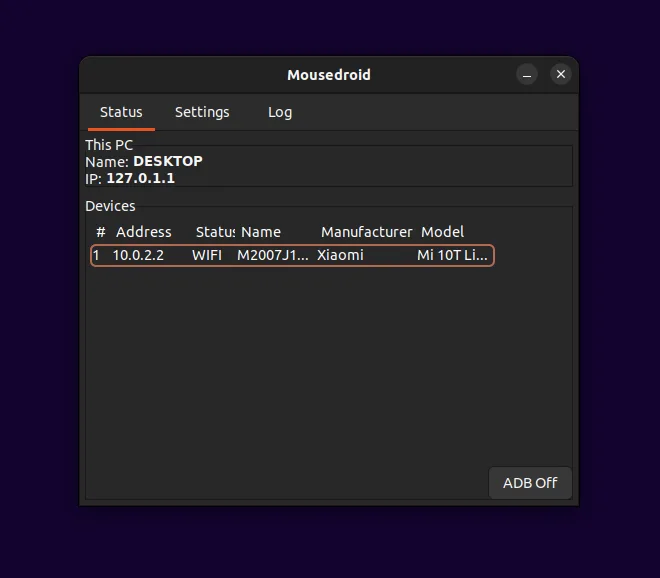
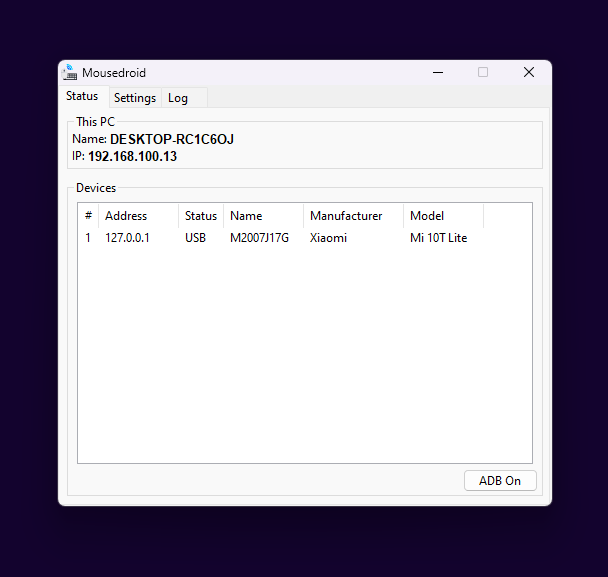
- A server program on the computer, for Windows or Linux, which receives them and moves the pointer. It is available from the project’s GitHub page.
The phone and computer connect over the network, or over USB through ADB.
What you need
- A Windows or Linux PC with the Mousedroid server running.
- Android 9 or newer on the phone.
- For a wired connection, USB debugging enabled.
Tips from the developer
- Connected by USB before starting the server? Restart ADB, or the server won’t see the phone.
- On Linux with Wayland, some features, such as the taskbar icon, may not show. Switching to an Xorg session may fix it. Linux development and testing were done on Ubuntu 22.04.
- On Android 12L and newer, the app asks for Bluetooth permission so it can display your phone’s Bluetooth name.
What stands out in the APK
- No trackers, and no native code. It is pure Java/Kotlin.
- Two permissions ask first, both for Bluetooth. The developer says Bluetooth access is used to show your phone’s Bluetooth name. The rest are ordinary network and background permissions.
Mousedroid or USB HID Client?
USB HID Client makes the phone a real USB keyboard and mouse. It needs root, but no software on the computer, so it even works in BIOS. Mousedroid needs no root, but it does need its server on the computer, so it only works once the operating system is running.
What’s inside the APK
Trackers
No code matching the Exodus Privacy tracker signatures.
Native code
Pure Java/Kotlin, so it runs on any CPU.
Android versions
Built for Android 14 (target API 34).
Permissions
2 of them need your approval first.
Asks you first (2)
Android shows a prompt before the app can use these.
- Advertise to nearby Bluetooth devices · BLUETOOTH_ADVERTISE
- Connect to paired Bluetooth devices · BLUETOOTH_CONNECT
Granted at install (6)
Low-risk permissions Android grants automatically, plus any we have not classified.
- ACCESS_NETWORK_STATE
- BLUETOOTH
- BLUETOOTH_ADMIN
- FOREGROUND_SERVICE
- INTERNET
- WAKE_LOCK
More Information
- Package name
- com.darusc.mousedroid
- Version
- 1.5 (build 5)
- File size
- 10.4 MB (10,446,217 bytes)
- Requires
- Android 9 or later
- Category
- Network & Privacy
- License
- MIT
- Developer
- Darius Cîrneală
- Source code
- github.com/darusc/Mousedroid
- Released
- Mar 13, 2026
- Signer SHA-256
- 50cdcd3e18a3550eabe52864c2fae9079d4c282456d4a2ffed50caa58c5d4a22
- File SHA-256
- 83952916beb5792c588bb89eddcd06ded1d52920c5ff5c0007f9d44ca6d215a2
- Checked
- , against the IzzyOnDroid index · how we check · verify it yourself
Common questions
Is this APK the official Mousedroid release?
Yes. It is the developer’s own release of Mousedroid 1.5, byte for byte as IzzyOnDroid distributes it. Its SHA-256 matches IzzyOnDroid’s signed index, and it is signed with the certificate IzzyOnDroid records for the app (SHA-256 50cdcd3e18a3550eabe52864c2fae9079d4c282456d4a2ffed50caa58c5d4a22).
What Android version does Mousedroid need?
Android 9 or later (API level 28). Version 1.5 is built for Android 14 (target API 34). Pure Java/Kotlin, so it runs on any CPU.
Can Mousedroid access the internet?
Yes. The APK requests Android’s internet permission. In total it declares 8 permissions, and 2 of them need your approval first.
Does Mousedroid contain trackers?
No known trackers: our scan of version 1.5 found no code matching the Exodus Privacy tracker signatures. The scan covers known tracker libraries; it doesn’t show what data the app itself sends.
Is Mousedroid open source?
Yes. Mousedroid is released under the MIT licence, and its source code is published at https://github.com/darusc/Mousedroid.
Recent releases
| Version | Released | Size | Requires |
|---|---|---|---|
| v1.5 · this download | Mar 13, 2026 | 10.4 MB | Android 9+ |
| v1.4 | Jul 20, 2025 | 4.4 MB | Android 7.0+ |
Versions currently kept in the IzzyOnDroid repository. We host and check only the newest one. Full changelog.
Alternatives and related apps
-
 USB HID Client Acts as a real USB keyboard and mouse, even in BIOS, with nothing on the PC. Needs root.Download