

USB HID Client
by Arian Baishya · GPL-3.0-only · open source
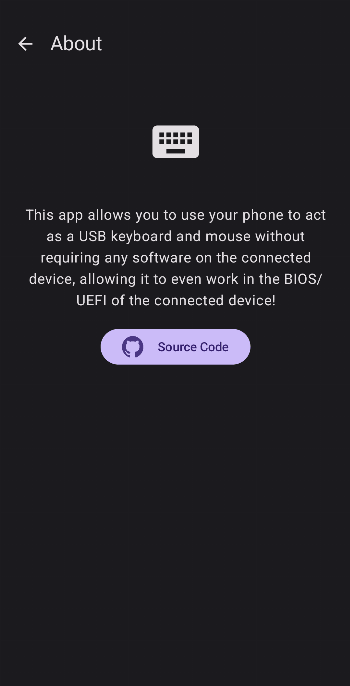
Makes your phone act as a real USB keyboard and mouse, with no software on the computer, even in BIOS.
Needs:Root (Magisk or KernelSU)
2113 Apps is independent, not affiliated with or endorsed by Arian Baishya. Official sources: source code on GitHub.
- Version
- v3.1.0
- Size
- 2.9 MB
- Requires
- Android 8.0+
- Updated
- 2026-08-17
Screenshots
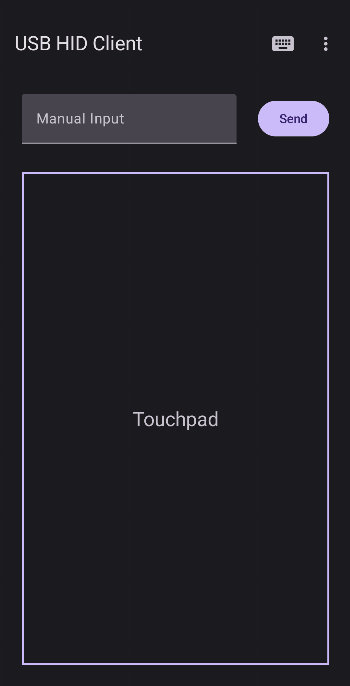
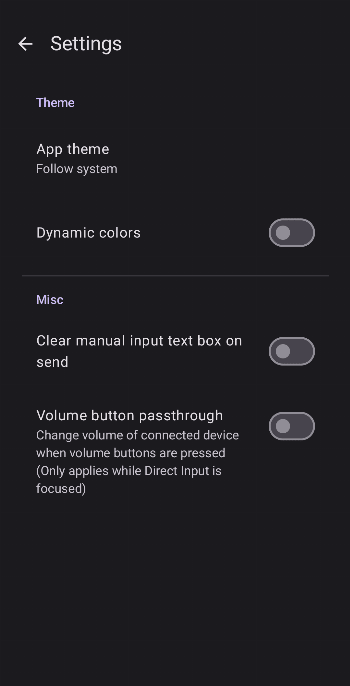
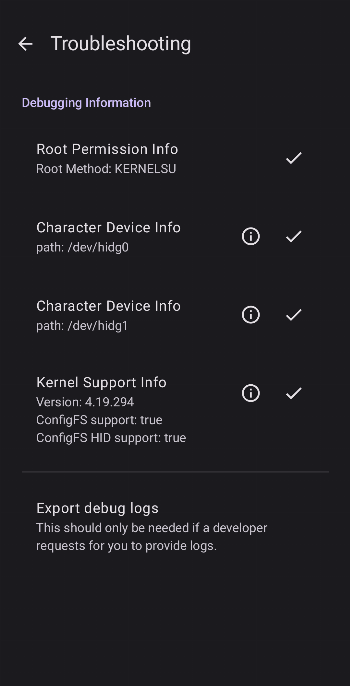
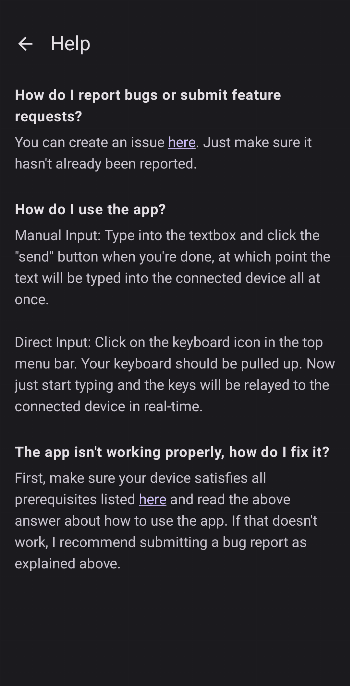
Introduction
Plug your phone into a computer with a USB cable, and USB HID Client makes it show up as a real USB keyboard and mouse. It isn’t an app talking to an app: the computer sees ordinary input hardware. You install nothing on the other end, and it works where no software can, such as in BIOS/UEFI setup or on a machine you don’t control.
What it does
- Sends keystrokes and mouse movement and clicks over USB.
- Supports multimedia keys, so you can change the connected computer’s volume or control playback.
- Works with any Android keyboard. The developer recommends Unexpected Keyboard for modifier and function keys.
How it works
The app adds two HID functions to Android’s USB gadget, exposed as /dev/hidg0 (keyboard) and /dev/hidg1 (mouse). The app writes input reports to them, and the computer reads them as hardware. Advanced users can create the devices with the app and then drive them from their own scripts.
What you need
- Root. Adding USB gadget functions and adjusting SELinux policy at runtime needs it.
- A supported root method. The app patches SELinux policy through the root solution’s own tool, so the project lists the root methods it supports: Magisk (
magiskpolicy) and KernelSU (ksud sepolicy patch). Check the README for the current list. - A kernel that supports USB gadget configuration. The README explains how to check.
What stands out in the APK
- No Android permissions at all, apart from one private permission. Everything happens through root, not through Android’s permission system.
- No trackers.
Installing it
- Install the APK, open it and grant root.
- Connect the phone to the computer with a data-capable USB cable.
- Type or use the touchpad in the app. The computer should respond like it would to a USB keyboard and mouse.
For a wireless option that needs no root, but does need a program on the computer, see Mousedroid.
What’s inside the APK
Trackers
No code matching the Exodus Privacy tracker signatures.
Native code
Runs on 64-bit and older 32-bit ARM phones.
Android versions
Built for Android 13 (target API 33).
Permissions
0 of them need your approval first.
CPU types in this build: arm64-v8a (64-bit ARM, almost every phone since 2017); armeabi-v7a (32-bit ARM, older and budget phones); x86 (32-bit Intel, emulators); x86_64 (64-bit Intel, emulators and Chromebooks).
Defined by other apps (1)
Permissions that belong to another app or to this app itself.
- me.arianb.usb_hid_client.DYNAMIC_RECEIVER_NOT_EXPORTED_PERMISSION
More Information
- Package name
- me.arianb.usb_hid_client
- Version
- v3.1.0 (build 310)
- File size
- 2.9 MB (2,869,054 bytes)
- Requires
- Android 8.0 or later
- Category
- System Tools
- License
- GPL-3.0-only
- Developer
- Arian Baishya
- Source code
- github.com/Arian04/android-hid-client
- Released
- Aug 17, 2026
- Signer SHA-256
- 2fb511247808358a1e0a6ab81fc66cf5445fb560cae050a895a2e008561b3d43
- File SHA-256
- 70b40b06e80e0184442b02eaedbe9b9f0cd9f155ba107beaaf70bb639ffb954d
- Checked
- , against the IzzyOnDroid index · how we check · verify it yourself
Common questions
Is this APK the official USB HID Client release?
Yes. It is the developer’s own release of USB HID Client v3.1.0, byte for byte as IzzyOnDroid distributes it. Its SHA-256 matches IzzyOnDroid’s signed index, and it is signed with the certificate IzzyOnDroid records for the app (SHA-256 2fb511247808358a1e0a6ab81fc66cf5445fb560cae050a895a2e008561b3d43).
What Android version does USB HID Client need?
Android 8.0 or later (API level 26). Version v3.1.0 is built for Android 13 (target API 33). Runs on 64-bit and older 32-bit ARM phones.
Can USB HID Client access the internet?
No. The APK doesn’t request Android’s internet permission, so the app can’t go online by itself. In total it declares 1 permission, and none of them needs your approval first.
Does USB HID Client contain trackers?
No known trackers: our scan of version v3.1.0 found no code matching the Exodus Privacy tracker signatures. The scan covers known tracker libraries; it doesn’t show what data the app itself sends.
Is USB HID Client open source?
Yes. USB HID Client is released under the GPL-3.0-only licence, and its source code is published at https://github.com/Arian04/android-hid-client.
Recent releases
| Version | Released | Size | Requires |
|---|---|---|---|
| v3.1.0 · this download | Aug 17, 2026 | 2.9 MB | Android 8.0+ |
| v3.0.1 | Aug 29, 2025 | 2.5 MB | Android 8.0+ |
| v3.0.0 | Aug 29, 2025 | 2.5 MB | Android 8.0+ |
Versions currently kept in the IzzyOnDroid repository. We host and check only the newest one. Full changelog.
Alternatives and related apps
-
 Mousedroid Works over Wi-Fi without root, but needs a program running on the PC.Download