
OSS Document Scanner
by Akylas · MIT · open source
Turn photos into cropped, filtered documents, recognise text locally, and export searchable PDFs without sending every scan through a document-scanning service.
Needs:Android 7.0+ · 64-bit ARM device · camera optional
2113 Apps is independent, not affiliated with or endorsed by Akylas. Official sources: source code on GitHub.
- Version
- 1.26.2.165
- Size
- 12.0 MB
- Requires
- Android 7.0+
- Updated
- 2026-10-22
Screenshots
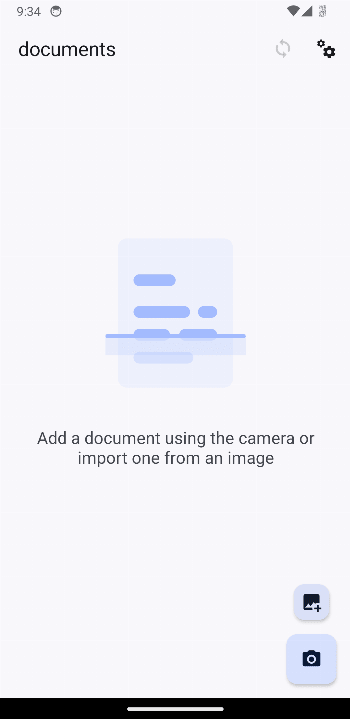
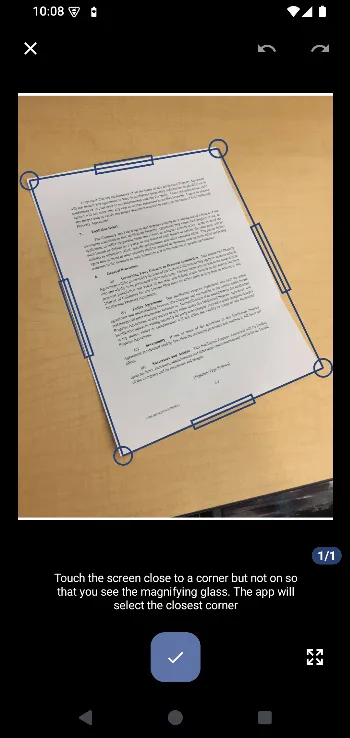
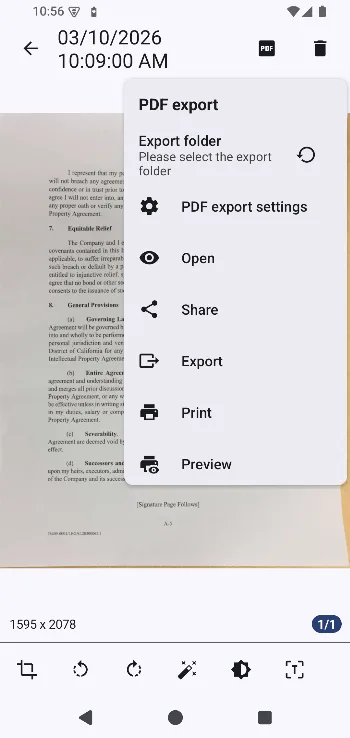
Introduction
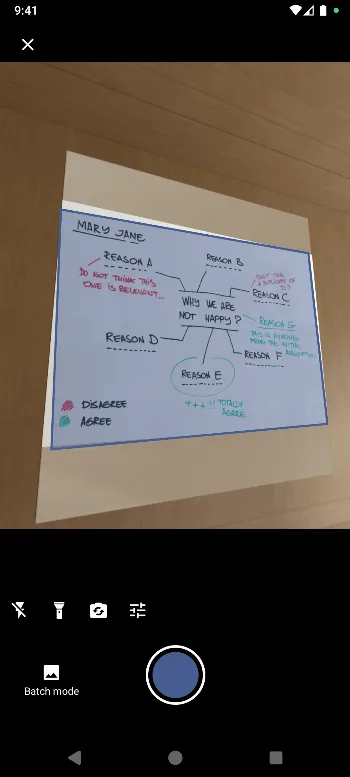
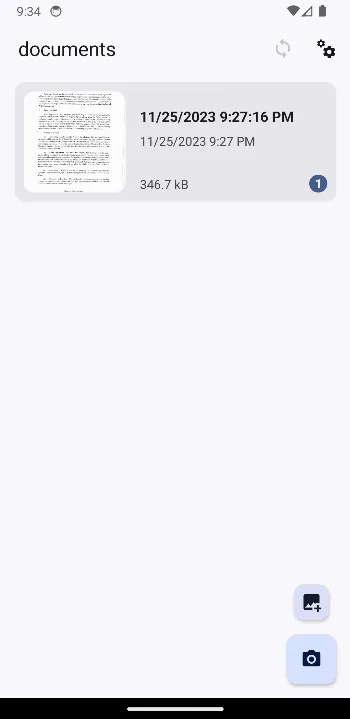
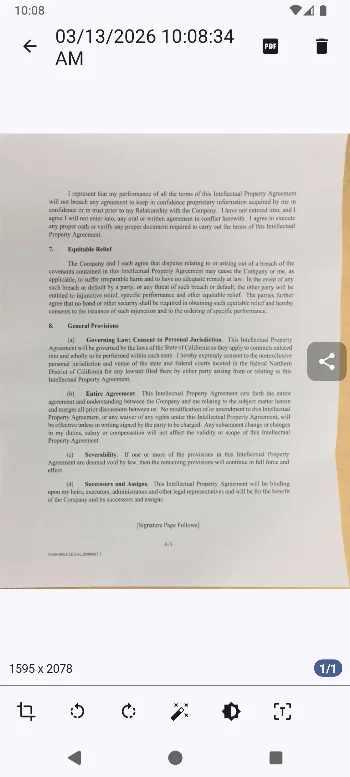
OSS Document Scanner captures a paper page or imports an existing image or PDF, finds the page corners, corrects the perspective and applies colour or black-and-white filters. Pages can be rotated, reordered and grouped into folders before export.
OCR, PDF and organisation
- Local OCR uses Tesseract and can add an invisible text layer behind the image for a searchable PDF.
- Export pages as PDF, JPEG or PNG, including password-protected PDFs.
- Protect access to the app with a passcode or the device’s biometric authentication.
- Optional sync supports a local folder, WebDAV, Google Drive, OneDrive and Paperless-ngx, with separate choices for document data, PDFs and images.
OCR processing is local after its language data is present, but no Tesseract language file is bundled: selecting a recognition language downloads its trained-data file from the official Tesseract GitHub repository. Cloud and WebDAV sync likewise contact the destination you configure. If neither feature is used, taking and exporting scans does not require an account.
Version and network boundary
Version 1.26.2’s release note says only that it mitigates CVE-2026-111943; the note does not describe the affected component or attack path, so this page does not infer more. The app still has internet permission for OCR language downloads, remote sync and support links. Our static scan found no recognised tracker SDKs.
About this file
- This is the developer-signed build of OSS Document Scanner 1.26.2.165 from IzzyOnDroid. Its SHA-256 and signing key match IzzyOnDroid’s signed package index; the signer also matches the AppVerifier fingerprint the project publishes in its README (
0D:10:AA:10:…:A8:71). - The 12.0 MB APK runs on Android 7.0 or later and contains native code only for 64-bit ARM. Its nine permissions cover camera scanning, internet and network state, biometric authentication, notifications, legacy read/write storage access and an internal receiver.
- Our scan found no tracker libraries.
- The app is licensed under MIT. IzzyOnDroid uses the project’s
com.akylas.documentscanner/android/github/1.26.2/165tag; the project also has separate beta-tagged builds.
What’s inside the APK
Trackers
No code matching the tracker signatures we check, including Exodus Privacy’s list and our published supplements.
Native code
Needs a 64-bit ARM phone; 32-bit-only devices are not supported.
Android versions
Built for Android 16 (target API 36).
Permissions
4 of them need your approval first.
CPU types in this build: arm64-v8a (64-bit ARM, almost every phone since 2017).
Asks you first (4)
Android shows a prompt before the app can use these.
- Use the camera · CAMERA
- Show notifications (Android 13+) · POST_NOTIFICATIONS
- Read shared storage (Android 12 and older) · READ_EXTERNAL_STORAGE
- Write shared storage (Android 10 and older) · WRITE_EXTERNAL_STORAGE
Granted at install (4)
Low-risk permissions Android grants automatically, plus any we have not classified.
- ACCESS_NETWORK_STATE
- INTERNET
- USE_BIOMETRIC
- USE_FINGERPRINT
Defined by other apps (1)
Permissions that belong to another app or to this app itself.
- com.akylas.documentscanner.DYNAMIC_RECEIVER_NOT_EXPORTED_PERMISSION
More Information
- Package name
- com.akylas.documentscanner
- Version
- 1.26.2.165 (build 165)
- File size
- 12.0 MB (12,006,447 bytes)
- Requires
- Android 7.0 or later
- Category
- Productivity
- License
- MIT
- Developer
- Akylas
- Source code
- github.com/ossappscollective/OSS-DocumentScanner
- Released
- Oct 22, 2026
- Signer SHA-256
- 0d10aa10e03a7e769722be4388be63bd157a7b7bf196fb3cebab8737f96ca871
- File SHA-256
- bd50e333c9d49f8838e04526c9ffdfb87c078dc42dafe9c13a112c4b848d6803
- Checked
- , against the IzzyOnDroid index · how we check · verify it yourself
Common questions
Is this APK the official OSS Document Scanner release?
Yes. It is the developer’s own release of OSS Document Scanner 1.26.2.165, byte for byte as IzzyOnDroid distributes it. Its SHA-256 matches IzzyOnDroid’s signed index, and it is signed with the certificate IzzyOnDroid records for the app (SHA-256 0d10aa10e03a7e769722be4388be63bd157a7b7bf196fb3cebab8737f96ca871).
What Android version does OSS Document Scanner need?
Android 7.0 or later (API level 24). Version 1.26.2.165 is built for Android 16 (target API 36). Needs a 64-bit ARM phone; 32-bit-only devices are not supported.
Can OSS Document Scanner access the internet?
Yes. The APK requests Android’s internet permission. In total it declares 9 permissions, and 4 of them need your approval first.
Does OSS Document Scanner contain trackers?
No known trackers: our scan of version 1.26.2.165 found no code matching the tracker signatures it checks. Those include Exodus Privacy’s list and the published local supplements described on How We Check; the scan doesn’t show what data the app itself sends.
Is OSS Document Scanner open source?
Yes. OSS Document Scanner is released under the MIT licence, and its source code is published at https://github.com/ossappscollective/OSS-DocumentScanner.
Does OCR run on the phone?
Yes. It uses Tesseract locally. Choosing a new recognition language downloads that language’s trained-data file from the official Tesseract data repository, after which recognition uses the local copy.
Can it make searchable or password-protected PDFs?
Yes. It can place OCR text behind the scanned page to create a searchable PDF, and its export options include PDF passwords. Check the exported file in another reader before deleting the original images.
Does it upload scans automatically?
Not for basic scanning. Optional sync targets include a local folder, WebDAV, Google Drive, OneDrive and Paperless-ngx, each of which sends the selected document data to the target you configure.
Why is this APK only for ARM64?
The measured build contains only `arm64-v8a` native libraries. It needs a 64-bit ARM phone or tablet; x86 devices and older 32-bit-only ARM devices cannot run this file.
Recent releases
| Version | Released | Size | Requires |
|---|---|---|---|
| v1.26.2.165 · this download | Oct 22, 2026 | 12.0 MB | Android 7.0+ |
| v1.26.1.164 | Oct 20, 2026 | 12.0 MB | Android 7.0+ |
Versions currently kept in the IzzyOnDroid repository. We host and check only the newest one. Full changelog.
Alternatives and related apps
-
 OCR Extracts and translates text from images without the document library, perspective correction or PDF sync workflow.Download
-
 LibreOffice Opens and edits office documents rather than creating PDFs from camera scans.Download