

Neo Backup
by Antonios Hazim · AGPL-3.0-only · open source
Back up your apps together with their data on a rooted phone, and put them back later or on a fresh install: one app at a time, in batches or on schedules, encrypted if you want.
Needs:Root · Android 8.0+
2113 Apps is independent, not affiliated with or endorsed by Antonios Hazim. Official sources: source code on GitHub.
- Version
- 8.3.18
- Size
- 11.4 MB
- Requires
- Android 8.0+
- Updated
- 2026-05-04
Screenshots
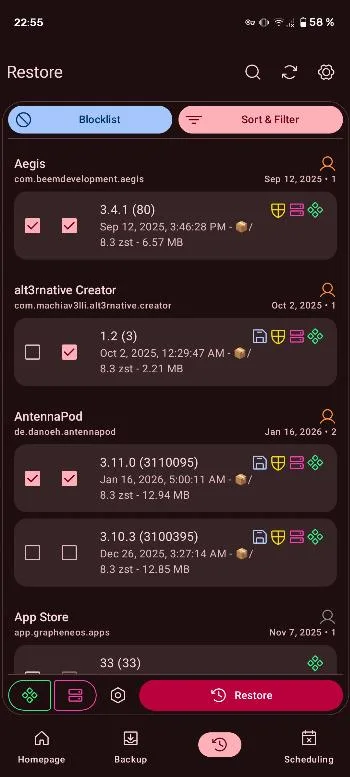
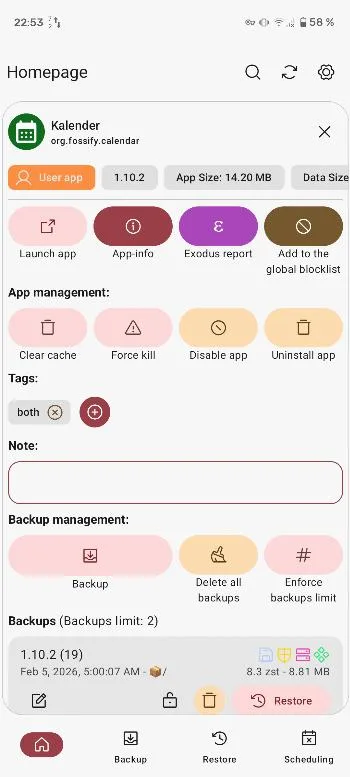
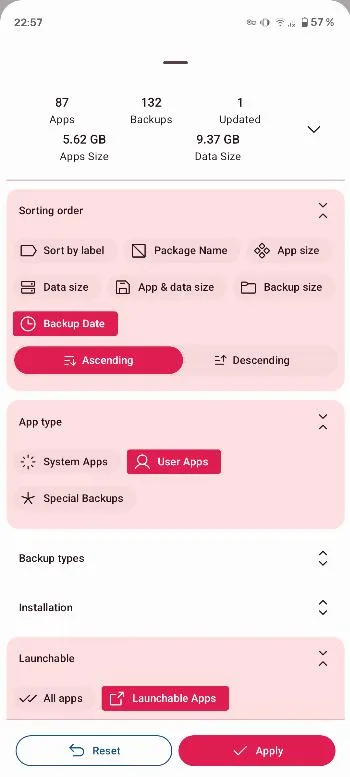
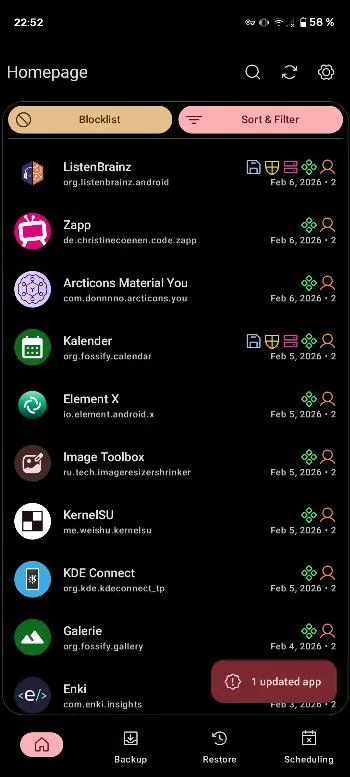
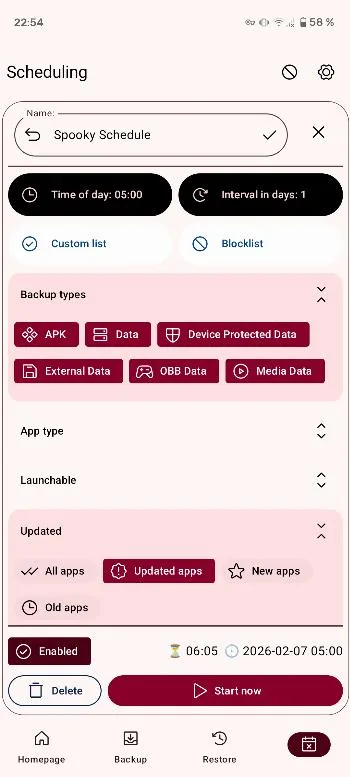
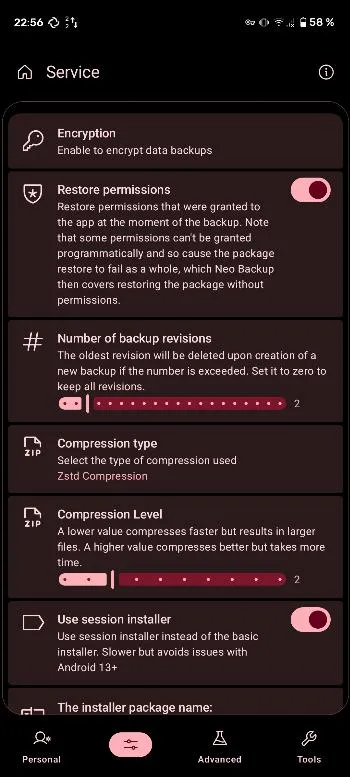
Introduction
Neo Backup is an open-source backup app for rooted Android phones. It began as OAndBackupX, a fork of the inactive OAndBackup, and was renamed; most of it has since been rewritten. The FAQ is clear about the requirement: Neo Backup “requires root”.
What it does
From the project’s README and FAQ:
- Back up apps with their data: the APK, split parts included, and the app’s data, which Neo Backup divides into normal data, external data, OBB files, device-protected data, media and cache. You choose which parts to include.
- One app, a batch or a schedule. Back up or restore single apps or many at once, and set up as many schedules as you like, each with its own list of apps.
- Encryption, optional: the data is encrypted “with AES256 based on a password you can set in the settings”. Unencrypted backups are ordinary tar archives that any archiver can open.
- Special backups, since version 8: SMS and MMS messages, call logs, Wi-Fi networks and Bluetooth pairings. Contacts aren’t among them yet.
- Where backups go: any folder you pick through Android’s file picker. The README suggests pairing it with a sync tool such as Syncthing or Nextcloud, so a copy leaves the phone.
Before you rely on it
- System apps: the FAQ advises against restoring them, especially on a different system, because it “might de-stabilize the system or make it unbootable”.
- A new phone or ROM isn’t a full clone: Neo Backup saves apps, their data and the special backups, not the whole system configuration.
- Logins: apps that use the Android Keystore, such as banking and messaging apps, usually need you to sign in again after a restore (see the questions below).
About this file
- This is the developer’s own build, from IzzyOnDroid, signed with the developer’s key (SHA-256 fingerprint starting C9:4F:10:24). F-Droid builds and signs its own copy, so the two can’t update each other.
- Neo Backup isn’t on Google Play. The latest release, 8.3.18, came out on 3 May 2026.
- The 11.4 MB file runs on Android 8.0 and later, on ARM and x86, 32- and 64-bit, and declares 25 permissions, 8 of which need your approval; most of these are for the SMS and call log backups. Our scan found no tracker libraries.
- Neo Backup is licensed under AGPL-3.0. Its icon is based on an icon by Catalin Fertu from Flaticon.
What’s inside the APK
Trackers
No code matching the Exodus Privacy tracker signatures.
Native code
Runs on 64-bit and older 32-bit ARM phones.
Android versions
Built for Android 16 (target API 36).
Permissions
8 of them need your approval first.
libsu (root shell). Bundles libsu, a library for running commands in a root shell. (com.topjohnwu.superuser.NoShellException)
CPU types in this build: arm64-v8a (64-bit ARM, almost every phone since 2017); armeabi-v7a (32-bit ARM, older and budget phones); x86 (32-bit Intel, emulators); x86_64 (64-bit Intel, emulators and Chromebooks).
Asks you first (8)
Android shows a prompt before the app can use these.
- Show notifications (Android 13+) · POST_NOTIFICATIONS
- Read the call log · READ_CALL_LOG
- Read your contacts · READ_CONTACTS
- Read text messages · READ_SMS
- Receive text messages · RECEIVE_SMS
- Send text messages · SEND_SMS
- Change the call log · WRITE_CALL_LOG
- Write shared storage (Android 10 and older) · WRITE_EXTERNAL_STORAGE
You switch these on in Settings (3)
Special app access. Nothing is granted until you turn it on yourself.
- All files access · MANAGE_EXTERNAL_STORAGE
- Usage access · PACKAGE_USAGE_STATS
- Alarms and reminders · SCHEDULE_EXACT_ALARM
Granted at install (12)
Low-risk permissions Android grants automatically, plus any we have not classified.
- FOREGROUND_SERVICE
- FOREGROUND_SERVICE_DATA_SYNC
- KILL_BACKGROUND_PROCESSES
- QUERY_ALL_PACKAGES
- RECEIVE_BOOT_COMPLETED
- RECEIVE_MMS
- RECEIVE_WAP_PUSH
- REORDER_TASKS
- REQUEST_IGNORE_BATTERY_OPTIMIZATIONS
- USE_BIOMETRIC
- USE_FINGERPRINT
- WAKE_LOCK
Defined by other apps (2)
Permissions that belong to another app or to this app itself.
- android.provider.Telephony.SMS_RECEIVED
- com.machiav3lli.backup.DYNAMIC_RECEIVER_NOT_EXPORTED_PERMISSION
More Information
- Package name
- com.machiav3lli.backup
- Version
- 8.3.18 (build 8331)
- File size
- 11.4 MB (11,430,871 bytes)
- Requires
- Android 8.0 or later
- Category
- Root & Mods
- License
- AGPL-3.0-only
- Developer
- Antonios Hazim
- Source code
- github.com/NeoApplications/Neo-Backup
- Released
- May 4, 2026
- Signer SHA-256
- c94f10243c14d57dd69dede61c234bb5e8bb0704d61b45dafe496728ac32f378
- File SHA-256
- d2bd2fbd57bf1e99d12a40ba4418e66543a2983742f16b0f3509262f36f7b4f7
- Checked
- , against the IzzyOnDroid index · how we check · verify it yourself
Common questions
Is this APK the official Neo Backup release?
Yes. It is the developer’s own release of Neo Backup 8.3.18, byte for byte as IzzyOnDroid distributes it. Its SHA-256 matches IzzyOnDroid’s signed index, and it is signed with the certificate IzzyOnDroid records for the app (SHA-256 c94f10243c14d57dd69dede61c234bb5e8bb0704d61b45dafe496728ac32f378).
What Android version does Neo Backup need?
Android 8.0 or later (API level 26). Version 8.3.18 is built for Android 16 (target API 36). Runs on 64-bit and older 32-bit ARM phones.
Can Neo Backup access the internet?
No. The APK doesn’t request Android’s internet permission, so the app can’t go online by itself. In total it declares 25 permissions, and 8 of them need your approval first.
Does Neo Backup contain trackers?
No known trackers: our scan of version 8.3.18 found no code matching the Exodus Privacy tracker signatures. The scan covers known tracker libraries; it doesn’t show what data the app itself sends.
Is Neo Backup open source?
Yes. Neo Backup is released under the AGPL-3.0-only licence, and its source code is published at https://github.com/NeoApplications/Neo-Backup.
Does Neo Backup work without root?
No. The project’s FAQ answers the question in several languages: “Yes, Oui, Si, Si, Ja, Ja, Da…”. Root is what lets it copy each app’s private data folder. Without root, look at backup tools built into your ROM, such as Seedvault, which the FAQ compares it with.
Why do I have to log in again after restoring an app?
Apps that keep their secrets in the Android Keystore, which is encrypted and tied to the device, can’t be fully backed up. The FAQ names Nextcloud, Signal and Threema as examples: the data may come back, but you have to sign in or register the phone number again.
Why does Neo Backup ask for SMS and call log access?
For its “special backups” of SMS and MMS messages and call logs, available since version 8, which you turn on in the advanced settings. Neo Backup asks for these rights after a restart of the app. Note that Play Protect may block apps with SMS permissions when they are installed from a browser in some countries, Brazil included.
Recent releases
| Version | Released | Size | Requires |
|---|---|---|---|
| v8.3.18 · this download | May 4, 2026 | 11.4 MB | Android 8.0+ |
| v8.3.17 | Feb 22, 2026 | 11.5 MB | Android 8.0+ |
| v8.3.16 | Jan 3, 2026 | 11.5 MB | Android 8.0+ |
Versions currently kept in the IzzyOnDroid repository. We host and check only the newest one. Full changelog.
Alternatives and related apps
-
 App Manager A wider toolbox for installed apps that can also back up apps and their data with root or ADB.Download