
App Manager
by Muntashir Al-Islam · GPL-3.0-only · open source
A power-user tool for everything about installed apps: scan them for trackers, install split APKs, back them up, revoke permissions, freeze apps or block their components.
Needs:No root for basics · root or ADB for more · Android 5.0+
2113 Apps is independent, not affiliated with or endorsed by Muntashir Al-Islam. Official sources: muntashirakon.github.io · source code on GitHub.
- Version
- 4.1.1
- Size
- 28.3 MB
- Requires
- Android 5.0+
- Updated
- 2026-09-04
Screenshots
Introduction
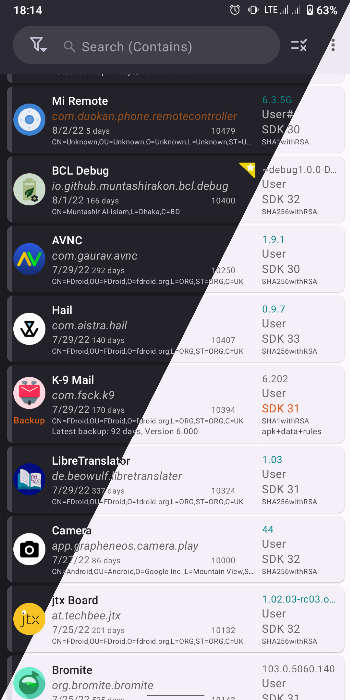
App Manager calls itself an advanced package manager for Android. It started by combining the features of several single-purpose apps, including a tracker scanner and an activity launcher, into one. How much it can do depends on how you run it.
Without root
From the project’s README:
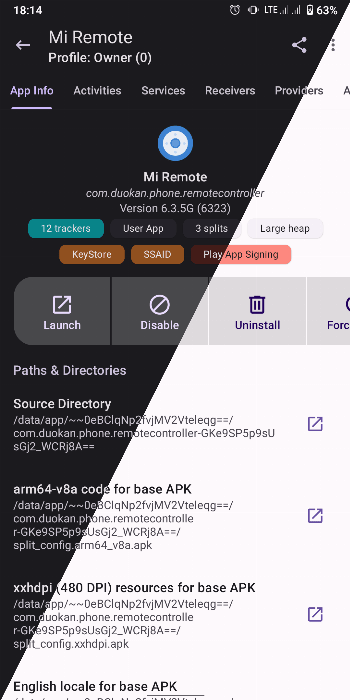
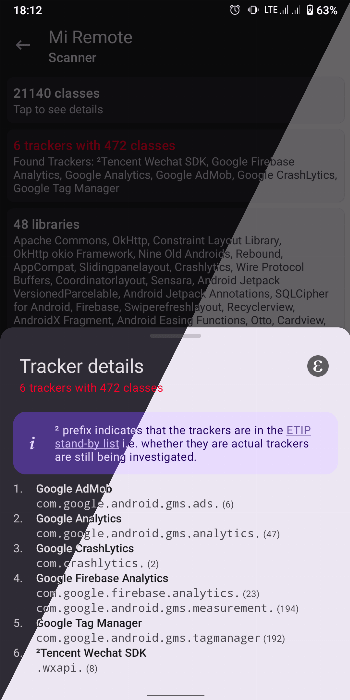
- Scan apps for trackers and libraries, and list the tracking classes in the code.
- Install and uninstall APKs, including split formats such as APKS, APKM and XAPK with OBB files (see how to install XAPK, APKS and APKM files).
- Back up and restore APK files.
With root, or ADB through wireless debugging
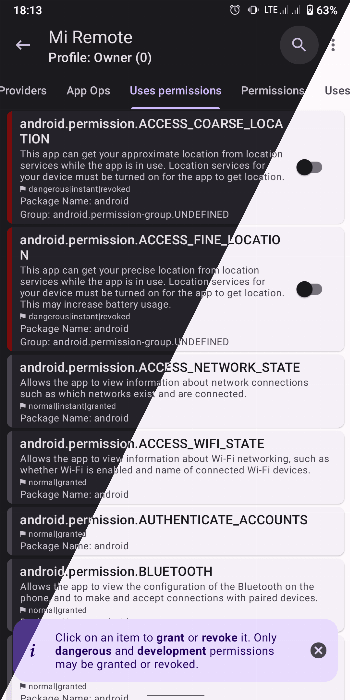
- Revoke runtime and development permissions, and change app ops.
- Freeze and unfreeze apps.
- Version 4.1.1 added blocking internet per app with eBPF rules; those rules are lost after a reboot.
On Android 11 and later, the ADB mode works on the phone itself through wireless debugging, without a computer.
With root only
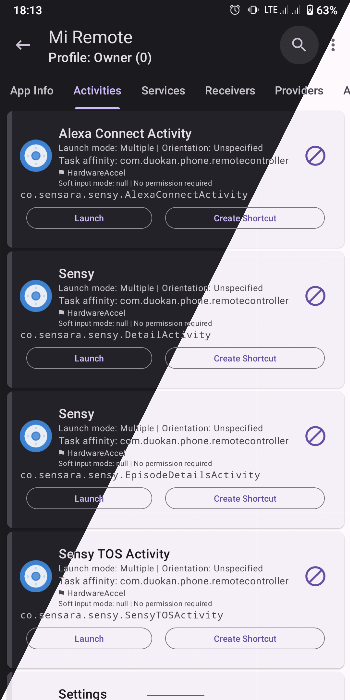
- Block components of an app: activities, broadcast receivers, services or providers.
- Back up and restore apps with their data, rules and extras. Version 4.1.0 added full support for ADB backups as well.
The documentation warns that blocking the wrong components can cause a bootloop or a soft brick, which may mean a factory reset.
About this file
- This is the developer’s release from GitHub, delivered through IzzyOnDroid and signed with the developer’s key. IzzyOnDroid tries to rebuild each release from source to confirm the file matches the code. For version 4.1.x that check failed, so the match is unconfirmed, even though the project describes its builds as reproducible.
- App Manager isn’t on Google Play; its official sources are F-Droid, IzzyOnDroid and GitHub. F-Droid’s own build is signed differently, so it won’t update this one.
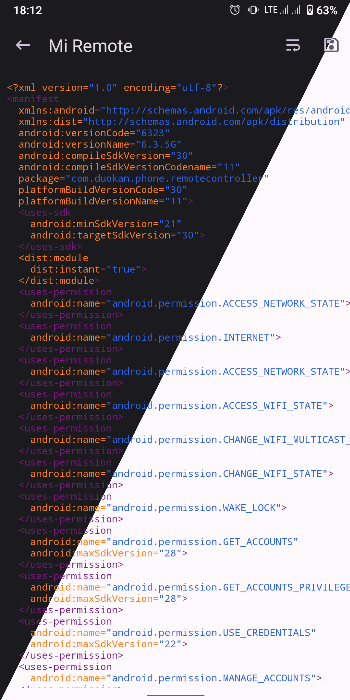
- It declares 63 permissions, and an accessibility service for its optional UI Tracker overlay. The 28.3 MB file runs on ARM and x86, 32- and 64-bit.
What’s inside the APK
Trackers
No code matching the Exodus Privacy tracker signatures.
Native code
Runs on 64-bit and older 32-bit ARM phones.
Android versions
Built for Android 16 (target API 36).
Permissions
4 of them need your approval first.
libsu (root shell). Bundles libsu, a library for running commands in a root shell. (com.topjohnwu.superuser.CallbackList$$ExternalSyntheticLambda0)
CPU types in this build: arm64-v8a (64-bit ARM, almost every phone since 2017); armeabi-v7a (32-bit ARM, older and budget phones); x86 (32-bit Intel, emulators); x86_64 (64-bit Intel, emulators and Chromebooks).
Asks you first (4)
Android shows a prompt before the app can use these.
- Show notifications (Android 13+) · POST_NOTIFICATIONS
- Read shared storage (Android 12 and older) · READ_EXTERNAL_STORAGE
- Read phone status and identity · READ_PHONE_STATE
- Write shared storage (Android 10 and older) · WRITE_EXTERNAL_STORAGE
You switch these on in Settings (4)
Special app access. Nothing is granted until you turn it on yourself.
- All files access · MANAGE_EXTERNAL_STORAGE
- Usage access · PACKAGE_USAGE_STATS
- Install unknown apps · REQUEST_INSTALL_PACKAGES
- Display over other apps · SYSTEM_ALERT_WINDOW
System-level (13)
Reserved for system apps. A normal install does not get these; they only take effect through root, ADB or Shizuku, if at all.
- CHANGE_COMPONENT_ENABLED_STATE
- DELETE_PACKAGES
- DUMP
- FORCE_STOP_PACKAGES
- GRANT_RUNTIME_PERMISSIONS
- INSTALL_PACKAGES
- INTERACT_ACROSS_USERS
- INTERACT_ACROSS_USERS_FULL
- MANAGE_APP_OPS_MODES
- MANAGE_USERS
- READ_LOGS
- SUSPEND_APPS
- WRITE_SECURE_SETTINGS
Granted at install (38)
Low-risk permissions Android grants automatically, plus any we have not classified.
- ACCESS_HIDDEN_PROFILES
- ACCESS_NETWORK_STATE
- ADJUST_RUNTIME_PERMISSIONS_POLICY
- BACKUP
- CHANGE_OVERLAY_PACKAGES
- CLEAR_APP_CACHE
- CLEAR_APP_USER_DATA
- DELETE_CACHE_FILES
- DEVICE_POWER
- ENFORCE_UPDATE_OWNERSHIP
- FOREGROUND_SERVICE
- FOREGROUND_SERVICE_DATA_SYNC
- FOREGROUND_SERVICE_SPECIAL_USE
- GET_APP_OPS_STATS
- GET_PACKAGE_SIZE
- GET_RUNTIME_PERMISSIONS
- GET_TASKS
- INSTALL_TEST_ONLY_PACKAGE
- INTERNAL_DELETE_CACHE_FILES
- INTERNET
- KILL_UID
- MANAGE_APPOPS
- MANAGE_NETWORK_POLICY
- MANAGE_NOTIFICATION_LISTENERS
- MANAGE_SENSORS
- NETWORK_SETTINGS
- QUERY_ALL_PACKAGES
- REAL_GET_TASKS
- RECEIVE_BOOT_COMPLETED
- REQUEST_DELETE_PACKAGES
- REVOKE_RUNTIME_PERMISSIONS
- START_ANY_ACTIVITY
- UPDATE_APP_OPS_STATS
- UPDATE_DOMAIN_VERIFICATION_USER_SELECTION
- UPDATE_PACKAGES_WITHOUT_USER_ACTION
- USE_BIOMETRIC
- USE_FINGERPRINT
- WAKE_LOCK
Defined by other apps (4)
Permissions that belong to another app or to this app itself.
- com.android.launcher.permission.INSTALL_SHORTCUT
- com.android.permission.INSTALL_EXISTING_PACKAGES
- com.termux.permission.RUN_COMMAND
- io.github.muntashirakon.AppManager.DYNAMIC_RECEIVER_NOT_EXPORTED_PERMISSION
More Information
- Package name
- io.github.muntashirakon.AppManager
- Version
- 4.1.1 (build 451)
- File size
- 28.3 MB (28,270,163 bytes)
- Requires
- Android 5.0 or later
- Category
- System Tools
- License
- GPL-3.0-only
- Developer
- Muntashir Al-Islam
- Source code
- github.com/MuntashirAkon/AppManager
- Released
- Sep 4, 2026
- Signer SHA-256
- 320c0c0fe8cef873f2b554cb88c837f1512589dcced50c5b25c43c04596760ab
- File SHA-256
- 2540d6d9352acd8b04d6210140630a380abb1bc46ad4745c89ad97603dee3c40
- Checked
- , against the IzzyOnDroid index · how we check · verify it yourself
Common questions
Is this APK the official App Manager release?
Yes. It is the developer’s own release of App Manager 4.1.1, byte for byte as IzzyOnDroid distributes it. Its SHA-256 matches IzzyOnDroid’s signed index, and it is signed with the certificate IzzyOnDroid records for the app (SHA-256 320c0c0fe8cef873f2b554cb88c837f1512589dcced50c5b25c43c04596760ab).
What Android version does App Manager need?
Android 5.0 or later (API level 21). Version 4.1.1 is built for Android 16 (target API 36). Runs on 64-bit and older 32-bit ARM phones.
Can App Manager access the internet?
Yes. The APK requests Android’s internet permission. In total it declares 63 permissions, and 4 of them need your approval first.
Does App Manager contain trackers?
No known trackers: our scan of version 4.1.1 found no code matching the Exodus Privacy tracker signatures. The scan covers known tracker libraries; it doesn’t show what data the app itself sends.
Is App Manager open source?
Yes. App Manager is released under the GPL-3.0-only licence, and its source code is published at https://github.com/MuntashirAkon/AppManager.