

Tomato
by Nishant Mishra · GPL-3.0-only · open source
A minimalist Pomodoro timer: focus for 25 minutes, take a short break, and follow your focus time in daily, weekly, monthly and yearly statistics. It never goes online.
Needs:Android 8.0+ · no account
2113 Apps is independent, not affiliated with or endorsed by Nishant Mishra. Official sources: source code on GitHub.
- Version
- 2.0.1
- Size
- 6.1 MB
- Requires
- Android 8.0+
- Updated
- 2026-09-26
Screenshots
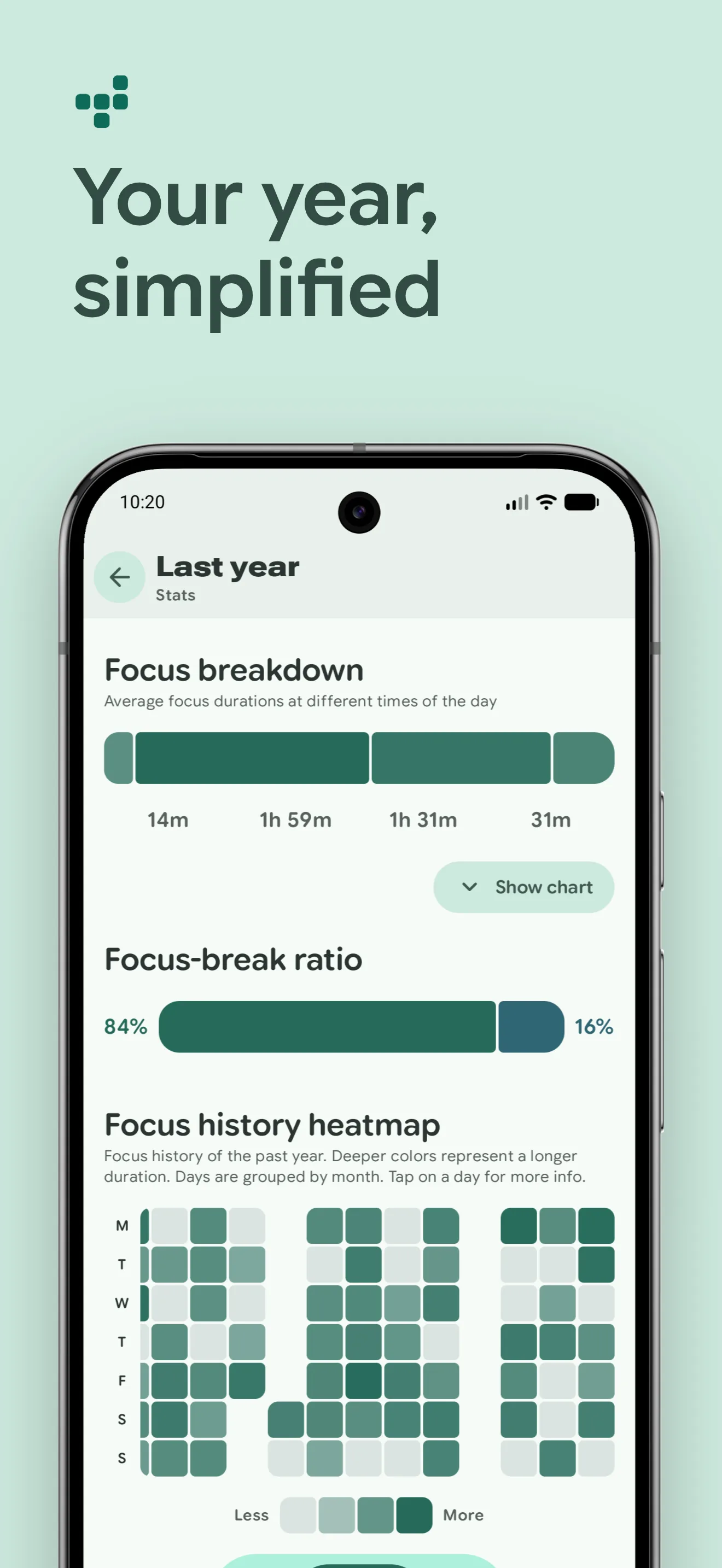
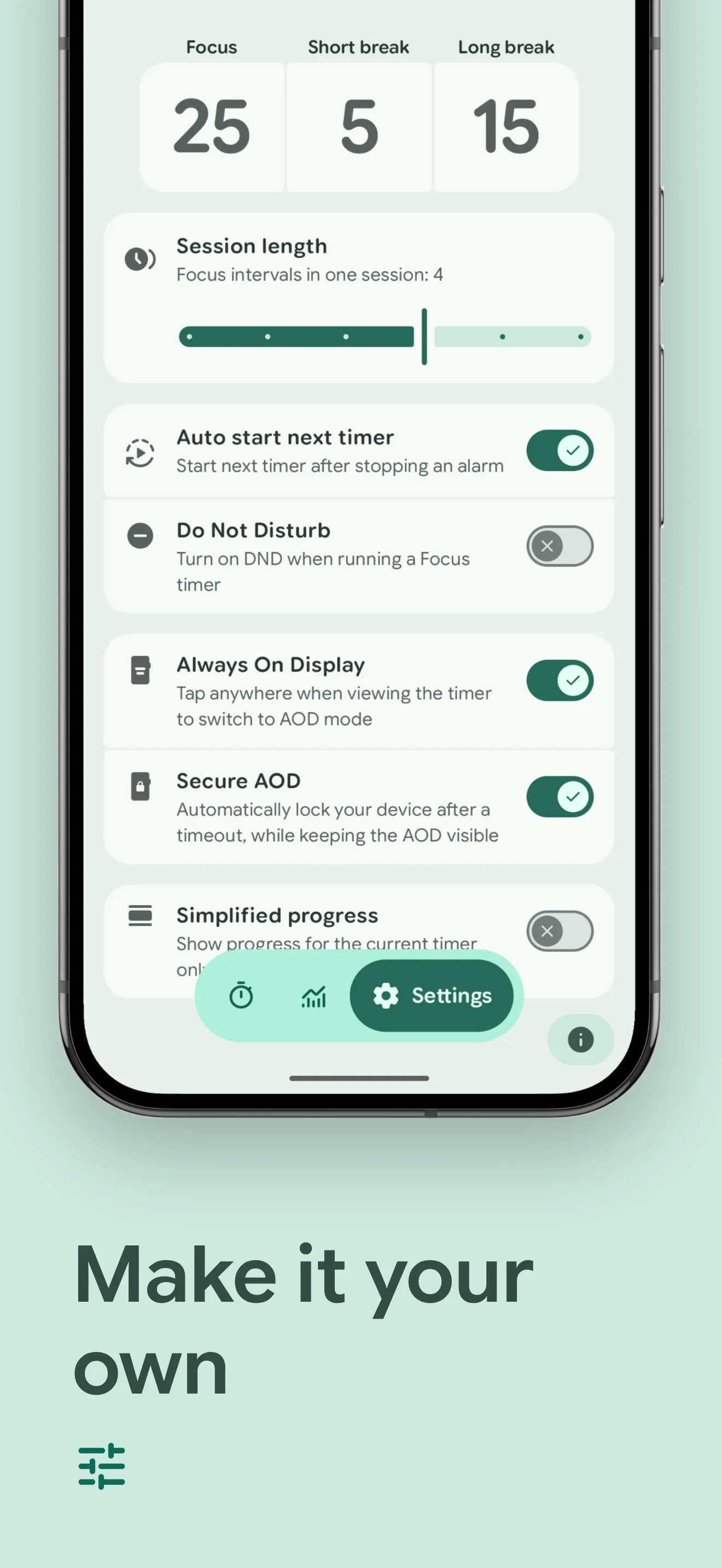
Introduction
Tomato describes itself as “a minimalist Pomodoro timer for Android based on Material 3 Expressive”. The Pomodoro technique splits work into focus sessions with short breaks in between and a longer break after a few rounds; Tomato runs that cycle for you and keeps track of it.
How it works
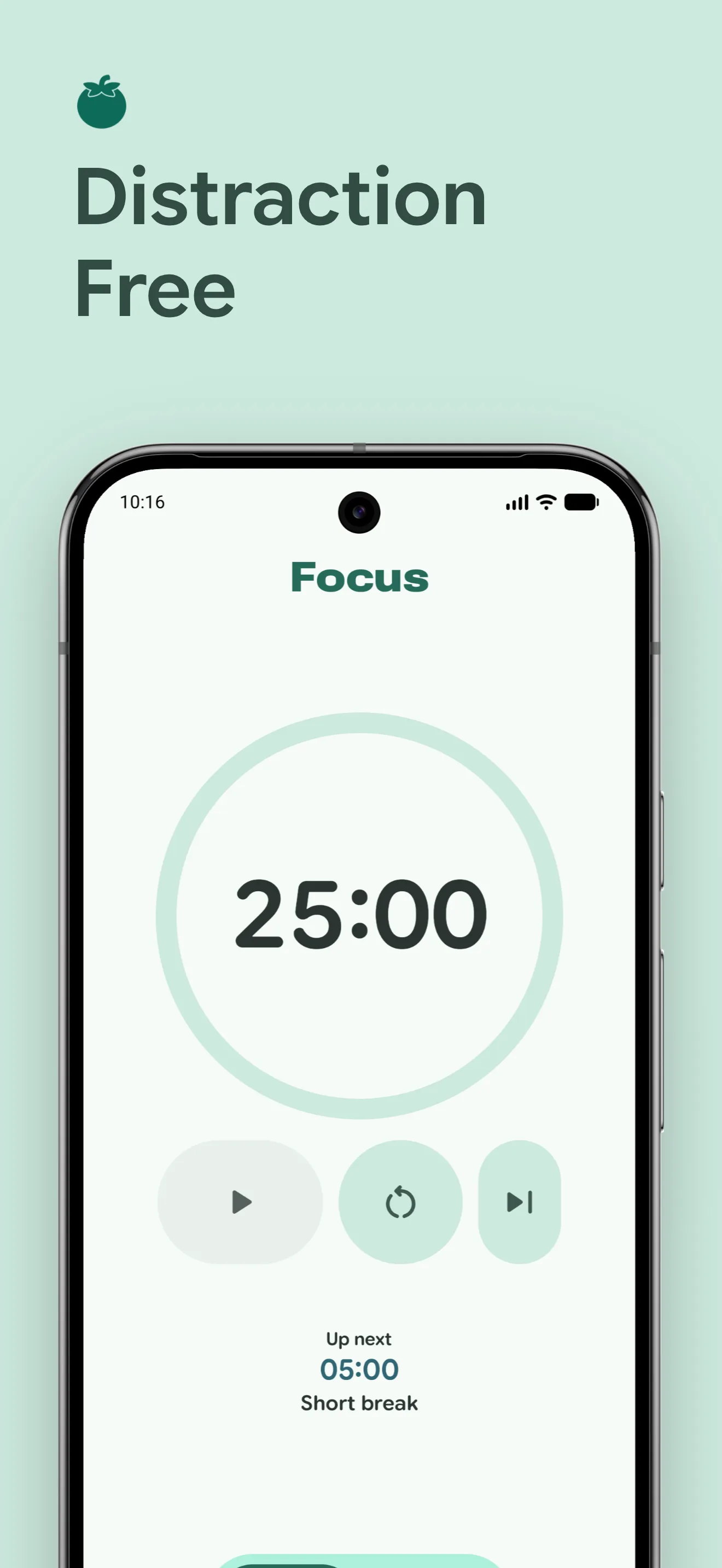
- Timer: by default 25 minutes of focus, 5-minute short breaks and a 15-minute long break after every 4 focus sessions. The next session doesn’t start on its own unless you turn that on.
- Topics, new in version 2.0: “create a topic for anything you focus on and give it its own color and shape”, and “every topic remembers its own focus and break durations”.
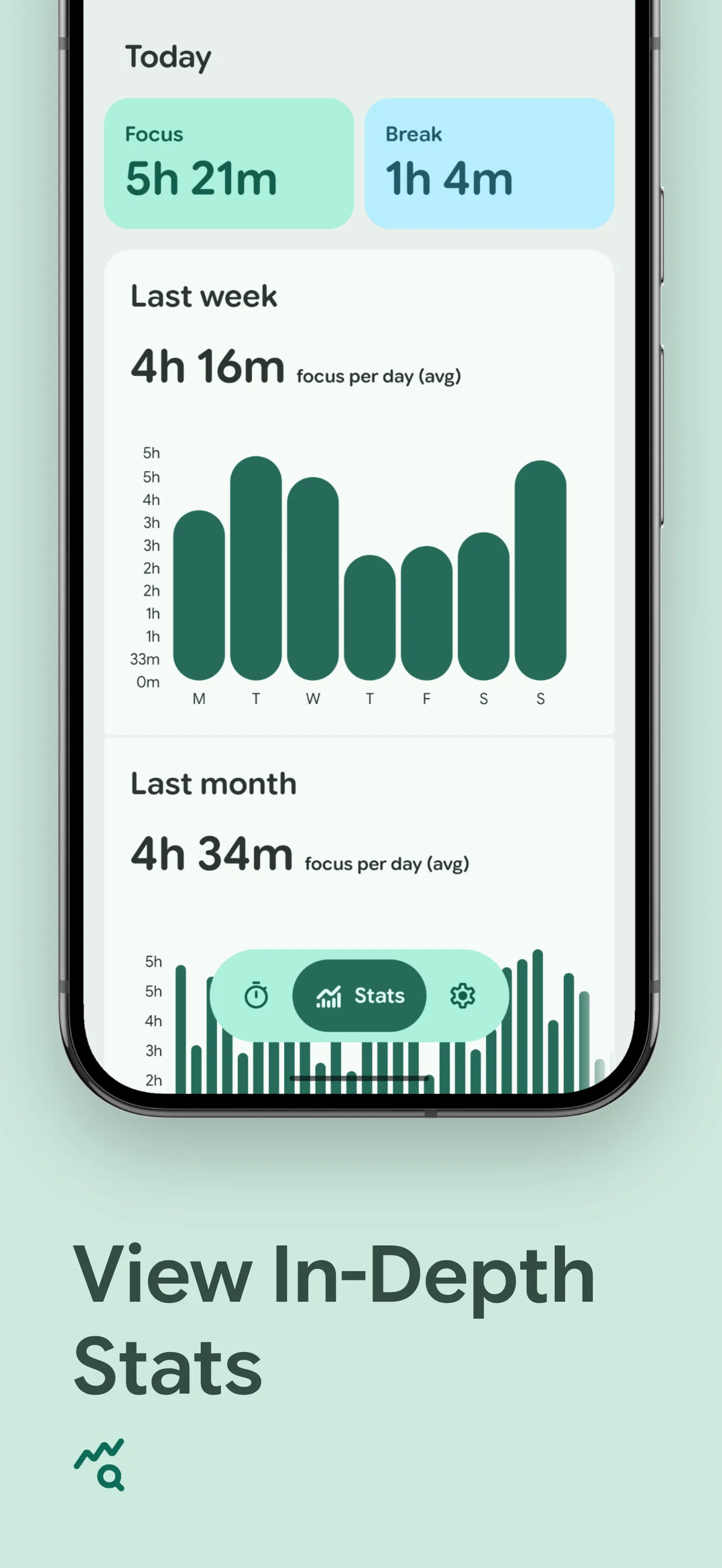
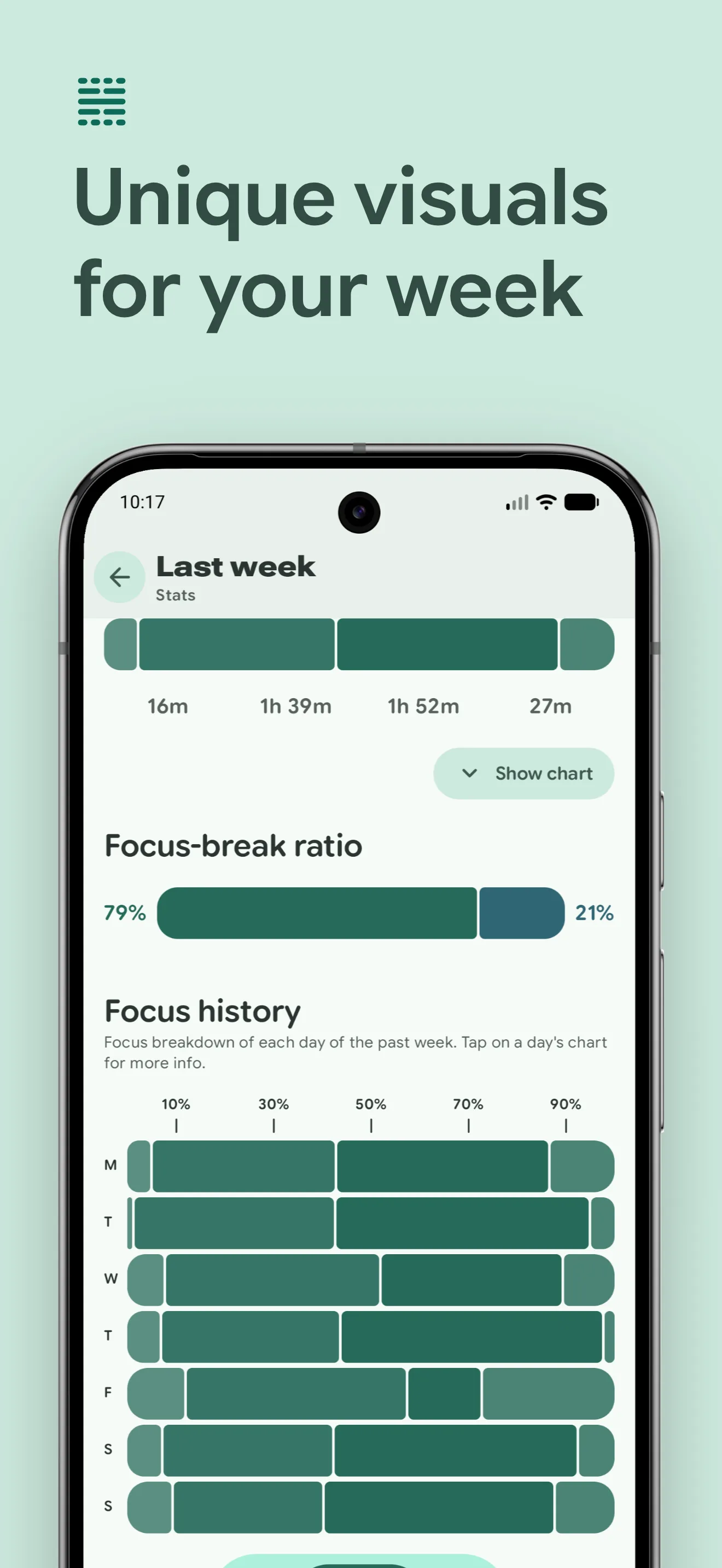
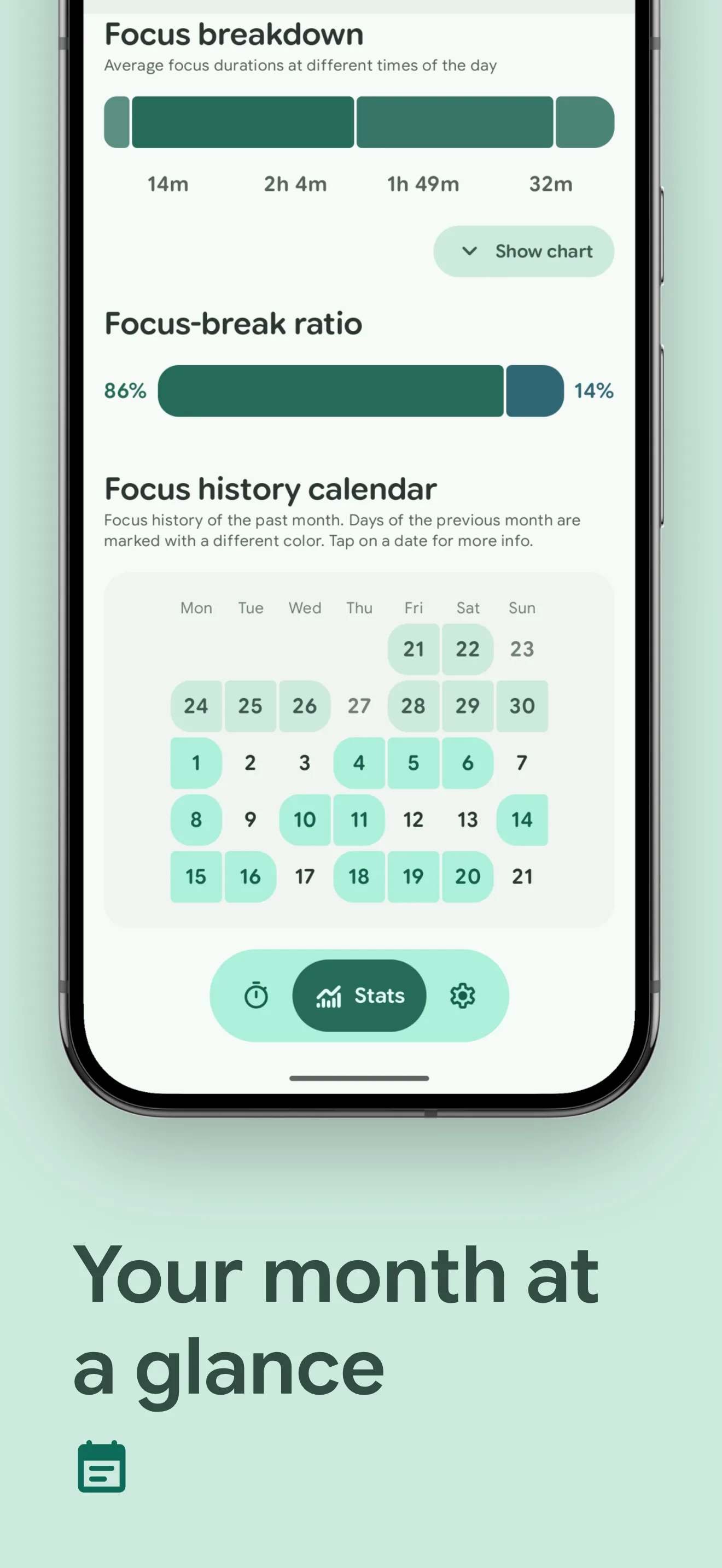
- Statistics for today, last week, last month and the whole year, including the time of day when you focus most.
- An alarm and vibration when a timer ends, which you can switch off separately.
- A home screen widget, a Quick Settings tile, and a running notification that appears as a Live Update on Android 16. Samsung’s Now Bar works too, but the developer notes that “Samsung has disabled Now Bar for external apps by default in OneUI 8”, so it needs a setting in developer options first.
What goes online
Nothing. The app doesn’t request internet access at all, and its code has no analytics, advertising or payment libraries. The links in the About screen, such as to the source code and the donation page, open in your browser. Our scan found no trackers.
About this file
- This is the developer’s own build of version 2.0.1, signed by Nishant Mishra. F-Droid builds the app from source, checks that the result matches and publishes the developer’s file; the copies on GitHub and IzzyOnDroid are the same file, byte for byte, so you can update between those three sources. The Google Play version is a separate build, and we can’t check how it is signed.
- The code is under the GPL-3.0. The Brazilian Portuguese translation covers less than half of the interface, so much of it appears in English.
- The 6.1 MB file runs on Android 8.0 and later, on ARM and x86, 32- and 64-bit. It declares 12 permissions, among them ones for notifications, exact alarms, Do Not Disturb access and a background service that keeps the timer running.
- The screenshots come from the project and predate version 2.0, so topics don’t appear in them.
What’s inside the APK
Trackers
No code matching the Exodus Privacy tracker signatures.
Native code
Runs on 64-bit and older 32-bit ARM phones.
Android versions
Built for Android 17 (target API 37).
Permissions
1 of them need your approval first.
CPU types in this build: arm64-v8a (64-bit ARM, almost every phone since 2017); armeabi-v7a (32-bit ARM, older and budget phones); x86 (32-bit Intel, emulators); x86_64 (64-bit Intel, emulators and Chromebooks).
Asks you first (1)
Android shows a prompt before the app can use these.
- Show notifications (Android 13+) · POST_NOTIFICATIONS
You switch these on in Settings (1)
Special app access. Nothing is granted until you turn it on yourself.
- Alarms and reminders · SCHEDULE_EXACT_ALARM
Granted at install (9)
Low-risk permissions Android grants automatically, plus any we have not classified.
- ACCESS_NETWORK_STATE
- ACCESS_NOTIFICATION_POLICY
- FOREGROUND_SERVICE
- FOREGROUND_SERVICE_SPECIAL_USE
- POST_PROMOTED_NOTIFICATIONS
- RECEIVE_BOOT_COMPLETED
- USE_EXACT_ALARM
- VIBRATE
- WAKE_LOCK
Defined by other apps (1)
Permissions that belong to another app or to this app itself.
- org.nsh07.pomodoro.DYNAMIC_RECEIVER_NOT_EXPORTED_PERMISSION
More Information
- Package name
- org.nsh07.pomodoro
- Version
- 2.0.1 (build 40)
- File size
- 6.1 MB (6,050,950 bytes)
- Requires
- Android 8.0 or later
- Category
- Productivity
- License
- GPL-3.0-only
- Developer
- Nishant Mishra
- Source code
- github.com/nsh07/Tomato
- Released
- Sep 26, 2026
- Signed by
- The developer. F-Droid publishes a developer-signed APK only when its own build from the source code reproduces it.
- Signer SHA-256
- 07bef30581baee8f45ec93e47ee68ef20874e50ef5709c78b2ee67ac86be4c3d
- File SHA-256
- 36aa0e28055f6fadc8c634d2b94b024acc6ab52c2944f62f97227ccad5317892
- Checked
- , against the F-Droid index · how we check · verify it yourself
Common questions
Is this APK the official Tomato release?
Yes. It is the developer-signed release of Tomato 2.0.1 that F-Droid distributes, which F-Droid publishes only when its own build from the source code reproduces it. Its SHA-256 matches F-Droid’s signed index, and it is signed with the developer’s certificate (SHA-256 07bef30581baee8f45ec93e47ee68ef20874e50ef5709c78b2ee67ac86be4c3d).
What Android version does Tomato need?
Android 8.0 or later (API level 26). Version 2.0.1 is built for Android 17 (target API 37). Runs on 64-bit and older 32-bit ARM phones.
Can Tomato access the internet?
No. The APK doesn’t request Android’s internet permission, so the app can’t go online by itself. In total it declares 12 permissions, and 1 of them needs your approval first.
Does Tomato contain trackers?
No known trackers: our scan of version 2.0.1 found no code matching the Exodus Privacy tracker signatures. The scan covers known tracker libraries; it doesn’t show what data the app itself sends.
Is Tomato open source?
Yes. Tomato is released under the GPL-3.0-only licence, and its source code is published at https://github.com/nsh07/Tomato.
Is Tomato+ included in this version?
Yes. The Google Play version sells a Tomato+ upgrade that unlocks extras such as vibration settings, the always-on display mode and more colour options. In this build, the open-source one also published on F-Droid, IzzyOnDroid and GitHub, everything is unlocked; the Tomato+ entry in the settings only says so and links to a donation page. That is also why the timer screen shows the name “Tomato+”.
What does the Do Not Disturb option do?
It is set per topic and off by default. When you switch it on, Android asks you to give Tomato Do Not Disturb access. During a focus session the app then switches the phone to priority-only mode, and afterwards it switches back to allowing all notifications. It doesn’t remember an earlier setting, so if Do Not Disturb was already on before you started, it will be off afterwards.
Where are my statistics stored?
Only on the phone, in the app’s own database. You can back up your stats and settings to a file in a folder you choose and restore them later; the app warns that restoring means “all existing data will be erased, and this cannot be undone”.
Recent releases
| Version | Released | Size | Requires |
|---|---|---|---|
| v2.0.1 · this download | Sep 26, 2026 | 6.1 MB | Android 8.0+ |
| v1.8.5 | Mar 27, 2026 | 5.8 MB | Android 8.0+ |
| v1.8.4 | Mar 1, 2026 | 4.9 MB | Android 8.0+ |
Versions currently kept in the F-Droid repository. We host and check only the newest one. Full changelog.