

AIS-catcher
by Jasper · GPL-3.0-only · open source
Turns your phone and a cheap RTL-SDR dongle into a portable AIS receiver for tracking ships, even offline.
Needs:RTL-SDR dongle · USB OTG
2113 Apps is independent, not affiliated with or endorsed by Jasper. Official sources: source code on GitHub.
- Version
- 1.24
- Size
- 16.3 MB
- Requires
- Android 6.0+
- Updated
- 2026-10-18
Screenshots
Introduction
Ships broadcast their position, course and identity over AIS, a VHF radio system. Websites that show ship traffic collect those signals with receivers on shore. AIS-catcher turns your phone into one of those receivers. Plug in an inexpensive RTL-SDR dongle with an OTG cable, and it picks up AIS messages from nearby vessels directly, with no internet connection.
What it does
- Receives on both main AIS channels at once, 161.975 and 162.025 MHz, which by the project’s documentation “carry virtually all traffic”. The receiver is tuned to 162 MHz in the middle.
- Talks to the USB dongle directly, with no extra driver app. When you plug in a supported dongle, Android offers to open AIS-catcher.
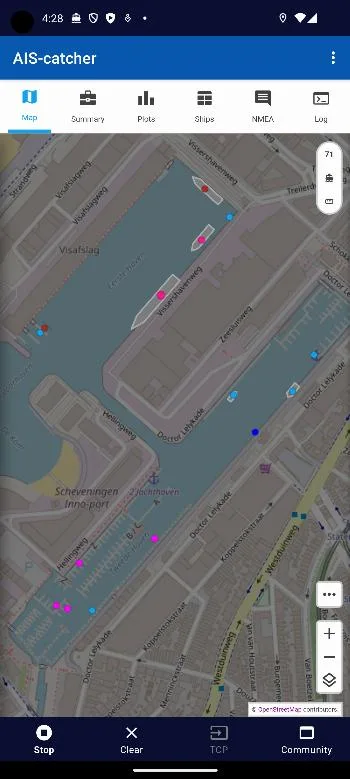
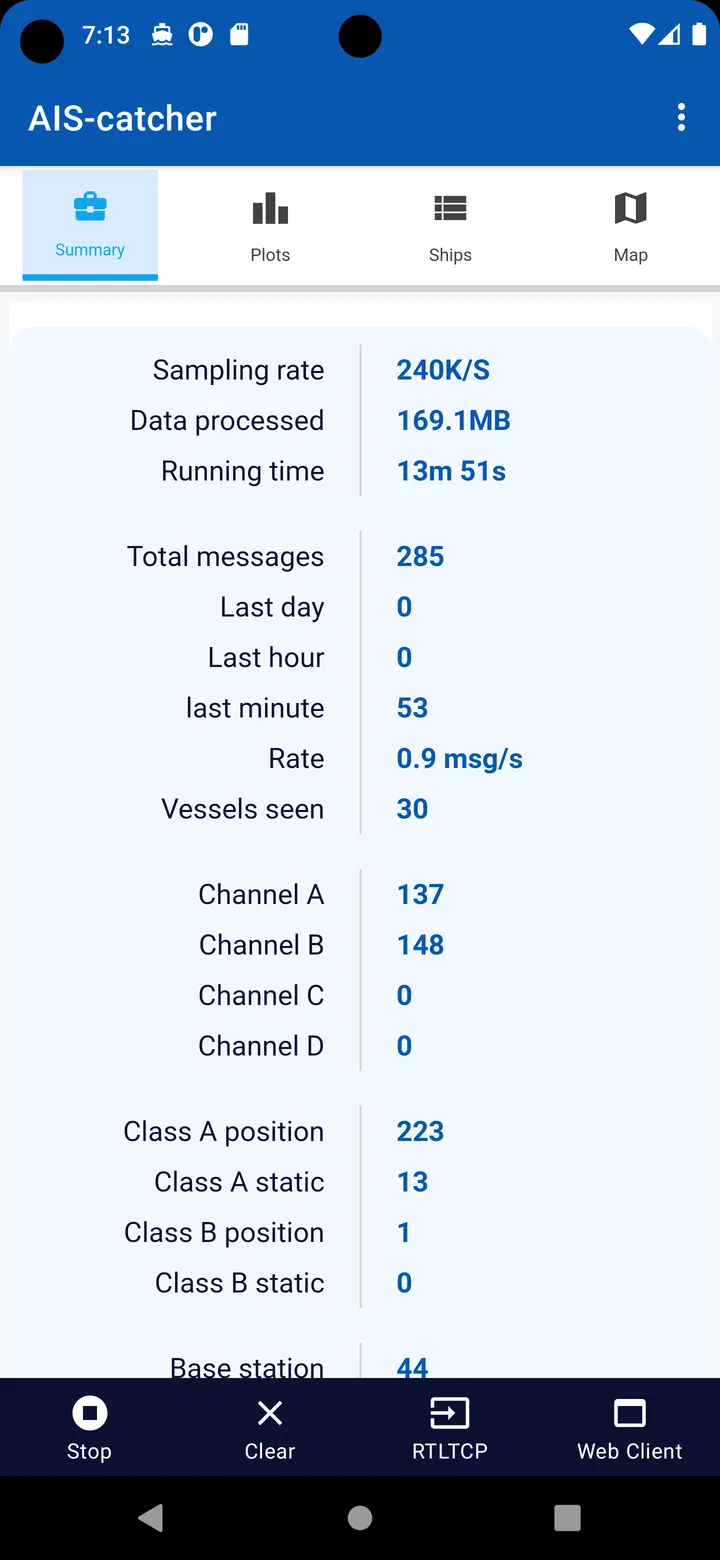
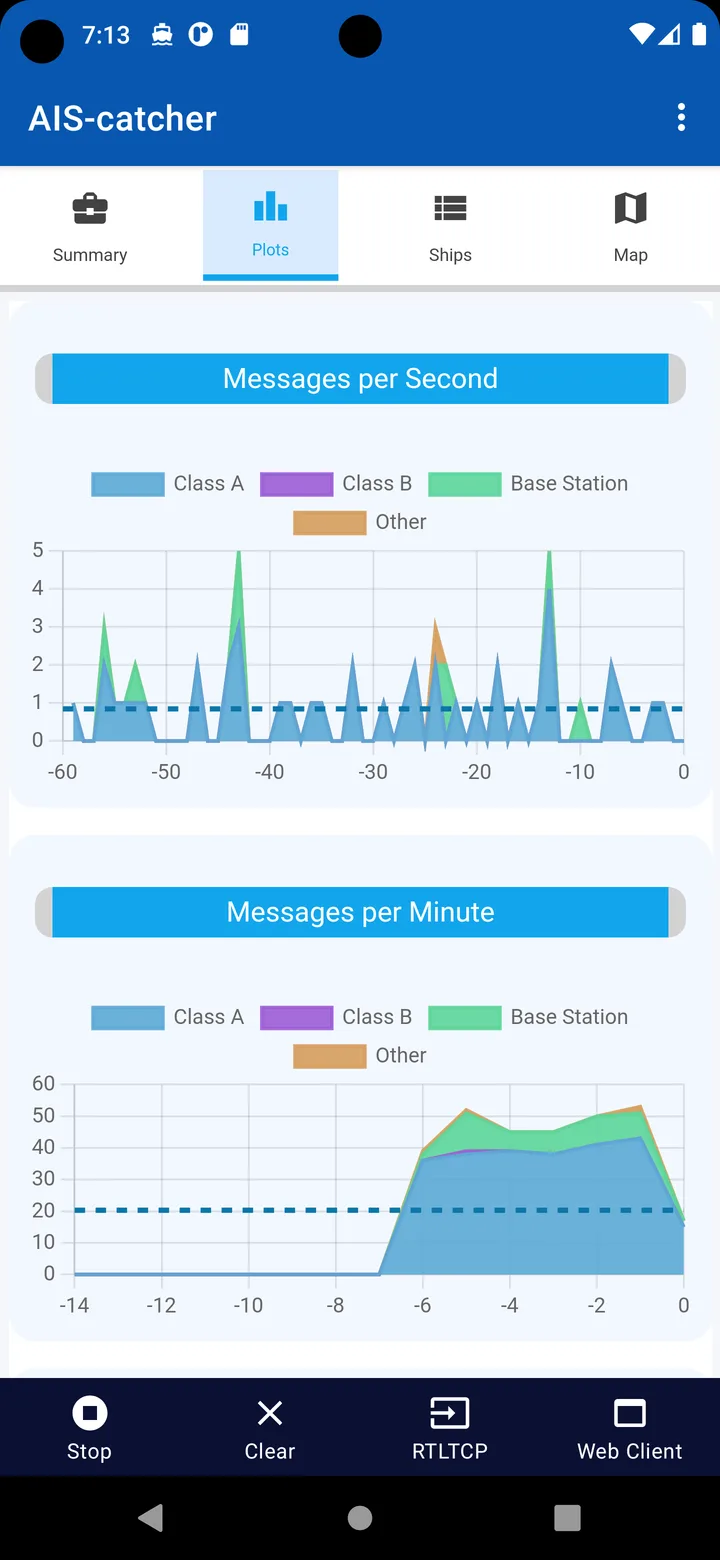
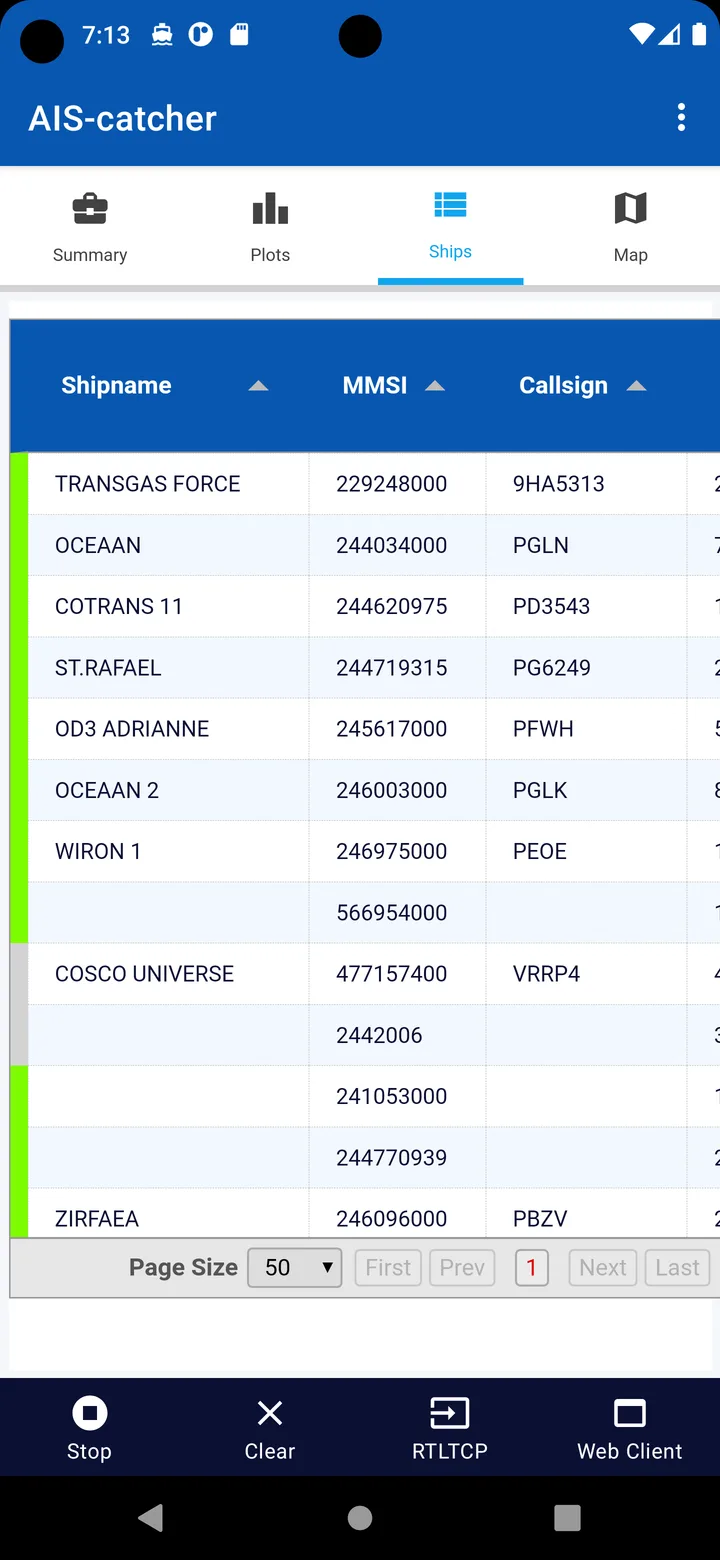
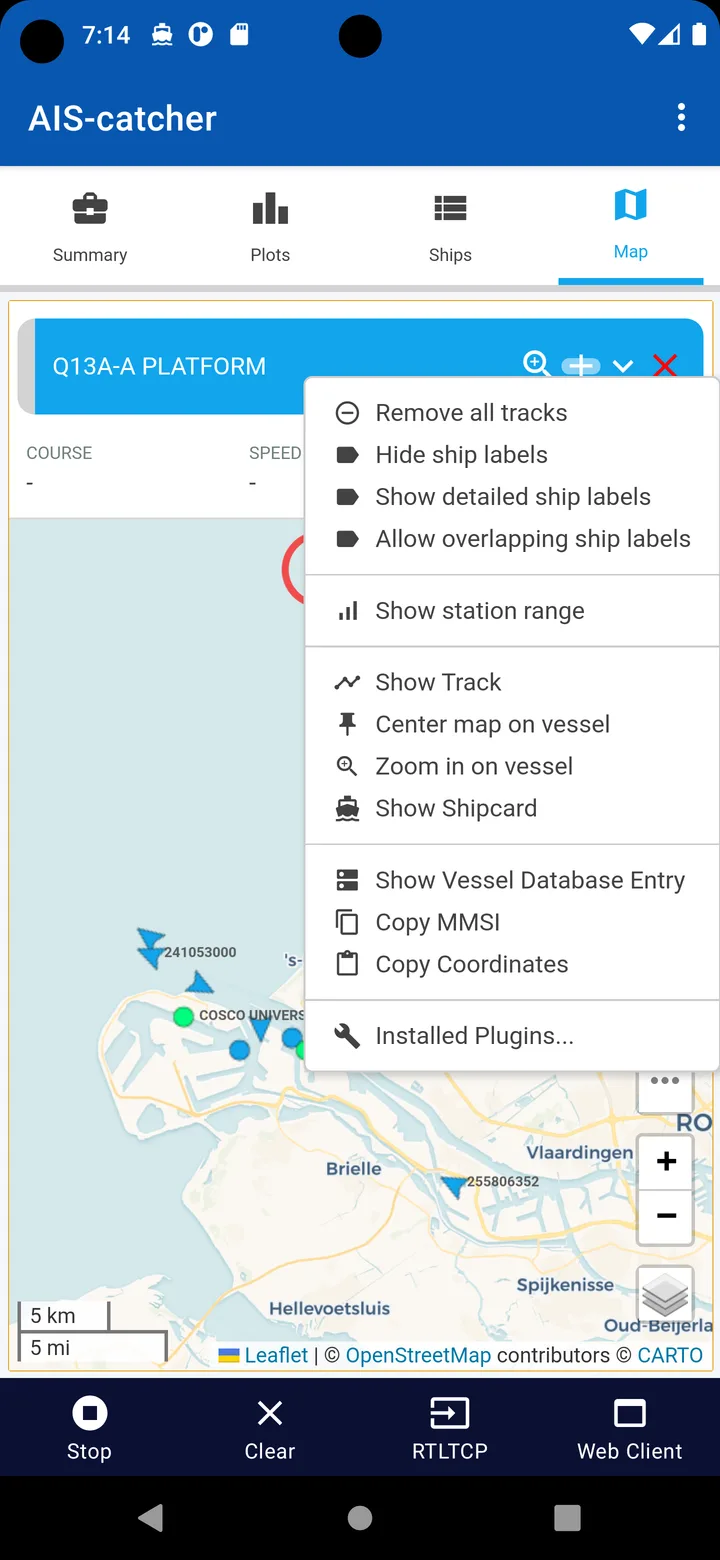
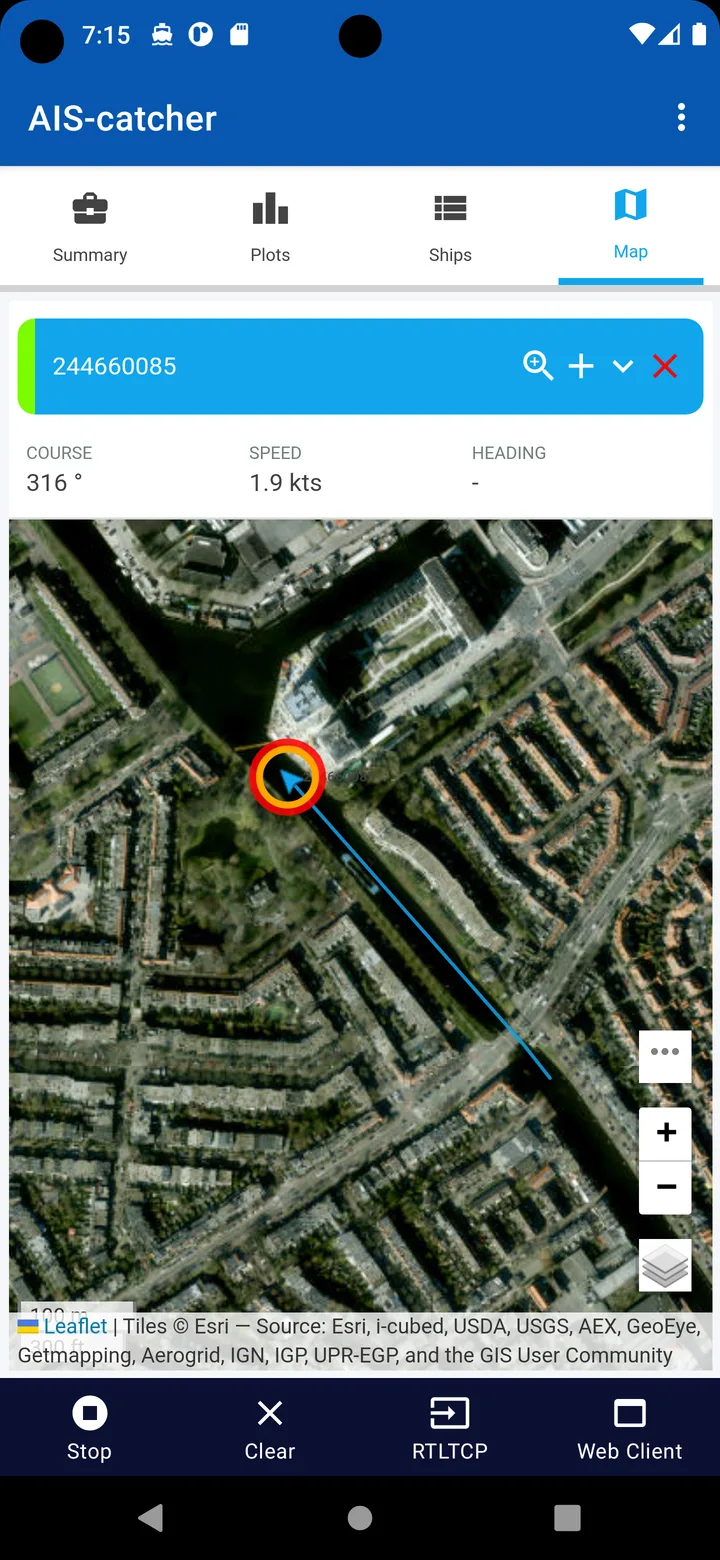
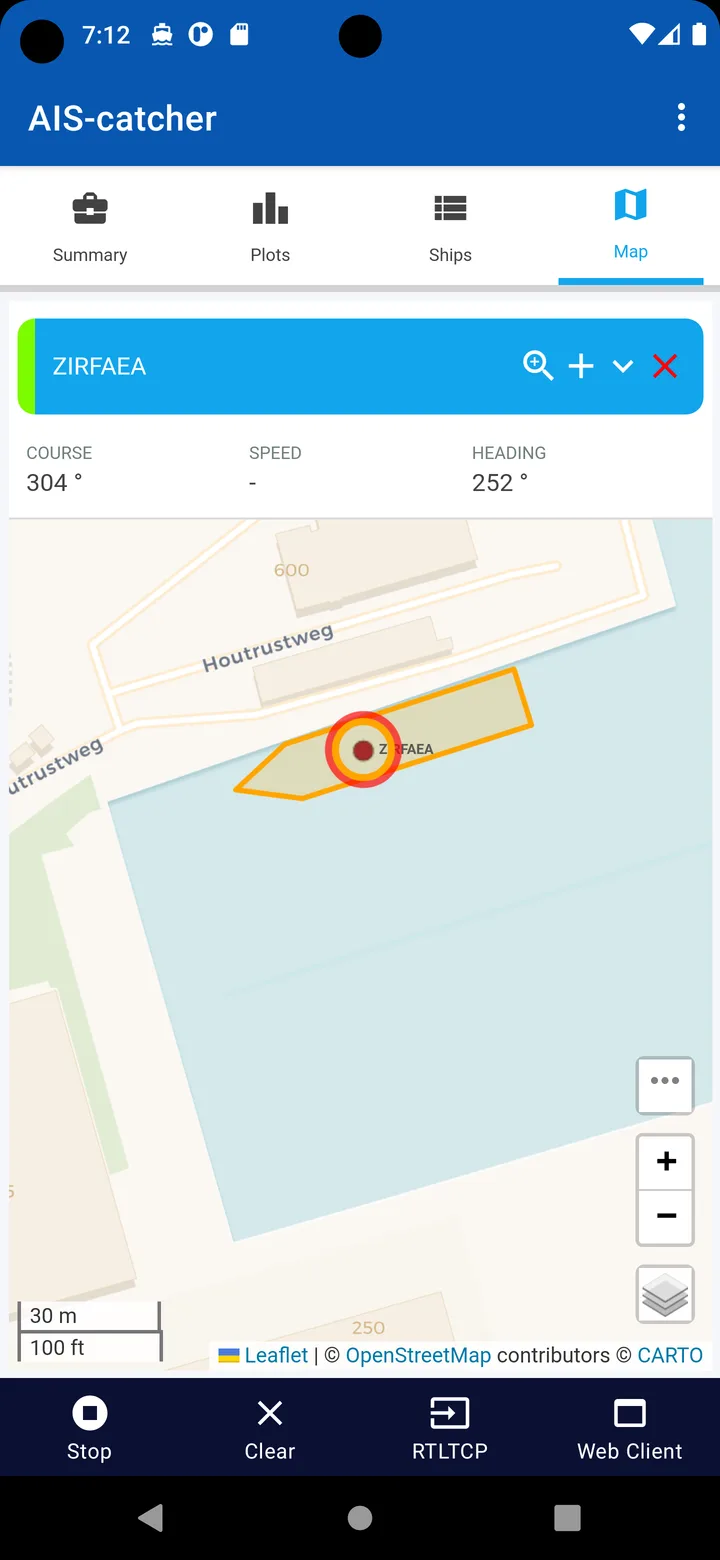
- Shows ships on a map, with a ship list, message statistics, plots and the raw messages. The map is the same web interface as the desktop version of AIS-catcher.
- Sends decoded messages to chart plotting apps such as OpenCPN or Boat Beacon, on the phone or another device on the same network.
It makes a compact AIS receiver for travelling: on a boat, on a ferry, or anywhere near the coast.
What you need
- In the README’s words, “a RTL-SDR dongle (or alternatively an AirSpy Mini/R2/HF+), a simple antenna, an Android device with USB connector and an OTG cable”. A cheap DVB-T stick with the RTL2832 chip works. Instead of a dongle, the app can also take its signal from the network: an RTL-TCP stream, a SpyServer, or NMEA text over TCP.
- An antenna for the marine VHF band around 162 MHz. Height makes the biggest difference to range; see the questions below.
- A phone that can power USB devices over OTG. The README warns that the phone “has to power the USB device and run the decoding algorithm and this will be a drain on your battery”.
Sharing with aiscatcher.org
AIS-catcher has a community network at aiscatcher.org that combines what volunteers receive into one map. Since version 1.18 the app shares by default: a new install has Community Share set to Anonymous, so once you press Start with a USB receiver or a SpyServer, the decoded messages are sent to aiscatcher.org. Anonymous sharing uses one key built into the app for everyone. Signals that you only relay, from an RTL-TCP stream or NMEA text, aren’t shared.
The app writes a warning in its log when it shares anonymously: “Sharing anonymously with the aiscatcher.org community. Choose Settings > Community Share to add your own sharing key or to stop sharing.” Set it to None to stop sharing with aiscatcher.org. If you have a boat of your own, the Own Vessel setting takes its MMSI number and lets you send all, throttle or block your own ship’s messages in what the app passes on.
The privacy note in the README, written before this change, still says “At the moment we don’t collect any user data.”
Outputs and settings
- UDP output 1 is on by default and sends to port 10110 on the phone itself, where a plotting app on the same phone can listen; the README’s tutorial uses 10110 for Boat Beacon and 10111 for OpenCPN. Three more UDP outputs are off by default.
- A TCP server for NMEA and a Web Viewer for looking at the map from another device on your network are off until you switch them on. There is also an HTTP output that posts messages to a server in several formats.
- Auto Start when a USB receiver is plugged in, Keep Screen On and Force Dark Mode are off by default.
- The app runs as a foreground service with a notification, so reception continues with the screen off. The README points to dontkillmyapp.com for phones whose battery saving stops it anyway, and recommends Wi-Fi when sending messages over the network or receiving from a network source, because “this will require serious network traffic”.
The map
The map view needs Android 10 or later and WebView version 93 or newer; otherwise the app shows only its statistics pages. The map background comes from online map services: OpenStreetMap by default, day and night, with OpenFreeMap styles (including a dark one), Esri satellite images and nautical overlays such as OpenSeaMap available as options. Versions up to 1.21 used a dark CARTO map at night; the current one no longer offers CARTO maps. Everything else in the interface is built into the app and works offline.
About this file
- This is the developer’s own build of version 1.24, signed by jvde-github, from IzzyOnDroid. It contains version 0.70 of the AIS-catcher engine that also runs on desktops; the desktop version has more outputs, such as MQTT and databases, than the Android settings offer.
- AIS-catcher left Google Play in August 2024. The README explains that Play “introduced new requirements for developers to publish their personal details like address which we dont want to adhere to”.
- The app’s first-run notice says: “DO NOT rely upon this software in any way including for navigation and/or safety of life or property purposes”, and that it is your responsibility to check whether local rules allow receiving AIS messages.
- The interface is in English only.
- The 16.3 MB file runs on Android 6.0 and later, on ARM and x86, 32- and 64-bit, and needs a phone with USB host support. It is half the size of earlier versions, mainly because since 1.22 its native libraries are stored compressed; Android unpacks them when it installs the app, so the installed app takes more space than the download. Our scan found no trackers.
- The first screenshot shows the current interface. The other six come from the project’s README and show the 2023 interface, with different button names.
What’s inside the APK
Trackers
No code matching the tracker signatures we check, including Exodus Privacy’s list and our published supplements.
Native code
Runs on 64-bit and older 32-bit ARM phones.
Android versions
Built for Android 14 (target API 34).
Permissions
3 of them need your approval first.
CPU types in this build: arm64-v8a (64-bit ARM, almost every phone since 2017); armeabi-v7a (32-bit ARM, older and budget phones); x86 (32-bit Intel, emulators); x86_64 (64-bit Intel, emulators and Chromebooks).
Asks you first (3)
Android shows a prompt before the app can use these.
- Approximate location · ACCESS_COARSE_LOCATION
- Precise location · ACCESS_FINE_LOCATION
- Show notifications (Android 13+) · POST_NOTIFICATIONS
Granted at install (5)
Low-risk permissions Android grants automatically, plus any we have not classified.
- ACCESS_NETWORK_STATE
- FOREGROUND_SERVICE
- FOREGROUND_SERVICE_SPECIAL_USE
- INTERNET
- WAKE_LOCK
Defined by other apps (1)
Permissions that belong to another app or to this app itself.
- com.jvdegithub.aiscatcher.DYNAMIC_RECEIVER_NOT_EXPORTED_PERMISSION
More Information
- Package name
- com.jvdegithub.aiscatcher
- Version
- 1.24 (build 124)
- File size
- 16.3 MB (16,326,040 bytes)
- Requires
- Android 6.0 or later
- Category
- Network & Privacy
- License
- GPL-3.0-only
- Developer
- Jasper
- Source code
- github.com/jvde-github/AIS-catcher-for-Android
- Released
- Oct 18, 2026
- Signer SHA-256
- 51e66fe88c480297b545d44c0b91edb33390bf875c92ba2f526c74cc4757fed2
- File SHA-256
- 8bc9ec788a4e0e25a3842d8f9f0366c92ea475a16b45e1316086d81dec3c4dba
- Checked
- , against the IzzyOnDroid index · how we check · verify it yourself
Common questions
Is this APK the official AIS-catcher release?
Yes. It is the developer’s own release of AIS-catcher 1.24, byte for byte as IzzyOnDroid distributes it. Its SHA-256 matches IzzyOnDroid’s signed index, and it is signed with the certificate IzzyOnDroid records for the app (SHA-256 51e66fe88c480297b545d44c0b91edb33390bf875c92ba2f526c74cc4757fed2).
What Android version does AIS-catcher need?
Android 6.0 or later (API level 23). Version 1.24 is built for Android 14 (target API 34). Runs on 64-bit and older 32-bit ARM phones.
Can AIS-catcher access the internet?
Yes. The APK requests Android’s internet permission. In total it declares 9 permissions, and 3 of them need your approval first.
Does AIS-catcher contain trackers?
No known trackers: our scan of version 1.24 found no code matching the tracker signatures it checks. Those include Exodus Privacy’s list and the published local supplements described on How We Check; the scan doesn’t show what data the app itself sends.
Is AIS-catcher open source?
Yes. AIS-catcher is released under the GPL-3.0-only licence, and its source code is published at https://github.com/jvde-github/AIS-catcher-for-Android.
Does AIS-catcher send what it receives to the internet?
On a new install, yes, unless you change it. Since version 1.18 the Community Share setting has three choices, None, Anonymous and your own sharing key, and Anonymous is the default. While reception runs from a USB receiver or a SpyServer, decoded ship messages go to aiscatcher.org on port 4242. People upgrading from older versions who never turned sharing on keep it off, but Reset Settings in the menu sets it back to Anonymous. Choose None to stop sharing.
Why does it ask for my location?
To show your own position on its map. The app asks for location when it starts and then reads it every 30 seconds, from GPS or else from the network. In the code, the position goes to the map, and the connection to aiscatcher.org is set up with its GPS option off.
What still needs an internet connection?
Receiving from a USB dongle, decoding and passing messages to apps on the same phone all work offline. A connection is needed for the background of the map, for community sharing, for network sources such as RTL-TCP or SpyServer, and for sending messages to other devices. The map view also needs Android 10 or later and an up-to-date WebView; on older systems the app shows its statistics pages instead.
How far away will I pick up ships?
Mostly as far as the radio horizon, so antenna height matters more than anything else. For a large ship with its antenna about 15 m above the water, the project estimates about 22 km with your antenna on a window sill 2 m up, about 29 km from a mast on a roof 10 m up, and about 45 km from 50 m up on a hill or tower. In its words: “Height beats everything.”
Recent releases
| Version | Released | Size | Requires |
|---|---|---|---|
| v1.24 · this download | Oct 18, 2026 | 16.3 MB | Android 6.0+ |
| v1.21 | Aug 20, 2026 | 32.5 MB | Android 6.0+ |
Versions currently kept in the IzzyOnDroid repository. We host and check only the newest one. Full changelog.