

Fcitx5 for Android
by Fcitx5 for Android Contributors · LGPL-2.1-only · open source
The Fcitx 5 input method framework from Linux desktops, as an Android keyboard: Chinese Pinyin, Shuangpin and Wubi built in, Japanese, Korean, Vietnamese, Rime and others as plugins.
Needs:No root · Android 6.0+ · 64-bit ARM
2113 Apps is independent, not affiliated with or endorsed by Fcitx5 for Android Contributors. Official sources: fcitx5-android.github.io · source code on GitHub.
- Version
- 0.1.3-0-g048f581c
- Size
- 45.9 MB
- Requires
- Android 6.0+
- Updated
- 2026-07-29
Screenshots
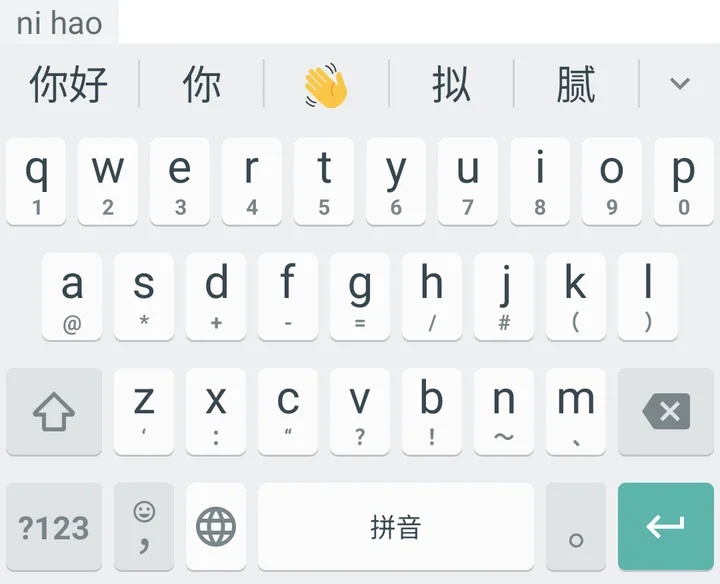
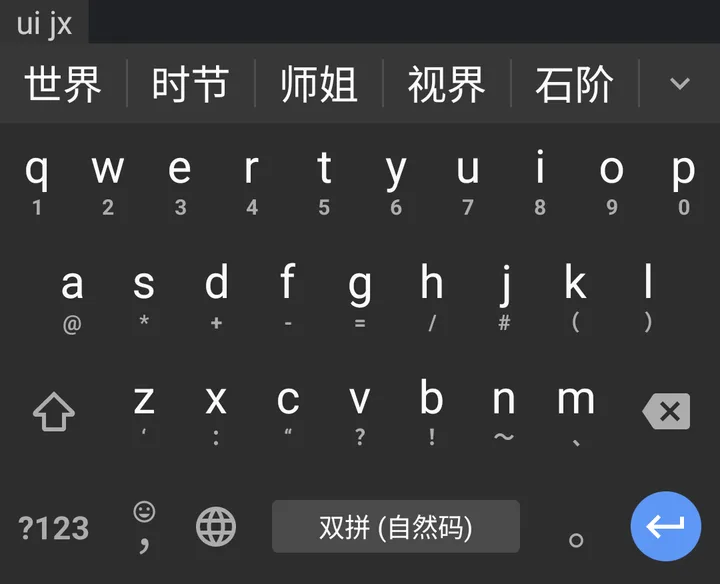
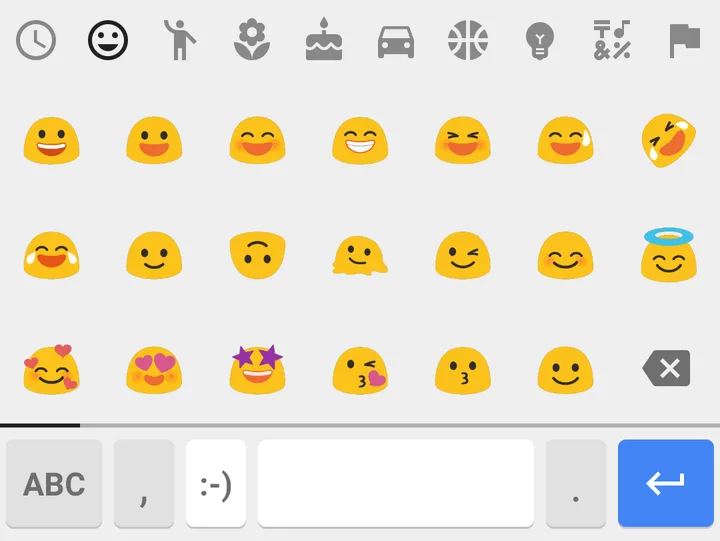
Introduction
Fcitx5 for Android is a port of Fcitx 5, the input method framework many Linux desktops use to type Chinese and other languages. Its README describes it as the “Fcitx5 input method framework and engines ported to Android.” It is made by a group credited as the Fcitx5 for Android Contributors, has been in development since 2021, and still uses 0.x version numbers; 0.1.3 came out in July 2026. On the phone the keyboard is simply called Fcitx5.
It is first of all a Chinese keyboard. If you type in Portuguese or English only, see the section on Latin languages before installing.
Input methods
Built into this APK, all for Simplified Chinese:
- Pinyin and Shuangpin, with a bundled dictionary and language model for predicting phrases.
- Wubi, Wubi Pinyin, Ziranma and Dianbaoma tables.
- Conversion between Simplified and Traditional characters, quick phrases, a Unicode character search, and emoji and symbol pickers.
The README and the store listings also name Cangjie as built in, but the build script removes it, together with three other tables. Like other tables, it can be imported from a file, and Pinyin dictionaries can be imported as .scel, .txt or .dict files.
Other languages come as plugins, separate apps that add an engine:
| Plugin | For |
|---|---|
| Chewing | Zhuyin (Bopomofo) |
| Jyutping | Cantonese |
| Anthy | Japanese |
| Hangul | Korean |
| UniKey | Vietnamese: Telex, VNI and VIQR |
| Sayura | Sinhala |
| Thai | Thai |
| RIME | the Rime engine, with your own schemas |
| Clipboard filter | removes tracking parameters from copied links, with ClearURLs rules |
For Portuguese, English and other Latin languages
There is one Latin layout, English QWERTY, and the README notes the layout is “not customizable yet”. Long-pressing a letter shows its accented forms, so á, à, â, ã, é, ê, í, ó, ô, õ, ú and ç are all reachable. Word hints are on by default but use only an English dictionary, and we found no automatic capitalization in the code; it is an open request. The app’s own menus are in English, German, Spanish, Japanese, Korean, Russian and Chinese.
For everyday Portuguese typing, a keyboard built for Latin languages such as HeliBoard fits better. Fcitx5 makes sense if you type Chinese, or switch between Chinese and English, on the same keyboard.
Clipboard and other defaults
From the settings code of this version:
- Clipboard history is on: it keeps the last 10 entries, plus any you pin, and offers a just-copied item as a suggestion for 30 seconds. Text that the copying app marks as sensitive, such as a password, is masked.
- Vibration and key sounds follow the system setting; the voice input button is off.
- 11 themes, custom themes with a background image, and dynamic colours on Android 12 and later.
- Physical keyboards work too, with a floating candidate window; much of 0.1.3 fixed key combinations on phones with built-in keyboards.
What goes online
Nothing. The app declares no internet permission, the Cloud Pinyin module, which would look up phrases online, is switched off in the build, and all dictionaries are in the APK; the Chinese language model alone is about 26 megabytes. When the app crashes, it shows the log on screen instead of sending it anywhere. Our scan found no trackers.
About this file
- This is the project’s own GitHub release of 0.1.3 for 64-bit ARM, byte for byte. F-Droid builds the app reproducibly and distributes the same signed file. The README: “APKs downloaded from GitHub Release/F-Droid/Jenkins have the same signature, which means they’re compatible when upgrading, but Google Play’s do not.”
- The 45.9 MB file runs on Android 6.0 and later, on 64-bit ARM phones only, and declares 3 permissions: vibration, notifications for setup reminders and import progress, and the app’s own permission for talking to its plugins.
- Fcitx5 for Android is licensed under the LGPL-2.1 or later, as its source files say; F-Droid lists it as LGPL-2.1-only. The Fcitx engines and libraries it bundles are under LGPL and GPL licences, and smaller parts under the MIT, Apache-2.0, Boost and BSD licences, as the project lists them. The dictionary and language-model files, which come from the Fcitx project’s data downloads, carry no licence statement of their own.
- The screenshots are from the project’s README and show Chinese input; the emoji picker is from 2022.
What’s inside the APK
Trackers
No code matching the Exodus Privacy tracker signatures.
Native code
Needs a 64-bit ARM phone; 32-bit-only devices are not supported.
Android versions
Built for Android 16 (target API 36).
Permissions
1 of them need your approval first.
CPU types in this build: arm64-v8a (64-bit ARM, almost every phone since 2017).
Asks you first (1)
Android shows a prompt before the app can use these.
- Show notifications (Android 13+) · POST_NOTIFICATIONS
Granted at install (1)
Low-risk permissions Android grants automatically, plus any we have not classified.
- VIBRATE
Defined by other apps (1)
Permissions that belong to another app or to this app itself.
- org.fcitx.fcitx5.android.permission.PLUGIN
More Information
- Package name
- org.fcitx.fcitx5.android
- Version
- 0.1.3-0-g048f581c (build 112)
- File size
- 45.9 MB (45,935,104 bytes)
- Requires
- Android 6.0 or later
- Category
- Productivity
- License
- LGPL-2.1-only
- Developer
- Fcitx5 for Android Contributors
- Source code
- github.com/fcitx5-android/fcitx5-android
- Released
- Jul 29, 2026
- Signed by
- The developer. F-Droid publishes a developer-signed APK only when its own build from the source code reproduces it.
- Signer SHA-256
- e4db1e9edff13629d07de4bbf8165fe9bd8557ab55092672da8e40dbe484ecd7
- File SHA-256
- 8e5de1036aea1f55895b39b4fc25a2d563e7b0663fa2708c86598f81768b106d
- Checked
- , against the F-Droid index · how we check · verify it yourself
Common questions
Is this APK the official Fcitx5 for Android release?
Yes. It is the developer-signed release of Fcitx5 for Android 0.1.3-0-g048f581c that F-Droid distributes, which F-Droid publishes only when its own build from the source code reproduces it. Its SHA-256 matches F-Droid’s signed index, and it is signed with the developer’s certificate (SHA-256 e4db1e9edff13629d07de4bbf8165fe9bd8557ab55092672da8e40dbe484ecd7).
What Android version does Fcitx5 for Android need?
Android 6.0 or later (API level 23). Version 0.1.3-0-g048f581c is built for Android 16 (target API 36). Needs a 64-bit ARM phone; 32-bit-only devices are not supported.
Can Fcitx5 for Android access the internet?
No. The APK doesn’t request Android’s internet permission, so the app can’t go online by itself. In total it declares 3 permissions, and 1 of them needs your approval first.
Does Fcitx5 for Android contain trackers?
No known trackers: our scan of version 0.1.3-0-g048f581c found no code matching the Exodus Privacy tracker signatures. The scan covers known tracker libraries; it doesn’t show what data the app itself sends.
Is Fcitx5 for Android open source?
Its code is. The source code of Fcitx5 for Android is released under the LGPL-2.1-only licence and published at https://github.com/fcitx5-android/fcitx5-android. The dictionary and language-model files it bundles carry no licence statement of their own.
Can I type Portuguese or other Latin-alphabet languages with it?
Only on its single English QWERTY layout. Accented letters such as á, ã, ê, õ and ç are on long-press, but word hints come from an English dictionary only. There is no Portuguese layout or dictionary; a request for other Latin keyboards is open.
Where do I get Japanese, Korean, Vietnamese or Rime input?
As separate plugin apps from the project’s GitHub release or from F-Droid, both signed with the same key as this copy. We couldn’t find the plugins on Google Play, whose copy of the main app is signed with a different key.
Does it send what I type anywhere?
No. The app has no internet permission, the Cloud Pinyin module is left out of the build, and its dictionaries are inside the APK. The privacy policy: it “does not require internect access and does not collect any personal data” (sic).
How do I back up my dictionary and settings?
The settings have Export user data and Import user data. The files are also in Android/data/org.fcitx.fcitx5.android/files on the phone’s storage, where the FAQ says Android’s own file manager can reach them; the Pinyin user dictionary is in data/pinyin.
Recent releases
| Version | Released | Size | Requires |
|---|---|---|---|
| v0.1.3-0-g048f581c · this download | Jul 29, 2026 | 45.9 MB | Android 6.0+ |
| v0.1.2-0-g5a4870c0 | Nov 13, 2025 | 46.5 MB | Android 6.0+ |
| v0.1.1-0-g3f41b65d | Mar 20, 2025 | 46.1 MB | Android 6.0+ |
Versions currently kept in the F-Droid repository. We host and check only the newest one.
Alternatives and related apps
-
 HeliBoard For Latin-alphabet languages: layouts per language, add-on dictionaries for suggestions, and no internet permission either.Download
-
 AnySoftKeyboard Many languages through separate language packs, each with its own layout and dictionary, plus gesture typing.Download