

FlorisBoard
by FlorisBoard · Apache-2.0 · open source
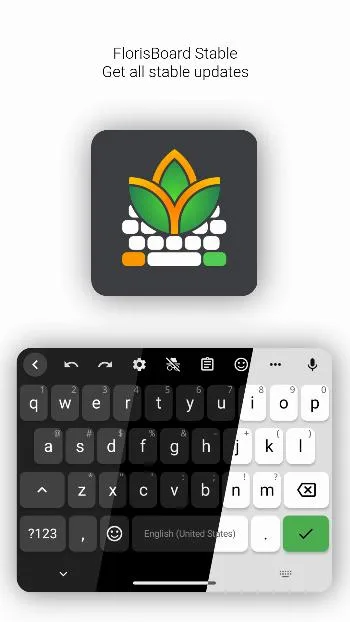
A customisable on-screen keyboard that never goes online: a theme editor, clipboard history, emoji and extensions for layouts and themes, in an open-source app.
Needs:No root · Android 8.0+
2113 Apps is independent, not affiliated with or endorsed by FlorisBoard. Official sources: source code on GitHub.
- Version
- 0.5.2
- Size
- 14.8 MB
- Requires
- Android 8.0+
- Updated
- 2025-11-28
Screenshots
Introduction
FlorisBoard is an on-screen keyboard by Patrick Goldinger and other contributors. Its README: it “aims at being modern, user-friendly and customizable while fully respecting your privacy. Currently in beta state.” Version 0.5.2, from late 2025, is the current stable release; development has continued in 2026 on the 0.6 previews, which add a floating keyboard.
What it does
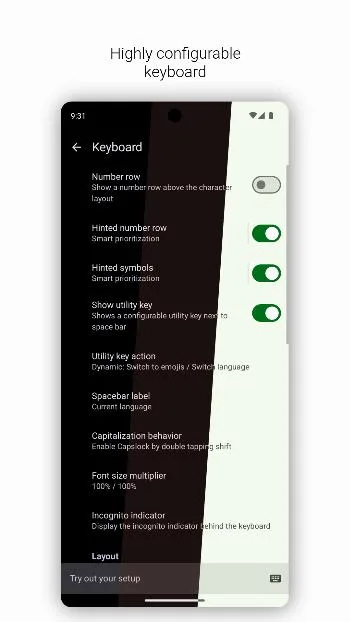
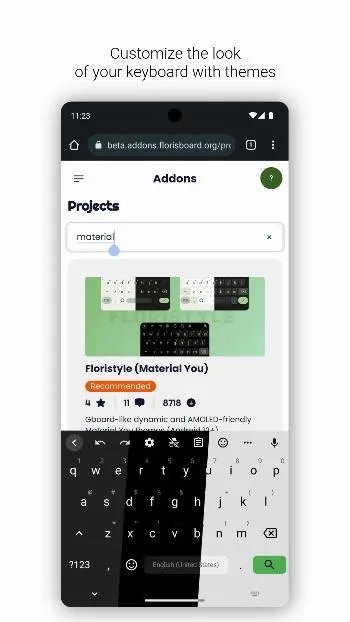
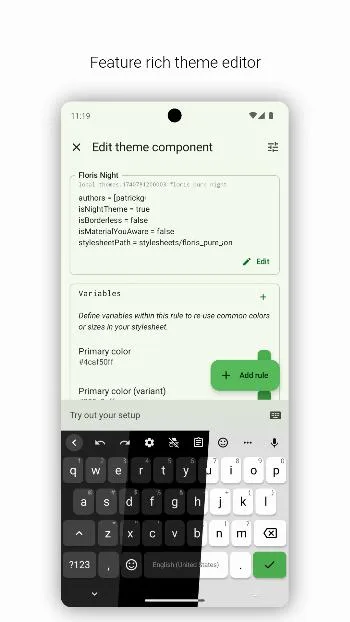
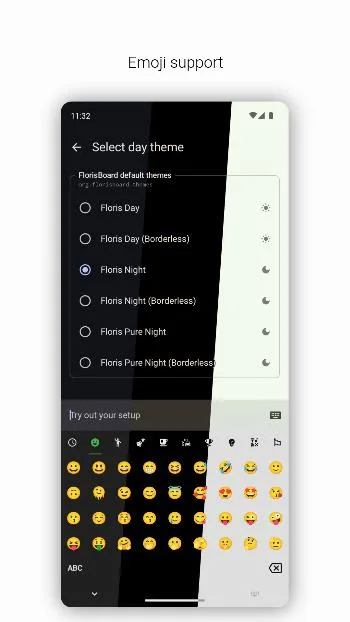
- Themes, with a theme editor and Material You colours, and 76 built-in layouts.
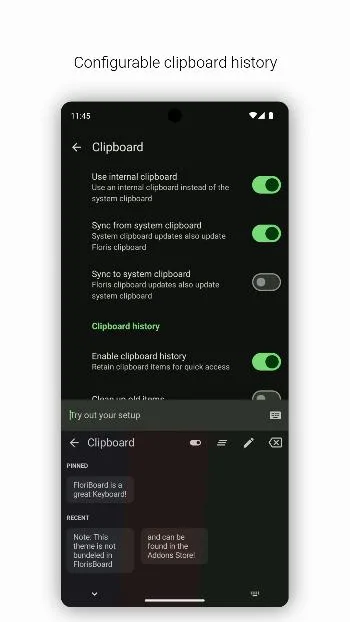
- Clipboard manager with a history, off by default.
- Emoji, with a history, and emoji suggestions when you type a colon followed by at least three letters.
- No glide typing in 0.5.2: its settings say it is “currently not available” and will be rebuilt together with word suggestions.
- Extensions (.flex files) for themes, keyboard layouts and language packs. Bundled Chinese packs cover three shape-based input methods, Zhengma, Boshiamy and large Cangjie; there is no Pinyin.
- No word suggestions or spell check in this version, as its README states; they are planned for 0.6.
How it compares
Among the keyboards on this site:
- HeliBoard and AnySoftKeyboard suggest words from dictionaries; FlorisBoard 0.5 doesn’t.
- Fossify Keyboard has no suggestions either, and no extensions.
- FUTO Keyboard predicts words and types by voice on the phone, under a source-available licence; FlorisBoard has no voice typing and is open source under the Apache-2.0.
- Unexpected Keyboard downloads its dictionaries from the internet; FlorisBoard has no internet access at all.
- For Chinese, Fcitx5 offers Pinyin, which FlorisBoard lacks.
- Thumb-Key replaces the full keyboard with nine large keys and swipes.
Offline
The app declares no internet permission, and we found no network code in it. When it crashes, it shows a local notification with the details rather than sending a report. Its privacy policy: “Any personal data that is persisted is stored locally and never leaves your device.” The Addons Store opens in your browser, not inside the keyboard.
The permissions it asks for
Three: vibration for key feedback, notifications for those crash reports, and one that the AndroidX library adds for internal use. The project’s documentation says FlorisBoard “works perfectly fine without any of these permissions”.
About this file
- This is the developer’s own build of version 0.5.2, via IzzyOnDroid, byte for byte the stable APK on the project’s GitHub release, and signed with the key whose hash the README publishes.
- F-Droid builds and signs its own copy with F-Droid’s key, so this file and F-Droid’s can’t update each other; switching means uninstalling first.
- On Google Play, FlorisBoard is only a closed test that you join through a Google group; the README says “Beginning with v0.7 FlorisBoard will enter the public beta on Google Play.”
- The 14.8 MB file runs on Android 8.0 and later, on ARM and x86, 32- and 64-bit. Our scan found no trackers.
- FlorisBoard is licensed under the Apache-2.0. An English word list, apparently meant for the switched-off glide typing, was added without a stated source, and the data of the Chinese packs doesn’t say where it comes from, apart from the Zhengma tables, which a change note describes as public domain.
What’s inside the APK
Trackers
No code matching the Exodus Privacy tracker signatures.
Native code
Runs on 64-bit and older 32-bit ARM phones.
Android versions
Built for Android 16 (target API 36).
Permissions
1 of them need your approval first.
CPU types in this build: arm64-v8a (64-bit ARM, almost every phone since 2017); armeabi-v7a (32-bit ARM, older and budget phones); x86 (32-bit Intel, emulators); x86_64 (64-bit Intel, emulators and Chromebooks).
Asks you first (1)
Android shows a prompt before the app can use these.
- Show notifications (Android 13+) · POST_NOTIFICATIONS
Granted at install (1)
Low-risk permissions Android grants automatically, plus any we have not classified.
- VIBRATE
Defined by other apps (1)
Permissions that belong to another app or to this app itself.
- dev.patrickgold.florisboard.DYNAMIC_RECEIVER_NOT_EXPORTED_PERMISSION
More Information
- Package name
- dev.patrickgold.florisboard
- Version
- 0.5.2 (build 117)
- File size
- 14.8 MB (14,757,790 bytes)
- Requires
- Android 8.0 or later
- Category
- Productivity
- License
- Apache-2.0
- Developer
- FlorisBoard
- Source code
- github.com/florisboard/florisboard
- Released
- Nov 28, 2025
- Signer SHA-256
- 0b807164508eafeb1fbb815be7a23c77fe689d94b14375c99bdaa9b6577fd6d6
- File SHA-256
- 139624e579018e7fb28fc946cd7740096d964d4b97d88f65ffd37e1b23d20de0
- Checked
- , against the IzzyOnDroid index · how we check · verify it yourself
Common questions
Is this APK the official FlorisBoard release?
Yes. It is the developer’s own release of FlorisBoard 0.5.2, byte for byte as IzzyOnDroid distributes it. Its SHA-256 matches IzzyOnDroid’s signed index, and it is signed with the certificate IzzyOnDroid records for the app (SHA-256 0b807164508eafeb1fbb815be7a23c77fe689d94b14375c99bdaa9b6577fd6d6).
What Android version does FlorisBoard need?
Android 8.0 or later (API level 26). Version 0.5.2 is built for Android 16 (target API 36). Runs on 64-bit and older 32-bit ARM phones.
Can FlorisBoard access the internet?
No. The APK doesn’t request Android’s internet permission, so the app can’t go online by itself. In total it declares 3 permissions, and 1 of them needs your approval first.
Does FlorisBoard contain trackers?
No known trackers: our scan of version 0.5.2 found no code matching the Exodus Privacy tracker signatures. The scan covers known tracker libraries; it doesn’t show what data the app itself sends.
Is FlorisBoard open source?
Its code is. The source code of FlorisBoard is released under the Apache-2.0 licence and published at https://github.com/florisboard/florisboard. An English word list in the app, apparently for its switched-off glide typing, and the data of the bundled Chinese input packs don’t state where they come from or under what licence.
Does FlorisBoard suggest words or correct spelling?
Not in version 0.5.2. Its README says “Word suggestions/spell checking are not included in the current releases”, and the project’s roadmap plans them for 0.6. Typing works without them.
Does it have glide typing?
Not in version 0.5.2. Its gesture settings say: “Glide typing is currently not available and will be re-implemented from the ground up with word suggestions & the new keyboard layout engine.” The older glide code is still in the app: the developer tools page has a debug switch for it, off by default and warning that it “may trigger the all keys invisible bug”, but it isn’t a supported feature.
Can I install the preview version as well?
Yes. The project’s previews, now the 0.6 alphas, use a different package name, dev.patrickgold.florisboard.beta, so they install next to this stable version, each with its own settings.
Where do I get more themes and layouts?
From FlorisBoard’s Addons Store, which opens in your browser; you download an extension (a .flex file) and import it in the app. During its testing phase, the README says, the store takes only themes.
Recent releases
| Version | Released | Size | Requires |
|---|---|---|---|
| v0.5.2 · this download | Nov 28, 2025 | 14.8 MB | Android 8.0+ |
| v0.5.1 | Sep 10, 2025 | 14.6 MB | Android 8.0+ |
Versions currently kept in the IzzyOnDroid repository. We host and check only the newest one. Full changelog.
Alternatives and related apps
-
 HeliBoard Offers word suggestions and spell check from dictionaries you add, which FlorisBoard 0.5 doesn’t have; glide typing needs a library you supply.Download
-
 FUTO Keyboard Predicts words, autocorrects and types by voice on the phone, but its licence is source-available rather than open source.Download
-
 Thumb-Key A completely different approach: nine large keys and swipes instead of a full keyboard, with no internet access and no permissions to approve.Download