

Offline Translator
by DavidVentura · GPL-3.0-or-later · open source
Download language packs once, then translate text, photos and documents without sending their contents to a translation server. OCR, dictionaries and transliteration also run on the phone.
Needs:Android 6.0+ · 64-bit ARM · internet once for language packs
2113 Apps is independent, not affiliated with or endorsed by DavidVentura. Official sources: source code on GitHub.
- Version
- 0.8.7
- Size
- 44.9 MB
- Requires
- Android 6.0+
- Updated
- 2026-10-26
Screenshots
Introduction
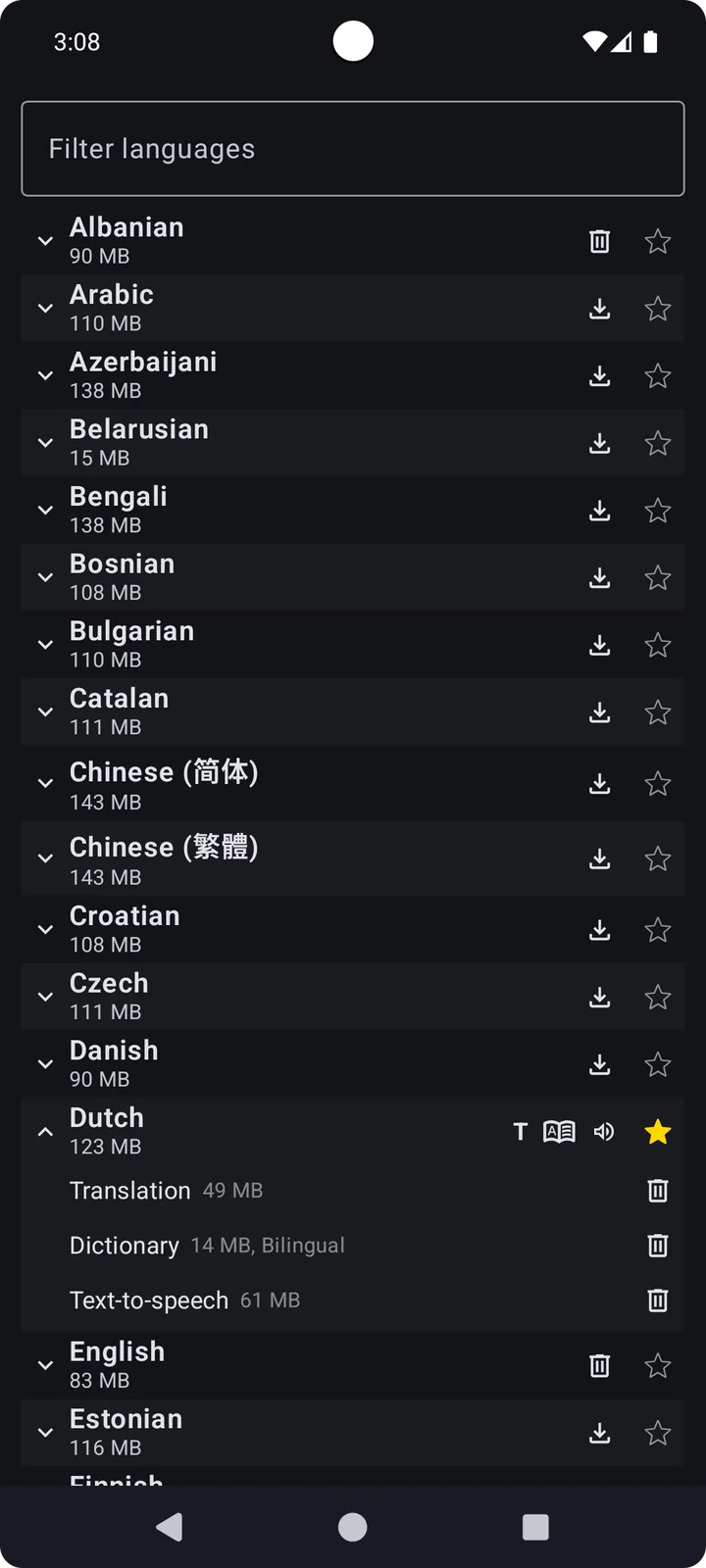
Offline Translator by David Ventura uses downloadable open models instead of forwarding each sentence to Google, DeepL or another translation API. Its current language list covers more than 60 languages, including English, Portuguese, Spanish, Chinese, Japanese, Korean, Arabic, Hindi and many European and South Asian languages. You install only the packs you need; their storage use is shown in the language-pack screen.
What runs on the phone
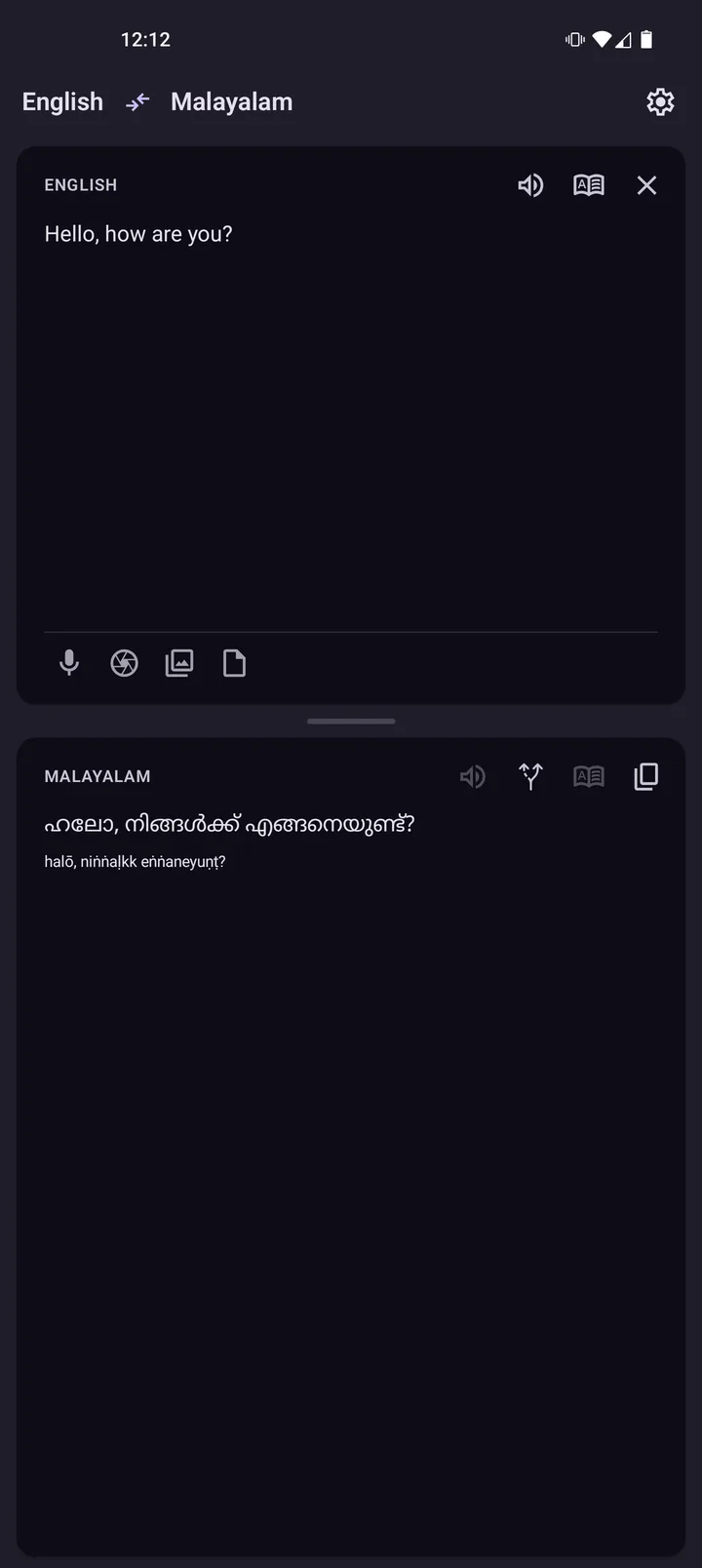
- Text translation uses models derived from Mozilla’s Firefox Translations work. Automatic language detection is provided by CLD2, and transliteration is available for non-Latin scripts.
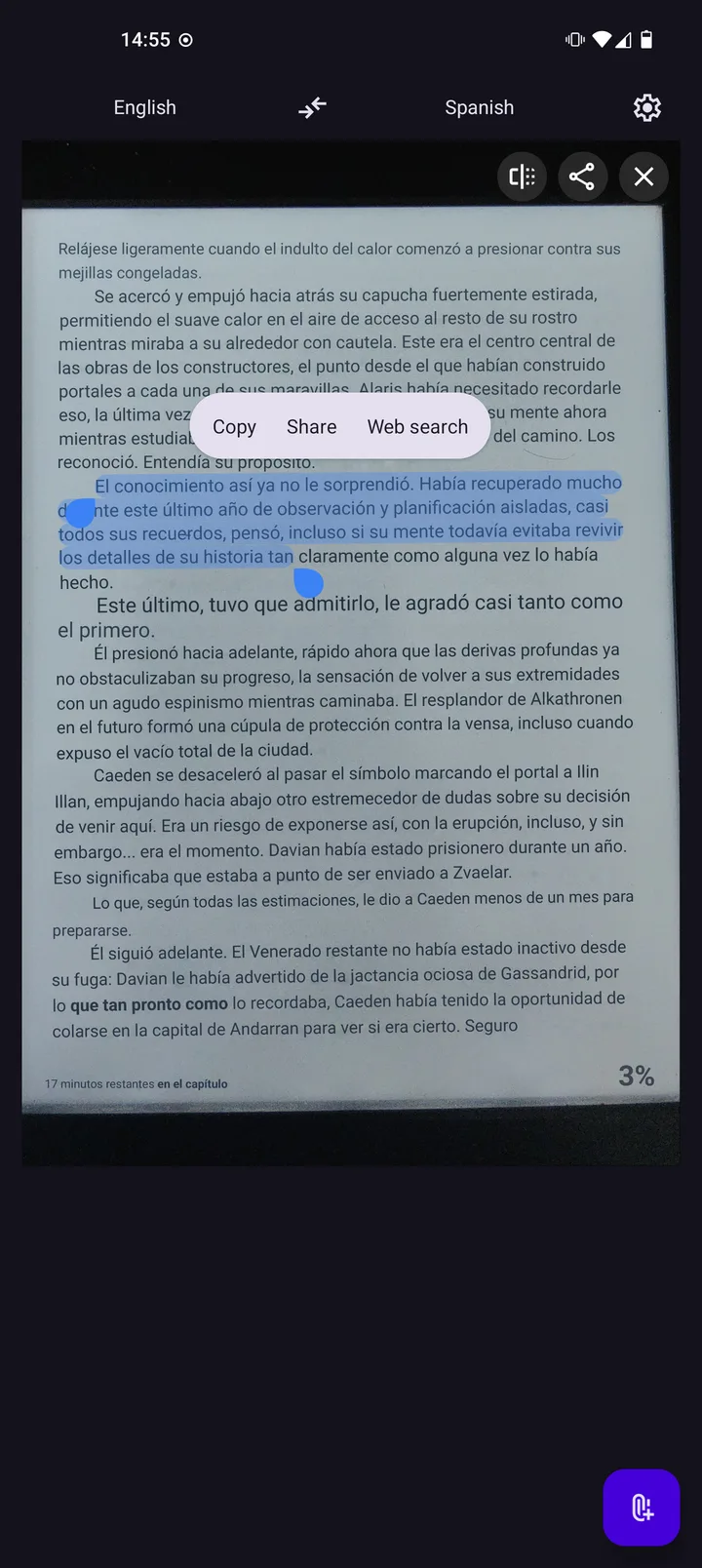
- Images and the live camera use PaddleOCR models. You can select recognised words for a dictionary lookup or edit recognised text before translating it.
- Documents include PDF, ODT, EPUB and TXT. Version 0.8.7 fixes some PDFs that failed to open and reduces memory use with long text and documents.
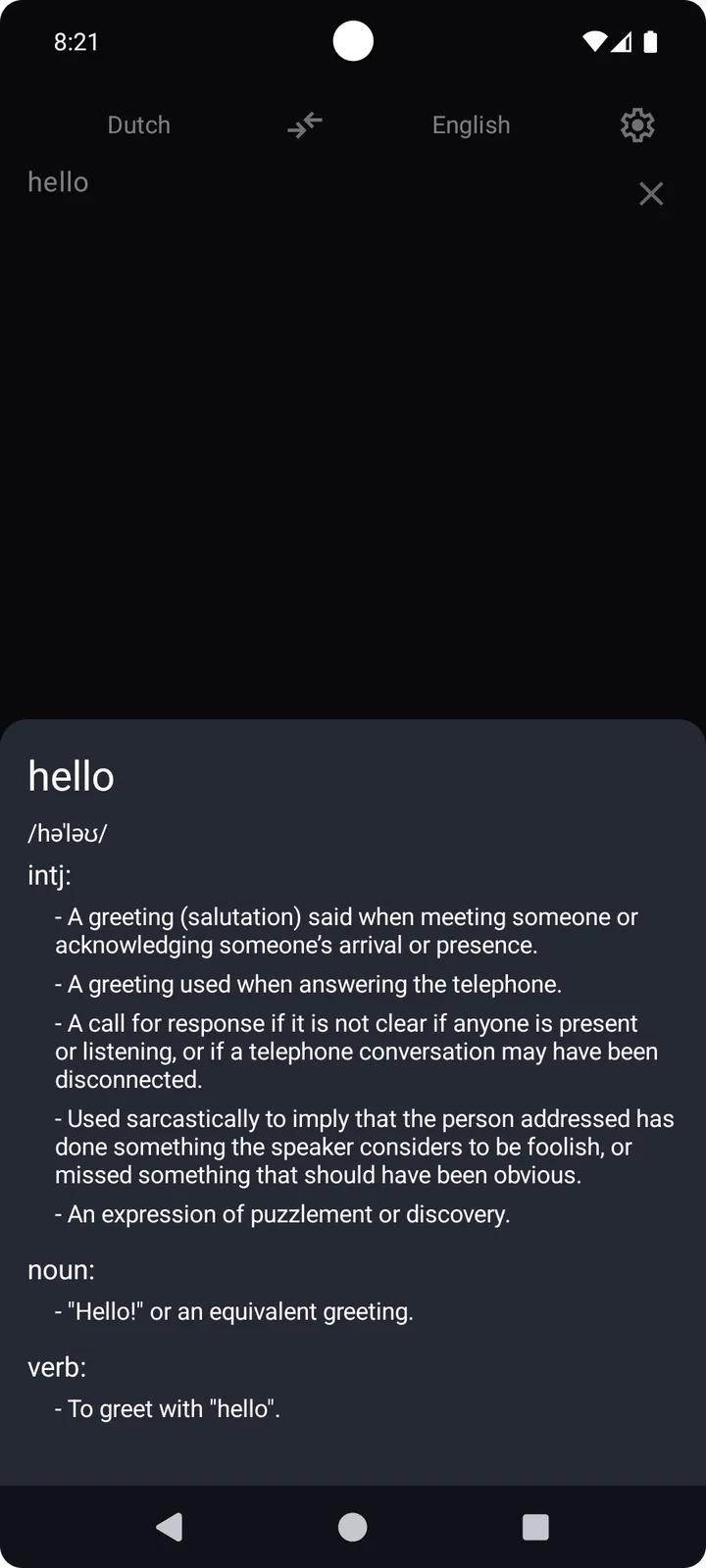
- Dictionary data comes from Wiktionary exports by Kaikki; Japanese also has a word dictionary for Kanji transliteration.
- Speech is optional and model-based. Version 0.8.7 enables higher-quality Kokoro voices for English, Spanish, French, Hindi, Italian and Portuguese.
Text can be typed in the app, shared from another app or sent through Android’s selected-text Translate action. The app also registers for ordinary HTTP and HTTPS links under “Translate link” and opens the chosen page in its own WebView; the website therefore receives a normal network request even though selected text is translated locally. A mini overlay and screen translator are available for material that is difficult to copy. There is also an AIDL interface through which another Android app can request a local translation.
Downloads and sensitive access
The APK includes a model catalogue, and every model-file URL in it points to the project’s offline-translator.davidv.dev host. Language management offers a manual catalogue refresh from that host; the catalogue address can be changed in Settings. Mozilla, PaddleOCR, Kaikki and the other named projects describe the data’s provenance, not extra download hosts contacted by the app. Once the required data is present, translation, OCR and dictionary lookup stay on the device.
An optional LibreTranslate-compatible HTTP interface is off by default and normally listens on port 5000. It can be changed from localhost-only to all interfaces; doing that exposes translation requests to devices able to reach the phone, so use it only on a network you trust. Our APK scan found no tracker SDKs, but screen capture, camera, Accessibility-assisted translation and display-over-other-apps can still see sensitive content while you actively use them.
What changed in 0.8.7
Besides fixes for some PDFs and memory use, the input transliteration can now be selected and copied; Android 8 image translation no longer crashes; selected image words gain a Dictionary action; and recognised image text can be reopened as editable text. These are the developer’s release notes, not claims from device testing here.
About this file
- This is the developer’s arm64 APK from the v0.8.7 GitHub release. It matches the SHA-256 digest GitHub publishes for the asset, and its signing certificate matches the fingerprint published in the project README. F-Droid’s 0.8.6 package uses the same developer key, so Android can update between those channels when version codes allow. The signer is pinned locally so a future file with another key will be rejected.
- The 44.9 MB file runs on Android 6.0 or later and contains only 64-bit ARM native libraries. The developer also publishes a separate 32-bit ARM asset; it is not this download.
- The manifest declares 14 permissions, including internet, camera, overlay, media projection, notifications, boot and storage-related permissions. Our scan found no tracker SDKs.
- Offline Translator is GPL-3.0-or-later. Its four retained project screenshots were not all made for 0.8.7: their last changes entered the 0.7.1, 0.8.2, 0.3.2 and 0.1.3 release lines respectively. Their captions identify the old interface and what each image actually shows.
What’s inside the APK
Trackers
No code matching the Exodus Privacy tracker signatures.
Native code
Needs a 64-bit ARM phone; 32-bit-only devices are not supported.
Android versions
Built for Android 14 (target API 34).
Permissions
4 of them need your approval first.
CPU types in this build: arm64-v8a (64-bit ARM, almost every phone since 2017).
Asks you first (4)
Android shows a prompt before the app can use these.
- Use the camera · CAMERA
- Show notifications (Android 13+) · POST_NOTIFICATIONS
- Read shared storage (Android 12 and older) · READ_EXTERNAL_STORAGE
- Write shared storage (Android 10 and older) · WRITE_EXTERNAL_STORAGE
You switch these on in Settings (2)
Special app access. Nothing is granted until you turn it on yourself.
- All files access · MANAGE_EXTERNAL_STORAGE
- Display over other apps · SYSTEM_ALERT_WINDOW
Granted at install (7)
Low-risk permissions Android grants automatically, plus any we have not classified.
- FLASHLIGHT
- FOREGROUND_SERVICE
- FOREGROUND_SERVICE_DATA_SYNC
- FOREGROUND_SERVICE_MEDIA_PROJECTION
- FOREGROUND_SERVICE_SPECIAL_USE
- INTERNET
- RECEIVE_BOOT_COMPLETED
Defined by other apps (1)
Permissions that belong to another app or to this app itself.
- dev.davidv.translator.DYNAMIC_RECEIVER_NOT_EXPORTED_PERMISSION
More Information
- Package name
- dev.davidv.translator
- Version
- 0.8.7 (build 322)
- File size
- 44.9 MB (44,880,710 bytes)
- Requires
- Android 6.0 or later
- Category
- Productivity
- License
- GPL-3.0-or-later
- Developer
- DavidVentura
- Source code
- github.com/DavidVentura/offline-translator
- Released
- Oct 26, 2026
- Signer SHA-256
- 2b3806e745d809018a51be58d0635ffc74cc9733439407ab1ed0424a4db3e1fb
- File SHA-256
- e061cb1fa5ae1267f2f3bad83a569b31c5b7205728ac4c5e8611aeb2e687e476
- Checked
- , against the v0.8.7 release on GitHub · how we check · verify it yourself
Common questions
Is this APK the official Offline Translator release?
Yes. It is the file from the project’s v0.8.7 release on GitHub, byte for byte, and it matches the SHA-256 checksum GitHub publishes for it. It is signed with the certificate we recorded when we first checked Offline Translator (SHA-256 2b3806e745d809018a51be58d0635ffc74cc9733439407ab1ed0424a4db3e1fb); a release signed with a different key would not be published here.
What Android version does Offline Translator need?
Android 6.0 or later (API level 23). Version 0.8.7 is built for Android 14 (target API 34). Needs a 64-bit ARM phone; 32-bit-only devices are not supported.
Can Offline Translator access the internet?
Yes. The APK requests Android’s internet permission. In total it declares 14 permissions, and 4 of them need your approval first.
Does Offline Translator contain trackers?
No known trackers: our scan of version 0.8.7 found no code matching the Exodus Privacy tracker signatures. The scan covers known tracker libraries; it doesn’t show what data the app itself sends.
Is Offline Translator open source?
Yes. Offline Translator is released under the GPL-3.0-or-later licence, and its source code is published at https://github.com/DavidVentura/offline-translator.
Is it really usable without internet?
Yes after you download the packs you need. Translation, OCR and dictionaries run on the device. For a phone that never goes online, first enable Settings → Advanced → Use external storage, then copy the model files into `Documents/dev.davidv.translator`. The built-in Translate link browser is different: opening a web URL still loads that site online.
Which files can it translate?
It accepts typed or shared text, shared images and links, plus PDF, ODT, EPUB and TXT documents from its Documents tab. Image translation uses on-device OCR; document handling and layout can vary with the source file.
Why does an offline translator have internet permission?
The APK bundles a model catalogue whose files point to `offline-translator.davidv.dev`; the language-management screen can manually refresh that catalogue from the same project host, and its URL is editable in Settings. The app does not download them directly from Mozilla, PaddleOCR or Kaikki. Its Translate link WebView also loads requested websites, and an optional LibreTranslate-compatible HTTP server can be enabled for local clients.
Why does it ask for camera, overlay or broad file access?
Camera and screen-capture features read text from what you point at or display; the optional floating translator appears over other apps; document and manual-model workflows need file access. Enable only the features you use. Android versions differ in which of these manifest permissions become prompts.
Recent releases
| Version | Released | Size |
|---|---|---|
| v0.8.7 · this download | Oct 26, 2026 | 44.9 MB |
| v0.8.6 | Oct 20, 2026 | 44.5 MB |
| v0.8.5 | Sep 9, 2026 | 44.4 MB |
| v0.8.4 | Sep 6, 2026 | 44.4 MB |
| v0.8.3 | Aug 26, 2026 | 43.5 MB |
Recent releases on the project’s GitHub. We host and check only the newest one. Full changelog.
Alternatives and related apps
-
 Translate You A smaller front end for multiple online translation services, with no large local translation models.Download