

Prism File Explorer
by Raival · GPL-3.0-only · open source
A Material 3 file manager with tabs, ZIP archives and built-in viewers for images, video, audio, PDF and code.
Needs:No root
2113 Apps is independent, not affiliated with or endorsed by Raival. Official sources: source code on GitHub.
- Version
- 1.3.2
- Size
- 10.7 MB
- Requires
- Android 8.0+
- Updated
- 2025-09-12
Screenshots
Introduction
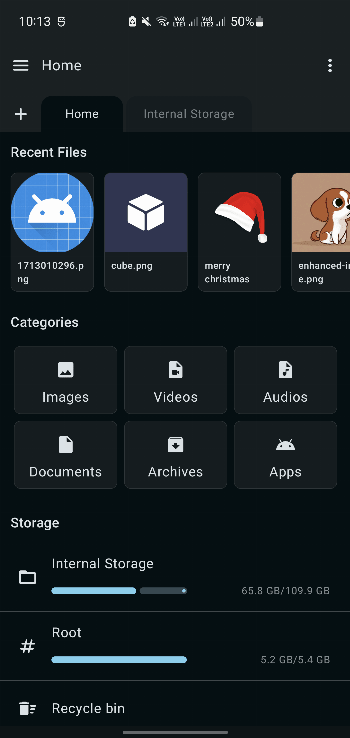
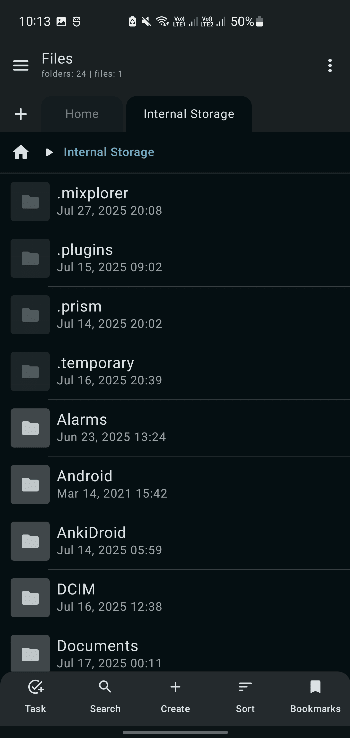
Prism File Explorer is a file manager for Android built with Jetpack Compose and Material Design 3. It aims to be complete without being heavy: tabs, archives and a set of built-in viewers, in a 10.7 MB app with no trackers.
What it does
- All the basic file operations: create, copy, move, rename and delete, with multi-select and batch operations.
- Tabs, so several folders stay open at once, plus breadcrumbs and quick-access shortcuts.
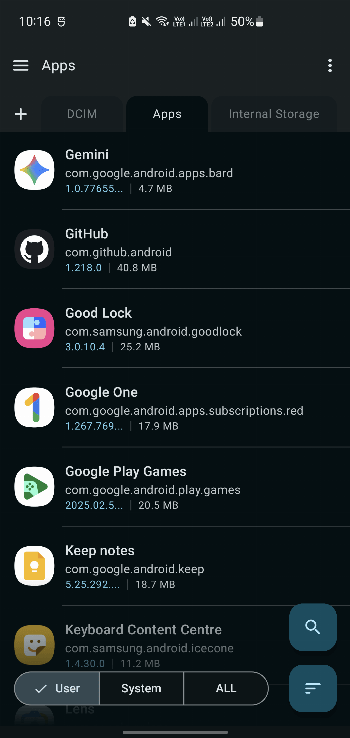
- Search, sorting by name, size, date or type, and grid or list view.
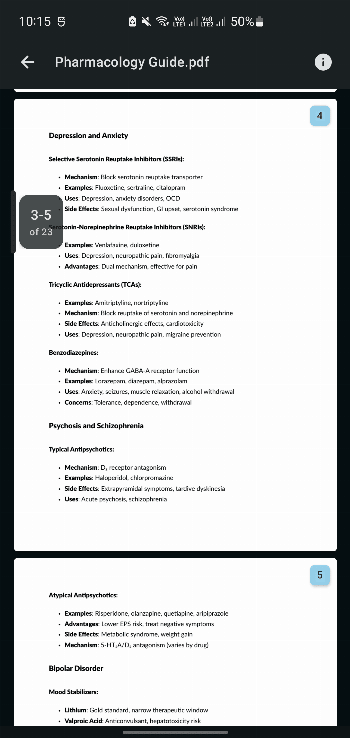
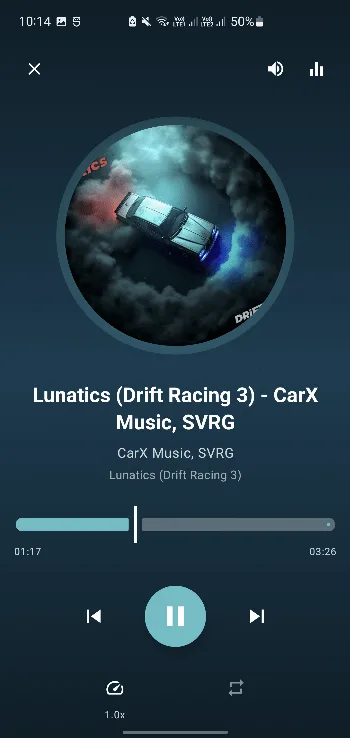
- Built-in viewers:
- images (JPEG, PNG, GIF, WebP)
- video (MP4, MKV, AVI, MOV)
- audio (MP3, FLAC, WAV, OGG)
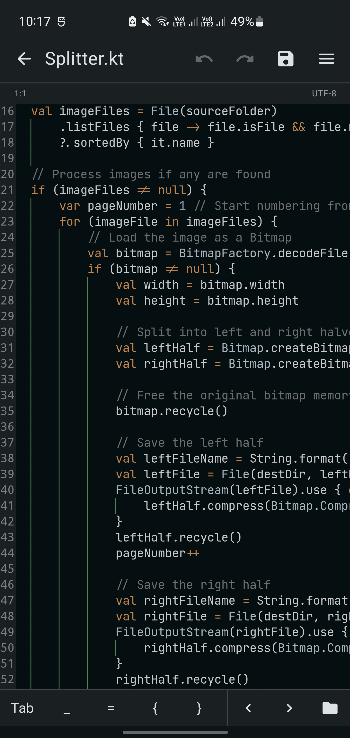
- a text editor with syntax highlighting for code
- ZIP archives: create, extract, and browse the contents without extracting.
- Light and dark theme that follows the system.
The developer says it is optimised to run smoothly on low-end devices.
What stands out in the APK
- No trackers.
- All-files access, a special permission you turn on in Settings, is what lets a file manager see all of your storage. Without it, it can only reach media folders. Install unknown apps is the other special permission, so you can open APK files from it.
- It can add shortcuts to your home screen.
- 12 permissions in total, and only storage and notifications ask first. 10.7 MB, native code for all four CPU types, Android 8.0 or newer.
Installing it
- Install the APK and open it.
- Grant all-files access when it asks. It is the setting that makes a file manager useful on modern Android.
- Set it as the default app for the file types you want its viewers to handle.
Worth knowing
It doesn’t mention root, network shares or cloud storage, so it is a local file manager. On Android 11 and later, even with all-files access, apps can’t browse other apps’ folders inside Android/data. That limit comes from the system, not from Prism.
What’s inside the APK
Trackers
No code matching the Exodus Privacy tracker signatures.
Native code
Runs on 64-bit and older 32-bit ARM phones.
Android versions
Built for Android 16 (target API 36).
Permissions
3 of them need your approval first.
CPU types in this build: arm64-v8a (64-bit ARM, almost every phone since 2017); armeabi-v7a (32-bit ARM, older and budget phones); x86 (32-bit Intel, emulators); x86_64 (64-bit Intel, emulators and Chromebooks).
Asks you first (3)
Android shows a prompt before the app can use these.
- Show notifications (Android 13+) · POST_NOTIFICATIONS
- Read shared storage (Android 12 and older) · READ_EXTERNAL_STORAGE
- Write shared storage (Android 10 and older) · WRITE_EXTERNAL_STORAGE
You switch these on in Settings (2)
Special app access. Nothing is granted until you turn it on yourself.
- All files access · MANAGE_EXTERNAL_STORAGE
- Install unknown apps · REQUEST_INSTALL_PACKAGES
Granted at install (5)
Low-risk permissions Android grants automatically, plus any we have not classified.
- ACCESS_NETWORK_STATE
- FOREGROUND_SERVICE
- FOREGROUND_SERVICE_DATA_SYNC
- INTERNET
- QUERY_ALL_PACKAGES
Defined by other apps (2)
Permissions that belong to another app or to this app itself.
- com.android.launcher.permission.INSTALL_SHORTCUT
- com.raival.compose.file.explorer.DYNAMIC_RECEIVER_NOT_EXPORTED_PERMISSION
More Information
- Package name
- com.raival.compose.file.explorer
- Version
- 1.3.2 (build 10)
- File size
- 10.7 MB (10,722,682 bytes)
- Requires
- Android 8.0 or later
- Category
- System Tools
- License
- GPL-3.0-only
- Developer
- Raival
- Source code
- github.com/Raival-e/Prism-File-Explorer
- Released
- Sep 12, 2025
- Signer SHA-256
- 830166b8bea60c42c6785459043adc1fb3b30537a56a7c90a595cb9e08126c26
- File SHA-256
- 49ffa960bb52876d03b29c21576becff391a59e847c7d56e07117d4ee946dc0f
- Checked
- , against the IzzyOnDroid index · how we check · verify it yourself
Common questions
Is this APK the official Prism File Explorer release?
Yes. It is the developer’s own release of Prism File Explorer 1.3.2, byte for byte as IzzyOnDroid distributes it. Its SHA-256 matches IzzyOnDroid’s signed index, and it is signed with the certificate IzzyOnDroid records for the app (SHA-256 830166b8bea60c42c6785459043adc1fb3b30537a56a7c90a595cb9e08126c26).
What Android version does Prism File Explorer need?
Android 8.0 or later (API level 26). Version 1.3.2 is built for Android 16 (target API 36). Runs on 64-bit and older 32-bit ARM phones.
Can Prism File Explorer access the internet?
Yes. The APK requests Android’s internet permission. In total it declares 12 permissions, and 3 of them need your approval first.
Does Prism File Explorer contain trackers?
No known trackers: our scan of version 1.3.2 found no code matching the Exodus Privacy tracker signatures. The scan covers known tracker libraries; it doesn’t show what data the app itself sends.
Is Prism File Explorer open source?
Yes. Prism File Explorer is released under the GPL-3.0-only licence, and its source code is published at https://github.com/Raival-e/Prism-File-Explorer.
Recent releases
| Version | Released | Size | Requires |
|---|---|---|---|
| v1.3.2 · this download | Sep 12, 2025 | 10.7 MB | Android 8.0+ |
| v1.3.1 | Aug 15, 2025 | 10.3 MB | Android 8.0+ |
| v1.3.0 | Jul 28, 2025 | 10.3 MB | Android 8.0+ |
Versions currently kept in the IzzyOnDroid repository. We host and check only the newest one.
Alternatives and related apps
-
NoStorageRestrict Lets apps pick the Download and Android folders again. Needs root and LSPosed.Download