Rethink: DNS + Firewall + VPN
by The RethinkDNS Authors · Apache-2.0 · open source
Encrypted DNS with optional block lists, a firewall that decides which apps may go online, and a WireGuard client, all from one local VPN on the phone. No root needed.
Needs:Android 6.0+ · 64-bit ARM
2113 Apps is independent, not affiliated with or endorsed by The RethinkDNS Authors. Official sources: rethinkdns.com · source code on GitHub.
- Version
- v0.5.8
- Size
- 30.9 MB
- Requires
- Android 6.0+
- Updated
- 2026-10-16
Screenshots
Introduction
Rethink, made by Celzero, describes itself as “a multi-hop WireGuard client, an OpenSnitch-inspired firewall and network monitor + a pi-hole-inspired DNS over HTTPS (DoH), Oblivious DoH, DNS over TLS (DoT), DNSCrypt client with blocklists.” It does all of this through Android’s VPN feature, without root. Its FAQ points out that it “isn’t like other VPN apps that relay the entire device’s internet bound traffic”: the VPN runs on the phone, and only your DNS lookups go to the resolver you pick.
What it does
- DNS: by default, encrypted DNS through Rethink’s own resolver (
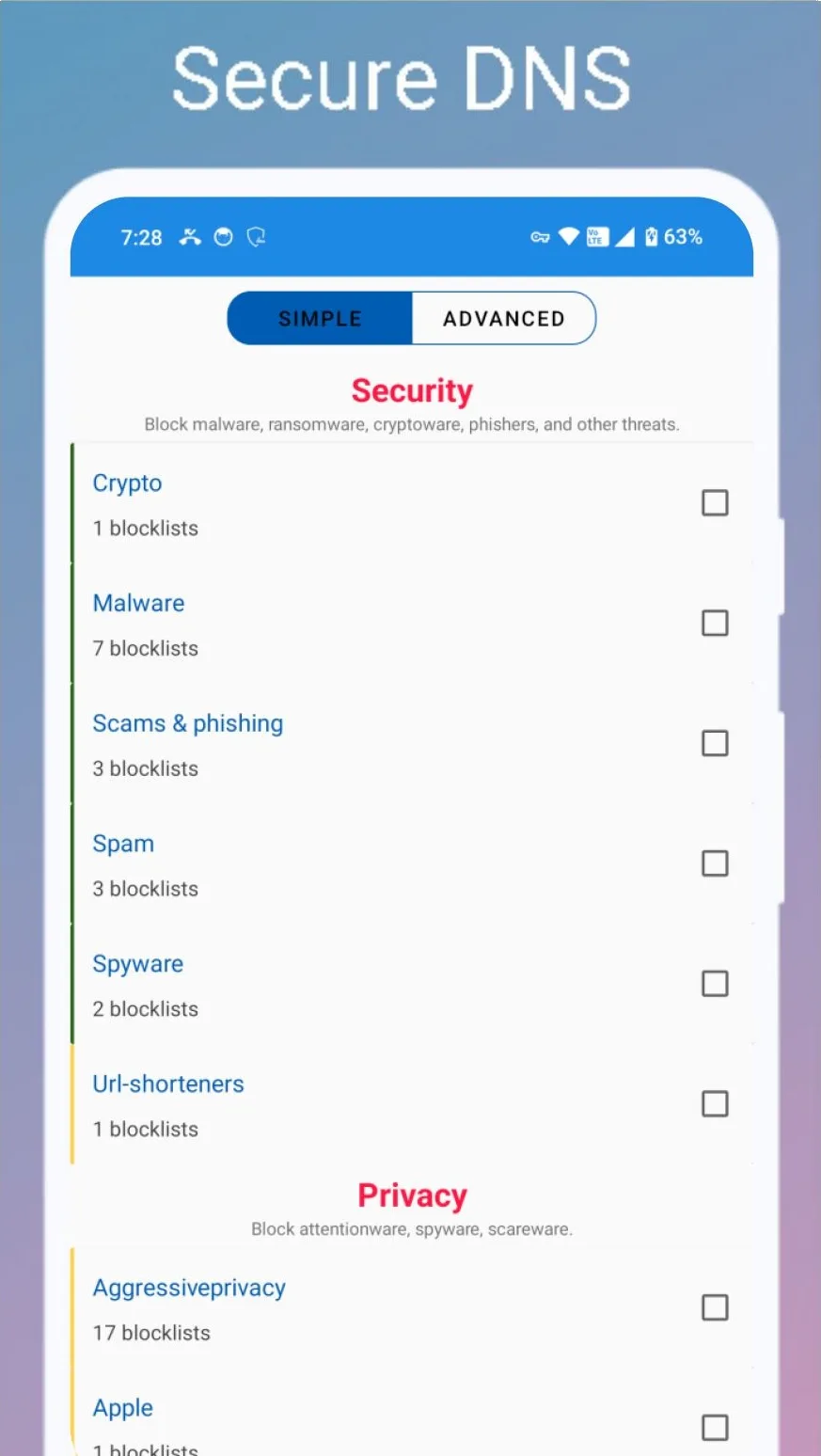
sky.rethinkdns.com), which blocks phishing, malware and similar threats. Dozens of other resolvers are built in, from Cloudflare, Google and Quad9 to DNSCrypt and Oblivious DoH servers, or you can add your own. - Block lists: “Choose from 195+ blocklists” in three groups (privacy, security and parental control), either applied by Rethink’s DNS service or downloaded to the phone (“around 60MB”) so filtering happens on the device. Nothing is downloaded until you turn this on.
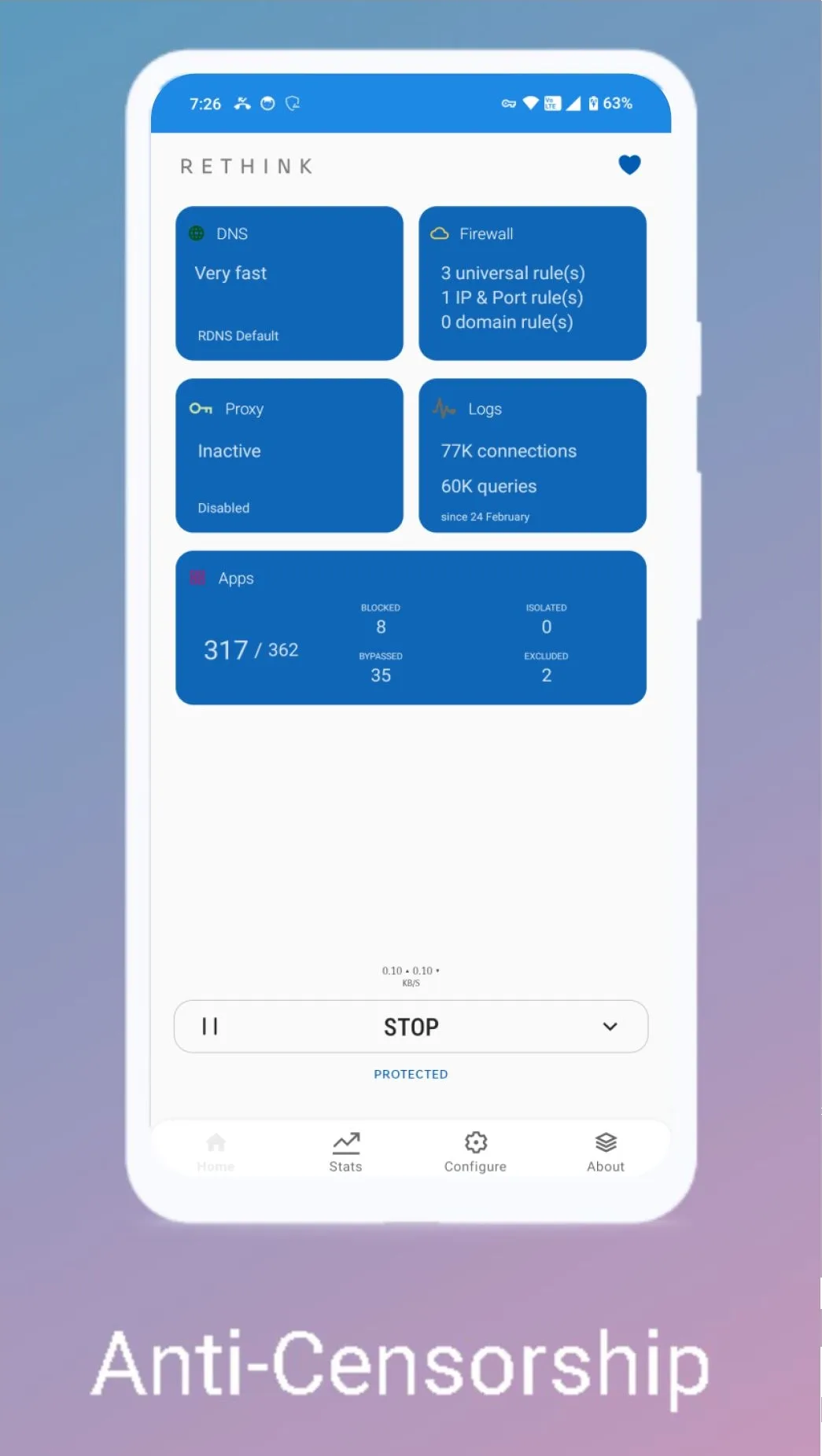
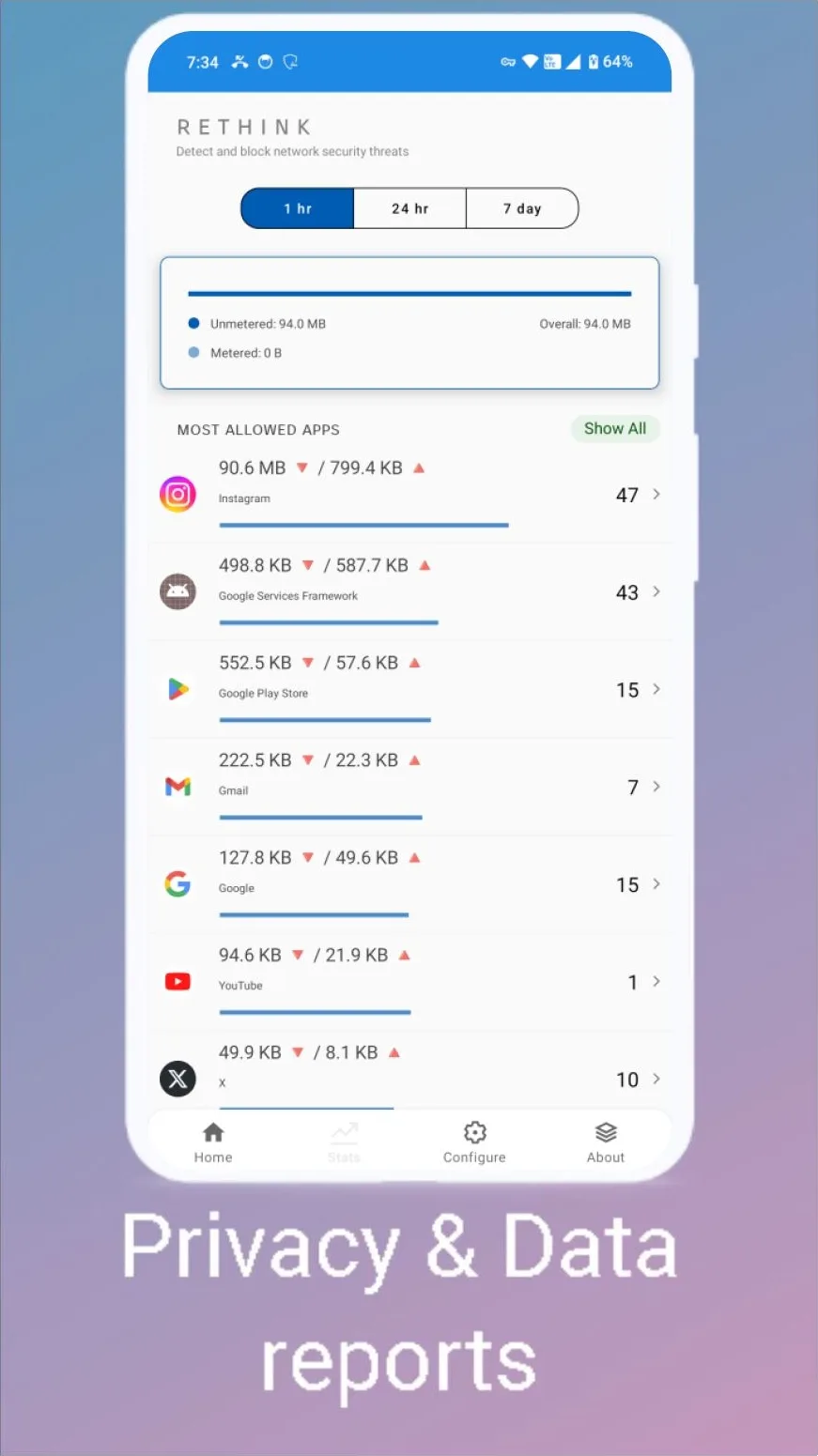
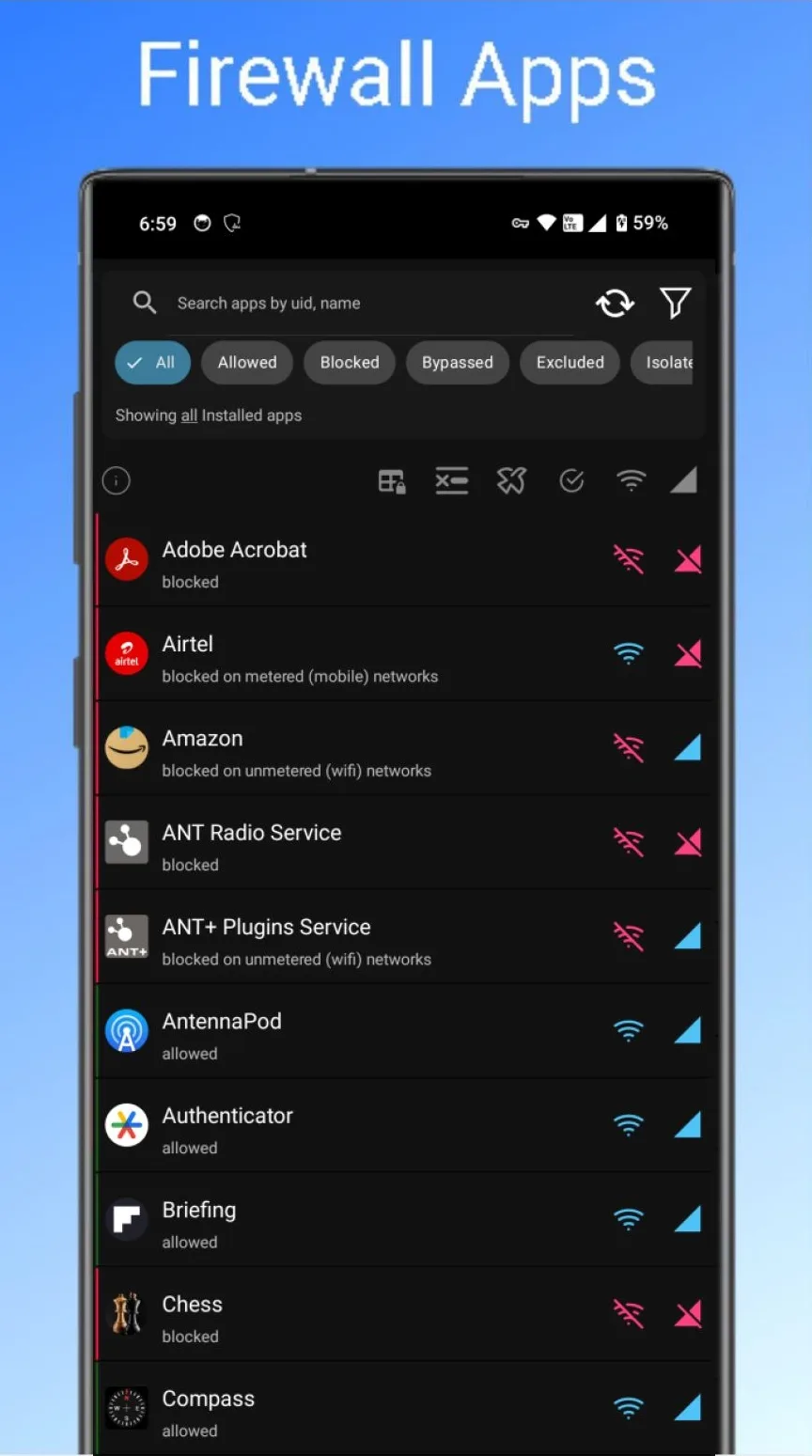
- Firewall: allow or block internet access per app, separately for Wi-Fi and mobile data, plus rules for domains and IP addresses, and logs of what each app connects to. Since v0.5.7 there are also universal allow rules and blocked/allowed statistics grouped by app.
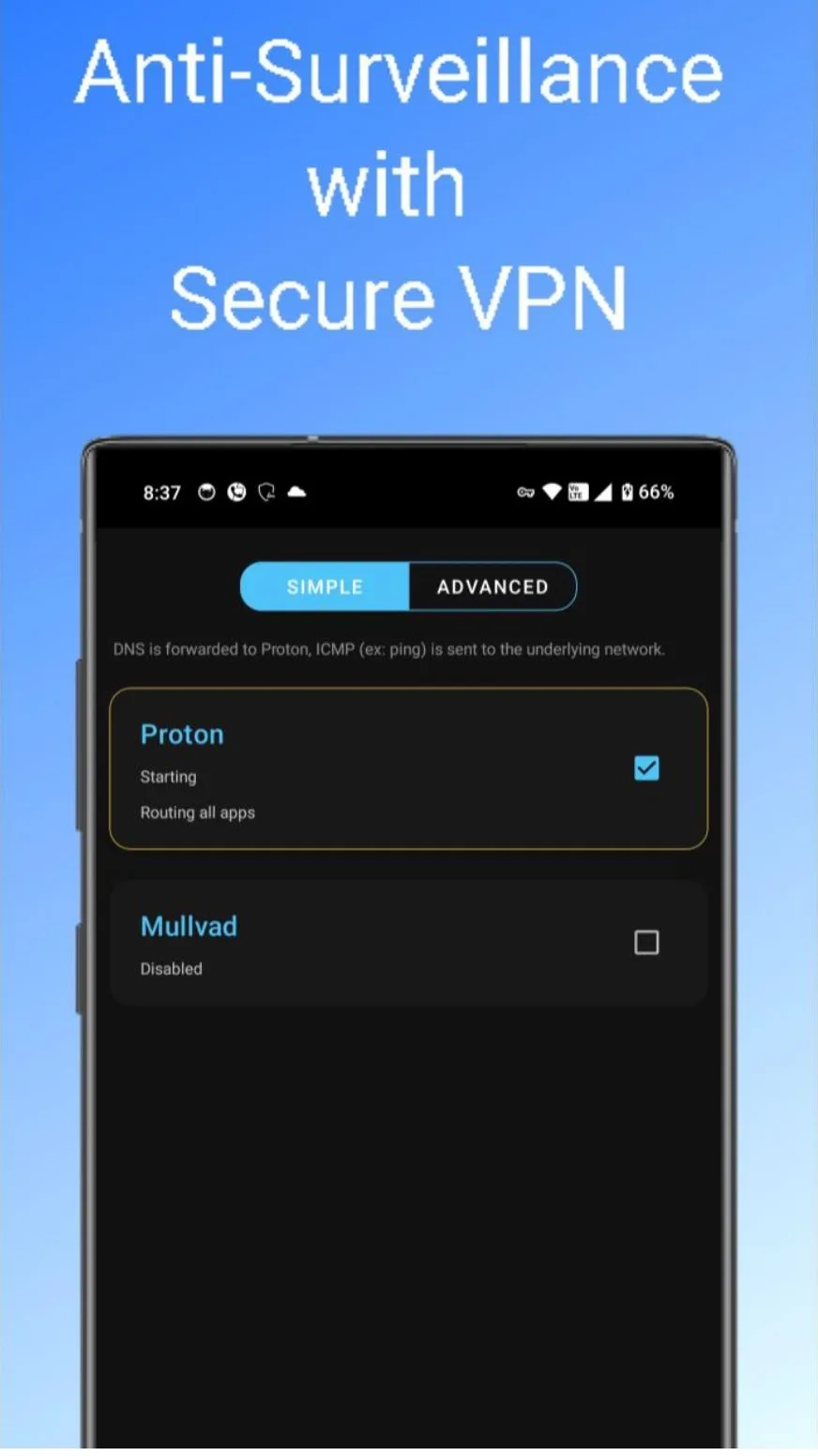
- Proxy and WireGuard: send some or all apps through a SOCKS5 or HTTP proxy or a WireGuard tunnel, several at once if you like, and switch them by Wi-Fi network.
- Modes: DNS only (with a battery-saver variant), firewall only, or DNS and firewall together, the default.
The version hosted here
This is F-Droid’s build, compiled from the source code and signed with F-Droid’s key. The project also publishes Google Play and website versions, signed with its own key, so you can’t switch between them without uninstalling. What differs in this build:
- On-device block lists are available. The Google Play version hides them; the README explains that the Play edition “must be distributable on the PlayStore”, which rules them out.
- No crash reporting. Firebase Crashlytics is limited to the Play build, and F-Droid’s recipe removes it too. Rethink’s privacy page: “The F-Droid flavour of the app is free of any trackers, spyware, ads, or loggers whatsoever.”
- No update check; F-Droid handles updates.
- No paid features. Rethink+, the paid proxy network, shows “coming soon” in this build, and the billing code is replaced by empty stubs. Fetching website icons for the DNS log is also off by default here.
What it connects to
Nothing until you start it: the VPN is off after installing. Once on, your DNS lookups go to the chosen resolver, Rethink’s by default, with one exception since v0.5.8: while Android reports that a network needs a sign-in page, as hotel and airport Wi-Fi often do, lookups go to that network’s own DNS and skip your block lists until the sign-in is done. The switch for this, Use System DNS on captive portals in the DNS settings, is on by default. The privacy page says “Rethink DNS resolvers do not log requests.” Block lists come from Rethink’s download server when you enable them, and checking for block-list updates every few days is an option that is off by default.
The permissions it asks for
Rethink declares 21 permissions. The unusual ones:
- Location, including in the background: only for the Wi-Fi-based switching described in the questions below.
- Camera: the QR code scanner for importing WireGuard configurations.
- Biometrics: an optional lock for the app itself.
- All installed apps: the per-app firewall needs the full list.
- Run at startup: Rethink restarts after a reboot if it was running before.
- Interact across users: a privileged permission Android grants only to apps built into the system, which matters only if a phone maker ships Rethink preinstalled.
About this file
- F-Droid’s build of version v0.5.8, released in October 2026. Its release notes call it a fast-follow to v0.5.7, which redesigned the home screen in September, and report lower power use: “Down from 5% - 10% to 2% to 3% in our tests.”
- The 30.9 MB file is the 64-bit ARM build and needs Android 6.0 or later. Our scan found no trackers.
- The screenshots, from the project’s listing, show an older version of the interface; the first one is a promotional graphic.
- Rethink is licensed under the Apache-2.0.
For blocking ads in particular, see our guide How to block ads on Android without root.
What’s inside the APK
Trackers
No code matching the Exodus Privacy tracker signatures.
Native code
Needs a 64-bit ARM phone; 32-bit-only devices are not supported.
Android versions
Built for Android 17 (target API 37).
Permissions
5 of them need your approval first.
CPU types in this build: arm64-v8a (64-bit ARM, almost every phone since 2017).
Asks you first (5)
Android shows a prompt before the app can use these.
- Location while running in the background · ACCESS_BACKGROUND_LOCATION
- Approximate location · ACCESS_COARSE_LOCATION
- Precise location · ACCESS_FINE_LOCATION
- Use the camera · CAMERA
- Show notifications (Android 13+) · POST_NOTIFICATIONS
System-level (1)
Reserved for system apps. A normal install does not get these; they only take effect through root, ADB or Shizuku, if at all.
- INTERACT_ACROSS_USERS
Granted at install (14)
Low-risk permissions Android grants automatically, plus any we have not classified.
- ACCESS_LOCAL_NETWORK
- ACCESS_NETWORK_STATE
- ACCESS_WIFI_STATE
- CHANGE_NETWORK_STATE
- FOREGROUND_SERVICE
- FOREGROUND_SERVICE_CONNECTED_DEVICE
- FOREGROUND_SERVICE_SPECIAL_USE
- FOREGROUND_SERVICE_SYSTEM_EXEMPTED
- INTERNET
- QUERY_ALL_PACKAGES
- RECEIVE_BOOT_COMPLETED
- USE_BIOMETRIC
- USE_FINGERPRINT
- WAKE_LOCK
Defined by other apps (1)
Permissions that belong to another app or to this app itself.
- com.celzero.bravedns.DYNAMIC_RECEIVER_NOT_EXPORTED_PERMISSION
More Information
- Package name
- com.celzero.bravedns
- Version
- v0.5.8 (build 703)
- File size
- 30.9 MB (30,930,684 bytes)
- Requires
- Android 6.0 or later
- Category
- Network & Privacy
- License
- Apache-2.0
- Developer
- The RethinkDNS Authors
- Source code
- github.com/celzero/rethink-app
- Released
- Oct 16, 2026
- Signed by
- F-Droid, which built this APK from the published source code. Because the key is F-Droid’s, it won’t install over a copy from Google Play or GitHub (or the other way round) without uninstalling first.
- Signer SHA-256
- abc6766ba34e027dc7dfa29b1c2b5b1d1dc14f7ba637895a81dfb68e40bc1579
- File SHA-256
- f2685bc66ba3b1537c8bb2e04644360f9a8b307ed6de618c393cade12a2651ae
- Checked
- , against the F-Droid index · how we check · verify it yourself
Common questions
Is this APK the official Rethink: DNS + Firewall + VPN release?
It is F-Droid’s build rather than the developer’s own: F-Droid compiled Rethink: DNS + Firewall + VPN v0.5.8 from the published source code and signed it with its own key. Its SHA-256 matches F-Droid’s signed index. Because the key is F-Droid’s, it won’t install over a copy from Google Play or GitHub without uninstalling first.
What Android version does Rethink: DNS + Firewall + VPN need?
Android 6.0 or later (API level 23). Version v0.5.8 is built for Android 17 (target API 37). Needs a 64-bit ARM phone; 32-bit-only devices are not supported.
Can Rethink: DNS + Firewall + VPN access the internet?
Yes. The APK requests Android’s internet permission. In total it declares 21 permissions, and 5 of them need your approval first.
Does Rethink: DNS + Firewall + VPN contain trackers?
No known trackers: our scan of version v0.5.8 found no code matching the Exodus Privacy tracker signatures. The scan covers known tracker libraries; it doesn’t show what data the app itself sends.
Is Rethink: DNS + Firewall + VPN open source?
Yes. Rethink: DNS + Firewall + VPN is released under the Apache-2.0 licence, and its source code is published at https://github.com/celzero/rethink-app.
Does Rethink block ads out of the box?
No. Its default resolver, Rethink’s own, blocks phishing, malware and similar threats; the app describes it as blocking “over 100,000+ phishing, malvertising, malware, spyware, ransomware, cryptojacking and other threats”. To block ads, choose block lists, either for Rethink’s DNS service or as on-device lists, a download of about sixty megabytes.
Can I use Rethink together with another VPN app?
Not at the same time: Android allows only one VPN connection, and Rethink is one. Instead, Rethink can forward traffic through a WireGuard tunnel, so a VPN provider that offers WireGuard configuration files can run inside Rethink.
Why does it ask for location permission?
Only for one optional feature: switching proxies or WireGuard tunnels depending on the Wi-Fi network you’re on, which needs the network’s name, and Android treats that as location data. The app says the permission “is requested only when you enable the feature”.
Recent releases
| Version | Released | Size | Requires |
|---|---|---|---|
| v0.5.8 · this download | Oct 16, 2026 | 30.9 MB | Android 6.0+ |
| v0.5.7 | Sep 22, 2026 | 32.2 MB | Android 6.0+ |
| v0.5.6 | Aug 14, 2026 | 33.3 MB | Android 6.0+ |
Versions currently kept in the F-Droid repository. We host and check only the newest one. Full changelog.