Test DPC
by Google Samples · Apache-2.0 · open source
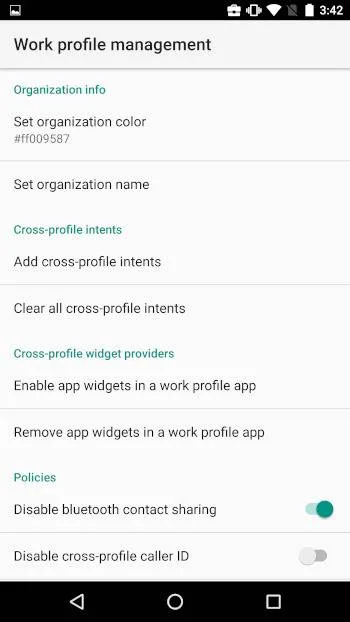
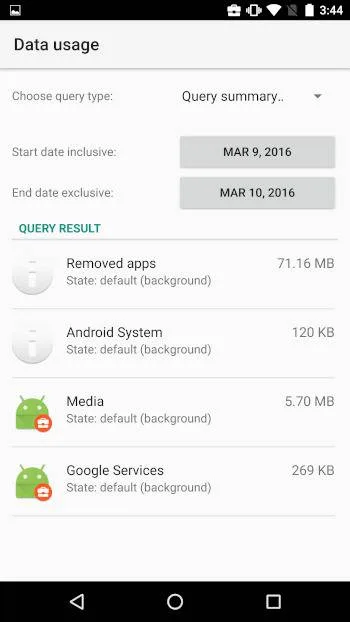
Google's sample app for Android Enterprise: create a work profile on your own phone, or make a spare device fully managed, and try the policies Android offers. Built for testing, not daily use.
Needs:Android 5.0+ · adb for device owner
2113 Apps is independent, not affiliated with or endorsed by Google Samples. Official sources: source code on GitHub.
- Version
- 9.0.12
- Size
- 11.1 MB
- Requires
- Android 5.0+
- Updated
- 2024-10-01
Screenshots
Introduction
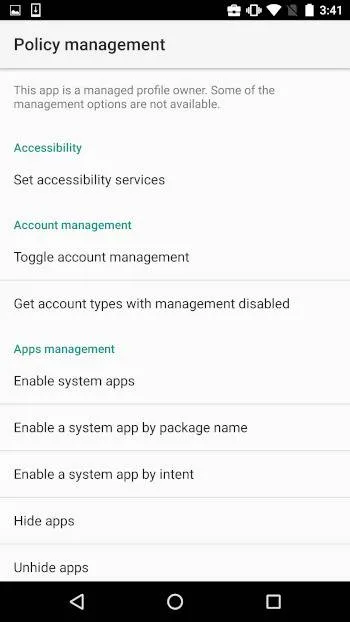
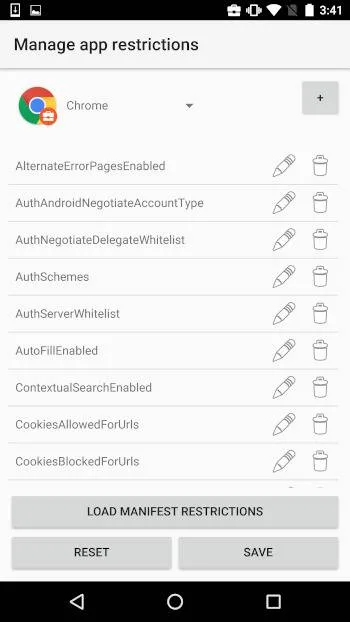
Test DPC is a sample app from Google’s Android Enterprise team. Its README calls it “an app designed to help EMMs, ISVs, and OEMs to test their applications and platforms in a Android enterprise managed profile (i.e. work profile)”: a device policy controller (DPC) like the ones companies use to manage work phones, with a switch for almost every policy Android has. IzzyOnDroid’s listing is blunt about what that means for everyone else: it is “for development purposes only. It is NOT intended for production usages. The app should never be used with real data.”
Two ways to use it
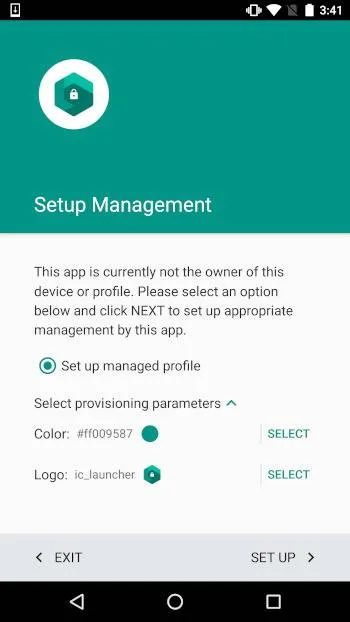
As a work profile. This is the gentle option. The README’s steps: launch the “Set up TestDPC” app, follow the setup flow, and skip adding an account at the end. You get a separate work profile with its own apps and data, marked with a badge in the launcher, and Test DPC becomes its administrator. Your personal side stays as it was.
If the setup doesn’t finish, use the current version. This file predates a fix that Google lists in the 9.0.16 release notes: “Fixed issue preventing Work Profile setup from completing successfully.” On Android 6.0 or later, get 9.0.16 from Google Play or the README’s download link; it installs over this file. It doesn’t run on Android 5.x, where this version is the one to use.
As the device owner. This gives Test DPC control over the whole device. The README’s shortcut for developers is one adb command:
adb shell dpm set-device-owner com.afwsamples.testdpc/.DeviceAdminReceiver
It only works on a device with no accounts set up and no other users or profiles (a work profile counts). Outside of adb, Google says device owner mode can only be set up “during the initial setup of a new device or after a factory reset”. Typing afw#testdpc when the setup wizard asks you to sign in does that, but the setup wizard then installs Test DPC itself from Google, so that route doesn’t use this file.
Before you make it the device owner
Think of device owner mode as something for a spare or test device. Removing it isn’t always clean: the app’s “Remove this device owner” option warns that policies “may require a factory reset to clear”, and the adb command that removes an admin requires the app to be marked test-only, which this release isn’t. If you just want to see how a work profile behaves, the work profile route is reversible.
For managing your own phone day to day, OwnDroid is built for that job and can be activated through Shizuku or Dhizuku as well as adb.
About this file
- This is Google’s own build of version 9.0.12, signed with Google’s certificate (CN=testdpc, O=Google Inc.). IzzyOnDroid takes it from the project’s GitHub releases, and we checked it against IzzyOnDroid’s signed index.
- It is from September 2024. Google has tagged newer versions since, up to 9.0.16 in March 2026, but offers APKs for them only through Google Play and the README’s download link, which serves an APK signed with the same certificate as this one. Version 9.0.16 needs Android 6.0 or later; this file still runs on Android 5.0.
- The 11.1 MB file has no native code, so it runs on any processor, from Android 5.0. 22 of its 41 permissions are Android’s device-policy permissions, which a DPC needs to apply the policies.
- The project’s privacy note says: “This app is for demo purposes only, no data is stored in the app or transferred from it.” Our scan found no trackers, and we found no networking code in its source, although the app declares internet access.
- The code is under the Apache 2.0 licence. Test DPC is a Google sample; this site isn’t connected with Google.
What’s inside the APK
Trackers
No code matching the Exodus Privacy tracker signatures.
Native code
Pure Java/Kotlin, so it runs on any CPU.
Android versions
Built for Android 14 (target API 34).
Permissions
6 of them need your approval first.
Asks you first (6)
Android shows a prompt before the app can use these.
- Approximate location · ACCESS_COARSE_LOCATION
- Precise location · ACCESS_FINE_LOCATION
- See the accounts on the device · GET_ACCOUNTS
- Show notifications (Android 13+) · POST_NOTIFICATIONS
- Read shared storage (Android 12 and older) · READ_EXTERNAL_STORAGE
- Write shared storage (Android 10 and older) · WRITE_EXTERNAL_STORAGE
You switch these on in Settings (1)
Special app access. Nothing is granted until you turn it on yourself.
- Usage access · PACKAGE_USAGE_STATS
Granted at install (33)
Low-risk permissions Android grants automatically, plus any we have not classified.
- ACCESS_NETWORK_STATE
- ACCESS_WIFI_STATE
- CHANGE_WIFI_STATE
- FOREGROUND_SERVICE
- FOREGROUND_SERVICE_SYSTEM_EXEMPTED
- INTERNET
- MANAGE_ACCOUNTS
- MANAGE_DEVICE_POLICY_ACCOUNT_MANAGEMENT
- MANAGE_DEVICE_POLICY_APPS_CONTROL
- MANAGE_DEVICE_POLICY_AUTOFILL
- MANAGE_DEVICE_POLICY_CAMERA_TOGGLE
- MANAGE_DEVICE_POLICY_CERTIFICATES
- MANAGE_DEVICE_POLICY_DISPLAY
- MANAGE_DEVICE_POLICY_INSTALL_UNKNOWN_SOURCES
- MANAGE_DEVICE_POLICY_LOCALE
- MANAGE_DEVICE_POLICY_LOCATION
- MANAGE_DEVICE_POLICY_LOCK_CREDENTIALS
- MANAGE_DEVICE_POLICY_MOBILE_NETWORK
- MANAGE_DEVICE_POLICY_MODIFY_USERS
- MANAGE_DEVICE_POLICY_PACKAGE_STATE
- MANAGE_DEVICE_POLICY_QUERY_SYSTEM_UPDATES
- MANAGE_DEVICE_POLICY_RESTRICT_PRIVATE_DNS
- MANAGE_DEVICE_POLICY_SAFE_BOOT
- MANAGE_DEVICE_POLICY_SMS
- MANAGE_DEVICE_POLICY_SYSTEM_UPDATE_INFO
- MANAGE_DEVICE_POLICY_TIME
- MANAGE_DEVICE_POLICY_VPN
- MANAGE_DEVICE_POLICY_WALLPAPER
- MANAGE_DEVICE_POLICY_WIFI
- QUERY_ALL_PACKAGES
- RECEIVE_BOOT_COMPLETED
- REQUEST_PASSWORD_COMPLEXITY
- UPDATE_DEVICE_MANAGEMENT_RESOURCES
Defined by other apps (1)
Permissions that belong to another app or to this app itself.
- com.google.android.setupwizard.SETUP_COMPAT_SERVICE
More Information
- Package name
- com.afwsamples.testdpc
- Version
- 9.0.12 (build 9012)
- File size
- 11.1 MB (11,054,659 bytes)
- Requires
- Android 5.0 or later
- Category
- System Tools
- License
- Apache-2.0
- Developer
- Google Samples
- Source code
- github.com/googlesamples/android-testdpc
- Released
- Oct 1, 2024
- Signer SHA-256
- 8090f6630b4e8962479123249087cb4658feaae36a1b57dbeafd74d109b333dc
- File SHA-256
- aad38c1f608b1c7289405c4e866977f5d231502643ce2e2401a7c305808f9c00
- Checked
- , against the IzzyOnDroid index · how we check · verify it yourself
Common questions
Is this APK the official Test DPC release?
Yes. It is the developer’s own release of Test DPC 9.0.12, byte for byte as IzzyOnDroid distributes it. Its SHA-256 matches IzzyOnDroid’s signed index, and it is signed with the certificate IzzyOnDroid records for the app (SHA-256 8090f6630b4e8962479123249087cb4658feaae36a1b57dbeafd74d109b333dc).
What Android version does Test DPC need?
Android 5.0 or later (API level 21). Version 9.0.12 is built for Android 14 (target API 34). Pure Java/Kotlin, so it runs on any CPU.
Can Test DPC access the internet?
Yes. The APK requests Android’s internet permission. In total it declares 41 permissions, and 6 of them need your approval first.
Does Test DPC contain trackers?
No known trackers: our scan of version 9.0.12 found no code matching the Exodus Privacy tracker signatures. The scan covers known tracker libraries; it doesn’t show what data the app itself sends.
Is Test DPC open source?
Yes. Test DPC is released under the Apache-2.0 licence, and its source code is published at https://github.com/googlesamples/android-testdpc.
Why does adb say there are already accounts on the device?
Device owner mode needs a device without accounts. Google's guide for dedicated devices says: “Check that there are no accounts on the device.” In normal provisioning, Google adds, “You must provision the device owner mode of operation during the initial setup of a new device or after a factory reset.” A work profile has no such requirement.
How do I remove Test DPC after making it the device owner?
Use “Remove this device owner” inside the app. Its own warning says the policies and restrictions “will continue to be active and may require a factory reset to clear.” The adb command for removing an admin only works for apps marked as test-only, and this APK isn’t. A work profile is easier: remove it in the app or in the phone’s settings, which deletes everything in it.
Is there a newer version than this one?
Yes. This file is 9.0.12 from September 2024, the last release with an APK on GitHub. Google Play has 9.0.16 from March 2026, which fixes work profile setup not completing. The README’s download link, https://testdpc-latest-apk.appspot.com, serves 9.0.16 signed with the same certificate, so it installs as an update over this file on Android 6.0 or later. It doesn’t run on Android 5.0 or 5.1, where 9.0.12 is the version that works.
Recent releases
| Version | Released | Size | Requires |
|---|---|---|---|
| v9.0.12 · this download | Oct 1, 2024 | 11.1 MB | Android 5.0+ |
| v9.0.6 | Apr 1, 2024 | 11.0 MB | Android 5.0+ |
Versions currently kept in the IzzyOnDroid repository. We host and check only the newest one.