WG Tunnel
by Zane Schepke · MIT · open source
A WireGuard and AmneziaWG client that turns tunnels on and off by itself depending on the network you’re on, with a kill switch, split tunneling and encrypted DNS.
Needs:No root · a WireGuard config
2113 Apps is independent, not affiliated with or endorsed by Zane Schepke. Official sources: wgtunnel.com · source code on GitHub.
- Version
- 5.7.5
- Size
- 18.6 MB
- Requires
- Android 8.0+
- Updated
- 2026-09-26
Screenshots
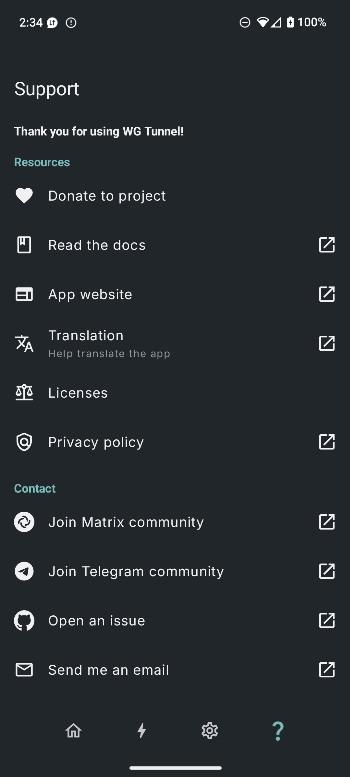
Introduction
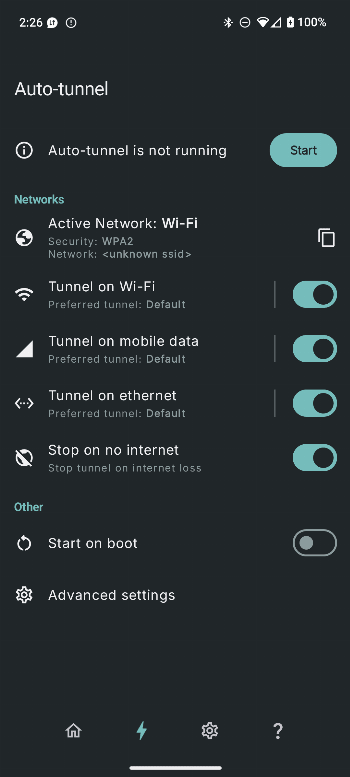
WG Tunnel connects to WireGuard VPN servers, like the official WireGuard app, and adds the features that app doesn’t have. The biggest one is auto-tunneling: it watches which network you are on and turns the right tunnel on or off by itself, for example staying off on a Wi-Fi network you trust and connecting everywhere else.
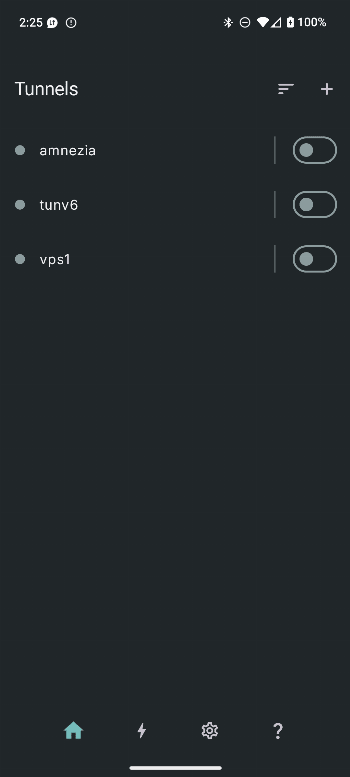
It is a client only. You still need a tunnel configuration, either from a VPN provider that supports WireGuard or from your own server. You can import one from a file or scan it from a QR code (that is what the camera permission is for).
What it adds over the official app
According to the project’s feature list:
- Auto-tunneling based on the network you are connected to, with tunnels mapped to specific Wi-Fi networks by name.
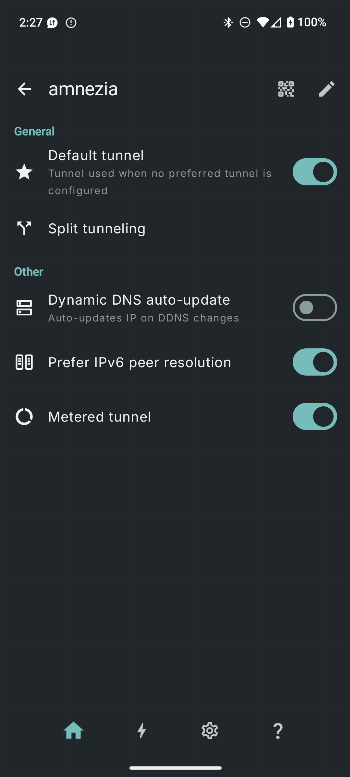
- AmneziaWG support, a WireGuard variant designed to be harder for censorship systems to detect and block.
- Lockdown mode, an in-app kill switch that blocks all traffic while the tunnel is down.
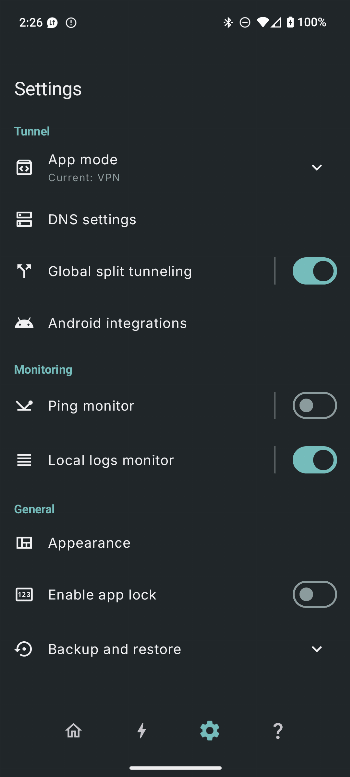
- Split tunneling by app, so only chosen apps go through the VPN (or only chosen apps bypass it).
- DNS through the tunnel as plain DNS, DNS over TLS or DNS over HTTPS, optionally split by domain.
- Local proxy mode, which exposes a tunnel as a SOCKS5 or HTTP proxy on the phone.
- Tunnel health: live handshake monitoring, plus automatic endpoint updates when a server’s IP address changes.
- Quick Settings tile, home screen shortcuts, Tasker-style automation through intents, and Android TV support.
Wi-Fi detection, and where Shizuku comes in
To switch tunnels by Wi-Fi name, the app has to read which network you are connected to. On current Android versions an app normally needs location permission for that, which is why WG Tunnel asks for it.
The app offers other ways to detect the network. With root, or with Shizuku running, it reads the Wi-Fi information through a shell instead, which the app’s own settings describe as “preventing the need for location permissions”. We found the Shizuku client library in the APK. If you already use Shizuku, it is the way to use auto-tunneling by Wi-Fi name without granting location access.
Good to know
- This build contains native code for 64-bit ARM only, so 32-bit-only phones can’t run it.
- WG Tunnel is also on Google Play under the same package name. The file here is the developer’s release as published through IzzyOnDroid, and the signer is under More Information below.
- Battery: the app can ask to be excluded from battery optimisation, which keeps Android from stopping it in the background.
What’s inside the APK
Trackers
No code matching the Exodus Privacy tracker signatures.
Native code
Needs a 64-bit ARM phone; 32-bit-only devices are not supported.
Android versions
Built for Android 17 (target API 37).
Permissions
6 of them need your approval first.
Shizuku API. Uses the Shizuku API, so it can do ADB-level work without root once Shizuku is running. (rikka.shizuku.ShizukuProvider)
CPU types in this build: arm64-v8a (64-bit ARM, almost every phone since 2017).
Asks you first (6)
Android shows a prompt before the app can use these.
- Location while running in the background · ACCESS_BACKGROUND_LOCATION
- Approximate location · ACCESS_COARSE_LOCATION
- Precise location · ACCESS_FINE_LOCATION
- Use the camera · CAMERA
- Show notifications (Android 13+) · POST_NOTIFICATIONS
- Write shared storage (Android 10 and older) · WRITE_EXTERNAL_STORAGE
You switch these on in Settings (1)
Special app access. Nothing is granted until you turn it on yourself.
- Alarms and reminders · SCHEDULE_EXACT_ALARM
Granted at install (12)
Low-risk permissions Android grants automatically, plus any we have not classified.
- ACCESS_LOCAL_NETWORK
- ACCESS_NETWORK_STATE
- ACCESS_WIFI_STATE
- FOREGROUND_SERVICE
- FOREGROUND_SERVICE_SPECIAL_USE
- FOREGROUND_SERVICE_SYSTEM_EXEMPTED
- INTERNET
- POST_PROMOTED_NOTIFICATIONS
- QUERY_ALL_PACKAGES
- RECEIVE_BOOT_COMPLETED
- REQUEST_IGNORE_BATTERY_OPTIMIZATIONS
- WAKE_LOCK
Defined by other apps (2)
Permissions that belong to another app or to this app itself.
- com.zaneschepke.wireguardautotunnel.DYNAMIC_RECEIVER_NOT_EXPORTED_PERMISSION
- moe.shizuku.manager.permission.API_V23
More Information
- Package name
- com.zaneschepke.wireguardautotunnel
- Version
- 5.7.5 (build 50705)
- File size
- 18.6 MB (18,566,786 bytes)
- Requires
- Android 8.0 or later
- Category
- Network & Privacy
- License
- MIT
- Developer
- Zane Schepke
- Source code
- github.com/wgtunnel/android
- Released
- Sep 26, 2026
- Signer SHA-256
- 5204d82e766e8aa14dcbb06dc70aebae2bdd812d4d6203cd521a8a685d7d3d80
- File SHA-256
- 4ac03ebf173fa8655f71c26205b4bc0beef4618b216507db47ba0d15b432b438
- Checked
- , against the IzzyOnDroid index · how we check · verify it yourself
Common questions
Is this APK the official WG Tunnel release?
Yes. It is the developer’s own release of WG Tunnel 5.7.5, byte for byte as IzzyOnDroid distributes it. Its SHA-256 matches IzzyOnDroid’s signed index, and it is signed with the certificate IzzyOnDroid records for the app (SHA-256 5204d82e766e8aa14dcbb06dc70aebae2bdd812d4d6203cd521a8a685d7d3d80).
What Android version does WG Tunnel need?
Android 8.0 or later (API level 26). Version 5.7.5 is built for Android 17 (target API 37). Needs a 64-bit ARM phone; 32-bit-only devices are not supported.
Can WG Tunnel access the internet?
Yes. The APK requests Android’s internet permission. In total it declares 21 permissions, and 6 of them need your approval first.
Does WG Tunnel contain trackers?
No known trackers: our scan of version 5.7.5 found no code matching the Exodus Privacy tracker signatures. The scan covers known tracker libraries; it doesn’t show what data the app itself sends.
Is WG Tunnel open source?
Yes. WG Tunnel is released under the MIT licence, and its source code is published at https://github.com/wgtunnel/android.
Recent releases
| Version | Released | Size | Requires |
|---|---|---|---|
| v5.7.5 · this download | Sep 26, 2026 | 18.6 MB | Android 8.0+ |
| v5.7.4 | Sep 23, 2026 | 18.5 MB | Android 8.0+ |
Versions currently kept in the IzzyOnDroid repository. We host and check only the newest one. Full changelog.