

Transfer
by matan h · MIT · open source
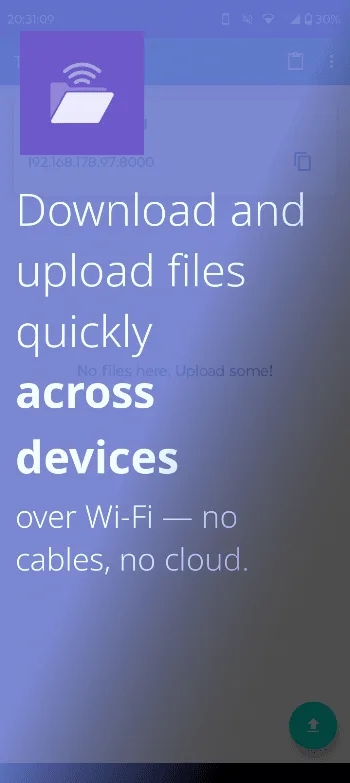
Choose a folder, start an HTTP server on port 8000, and upload, download or delete its files from another device on the same local network.
Needs:Android 10+ · two devices on the same local network
2113 Apps is independent, not affiliated with or endorsed by matan h. Official sources: source code on GitHub.
- Version
- 0.6.1
- Size
- 5.0 MB
- Requires
- Android 10+
- Updated
- 2026-01-30
Screenshots
Introduction
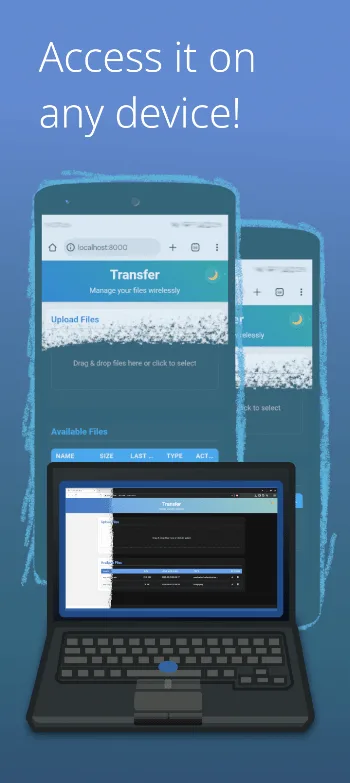
Transfer turns a folder selected through Android’s storage picker into a small web file server. Start the foreground service, then open the displayed http://phone-address:8000 URL from another device on the same Wi-Fi network. The browser interface can list, upload, download and delete files; version 0.6.1 adds multi-selection to the web view.
This is closer to temporarily mounting a shared tray than to sending one file to one paired recipient. Anything copied or uploaded becomes a file in the selected Android folder, and any approved browser can see the other readable files in that folder. Choose a dedicated empty folder if the whole contents should not be exposed.
Browser and command-line access
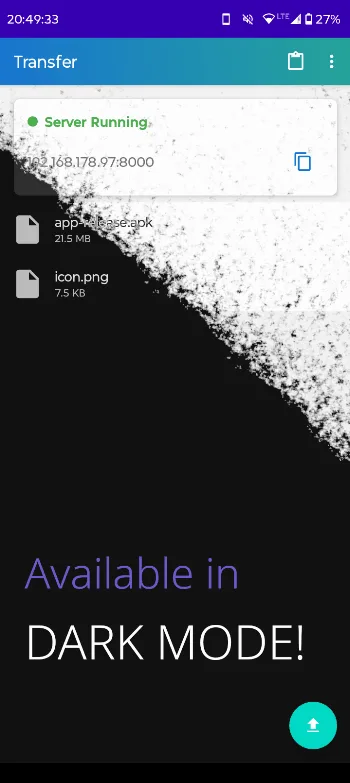
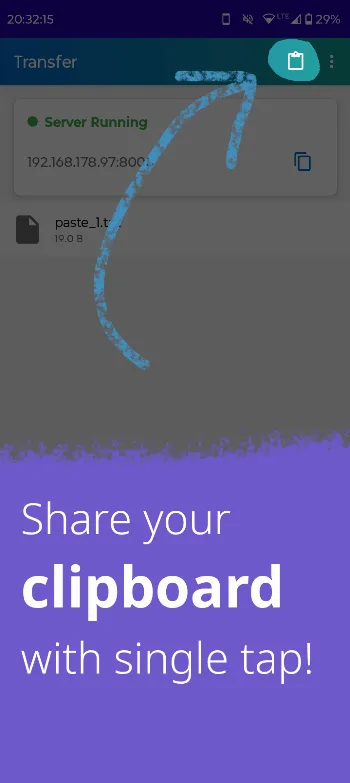
The bundled web interface supports normal uploads, individual downloads, selected or all-file ZIP downloads and deletion. The Android interface can also copy files into the shared folder or turn clipboard text into a .txt file. It shows the server URL and can render it as a QR code for another device.
Command-line clients can use the same server. A curl request to the root lists filenames; PUT /filename uploads, GET /filename downloads and DELETE /filename removes a file. A PUT with an existing name deletes that file before writing the replacement, while multipart browser uploads generate a unique name instead of overwriting. The upload route has no application-level file-size cap, so available storage and Android’s document provider become the practical limits.
Security boundary: local does not mean encrypted
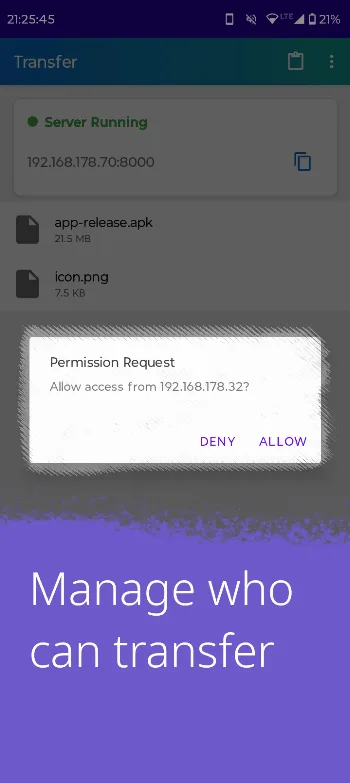
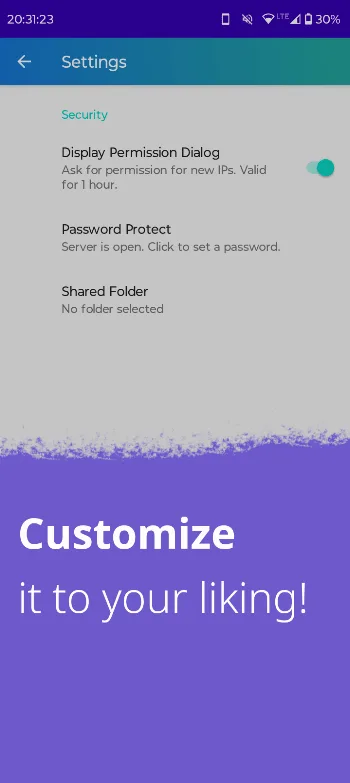
The server binds to all interfaces on port 8000 and uses plain HTTP. A fresh installation asks the phone owner to allow or deny each new client IP; an approval remains valid for one hour. That prompt can be disabled. Password protection is also available but starts off, and it uses HTTP Basic authentication over the same unencrypted connection.
The server’s CORS policy accepts any website origin, permits credentials and allows its read, upload and delete methods. Approval is tied only to the client IP, not to the website that initiated a request. If a browser permits the private-network request, a script on any site opened on an already approved device can therefore list, read, upload or delete the shared files; cached Basic credentials may also be sent. Browser private-network restrictions vary, so they should not be treated as the access control.
Use Transfer on a network you trust, avoid untrusted sites on an approved device while the server is running, keep only transfer files in the shared folder and stop the service when finished. Do not treat the optional password as transport encryption. Someone who can observe the local traffic may see filenames, file contents and credentials. The password is also stored unencrypted in app preferences; Android backup is allowed and can include those preferences, so the password may travel with a system backup.
The app declares internet and Wi-Fi-state permissions because Android uses the internet permission for local TCP servers too; this does not by itself mean a cloud upload. It also declares a data-sync foreground service and notifications so the server can remain visible while running. Its non-AOSP READ_CLIPBOARD declaration grants no Android capability; the fixed code reads clipboard text only after the user taps Paste. The APK also contains a camera permission contributed by its QR library, but we found QR generation, not a camera-scanning flow. Our static scan found no known tracker SDKs.
About this file
- Version 0.6.1, build 601, is 5.0 MB, needs Android 10 or later and contains no native CPU-specific libraries.
- Its SHA-256 is
9718d502c295211a43e3295740fde35bd83381668e81a74dd54c524930308306, matching both IzzyOnDroid’s signed index and the developer’s GitHub release APK. The signing certificate identifies the developer. - The app and repository are MIT licensed. The page describes source tag
v0.6.1; we did not test transfer speed or interoperability on a physical router.
What’s inside the APK
Trackers
No code matching the Exodus Privacy tracker signatures.
Native code
Pure Java/Kotlin, so it runs on any CPU.
Android versions
Built for Android 15 (target API 35).
Permissions
2 of them need your approval first.
Asks you first (2)
Android shows a prompt before the app can use these.
- Use the camera · CAMERA
- Show notifications (Android 13+) · POST_NOTIFICATIONS
Granted at install (6)
Low-risk permissions Android grants automatically, plus any we have not classified.
- ACCESS_NETWORK_STATE
- ACCESS_WIFI_STATE
- FOREGROUND_SERVICE
- FOREGROUND_SERVICE_DATA_SYNC
- INTERNET
- READ_CLIPBOARD
Defined by other apps (1)
Permissions that belong to another app or to this app itself.
- com.matanh.transfer.DYNAMIC_RECEIVER_NOT_EXPORTED_PERMISSION
More Information
- Package name
- com.matanh.transfer
- Version
- 0.6.1 (build 601)
- File size
- 5.0 MB (4,999,614 bytes)
- Requires
- Android 10 or later
- Category
- System Tools
- License
- MIT
- Developer
- matan h
- Source code
- github.com/matan-h/Transfer
- Released
- Jan 30, 2026
- Signer SHA-256
- c437518abbc8f2a36fb3804c5b0656f2d4069ce7d4b337bc38f6337310193306
- File SHA-256
- 9718d502c295211a43e3295740fde35bd83381668e81a74dd54c524930308306
- Checked
- , against the IzzyOnDroid index · how we check · verify it yourself
Common questions
Is this APK the official Transfer release?
Yes. It is the developer’s own release of Transfer 0.6.1, byte for byte as IzzyOnDroid distributes it. Its SHA-256 matches IzzyOnDroid’s signed index, and it is signed with the certificate IzzyOnDroid records for the app (SHA-256 c437518abbc8f2a36fb3804c5b0656f2d4069ce7d4b337bc38f6337310193306).
What Android version does Transfer need?
Android 10 or later (API level 29). Version 0.6.1 is built for Android 15 (target API 35). Pure Java/Kotlin, so it runs on any CPU.
Can Transfer access the internet?
Yes. The APK requests Android’s internet permission. In total it declares 9 permissions, and 2 of them need your approval first.
Does Transfer contain trackers?
No known trackers: our scan of version 0.6.1 found no code matching the Exodus Privacy tracker signatures. The scan covers known tracker libraries; it doesn’t show what data the app itself sends.
Is Transfer open source?
Yes. Transfer is released under the MIT licence, and its source code is published at https://github.com/matan-h/Transfer.
Does Transfer upload files to a cloud service?
No cloud service appears in the fixed 0.6.1 server path. The phone serves the selected folder directly over its local network address while you keep the server running.
Is the local Transfer server encrypted?
No. It uses plain HTTP on port 8000, not HTTPS. IP approval is enabled by default and a password is optional, but HTTP Basic credentials and file contents are not protected from other parties able to observe that network.
Recent releases
| Version | Released | Size | Requires |
|---|---|---|---|
| v0.6.1 · this download | Jan 30, 2026 | 5.0 MB | Android 10+ |
| v0.6.0 | Oct 26, 2025 | 5.0 MB | Android 10+ |
| v0.5.0 | Sep 21, 2025 | 5.0 MB | Android 10+ |
Versions currently kept in the IzzyOnDroid repository. We host and check only the newest one.
Alternatives and related apps
-
 LocalSend Direct device-to-device transfer with discovery and native apps on Android, desktop systems and iOS.Download
-
 KDE Connect File sharing plus clipboard, notification and remote-control integration with a paired computer.Download