
Fossify Gallery
by Fossify · GPL-3.0-only · open source
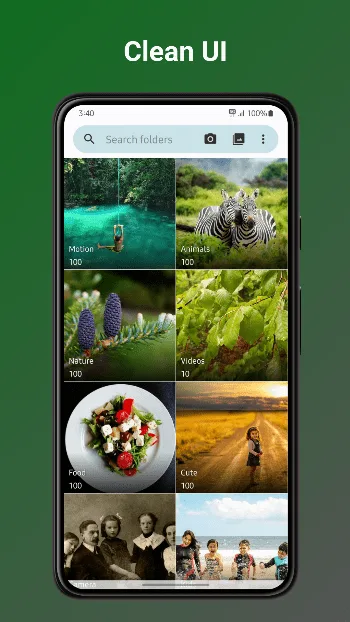
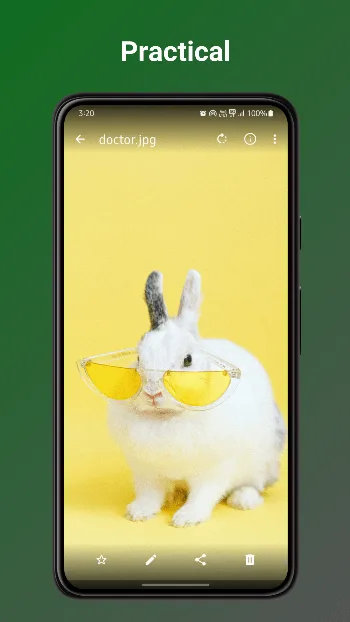
A photo and video gallery that stays offline: browse, edit, hide and lock your pictures, restore deleted ones from a recycle bin, and strip location data before you share.
Needs:No root · Android 8.0+
2113 Apps is independent, not affiliated with or endorsed by Fossify. Official sources: source code on GitHub.
- Version
- 1.13.1
- Size
- 38.6 MB
- Requires
- Android 8.0+
- Updated
- 2026-02-17
Screenshots
Introduction
Fossify Gallery is an open-source gallery for photos and videos. It comes from Fossify, a group of privacy-focused, ad-free open-source apps that began in late 2023 as a fork of Simple Mobile Tools, after that project’s apps were sold. Naveen Singh, a long-time contributor to Simple Mobile Tools, leads it. The gallery’s code carries on from Simple Gallery, but under a package name of its own, so it installs as a separate app rather than as an update to Simple Gallery.
What it does
From the project’s feature list and changelog:
- Formats: JPEG, PNG, JPEG XL, AVIF, SVG, GIF and camera RAW files, plus common video formats, and Ultra HDR photos on Android 14 and later.
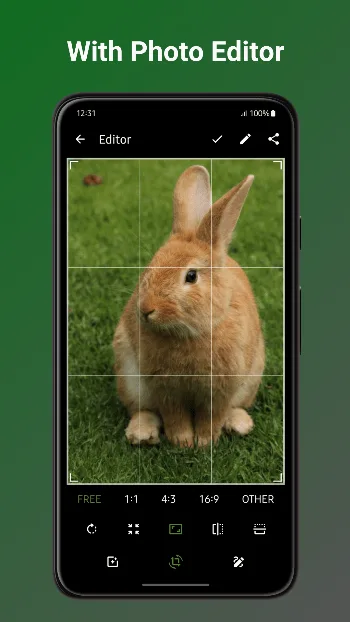
- Editing: crop, resize, rotate, flip, draw on a picture and apply filters.
- EXIF removal: strip details such as GPS location and camera model before you share.
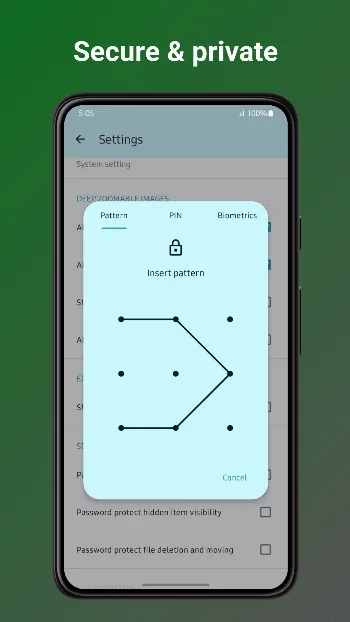
- Locking: put chosen photos, videos or the whole app behind a PIN, pattern or fingerprint.
- A recycle bin: deleted files can be restored for 30 days, after which they are deleted for good.
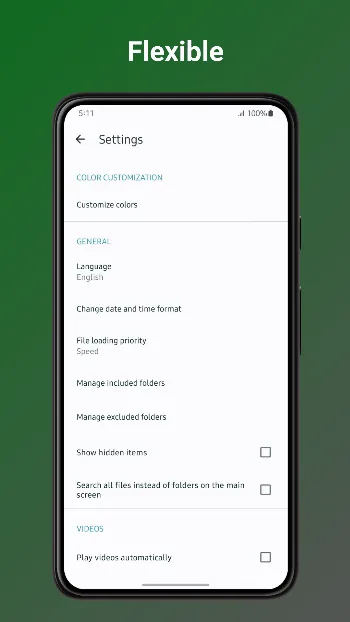
- Hidden folders: hide a folder from every gallery app, or only exclude it from this one.
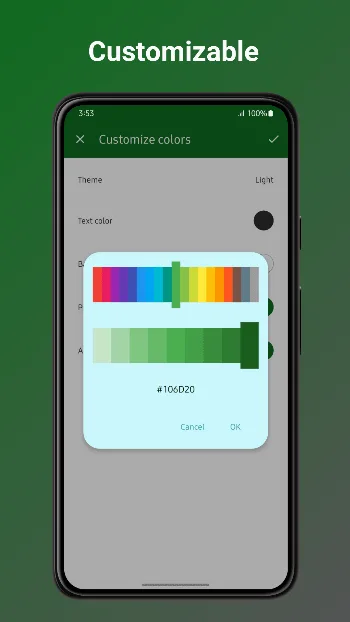
- Your way: themes, custom fonts, and a choice between the built-in video player and your default one.
It doesn’t display panoramas or 360° photos. That relied on a proprietary Google library, which Fossify removed.
Offline, and why it asks for file access
- The APK doesn’t request internet access, and Fossify’s privacy policy says the app shows no ads and doesn’t track you. Photos leave the phone only when you share them, or through a storage or sync app you have set up yourself.
- It works with access to media files only, but then can’t handle hidden files. For those, and for more reliable file operations, it asks for access to all files, and on Android 11 and later to be your media management app.
Good to know
- Version 1.13.1, from February 2026, is still the latest release.
- Editing an AVIF or HEIC picture currently saves it as JPEG data under the original file name, a bug the project has confirmed.
About this file
- This is Fossify’s own build, delivered through IzzyOnDroid: byte for byte the APK on the project’s GitHub release and the file F-Droid distributes, signed by Naveen Singh for Fossify. IzzyOnDroid and an independent builder both rebuilt it from the source code and got the same file.
- Fossify says its Google Play and F-Droid releases share a package name and signing key. The Play version is built slightly differently: this one doesn’t ask for Fossify’s paid Thank You app before colour customisation and widgets, and it leaves out Google-related links.
- The 38.6 MB file has native code for ARM and x86, 32- and 64-bit, runs on Android 8.0 and later, and declares 13 permissions.
What’s inside the APK
Trackers
No code matching the Exodus Privacy tracker signatures.
Native code
Runs on 64-bit and older 32-bit ARM phones.
Android versions
Built for Android 16 (target API 36).
Permissions
5 of them need your approval first.
CPU types in this build: arm64-v8a (64-bit ARM, almost every phone since 2017); armeabi-v7a (32-bit ARM, older and budget phones); x86 (32-bit Intel, emulators); x86_64 (64-bit Intel, emulators and Chromebooks).
Asks you first (5)
Android shows a prompt before the app can use these.
- Show notifications (Android 13+) · POST_NOTIFICATIONS
- Read photos · READ_MEDIA_IMAGES
- Read videos · READ_MEDIA_VIDEO
- Read only the photos and videos you pick · READ_MEDIA_VISUAL_USER_SELECTED
- Write shared storage (Android 10 and older) · WRITE_EXTERNAL_STORAGE
You switch these on in Settings (1)
Special app access. Nothing is granted until you turn it on yourself.
- All files access · MANAGE_EXTERNAL_STORAGE
Granted at install (6)
Low-risk permissions Android grants automatically, plus any we have not classified.
- ACCESS_MEDIA_LOCATION
- MANAGE_MEDIA
- RECEIVE_BOOT_COMPLETED
- SET_WALLPAPER
- USE_FINGERPRINT
- WAKE_LOCK
Defined by other apps (1)
Permissions that belong to another app or to this app itself.
- org.fossify.android.permission.WRITE_GLOBAL_SETTINGS
More Information
- Package name
- org.fossify.gallery
- Version
- 1.13.1 (build 28)
- File size
- 38.6 MB (38,606,538 bytes)
- Requires
- Android 8.0 or later
- Category
- Media
- License
- GPL-3.0-only
- Developer
- Fossify
- Source code
- github.com/FossifyOrg/Gallery
- Released
- Feb 17, 2026
- Signer SHA-256
- affdb124d3f4720c2f98dbca9eacba0514fba4306e20a2786c861c3c0d6ff292
- File SHA-256
- ae7e699599e81f70e2b82626bb1dfa883fe096cd938387133e123c116e5641d9
- Checked
- , against the IzzyOnDroid index · how we check · verify it yourself
Common questions
Is this APK the official Fossify Gallery release?
Yes. It is the developer’s own release of Fossify Gallery 1.13.1, byte for byte as IzzyOnDroid distributes it. Its SHA-256 matches IzzyOnDroid’s signed index, and it is signed with the certificate IzzyOnDroid records for the app (SHA-256 affdb124d3f4720c2f98dbca9eacba0514fba4306e20a2786c861c3c0d6ff292).
What Android version does Fossify Gallery need?
Android 8.0 or later (API level 26). Version 1.13.1 is built for Android 16 (target API 36). Runs on 64-bit and older 32-bit ARM phones.
Can Fossify Gallery access the internet?
No. The APK doesn’t request Android’s internet permission, so the app can’t go online by itself. In total it declares 13 permissions, and 5 of them need your approval first.
Does Fossify Gallery contain trackers?
No known trackers: our scan of version 1.13.1 found no code matching the Exodus Privacy tracker signatures. The scan covers known tracker libraries; it doesn’t show what data the app itself sends.
Is Fossify Gallery open source?
Yes. Fossify Gallery is released under the GPL-3.0-only licence, and its source code is published at https://github.com/FossifyOrg/Gallery.
Can I install this over Fossify Gallery from Google Play?
Yes, as long as the version you install is the same as the Play version or newer. Fossify signs its Google Play and F-Droid releases with the same key and keeps the same package name, so Android treats this file as an update and keeps your data.
Alternatives and related apps
-
 Open Camera An open-source camera app with manual controls, to take the photos in the first place.Download
 -
 Immich Backs your photos up to your own server, with a timeline, search and a map.Download