
Fossify File Manager
by Fossify · GPL-3.0-only · open source
An open-source file manager that carries on from Simple File Manager: favourites, search, ZIP archives, a storage analyser, locks for hidden files, and root access if you have it.
Needs:No root needed · all files access · Android 8.0+
2113 Apps is independent, not affiliated with or endorsed by Fossify. Official sources: source code on GitHub.
- Version
- 1.6.1
- Size
- 10.0 MB
- Requires
- Android 8.0+
- Updated
- 2026-02-17
Screenshots
Introduction
Fossify File Manager is an open-source file manager from Fossify, the community project that took over the Simple Mobile Tools apps after they were discontinued in late 2023. Its code carries on from Simple File Manager Pro, but under a package name of its own, so it installs as a separate app.
What it does
From the project’s README and changelog:
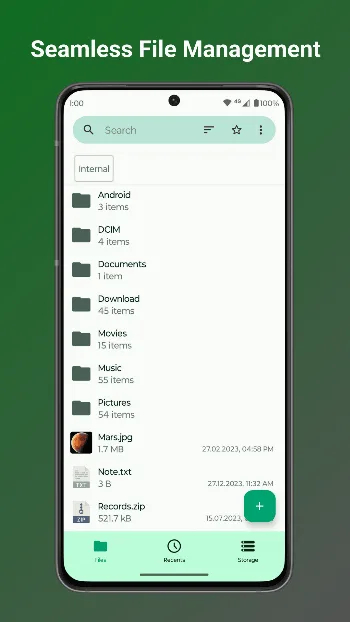
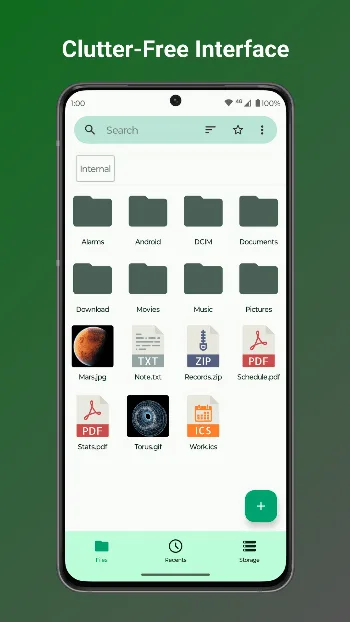
- Browse and organise your storage, with a home folder and favourites for the folders you use most, plus tabs for recent files and storage.
- Search, sort, copy, move and rename, with file details that include SHA-1 and SHA-256 hashes.
- ZIP archives: compress files, with an optional password, and extract ZIP files. In the source code, ZIP is the only archive format it opens.
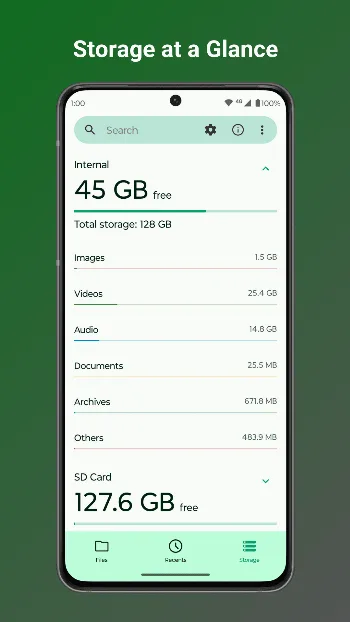
- A storage analyser that sorts what takes up space into images, videos, audio, documents, downloads and archives.
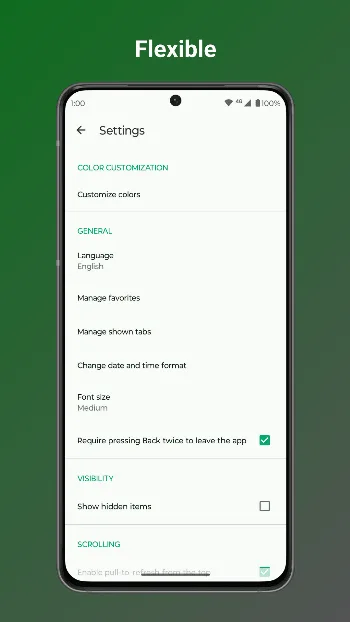
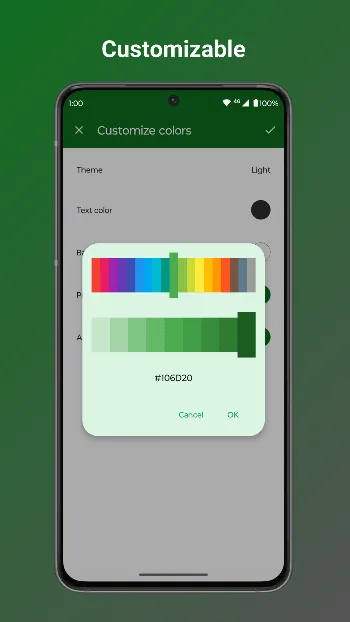
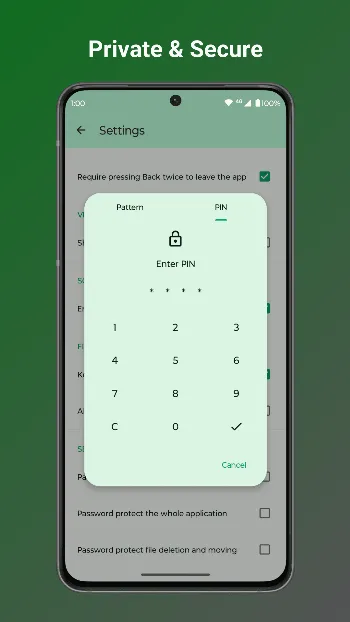
- Locks: protect hidden items, or the whole app, with a password, pattern or fingerprint.
- Root, SD cards and USB drives. Root access is off until you switch it on.
- A simple text editor, and home screen shortcuts to folders.
Good to know
- It needs access to all files. On Android 11 and later it asks for this permission when it starts, and in the source code it closes if you decline.
- The APK doesn’t request internet access. Fossify says files leave the phone only when you share them or open them with another app.
- It can install APK files you open with it, which is why it asks for permission to install apps.
About this file
- This is Fossify’s own build of version 1.6.1, from February 2026, delivered through IzzyOnDroid and signed by Fossify. It is byte for byte the APK on the project’s GitHub release and the one F-Droid distributes.
- Fossify says its Google Play and F-Droid releases use the same package name and signing key, so this file can be installed over the Play version when it is the same version or newer. In the source code, the Play build now and then asks you to buy Fossify’s Thank You app; this build doesn’t.
- The 10.0 MB file runs on Android 8.0 and later and declares 6 permissions.
What’s inside the APK
Trackers
No code matching the Exodus Privacy tracker signatures.
Native code
Runs on 64-bit and older 32-bit ARM phones.
Android versions
Built for Android 16 (target API 36).
Permissions
2 of them need your approval first.
CPU types in this build: arm64-v8a (64-bit ARM, almost every phone since 2017); armeabi-v7a (32-bit ARM, older and budget phones); x86 (32-bit Intel, emulators); x86_64 (64-bit Intel, emulators and Chromebooks).
Asks you first (2)
Android shows a prompt before the app can use these.
- Show notifications (Android 13+) · POST_NOTIFICATIONS
- Write shared storage (Android 10 and older) · WRITE_EXTERNAL_STORAGE
You switch these on in Settings (2)
Special app access. Nothing is granted until you turn it on yourself.
- All files access · MANAGE_EXTERNAL_STORAGE
- Install unknown apps · REQUEST_INSTALL_PACKAGES
Granted at install (1)
Low-risk permissions Android grants automatically, plus any we have not classified.
- USE_FINGERPRINT
Defined by other apps (1)
Permissions that belong to another app or to this app itself.
- org.fossify.android.permission.WRITE_GLOBAL_SETTINGS
More Information
- Package name
- org.fossify.filemanager
- Version
- 1.6.1 (build 13)
- File size
- 10.0 MB (9,982,225 bytes)
- Requires
- Android 8.0 or later
- Category
- System Tools
- License
- GPL-3.0-only
- Developer
- Fossify
- Source code
- github.com/FossifyOrg/File-Manager
- Released
- Feb 17, 2026
- Signer SHA-256
- affdb124d3f4720c2f98dbca9eacba0514fba4306e20a2786c861c3c0d6ff292
- File SHA-256
- 9e97d2faf55fb2702386c3dc51e38a6b073781016b125701d3ab668419a70008
- Checked
- , against the IzzyOnDroid index · how we check · verify it yourself
Common questions
Is this APK the official Fossify File Manager release?
Yes. It is the developer’s own release of Fossify File Manager 1.6.1, byte for byte as IzzyOnDroid distributes it. Its SHA-256 matches IzzyOnDroid’s signed index, and it is signed with the certificate IzzyOnDroid records for the app (SHA-256 affdb124d3f4720c2f98dbca9eacba0514fba4306e20a2786c861c3c0d6ff292).
What Android version does Fossify File Manager need?
Android 8.0 or later (API level 26). Version 1.6.1 is built for Android 16 (target API 36). Runs on 64-bit and older 32-bit ARM phones.
Can Fossify File Manager access the internet?
No. The APK doesn’t request Android’s internet permission, so the app can’t go online by itself. In total it declares 6 permissions, and 2 of them need your approval first.
Does Fossify File Manager contain trackers?
No known trackers: our scan of version 1.6.1 found no code matching the Exodus Privacy tracker signatures. The scan covers known tracker libraries; it doesn’t show what data the app itself sends.
Is Fossify File Manager open source?
Yes. Fossify File Manager is released under the GPL-3.0-only licence, and its source code is published at https://github.com/FossifyOrg/File-Manager.
Can I install this over Fossify File Manager from Google Play?
Yes, as long as the version you install is the same as the Play version or newer. Fossify signs its Google Play and F-Droid releases with the same key and keeps the same package name, so Android treats this file as an update and keeps your data.
Recent releases
| Version | Released | Size | Requires |
|---|---|---|---|
| v1.6.1 · this download | Feb 17, 2026 | 10.0 MB | Android 8.0+ |
| v1.6.0 | Jan 31, 2026 | 10.0 MB | Android 8.0+ |
| v1.5.0 | Dec 16, 2025 | 9.9 MB | Android 8.0+ |
Versions currently kept in the IzzyOnDroid repository. We host and check only the newest one. Full changelog.
Alternatives and related apps
-
 Material Files A Material Design file manager that also opens FTP, SFTP, SMB and WebDAV shares, and can work through Shizuku.Download
 -
 Fossify Gallery The Fossify gallery for your photos and videos, from the same project and signed with the same key.Download