

Hail
by 艾星 Aistra · GPL-3.0-or-later · open source
Switch off the apps you rarely use instead of uninstalling them: Hail disables, hides or suspends them, and brings them back with a tap when you need them.
Needs:Shizuku, root or device owner · Android 6.0+
2113 Apps is independent, not affiliated with or endorsed by 艾星 Aistra. Official sources: source code on GitHub.
- Version
- 1.11.0
- Size
- 5.8 MB
- Requires
- Android 6.0+
- Updated
- 2026-08-27
Screenshots
Introduction
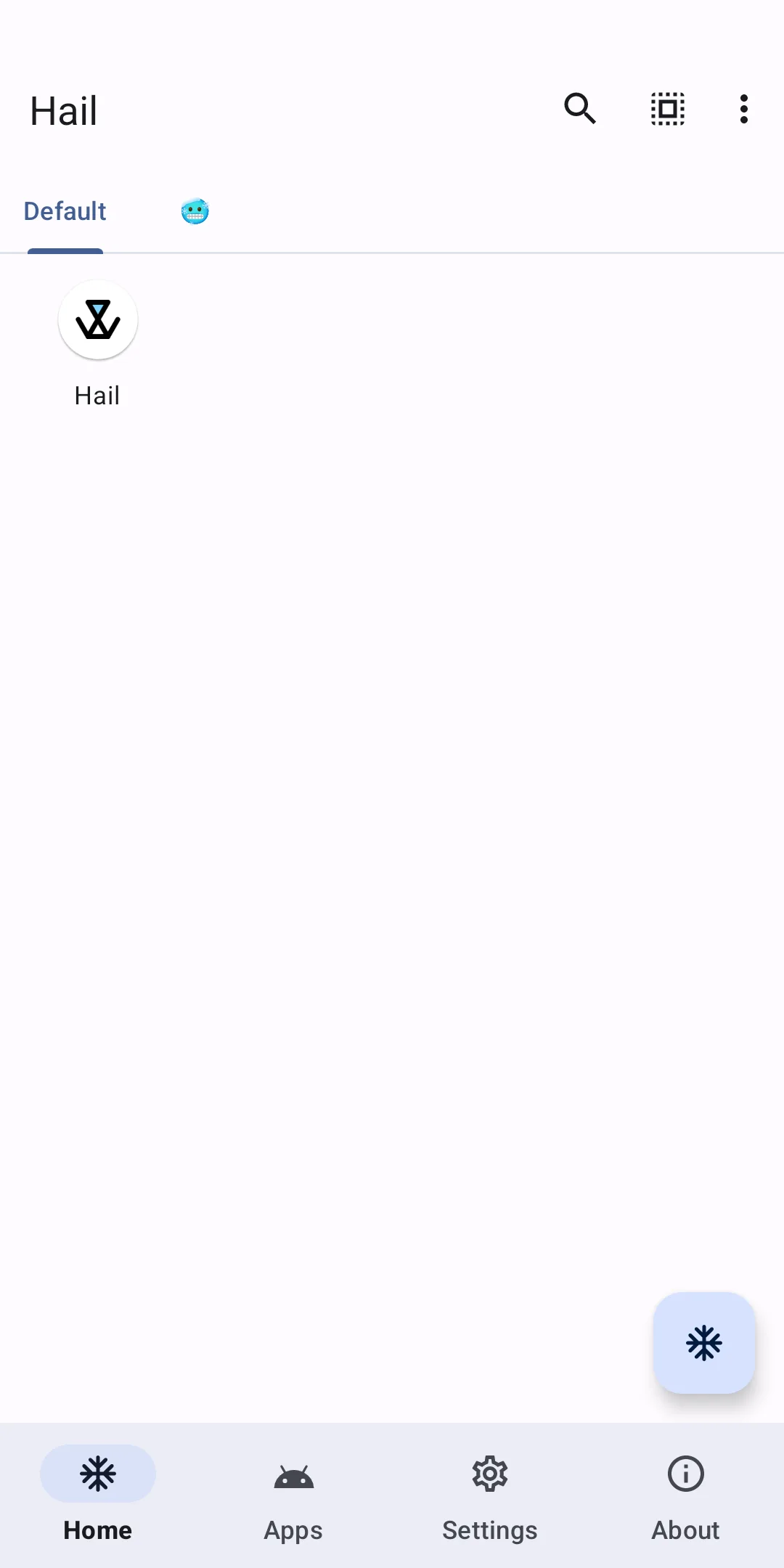
Hail is an open-source app freezer by 艾星 Aistra. To freeze an app here means to switch it off without uninstalling it, until you unfreeze it; the project says this helps cut memory use and save battery. The app and its data stay on the phone.
Three ways to freeze
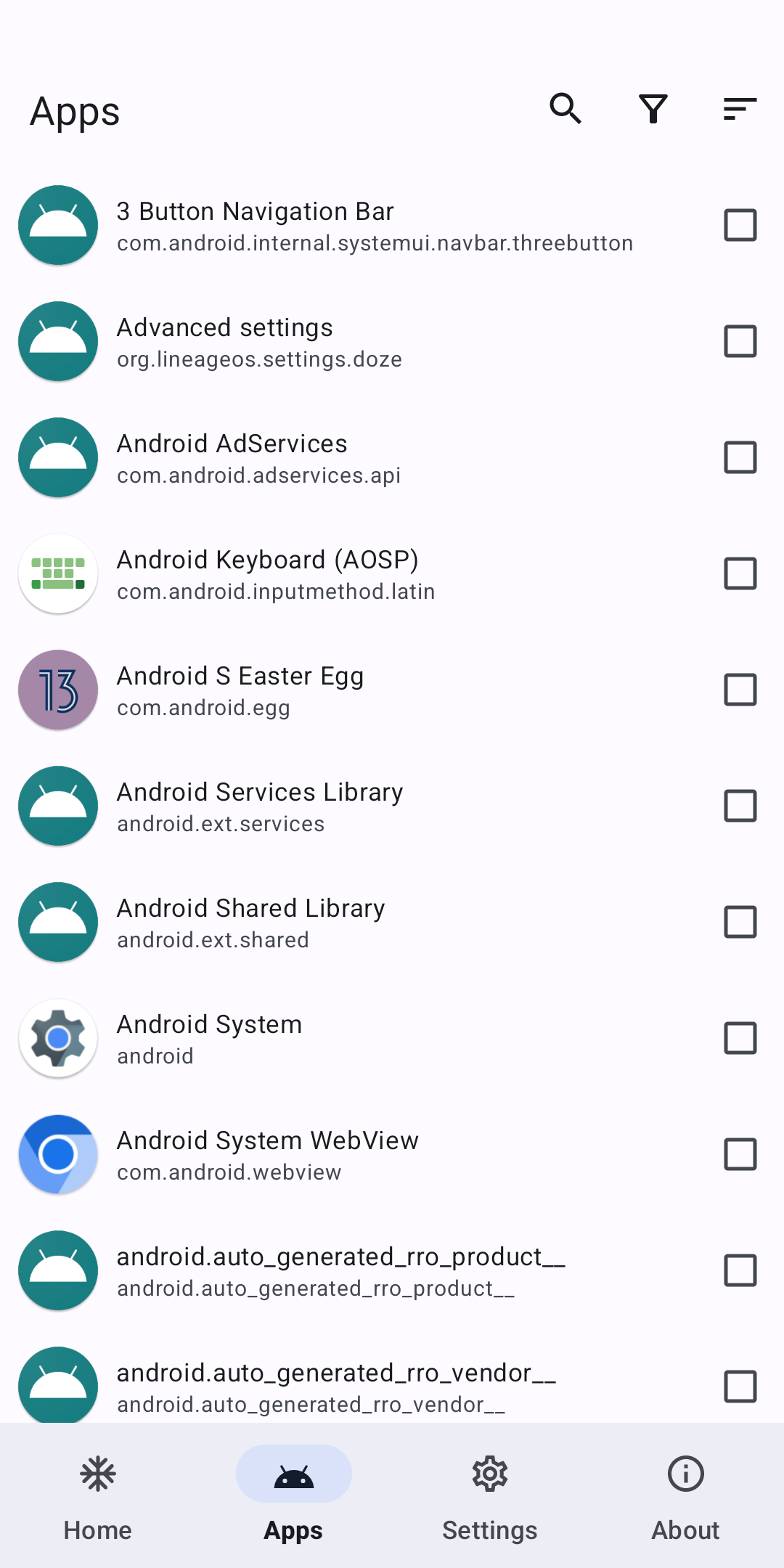
- Disable: the app disappears from the launcher and shows as Disabled in the app list.
- Hide: the app disappears from the app list too. The README calls this “almost like an uninstalled state”: the app and its data stay, but it is unavailable.
- Suspend (Android 7.0+): the icon turns grey, notifications are hidden, and opening the app only shows a message that it is suspended. The README stresses that this does not stop the app running in the background.
Working modes
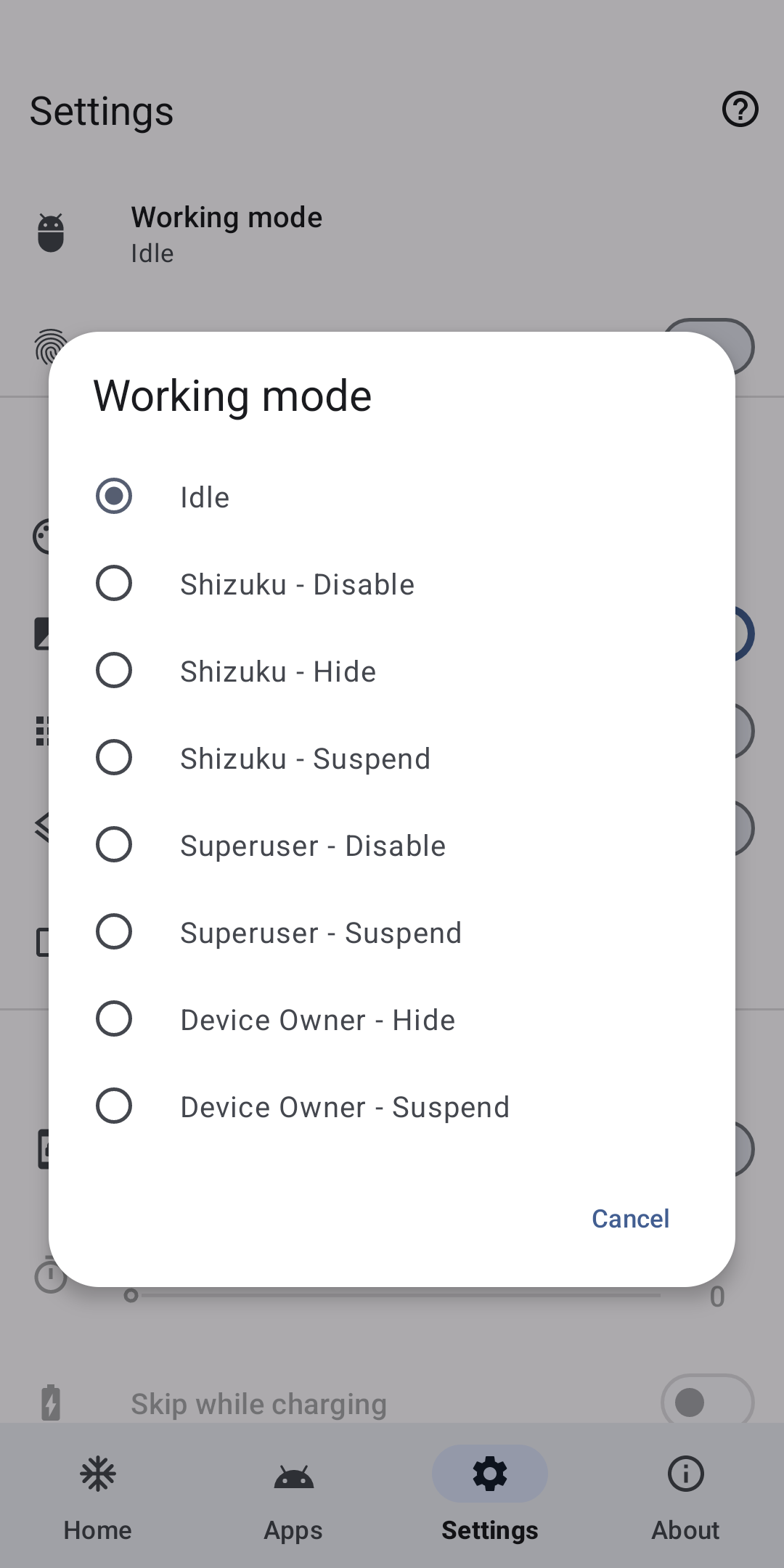
Hail needs elevated rights, and which freeze methods you get depends on how you give them:
| Mode | Disable | Hide | Suspend |
|---|---|---|---|
| Shizuku with root, or Sui | ✓ | ✓ | ✓ |
| Shizuku over adb | ✓ | ✗ | ✓ |
| Root | ✓ | ✓ | ✓ |
| Device owner, Dhizuku, Island or Insular | ✗ | ✓ | ✓ |
- Shizuku is the one the developer recommends. Without root it runs over wireless debugging on Android 11 and later; see how to start Shizuku.
- Root works too, but the README warns that it is slower.
- Device owner is set once from a computer with
adb shell dpm set-device-owner com.aistra.hail/.receiver.DeviceAdminReceiver. You then have to remove it in Hail’s settings before you can uninstall Hail. - Use the same mode to unfreeze. In the README’s words, “any app that has been frozen on Hail will need to be unfrozen by the same working mode.”
Automation
Automation apps can freeze, unfreeze and launch apps through Hail, by intent or with hail:// links. Hail can also freeze apps automatically, freeze or unfreeze everything under a tag, and keep a whitelist. An optional Xposed module lets apps you pick, its “scoped apps”, open apps that Hail has suspended.
If something goes wrong
Freezing the wrong system app can break things. The README’s ways back, without Hail:
adb shell pm enable com.package.name
adb shell su -c pm unhide com.package.name
adb shell pm unsuspend com.package.name
The middle one, for hidden apps, needs root. Its last resort is wiping the phone from recovery, which the developer calls “none of my business”.
About this file
- This is F-Droid’s build, signed with F-Droid’s key (SHA-256 fingerprint starting E3:E3:C4:92). The releases on GitHub are signed by the developer, so the two can’t update each other; see package conflicts.
- It doesn’t request internet access, and our scan found no tracker libraries. Hail isn’t on Google Play.
- The 5.8 MB file runs on Android 6.0 and later, on ARM and x86, 32- and 64-bit, and declares 20 permissions, 1 of which needs your approval. The powerful ones, such as force-stopping and disabling apps, come through the working mode you choose.
- Hail is licensed under GPL-3.0 or later.
What’s inside the APK
Trackers
No code matching the Exodus Privacy tracker signatures.
Native code
Runs on 64-bit and older 32-bit ARM phones.
Android versions
Built for Android 16 (target API 36).
Permissions
1 of them need your approval first.
Shizuku API. Uses the Shizuku API, so it can do ADB-level work without root once Shizuku is running. (rikka.shizuku.ShizukuProvider)
Xposed API. Built against the Xposed API. It needs an Xposed framework such as LSPosed, which in turn needs root. (io.github.libxposed.api.XposedInterface$Chain)
CPU types in this build: arm64-v8a (64-bit ARM, almost every phone since 2017); armeabi-v7a (32-bit ARM, older and budget phones); x86 (32-bit Intel, emulators); x86_64 (64-bit Intel, emulators and Chromebooks).
Asks you first (1)
Android shows a prompt before the app can use these.
- Show notifications (Android 13+) · POST_NOTIFICATIONS
You switch these on in Settings (1)
Special app access. Nothing is granted until you turn it on yourself.
- Usage access · PACKAGE_USAGE_STATS
System-level (3)
Reserved for system apps. A normal install does not get these; they only take effect through root, ADB or Shizuku, if at all.
- CHANGE_COMPONENT_ENABLED_STATE
- FORCE_STOP_PACKAGES
- MANAGE_APP_OPS_MODES
Granted at install (9)
Low-risk permissions Android grants automatically, plus any we have not classified.
- ACCESS_NETWORK_STATE
- FOREGROUND_SERVICE
- FOREGROUND_SERVICE_SPECIAL_USE
- QUERY_ALL_PACKAGES
- RECEIVE_BOOT_COMPLETED
- REQUEST_DELETE_PACKAGES
- USE_BIOMETRIC
- USE_FINGERPRINT
- WAKE_LOCK
Defined by other apps (6)
Permissions that belong to another app or to this app itself.
- com.aistra.hail.DYNAMIC_RECEIVER_NOT_EXPORTED_PERMISSION
- com.android.launcher.permission.INSTALL_SHORTCUT
- com.oasisfeng.island.permission.FREEZE_PACKAGE
- com.oasisfeng.island.permission.SUSPEND_PACKAGE
- com.rosan.dhizuku.permission.API
- moe.shizuku.manager.permission.API_V23
More Information
- Package name
- com.aistra.hail
- Version
- 1.11.0 (build 35)
- File size
- 5.8 MB (5,757,409 bytes)
- Requires
- Android 6.0 or later
- Category
- System Tools
- License
- GPL-3.0-or-later
- Developer
- 艾星 Aistra
- Source code
- github.com/aistra0528/Hail
- Released
- Aug 27, 2026
- Signed by
- F-Droid, which built this APK from the published source code. Because the key is F-Droid’s, it won’t install over a copy from Google Play or GitHub (or the other way round) without uninstalling first.
- Signer SHA-256
- e3e3c4927798fa34b06cce56823f34b542c9106f4ab77dee22cc469ef995c0c6
- File SHA-256
- abc30e1443075a86c54adbd0df8602d760384928306b3baa5fe4ecd0750456fc
- Checked
- , against the F-Droid index · how we check · verify it yourself
Common questions
Is this APK the official Hail release?
It is F-Droid’s build rather than the developer’s own: F-Droid compiled Hail 1.11.0 from the published source code and signed it with its own key. Its SHA-256 matches F-Droid’s signed index. Because the key is F-Droid’s, it won’t install over a copy from Google Play or GitHub without uninstalling first.
What Android version does Hail need?
Android 6.0 or later (API level 23). Version 1.11.0 is built for Android 16 (target API 36). Runs on 64-bit and older 32-bit ARM phones.
Can Hail access the internet?
No. The APK doesn’t request Android’s internet permission, so the app can’t go online by itself. In total it declares 20 permissions, and 1 of them needs your approval first.
Does Hail contain trackers?
No known trackers: our scan of version 1.11.0 found no code matching the Exodus Privacy tracker signatures. The scan covers known tracker libraries; it doesn’t show what data the app itself sends.
Is Hail open source?
Yes. Hail is released under the GPL-3.0-or-later licence, and its source code is published at https://github.com/aistra0528/Hail.
What is the difference between disable, hide and suspend in Hail?
A disabled app disappears from the launcher and shows as Disabled in the app list. A hidden app disappears from the app list too, almost as if uninstalled, but its data stays. A suspended app (Android 7.0+) stays on the home screen in grey and can’t be opened, but Hail’s README warns that suspending doesn’t stop it running in the background.
How do I unfreeze apps without Hail?
Hail’s README says an app has to be unfrozen with the same working mode that froze it. Without the app, it gives adb commands: pm enable for disabled apps, pm unsuspend for suspended ones, and pm unhide, which needs root, for hidden ones. They are listed on this page.
Will this file update the Hail I installed from GitHub?
No. This is F-Droid’s build, signed with F-Droid’s key, and the GitHub releases are signed by the developer, so Android treats them as different apps. Unfreeze your apps before you uninstall one, and if Hail is your device owner, remove that first in its settings.
Recent releases
| Version | Released | Size | Requires |
|---|---|---|---|
| v1.11.0 · this download | Aug 27, 2026 | 5.8 MB | Android 6.0+ |
| v1.10.0 | Jan 3, 2026 | 6.2 MB | Android 6.0+ |
| v1.9.0 | Sep 16, 2024 | 4.1 MB | Android 6.0+ |
Versions currently kept in the F-Droid repository. We host and check only the newest one. Full changelog.
Alternatives and related apps
-
 Canta Removes pre-installed apps for good through Shizuku, and can put system apps back.Download
 -
 App Manager Can also freeze apps with root or ADB, among many other tools for installed apps.Download