Install with Options
by Zachary Wander · MIT · open source
Installs APKs with options normally reserved for adb: test-only apps, downgrades, split APKs and Android 14’s blocked old apps.
Needs:Shizuku or root
2113 Apps is independent, not affiliated with or endorsed by Zachary Wander. Official sources: source code on GitHub.
- Version
- 0.9.2
- Size
- 13.1 MB
- Requires
- Android 7.0+
- Updated
- 2026-03-15
Screenshots
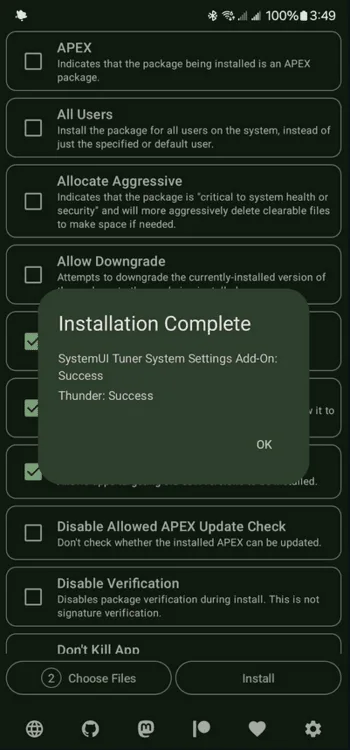
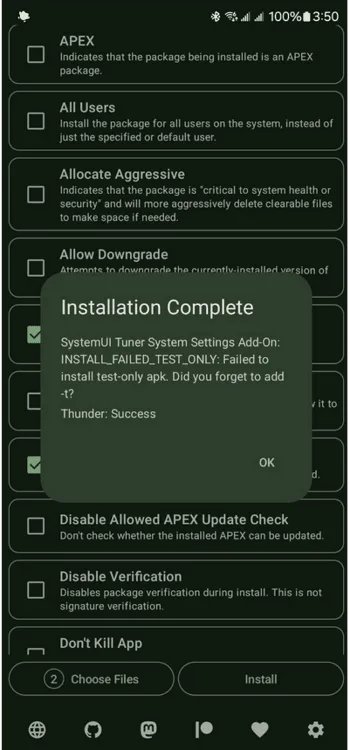
Introduction
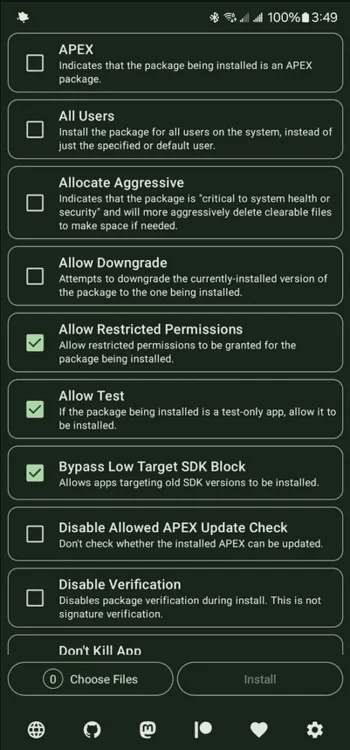
Android’s package installer can do more than the normal install dialog lets you: install test-only builds, downgrade an app, skip Android 14’s block on old apps. Normally those options are only available through adb install from a computer. Install with Options brings them to the phone. It uses Shizuku to run with the same shell permissions ADB has, so no computer is needed.
What it can do
- Install test-only apps, which the normal installer rejects.
- Bypass the target SDK block of Android 14 and later, so very old apps install again: those targeting below API 23 (Android 6.0) on Android 14, and below API 24 (Android 7.0) from Android 15 on.
- Downgrade certain apps to an older version.
- Install split APKs, the multi-file packages many apps now ship as:
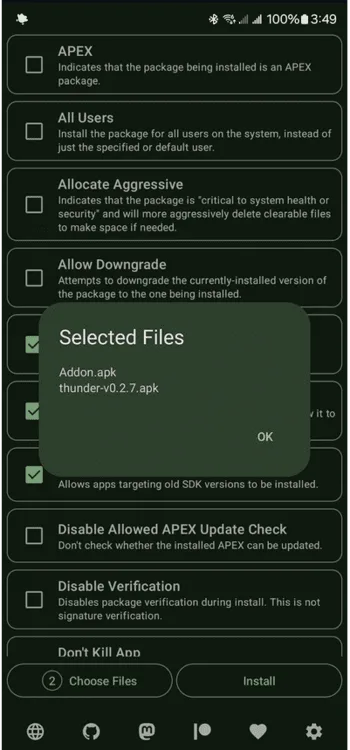
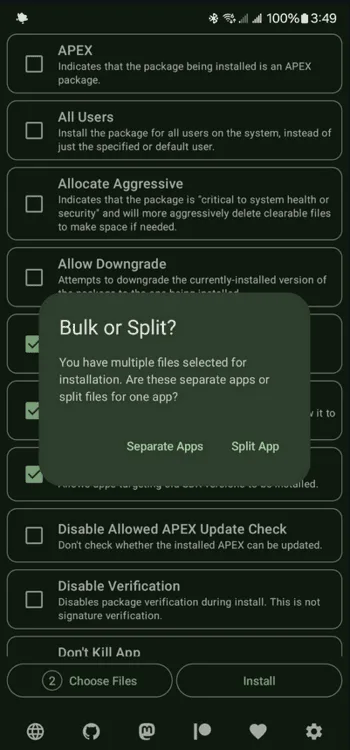
.xapk,.apkmand.apksfiles (see how to install them). - Batch-install several separate apps in one go.
- More options exposed by the system installer, according to the project.
All of it works on the phone itself on Android 11 and later, where Shizuku can be started over wireless debugging. The app installs on Android 7.0 and up.
What you need
- Shizuku, running. You start it once over wireless debugging or with root; our guide covers each method.
- Or root: the APK also bundles libsu, a root-shell library.
What stands out in the APK
- Shizuku API confirmed: the
rikka.shizukuclasses are compiled in. - The Bugsnag SDK is in the package. Bugsnag is a crash-reporting service and is on the Exodus Privacy tracker list. IzzyOnDroid hasn’t flagged this app for tracking, and the store listing doesn’t mention it. Crash reporters usually send a report when the app crashes, but finding the code only tells us it is bundled, not when it runs or what it sends.
- Six permissions. The notable one is install unknown apps, which is the point of the app. It is a special permission you grant yourself.
Installing and using it
- Install and start Shizuku.
- Install this APK, open it and allow it to use Shizuku.
- Pick the APK files to install, tick the options you want, and install.
Related
- Disable Target API Block removes the Android 14 old-app block permanently, for every installer. It needs root and LSPosed.
- More apps that use Shizuku: Shizuku apps list.
- Other ways to install and update apps: Obtainium alternatives.
What’s inside the APK
Trackers
Code from these SDKs is in the package. That shows it is bundled, not how it is used.
Native code
Runs on 64-bit and older 32-bit ARM phones.
Android versions
Built for Android 16 (target API 36).
Permissions
0 of them need your approval first.
Shizuku API. Uses the Shizuku API, so it can do ADB-level work without root once Shizuku is running. (rikka.shizuku.Shizuku$$ExternalSyntheticLambda0)
libsu (root shell). Bundles libsu, a library for running commands in a root shell. (com.topjohnwu.superuser.CallbackList$$ExternalSyntheticLambda0)
CPU types in this build: arm64-v8a (64-bit ARM, almost every phone since 2017); armeabi-v7a (32-bit ARM, older and budget phones); x86 (32-bit Intel, emulators); x86_64 (64-bit Intel, emulators and Chromebooks).
You switch these on in Settings (1)
Special app access. Nothing is granted until you turn it on yourself.
- Install unknown apps · REQUEST_INSTALL_PACKAGES
Granted at install (3)
Low-risk permissions Android grants automatically, plus any we have not classified.
- ACCESS_NETWORK_STATE
- INTERNET
- QUERY_ALL_PACKAGES
Defined by other apps (2)
Permissions that belong to another app or to this app itself.
- dev.zwander.installwithoptions.DYNAMIC_RECEIVER_NOT_EXPORTED_PERMISSION
- moe.shizuku.manager.permission.API_V23
More Information
- Package name
- dev.zwander.installwithoptions
- Version
- 0.9.2 (build 27)
- File size
- 13.1 MB (13,092,588 bytes)
- Requires
- Android 7.0 or later
- Category
- System Tools
- License
- MIT
- Developer
- Zachary Wander
- Source code
- github.com/zacharee/InstallWithOptions
- Released
- Mar 15, 2026
- Signer SHA-256
- e6565e92740a44d5550a03dc34f1b2a736f8b13f60a2a5f29f1fb9364b6fc56e
- File SHA-256
- e448eb297733b7a194b27f47b502f2ae14d17b97e98b799925eb3dc0e15f937f
- Checked
- , against the IzzyOnDroid index · how we check · verify it yourself
Common questions
Is this APK the official Install with Options release?
Yes. It is the developer’s own release of Install with Options 0.9.2, byte for byte as IzzyOnDroid distributes it. Its SHA-256 matches IzzyOnDroid’s signed index, and it is signed with the certificate IzzyOnDroid records for the app (SHA-256 e6565e92740a44d5550a03dc34f1b2a736f8b13f60a2a5f29f1fb9364b6fc56e).
What Android version does Install with Options need?
Android 7.0 or later (API level 24). Version 0.9.2 is built for Android 16 (target API 36). Runs on 64-bit and older 32-bit ARM phones.
Can Install with Options access the internet?
Yes. The APK requests Android’s internet permission. In total it declares 6 permissions, and none of them needs your approval first.
Does Install with Options contain trackers?
Yes. Version 0.9.2 contains code from Bugsnag, which matches an Exodus Privacy tracker signature. That shows the code is bundled, not how the app uses it.
Is Install with Options open source?
Yes. Install with Options is released under the MIT licence, and its source code is published at https://github.com/zacharee/InstallWithOptions.
Recent releases
| Version | Released | Size | Requires |
|---|---|---|---|
| v0.9.2 · this download | Mar 15, 2026 | 13.1 MB | Android 7.0+ |
| v0.9.1 | Jan 31, 2026 | 13.1 MB | Android 7.0+ |
Versions currently kept in the IzzyOnDroid repository. We host and check only the newest one. Full changelog.
Alternatives and related apps
-
 Disable Target API Block Removes the Android 14 old-app block for every installer. Needs root and LSPosed.Download
 -
 APKUpdater Finds updates for the apps you already have, from several sources.Download