Payload Dumper
by Rajmani Kumar · GPL-3.0-only · open source
Extracts boot.img and other partition images from an OTA zip or payload.bin on the phone, with hash verification.
Needs:No root · a full OTA package
2113 Apps is independent, not affiliated with or endorsed by Rajmani Kumar. Official sources: source code on GitHub.
- Version
- 5.2
- Size
- 6.0 MB
- Requires
- Android 9+
- Updated
- 2026-07-19
Screenshots
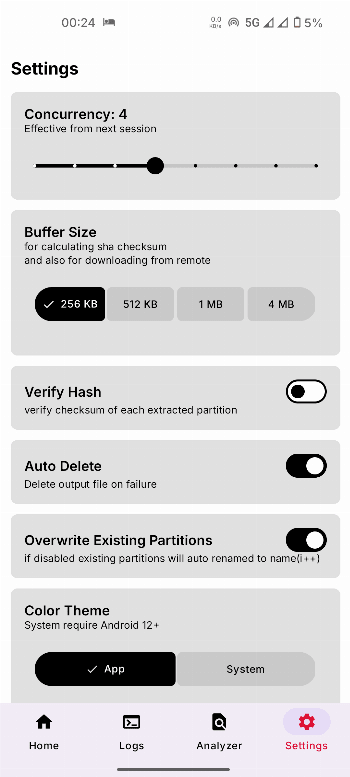
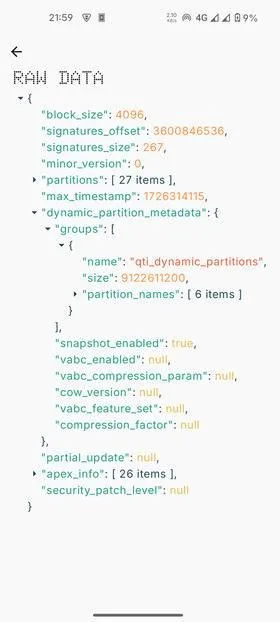
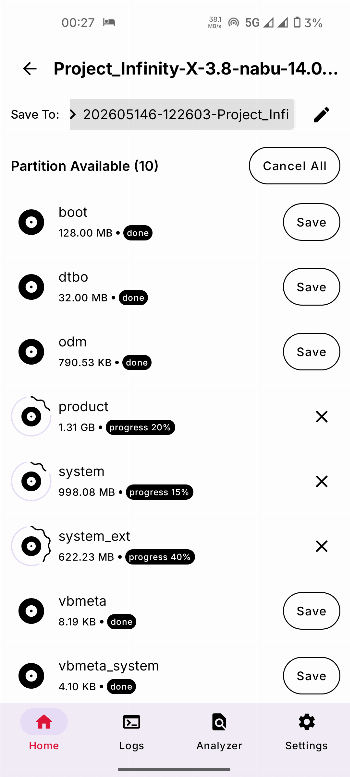
Introduction
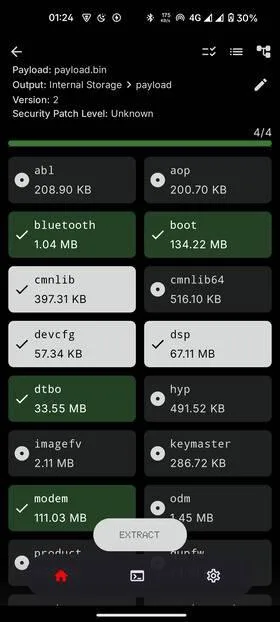
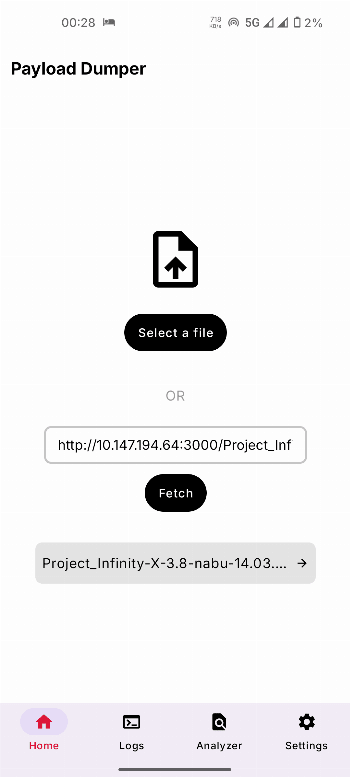
Payload Dumper pulls partition images, such as boot.img, init_boot.img and vendor_boot.img, out of an Android OTA update, directly on your phone. Most modern OTA packages store every partition inside a single payload.bin. Before you can patch a boot image for KernelSU, APatch or Magisk, you have to get it out of that file. The usual way is a desktop script. This app does the same job without a computer.
What it does
- Opens a
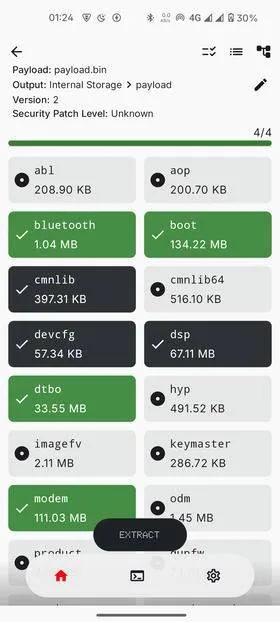
payload.bindirectly, or an OTA zip without unpacking it first. - Lets you choose which partitions to extract, and you can add more while an extraction is running.
- Shows live progress, and you can cancel an extraction partway.
- Verifies the hash of each extracted image, so you know the file is intact before you flash anything.
- Detects incremental OTAs, which it can’t extract yet. You need a full OTA package.
- Has debug logging for troubleshooting.
The extraction engine is written in Rust, which is why the build ships native code for every CPU type.
Updating from an older version
The developer notes that this release needs a fresh installation. If you have an older Payload Dumper installed, uninstall it before installing this version, or the update will fail.
What stands out in the APK
- No trackers.
- All-files access is the one permission that matters. OTA zips are large and usually sit in Downloads, so the app asks for it to read them and write the images out. It is a special permission, so you turn it on yourself in Settings.
- Notifications and a foreground service let an extraction keep running while you do other things.
A typical use
- Download the full OTA zip for the firmware your phone is running now. The build number must match exactly.
- Open it in Payload Dumper and extract
boot(orinit_booton devices that launched with Android 13 or later). - Hand the image to your root manager to patch, then flash the result.
Who should skip it
- You already have a working desktop setup with payload-dumper-go or similar.
- You only have an incremental OTA. Extraction from those isn’t supported yet.
What’s inside the APK
Trackers
No code matching the Exodus Privacy tracker signatures.
Native code
Runs on 64-bit and older 32-bit ARM phones.
Android versions
Built for Android 17 (target API 37).
Permissions
1 of them need your approval first.
CPU types in this build: arm64-v8a (64-bit ARM, almost every phone since 2017); armeabi-v7a (32-bit ARM, older and budget phones); x86 (32-bit Intel, emulators); x86_64 (64-bit Intel, emulators and Chromebooks).
Asks you first (1)
Android shows a prompt before the app can use these.
- Show notifications (Android 13+) · POST_NOTIFICATIONS
You switch these on in Settings (1)
Special app access. Nothing is granted until you turn it on yourself.
- All files access · MANAGE_EXTERNAL_STORAGE
Granted at install (3)
Low-risk permissions Android grants automatically, plus any we have not classified.
- FOREGROUND_SERVICE
- FOREGROUND_SERVICE_DATA_SYNC
- INTERNET
Defined by other apps (1)
Permissions that belong to another app or to this app itself.
- com.rajmani7584.payloaddumper.DYNAMIC_RECEIVER_NOT_EXPORTED_PERMISSION
More Information
- Package name
- com.rajmani7584.payloaddumper
- Version
- 5.2 (build 20260713)
- File size
- 6.0 MB (5,962,251 bytes)
- Requires
- Android 9 or later
- Category
- System Tools
- License
- GPL-3.0-only
- Developer
- Rajmani Kumar
- Source code
- github.com/rajmani7584/Payload-Dumper-Android
- Released
- Jul 19, 2026
- Signer SHA-256
- 24cb175eab56f2af3c73b80a89ef0f02d619730673fa9eaa873d2c93ef8e92b3
- File SHA-256
- 0d8d4cd19a0bc6ef7b883c51f6904c34c79b775d023ccef69a6c4bb2a67512b6
- Checked
- , against the IzzyOnDroid index · how we check · verify it yourself
Common questions
Is this APK the official Payload Dumper release?
Yes. It is the developer’s own release of Payload Dumper 5.2, byte for byte as IzzyOnDroid distributes it. Its SHA-256 matches IzzyOnDroid’s signed index, and it is signed with the certificate IzzyOnDroid records for the app (SHA-256 24cb175eab56f2af3c73b80a89ef0f02d619730673fa9eaa873d2c93ef8e92b3).
What Android version does Payload Dumper need?
Android 9 or later (API level 28). Version 5.2 is built for Android 17 (target API 37). Runs on 64-bit and older 32-bit ARM phones.
Can Payload Dumper access the internet?
Yes. The APK requests Android’s internet permission. In total it declares 6 permissions, and 1 of them needs your approval first.
Does Payload Dumper contain trackers?
No known trackers: our scan of version 5.2 found no code matching the Exodus Privacy tracker signatures. The scan covers known tracker libraries; it doesn’t show what data the app itself sends.
Is Payload Dumper open source?
Yes. Payload Dumper is released under the GPL-3.0-only licence, and its source code is published at https://github.com/rajmani7584/Payload-Dumper-Android.
Recent releases
| Version | Released | Size | Requires |
|---|---|---|---|
| v5.2 · this download | Jul 19, 2026 | 6.0 MB | Android 9+ |
| v5.1 | Jun 29, 2026 | 8.8 MB | Android 9+ |
| v5.0 | May 26, 2026 | 8.8 MB | Android 9+ |
Versions currently kept in the IzzyOnDroid repository. We host and check only the newest one. Full changelog.