

Permission Manager X
by Irfan Latif · AGPL-3.0-or-later · open source
Review every installed app’s manifest permissions and AppOps on one screen, mark the state you expect and use root or ADB when you need to grant, revoke or restore it.
Needs:Android 7.0+ · root or network ADB for full control
2113 Apps is independent, not affiliated with or endorsed by Irfan Latif. Official sources: mirfatif.github.io · source code on GitHub.
- Version
- v1.30-foss
- Size
- 3.0 MB
- Requires
- Android 7.0+
- Updated
- 2025-11-14
Screenshots
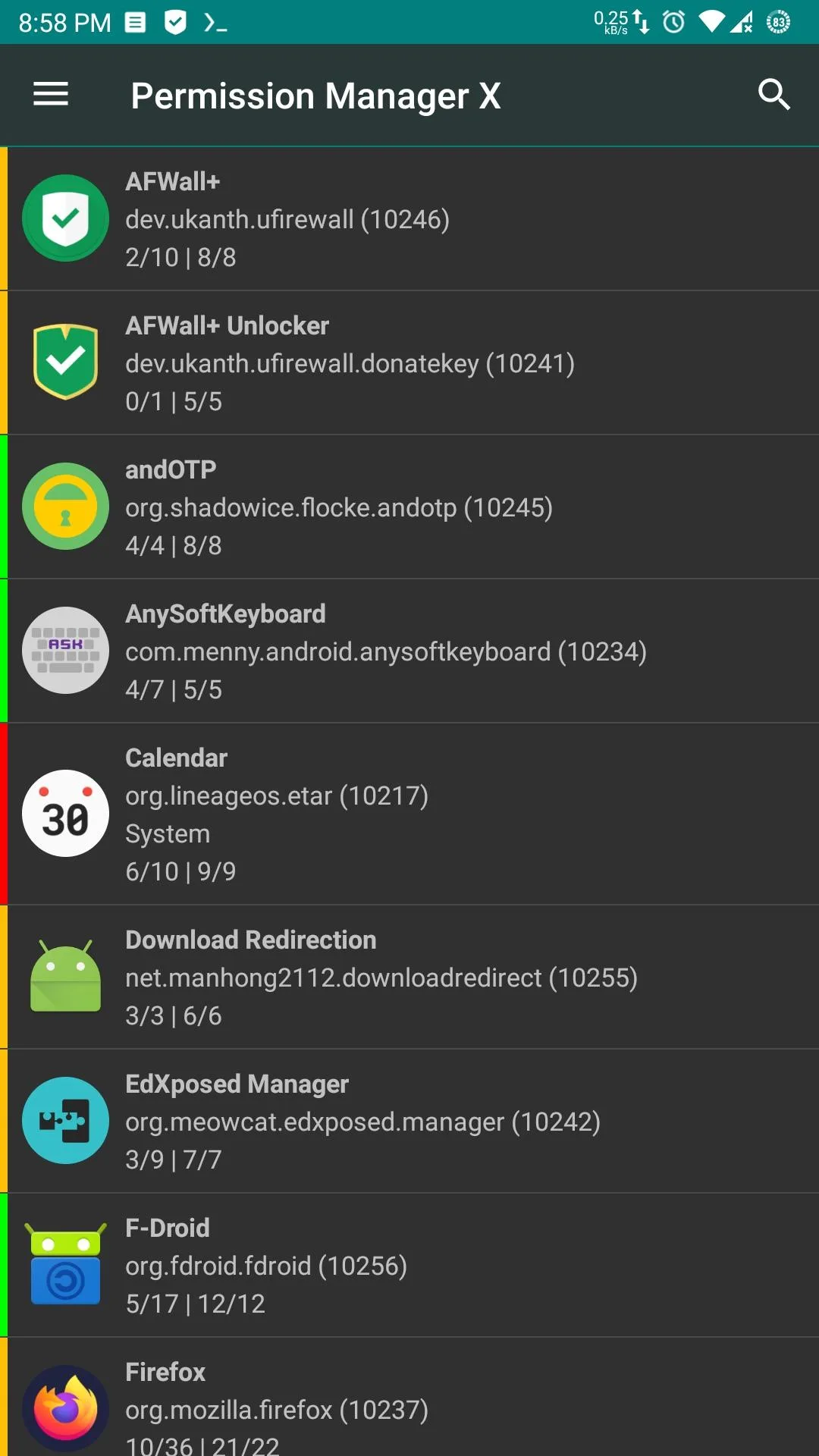
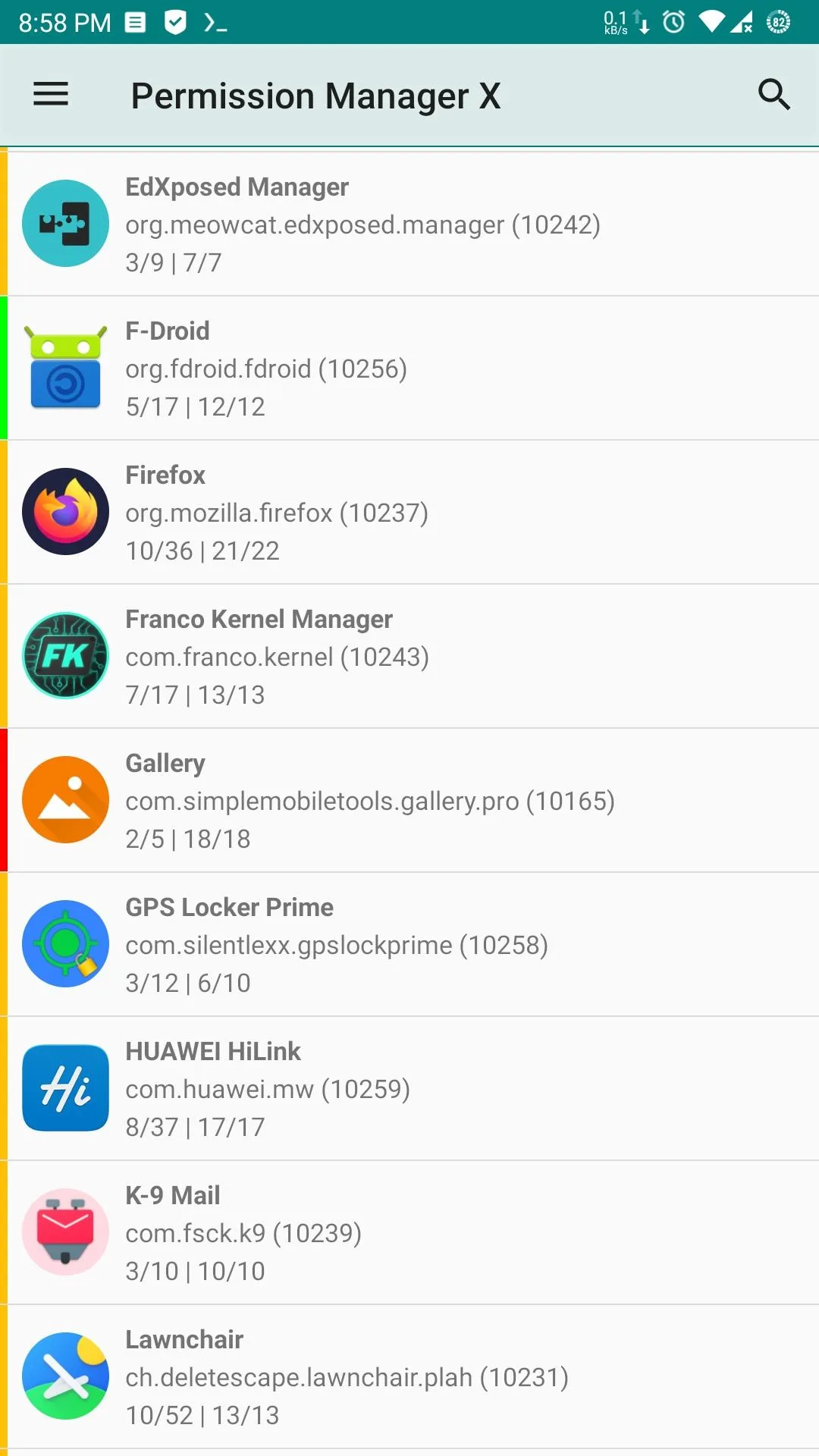
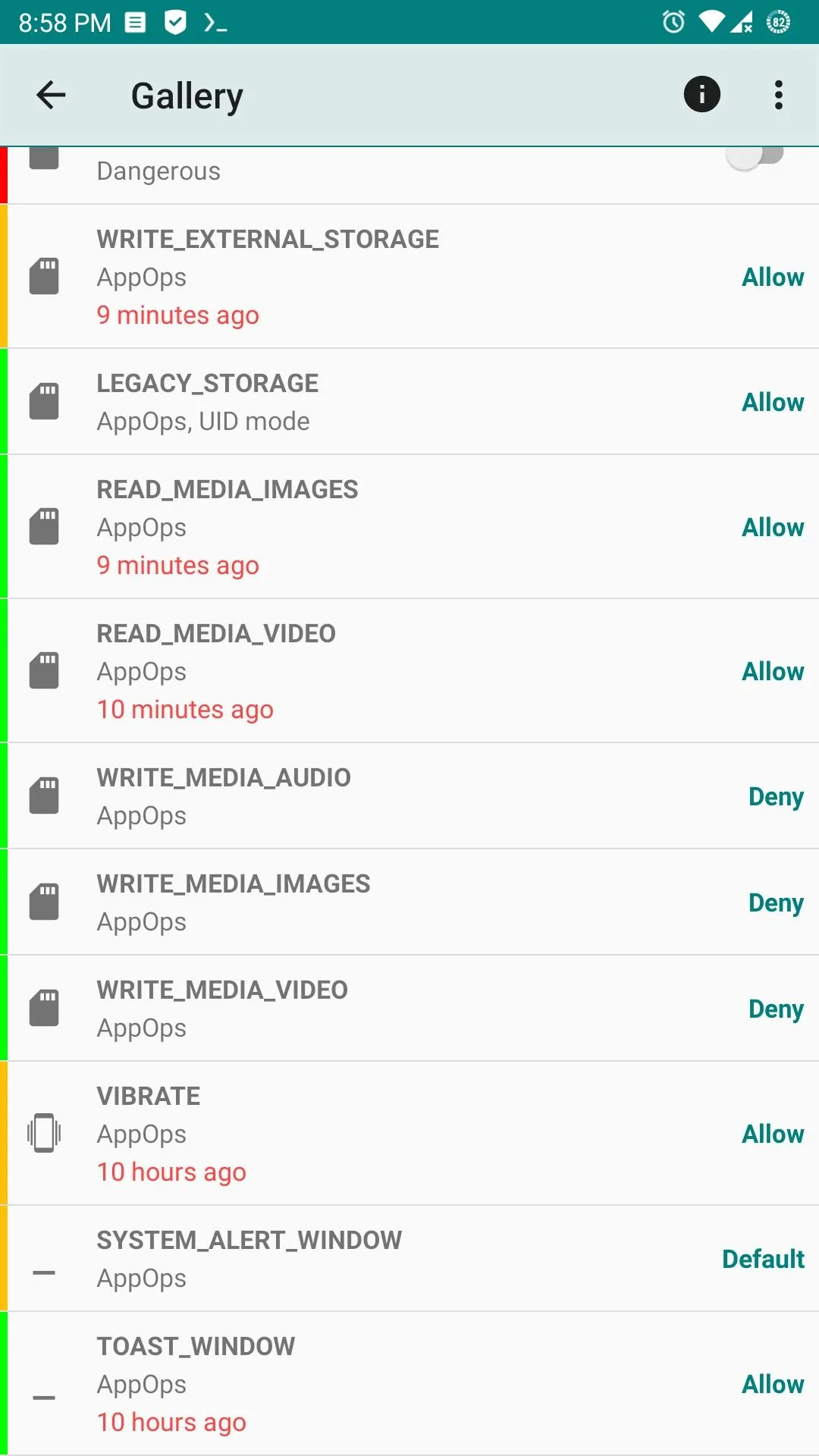
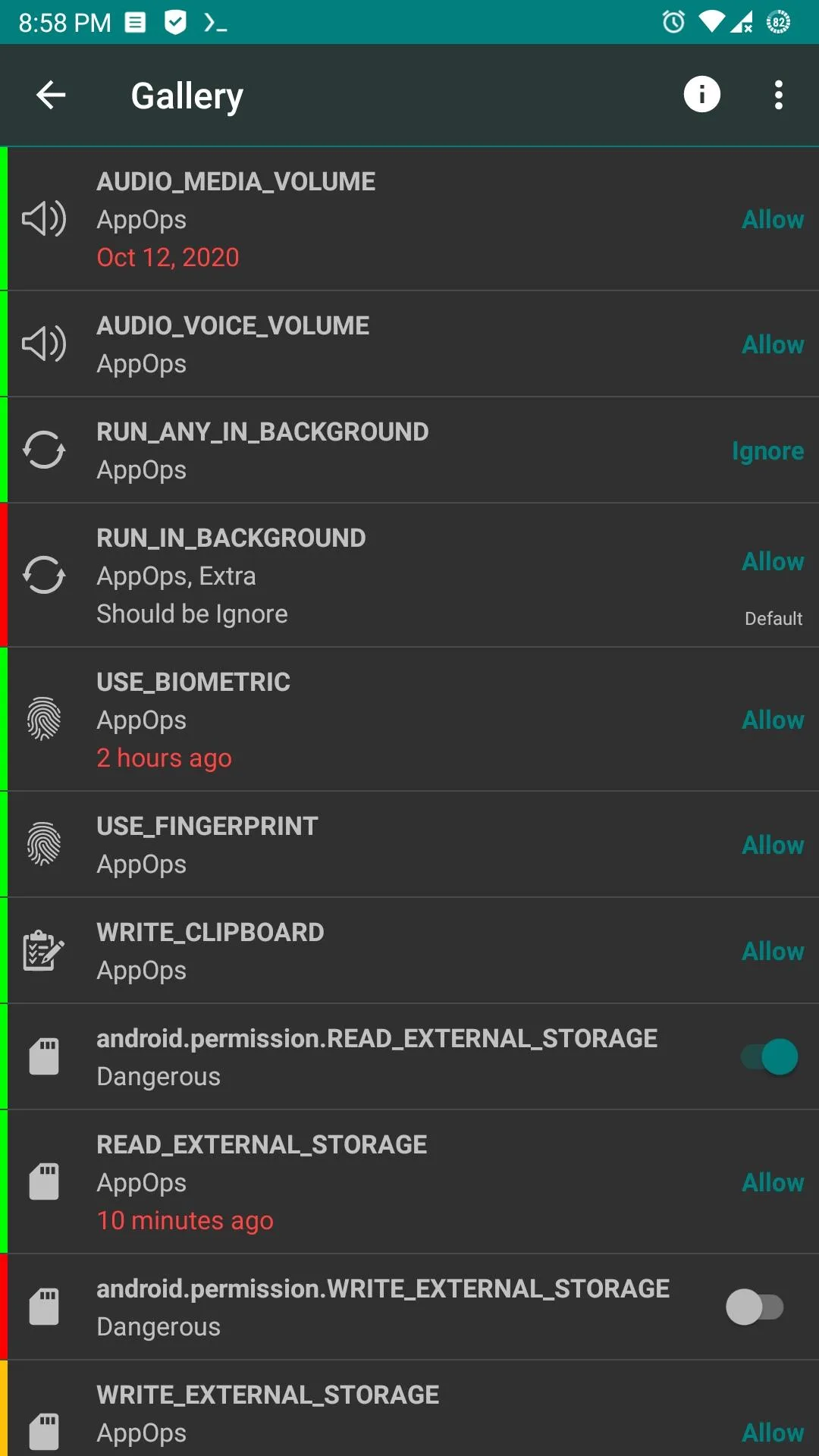
Introduction
Permission Manager X, or PMX, is an open-source control panel for two Android access systems. Manifest permissions are the familiar camera, contacts or storage permissions an app requests. AppOps sit behind many of those permissions and also cover operations such as background execution, clipboard access and vibration. PMX displays both for each package instead of treating the permission screen as the whole story.
This page covers F-Droid’s v1.30-foss build. We matched its 3.0 MB APK to F-Droid’s signed index, inspected the manifest and read the fixed 1.30 source. We did not grant its root or ADB daemon control on a phone, so privileged behaviour is described from the source and upstream documentation.
Review and change permissions
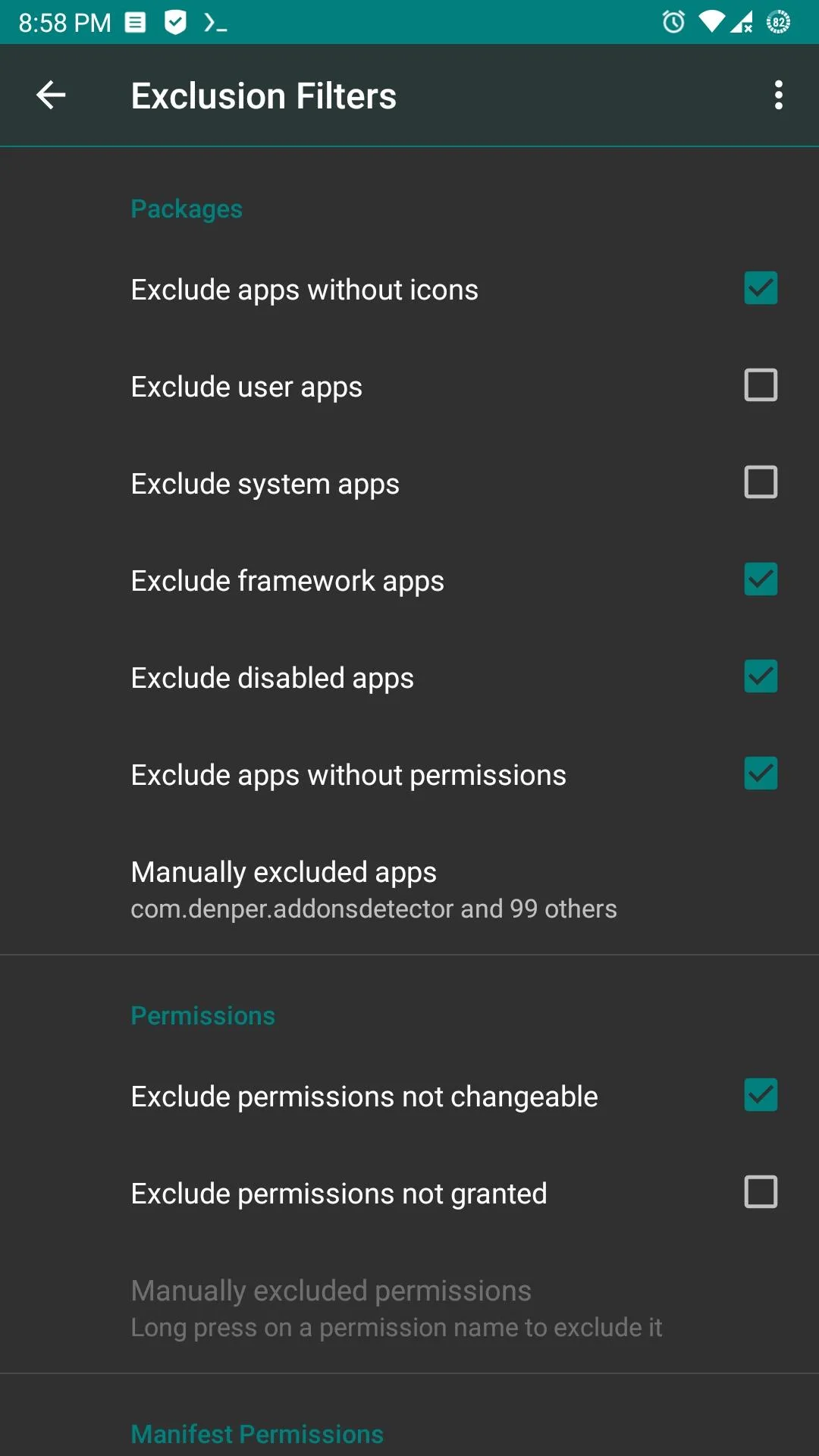
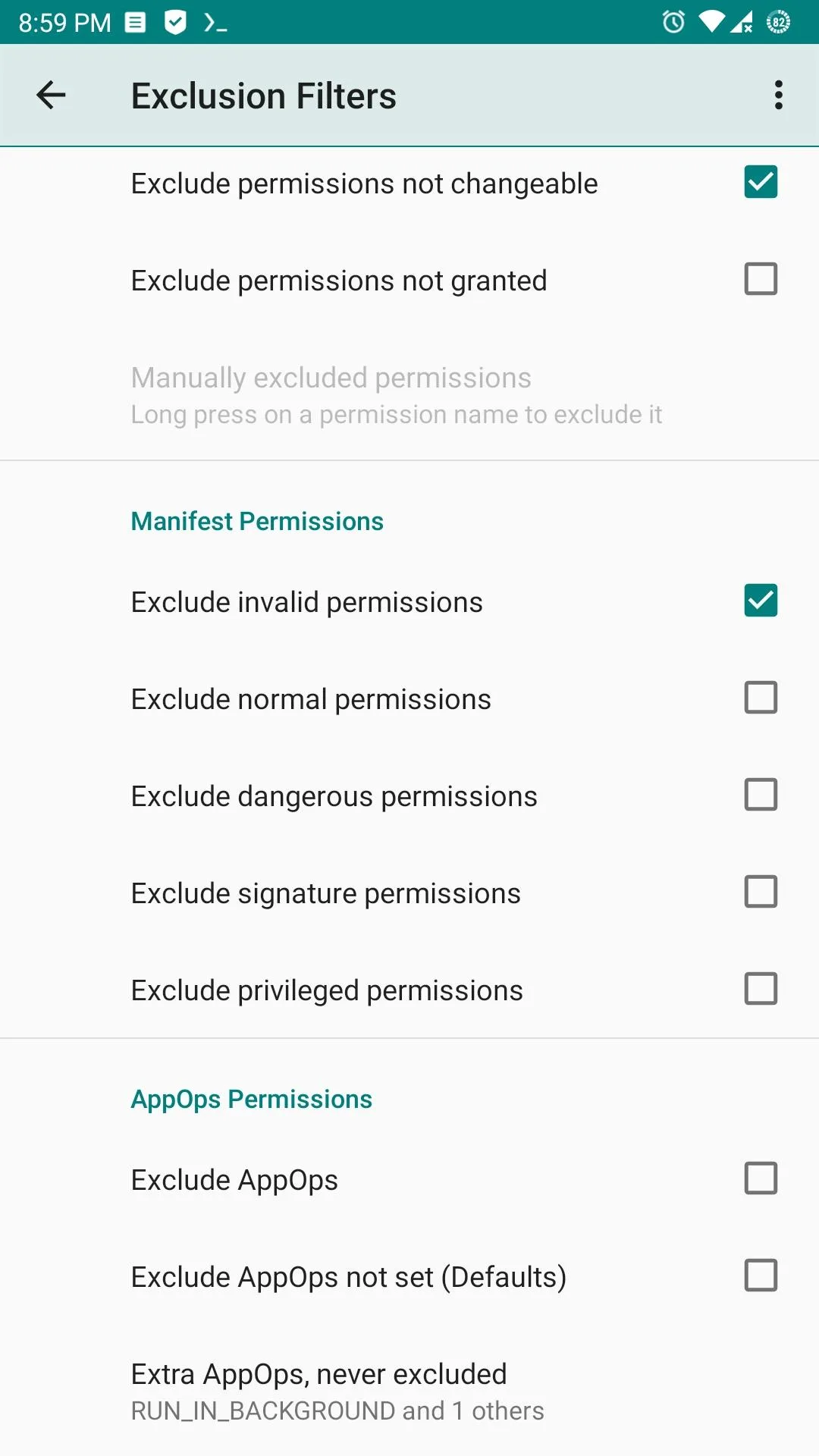
The app lists installed packages and shows their changeable manifest permissions and AppOps on one screen. With sufficient privileges it can grant or revoke a runtime permission and select among the modes Android exposes for an AppOp. Filters help narrow a long list to the packages or permission types you care about.
PMX also lets you assign a reference state to each changeable item. The coloured marker then shows where the current state differs from the state you intended. Reference values can be backed up and restored, which is useful after reinstalling apps, changing ROMs or moving to another device. A reference is a review baseline, not a guarantee: Android versions, device makers and apps can add, remove or remap operations.
Changing access can stop a camera, file picker, notifications, background work or login flow from functioning. Some permissions are fixed, signature-only or controlled by device policy and cannot be changed by an ordinary third-party app. Make a backup, change one item at a time and test the target app before applying the same rule broadly.
Root or ADB is the important setup choice
PMX can inspect some public package information as a normal app, but its full grant, revoke and AppOps controls need a privileged daemon. Upstream supports two routes:
- root, if the phone is already rooted; or
- ADB over the network, including wireless-debugging pairing on Android versions that support it.
This is not Shizuku integration. The app contains its own ADB client and daemon-start path, and our scan found no Shizuku library. On older Android versions, enabling network ADB may still require a computer or root first. On Android 11 and later, wireless debugging can pair on the phone, but it still grants powerful shell-level access. Turn off wireless debugging when you no longer need it and do not pair on an untrusted network.
Internet access and the FOSS build
The APK declares internet permission because its ADB client makes a local network connection, and the app also has user-invoked web paths. In version 1.30, -foss is part of the version name rather than a separate Gradle build flavour. F-Droid’s resource override leaves automatic update checks off by default; a manual check queries the GitHub API. Help opens mirfatif.github.io inside the app’s WebView. Our static scan found no known tracker SDKs.
Seven permissions appear in the measured manifest: internet, package visibility, AppOps access, notifications, two foreground-service declarations and Android’s generated receiver permission. Several are protected or special-purpose permissions; being present in the manifest does not mean Android grants all of them to a normal install.
The source contains a crash-reporting path, but it is enabled only for the developer’s own signing certificate and is inactive in this F-Droid-signed APK. Permission and reference databases otherwise live locally. Files you explicitly export leave only when you copy or share them, while the manifest’s allowBackup="true" also permits Android’s system backup to include local app data.
About this file
- This is F-Droid’s source build of v1.30-foss, signed with F-Droid’s key. It will not update over a differently signed store or developer build.
- Google Play also lists a paid build under the same package name. Its different signer means it cannot replace this F-Droid APK in place; changing source requires uninstalling and can remove local reference data unless you export it first.
- The 3.0 MB APK needs Android 7.0 or later and includes 32- and 64-bit ARM and x86 native libraries.
- Its measured SHA-256 is
59f0f881ab03a82a9c3d97fef6a20ba08657089d4a3f134143b8a10374bca2e3, matching F-Droid’s signed index. - Our scan found no known tracker SDKs and no Shizuku API. Internet access is present for network ADB, in-app web help and the manual GitHub update check; F-Droid defaults the automatic check off.
- Permission Manager X is licensed under AGPL-3.0-or-later. The project reserves its app icon separately from that code licence.
What’s inside the APK
Trackers
No code matching the Exodus Privacy tracker signatures.
Native code
Runs on 64-bit and older 32-bit ARM phones.
Android versions
Built for Android 16 (target API 36).
Permissions
1 of them need your approval first.
CPU types in this build: arm64-v8a (64-bit ARM, almost every phone since 2017); armeabi-v7a (32-bit ARM, older and budget phones); x86 (32-bit Intel, emulators); x86_64 (64-bit Intel, emulators and Chromebooks).
Asks you first (1)
Android shows a prompt before the app can use these.
- Show notifications (Android 13+) · POST_NOTIFICATIONS
Granted at install (5)
Low-risk permissions Android grants automatically, plus any we have not classified.
- FOREGROUND_SERVICE
- FOREGROUND_SERVICE_SPECIAL_USE
- GET_APP_OPS_STATS
- INTERNET
- QUERY_ALL_PACKAGES
Defined by other apps (1)
Permissions that belong to another app or to this app itself.
- com.mirfatif.permissionmanagerx.DYNAMIC_RECEIVER_NOT_EXPORTED_PERMISSION
More Information
- Package name
- com.mirfatif.permissionmanagerx
- Version
- v1.30-foss (build 130)
- File size
- 3.0 MB (3,011,440 bytes)
- Requires
- Android 7.0 or later
- Category
- System Tools
- License
- AGPL-3.0-or-later
- Developer
- Irfan Latif
- Source code
- github.com/mirfatif/PermissionManagerX
- Released
- Nov 14, 2025
- Signed by
- F-Droid, which built this APK from the published source code. Because the key is F-Droid’s, it won’t install over a copy from Google Play or GitHub (or the other way round) without uninstalling first.
- Signer SHA-256
- a7b13d3c2b9e0f52f87a21b9706d35fedad0500ec61809055ed76bf6fd8c042a
- File SHA-256
- 59f0f881ab03a82a9c3d97fef6a20ba08657089d4a3f134143b8a10374bca2e3
- Checked
- , against the F-Droid index · how we check · verify it yourself
Common questions
Is this APK the official Permission Manager X release?
It is F-Droid’s build rather than the developer’s own: F-Droid compiled Permission Manager X v1.30-foss from the published source code and signed it with its own key. Its SHA-256 matches F-Droid’s signed index. Because the key is F-Droid’s, it won’t install over a copy from Google Play or GitHub without uninstalling first.
What Android version does Permission Manager X need?
Android 7.0 or later (API level 24). Version v1.30-foss is built for Android 16 (target API 36). Runs on 64-bit and older 32-bit ARM phones.
Can Permission Manager X access the internet?
Yes. The APK requests Android’s internet permission. In total it declares 7 permissions, and 1 of them needs your approval first.
Does Permission Manager X contain trackers?
No known trackers: our scan of version v1.30-foss found no code matching the Exodus Privacy tracker signatures. The scan covers known tracker libraries; it doesn’t show what data the app itself sends.
Is Permission Manager X open source?
Yes. Permission Manager X is released under the AGPL-3.0-or-later licence, and its source code is published at https://github.com/mirfatif/PermissionManagerX.
Does Permission Manager X use Shizuku?
Not in this build. Its privileged daemon starts through root or through Android’s ADB connection, including wireless pairing on supported versions. Shizuku is a different way to share ADB-level access and its client library was not found in this APK.
Why can changing AppOps break an app even when Android still shows a permission as allowed?
Manifest permissions and AppOps are related but separate layers. An AppOp can deny, ignore or restrict the operation behind an allowed permission, and apps may not handle that unexpected state. Record the old mode and change one item at a time.
Recent releases
| Version | Released | Size | Requires |
|---|---|---|---|
| v1.30-foss · this download | Nov 14, 2025 | 3.0 MB | Android 7.0+ |
| v1.27-fd | Sep 6, 2024 | 2.8 MB | Android 7.0+ |
| v1.25-fd | Jun 9, 2024 | 2.8 MB | Android 7.0+ |
Versions currently kept in the F-Droid repository. We host and check only the newest one. Full changelog.
Alternatives and related apps
-
 App Manager A broader package toolbox with component controls, privacy reports, backups and AppOps.Download
-
 Package Manager Focuses on package manifests, certificates, APK export and installation rather than permission reference states.Download