

Aegis Authenticator
by Beem Development · GPL-3.0-only · open source
Two-factor login codes in an encrypted vault that never goes online. It imports from Google Authenticator and over a dozen other apps, and backs up to a folder you choose.
Needs:Android 6.0+
2113 Apps is independent, not affiliated with or endorsed by Beem Development. Official sources: getaegis.app · source code on GitHub.
- Version
- 3.4.3
- Size
- 6.9 MB
- Requires
- Android 6.0+
- Updated
- 2026-09-06
Screenshots
Introduction
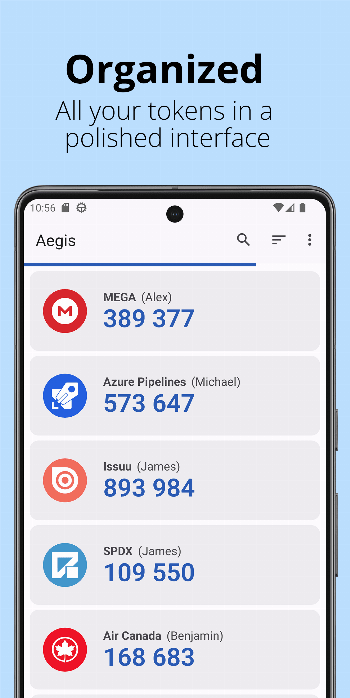
Aegis is an open-source authenticator app by Beem Development: it generates the login codes that websites ask for after your password when two-factor login is on. It keeps them in an encrypted vault on the phone and doesn’t request internet access at all, so there is no account, no sync and no cloud copy unless you make one yourself.
Moving from Google Authenticator? See our step-by-step guide: How to move your Google Authenticator codes to Aegis.
The vault
- Encryption. With a password set, the vault is encrypted with AES-256 in GCM mode, using a key derived from your password with scrypt; the developers chose “the same parameters as Android itself uses to derive a key for full-disk encryption”. Biometric unlock adds a second key stored in the Android Keystore. Their design notes add that the vault’s master key “is only as secure as the weakest credential”.
- No password is possible too, but Aegis says “This option is not recommended”: the vault is then stored unencrypted, and automatic backups aren’t available.
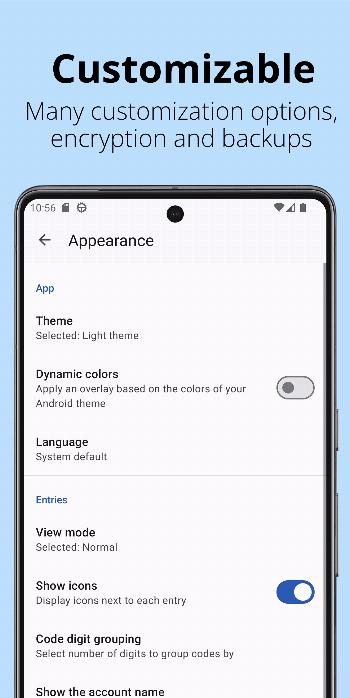
- Defaults. Screenshots of the app are blocked, the vault locks when you press Back or lock the phone, and codes are shown without tapping (tap to reveal is off). If you unlock with biometrics, it asks for the password every two weeks.
- Forgetting the password loses the codes; there is no recovery.
Adding accounts
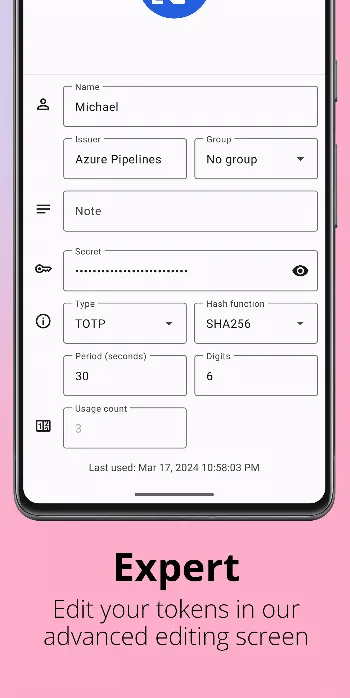
- Scan a QR code with the camera, scan an image of one, or enter the details manually. Aegis supports TOTP and HOTP codes, plus the Steam, Yandex and MOTP variants.
- Import from another app (Settings › Import & Export): 2FAS Authenticator, andOTP, Authenticator Plus, Authy, Battle.net Authenticator, Bitwarden, Duo, Ente Auth, FreeOTP and FreeOTP+, Google Authenticator, Microsoft Authenticator, Proton Authenticator, Steam, Stratum (Authenticator Pro), TOTP Authenticator, WinAuth, and plain-text lists of
otpauth://links. - Some imports need root. For Authy, Battle.net, Duo, Microsoft Authenticator, Steam and FreeOTP 1.x, Aegis needs a file from inside that app’s private storage, which only root can read; Aegis can fetch it directly if you grant it root. Steam’s import works only with versions before 3.0. Bitwarden and Ente Auth exports must be unencrypted.
- Google Authenticator is easiest through its own Transfer codes QR codes, which need no root. Reading its database directly only works with versions up to 5.10.
Backups and exports
Aegis can’t go online, so backups are up to you, and they are off by default:
- Automatic backups write the vault to a folder you choose whenever it changes, keeping the last 5. They are “only supported for encrypted vaults”.
- Android cloud backups are a separate opt-in setting, also only for encrypted vaults. Android’s direct phone-to-phone transfer is always allowed.
- Export writes the vault as an Aegis file (encrypted or not), a web page or a text file of
otpauth://links. Only the Aegis file can be encrypted, and Aegis asks you to confirm before writing an unencrypted copy. - Export for Google Authenticator shows QR codes Google Authenticator can scan, ten accounts each; only TOTP and HOTP accounts using SHA1 and 6 digits are included.
A security fix in this version
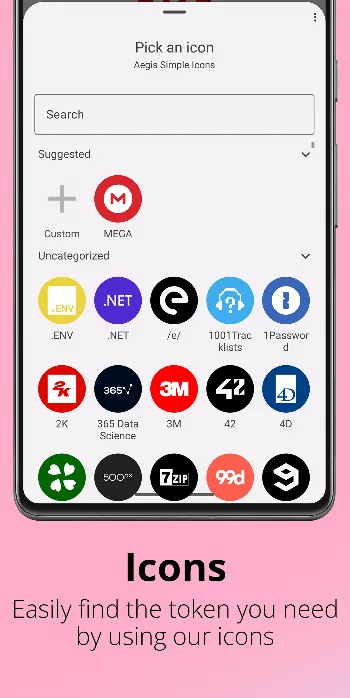
Version 3.4.3 fixes a bug where “a maliciously crafted icon pack could overwrite Aegis’ internal files if imported, including the vault file”. The developers’ advisory rates it High and lists versions 2.0 to 3.4.2 as affected; “exploitation requires a user to be socially engineered into importing an icon pack from an untrusted source.” Aegis has no official icon packs; its README links several community ones. Import icon packs only from sources you trust.
The permissions it asks for
Aegis declares 6 permissions, none of them internet access:
- Camera, to scan QR codes.
- Biometrics and fingerprint, for biometric unlock.
- Vibrate, for haptic feedback such as the warning when a code is about to expire.
- Run at startup, used only to refresh its two Quick Settings tiles (open the vault, open the scanner) after a reboot.
The code also contains the libsu library, which Aegis uses only for the root imports described above.
About this file
- This is the developer’s own build of version 3.4.3, signed by Beem Development with the certificate whose SHA-256 the README publishes (C6:DB:80:A8…). It is the same file as
aegis-v3.4.3.apkon the project’s GitHub releases and on IzzyOnDroid, and the README says Google Play releases use the same key. - F-Droid builds Aegis itself and signs it with F-Droid’s key, so its copy can’t update this one or be updated by it. The developers don’t publish on F-Droid themselves; their FAQ says new versions can take “up to a week” to appear there.
- The 6.9 MB file runs on ARM and x86, 32- and 64-bit, and needs Android 6.0 or later (required since Aegis 3.4). Our scan found no trackers.
- Aegis is licensed under the GPL-3.0.
What’s inside the APK
Trackers
No code matching the Exodus Privacy tracker signatures.
Native code
Runs on 64-bit and older 32-bit ARM phones.
Android versions
Built for Android 16 (target API 36).
Permissions
1 of them need your approval first.
libsu (root shell). Bundles libsu, a library for running commands in a root shell. (com.topjohnwu.superuser.NoShellException)
CPU types in this build: arm64-v8a (64-bit ARM, almost every phone since 2017); armeabi-v7a (32-bit ARM, older and budget phones); x86 (32-bit Intel, emulators); x86_64 (64-bit Intel, emulators and Chromebooks).
Asks you first (1)
Android shows a prompt before the app can use these.
- Use the camera · CAMERA
Granted at install (4)
Low-risk permissions Android grants automatically, plus any we have not classified.
- RECEIVE_BOOT_COMPLETED
- USE_BIOMETRIC
- USE_FINGERPRINT
- VIBRATE
Defined by other apps (1)
Permissions that belong to another app or to this app itself.
- com.beemdevelopment.aegis.DYNAMIC_RECEIVER_NOT_EXPORTED_PERMISSION
More Information
- Package name
- com.beemdevelopment.aegis
- Version
- 3.4.3 (build 82)
- File size
- 6.9 MB (6,881,897 bytes)
- Requires
- Android 6.0 or later
- Category
- Network & Privacy
- License
- GPL-3.0-only
- Developer
- Beem Development
- Source code
- github.com/beemdevelopment/Aegis
- Released
- Sep 6, 2026
- Signer SHA-256
- c6db80a8e14e5230c1de8415ef820d13dc901d8fe33cf3acb57b6862d858a823
- File SHA-256
- fa091c91912c0d56ec3553394fac4158f9a9d178e93bcbb35419601d788cb528
- Checked
- , against the IzzyOnDroid index · how we check · verify it yourself
Common questions
Is this APK the official Aegis Authenticator release?
Yes. It is the developer’s own release of Aegis Authenticator 3.4.3, byte for byte as IzzyOnDroid distributes it. Its SHA-256 matches IzzyOnDroid’s signed index, and it is signed with the certificate IzzyOnDroid records for the app (SHA-256 c6db80a8e14e5230c1de8415ef820d13dc901d8fe33cf3acb57b6862d858a823).
What Android version does Aegis Authenticator need?
Android 6.0 or later (API level 23). Version 3.4.3 is built for Android 16 (target API 36). Runs on 64-bit and older 32-bit ARM phones.
Can Aegis Authenticator access the internet?
No. The APK doesn’t request Android’s internet permission, so the app can’t go online by itself. In total it declares 6 permissions, and 1 of them needs your approval first.
Does Aegis Authenticator contain trackers?
No known trackers: our scan of version 3.4.3 found no code matching the Exodus Privacy tracker signatures. The scan covers known tracker libraries; it doesn’t show what data the app itself sends.
Is Aegis Authenticator open source?
Yes. Aegis Authenticator is released under the GPL-3.0-only licence, and its source code is published at https://github.com/beemdevelopment/Aegis.
Can this APK update the Google Play version of Aegis?
Yes. Aegis’s README says “APK releases on Google Play and GitHub are signed using the same key”, and this is the GitHub release file. The F-Droid version is different: the developers say “F-Droid signs APK’s with a different key that we do not have access to.” To switch from F-Droid’s build, export your vault, uninstall, install this one and import the export.
Can Aegis sync between devices or back up to the cloud?
It can’t sync, because it never goes online; the FAQ says “Aegis doesn’t have access to the internet and we don’t have plans to change this.” Automatic backups can go to a folder handled by a cloud app that supports Android’s storage framework (the FAQ names Nextcloud), or to a local folder that a sync app copies elsewhere.
Is there a Wear OS app?
No. The developers’ answer: “There does not appear to be a way to add support for Wear OS without introducing dependencies to proprietary libraries from Google. As such, we do not have plans for Wear OS support.”
What happens if I forget my Aegis password?
The codes are lost. Aegis warns when you set the password: “If you forget your password, you will permanently lose access to your tokens. There is no way to recover them without the password.” If you unlock with biometrics, Aegis asks for the password every two weeks by default so you don’t forget it.
Recent releases
| Version | Released | Size | Requires |
|---|---|---|---|
| v3.4.3 · this download | Sep 6, 2026 | 6.9 MB | Android 6.0+ |
| v3.4.2 | Feb 25, 2026 | 6.6 MB | Android 6.0+ |
| v3.4.1 | Aug 3, 2025 | 6.6 MB | Android 6.0+ |
Versions currently kept in the IzzyOnDroid repository. We host and check only the newest one. Full changelog.