

WireGuard
by WireGuard · Apache-2.0 · open source
The official app for WireGuard, the fast, modern VPN protocol: add your tunnel from a QR code, a file or by hand, and turn it on from the app or a Quick Settings tile. The direct-download version.
Needs:No root · Android 7.0+ · a WireGuard server or config
2113 Apps is independent, not affiliated with or endorsed by WireGuard. Official sources: wireguard.com · source code on git.zx2c4.com.
- Version
- 1.0.20260315
- Size
- 16.9 MB
- Requires
- Android 7.0+
- Updated
- 2026-03-15
Screenshots
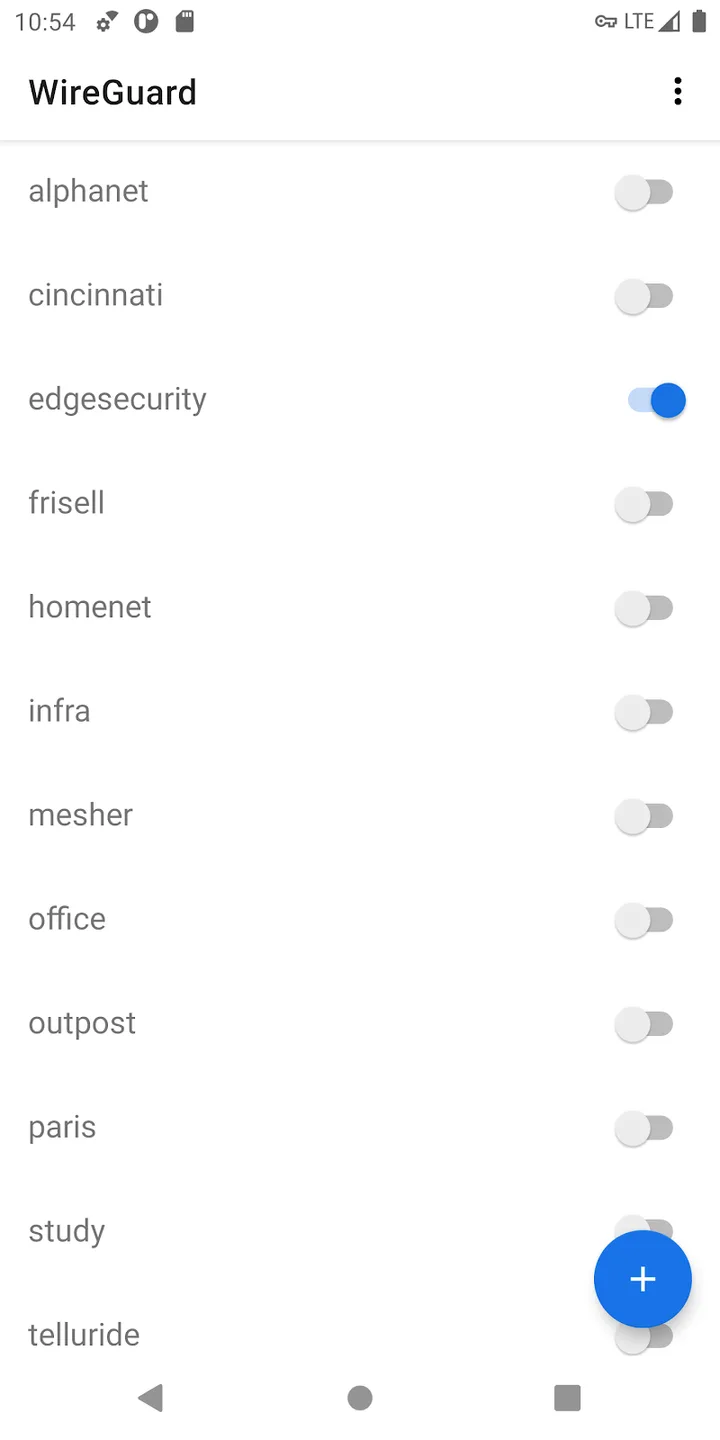
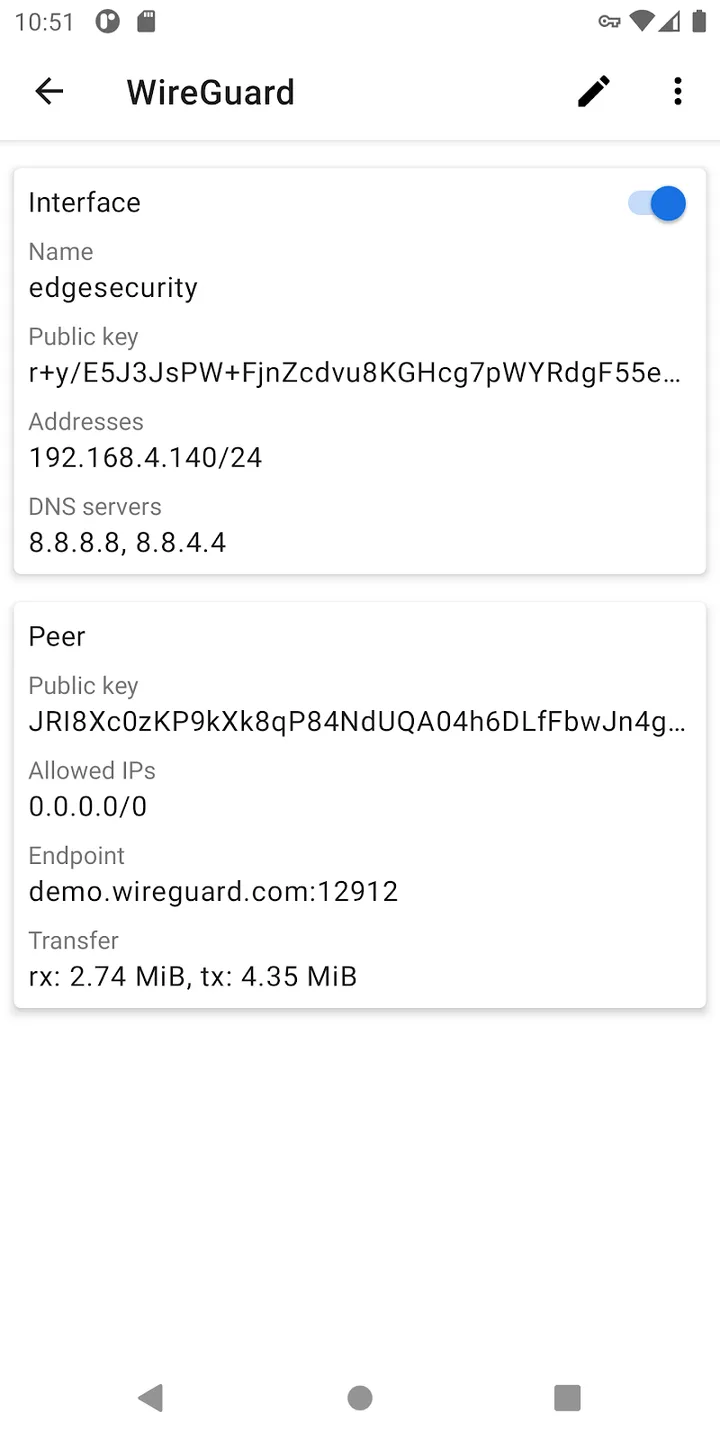
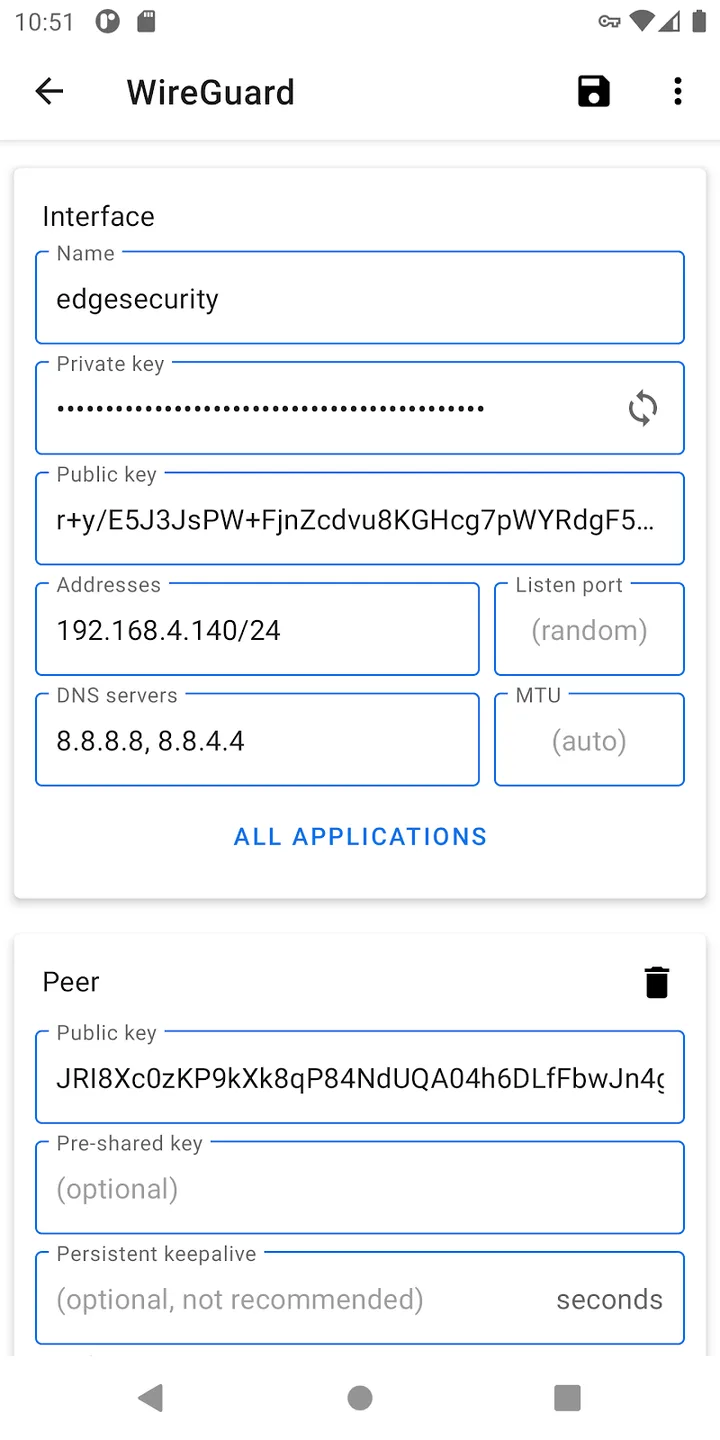
Introduction
WireGuard is a VPN protocol designed by Jason A. Donenfeld, built into Linux and known for its small code and fast connections. This is WireGuard’s own Android app. Its README sums it up: “This is an Android GUI for WireGuard. It opportunistically uses the kernel implementation, and falls back to using the non-root userspace implementation.” The app comes without servers: you need a configuration from a VPN provider that supports WireGuard, your company, or a server you run.
What it does
- Add a tunnel by scanning a QR code, importing a configuration file or a zip of several, or typing it in. Exporting all tunnels to a zip, and viewing a private key, ask for your fingerprint or screen lock first.
- Choose which apps use the tunnel, by excluding some or including only some.
- A Quick Settings tile turns the most recent tunnel on and off.
- Always-on VPN: when you set WireGuard as Android’s always-on VPN, it brings back the tunnels that were running.
- An Android TV version of the interface is included.
- Control from other apps, such as Tasker, is off by default. With Allow remote control apps on, an app you have given the “control WireGuard tunnels” permission can turn tunnels up and down.
The update check
WireGuard offers two ways to get the app, Google Play and the direct download this page hosts, and the direct version keeps itself up to date. From the code of this version:
- When it checks: every time the app starts, which also happens when the tile, the always-on VPN or a remote-control request starts it, then again 15 minutes later and every 45 minutes after that while it runs, until it finds a newer version. Installs from Google Play never check.
- What it sends: a request to download.wireguard.com whose user agent includes the app version, your Android version, and your phone’s manufacturer, model, board and full build fingerprint.
- How it verifies: the list of versions is signed with WireGuard’s release key, and the download must match the SHA-256 in that list. Android also refuses an update that isn’t signed with the same key as the installed app.
- What you see: a message at the bottom of the tunnel list, with a Download & Update button. If you cancel the installation, the app says it “Will retry momentarily” and offers it again.
WireGuard’s developer explained why he wrote it: “I don’t find it wise to rely on F-Droid to do anything at all”. Since then, he has written, “The new direct APK download and the Play Store are the only two supported installation sources. Alternative builds and alternative app stores aren’t supported (unless they’re shipping the direct APK file that the WireGuard project provides).” This page hosts that direct APK file, unchanged.
About this file
- This is WireGuard 1.0.20260315, tagged on 15 March 2026 and still the current version. WireGuard publishes no release notes; the changes since 1.0.20260102 are small: the update check backs off when it fails instead of retrying straight away, the user agent now names the app, and the build tools are updated. The previous releases raised the minimum to Android 7.0.
- The file is byte for byte the one on download.wireguard.com, whose SHA-256 matches WireGuard’s signed list. It is signed with the WireGuard project key (O=WireGuard LLC), whose fingerprint, 84a13fa2…4127, WireGuard’s developer published in April 2023. WireGuard says that key “is held in an HSM”.
- The 16.9 MB file runs on ARM and x86, 32- and 64-bit, and declares 9 permissions: the camera for QR codes, internet, starting at boot, installing its own updates, storage on Android 9 and older, fingerprint or screen-lock checks, and on Android 14 and later showing over other apps, which the Quick Settings tile uses when it can’t start a tunnel otherwise.
- Our scan matched no tracking libraries, and we found no analytics or crash reporting in the code. Apart from your tunnels and the update check, the app goes online only when you tap a link, such as Donate.
- The app is licensed under the Apache License 2.0. The APK also carries WireGuard’s command-line tools, wg (GPL-2.0 or MIT) and wg-quick (GPL-2.0), and the wireguard-go implementation (MIT), all from the same project.
- Known problem: on Android TV, importing a configuration file can fail with “Please install a file management utility to browse files”, which a user reported in January 2026 for versions since 1.0.20260102; the TV import code hasn’t changed in this version.
- The app is translated into Brazilian Portuguese.
- The screenshots are WireGuard’s, from its Google Play listing, and show version 1.0.20200923 from 2020.
- “WireGuard” and the “WireGuard” logo are registered trademarks of Jason A. Donenfeld. wireguard.com
What’s inside the APK
Trackers
No code matching the Exodus Privacy tracker signatures.
Native code
Runs on 64-bit and older 32-bit ARM phones.
Android versions
Built for Android 16 (target API 36).
Permissions
2 of them need your approval first.
CPU types in this build: arm64-v8a (64-bit ARM, almost every phone since 2017); armeabi-v7a (32-bit ARM, older and budget phones); x86 (32-bit Intel, emulators); x86_64 (64-bit Intel, emulators and Chromebooks).
Asks you first (2)
Android shows a prompt before the app can use these.
- Use the camera · CAMERA
- Write shared storage (Android 10 and older) · WRITE_EXTERNAL_STORAGE
You switch these on in Settings (2)
Special app access. Nothing is granted until you turn it on yourself.
- Install unknown apps · REQUEST_INSTALL_PACKAGES
- Display over other apps · SYSTEM_ALERT_WINDOW
Granted at install (4)
Low-risk permissions Android grants automatically, plus any we have not classified.
- INTERNET
- RECEIVE_BOOT_COMPLETED
- USE_BIOMETRIC
- USE_FINGERPRINT
Defined by other apps (1)
Permissions that belong to another app or to this app itself.
- com.wireguard.android.DYNAMIC_RECEIVER_NOT_EXPORTED_PERMISSION
More Information
- Package name
- com.wireguard.android
- Version
- 1.0.20260315 (build 519)
- File size
- 16.9 MB (16,943,472 bytes)
- Requires
- Android 7.0 or later
- Category
- Network & Privacy
- License
- Apache-2.0
- Developer
- WireGuard
- Source code
- git.zx2c4.com/wireguard-android/
- Released
- Mar 15, 2026
- Signer SHA-256
- 84a13fa2c4e0064b0c11654b8a86574b7a9b9352a3834cee32455b061c3d4127
- File SHA-256
- f92971bc804f4c448e8845ae97e426095eab06ec09a2473a3fa2cfe7288e3298
- Checked
- , against the download on wireguard.com · how we check · verify it yourself
Common questions
Is this APK the official WireGuard release?
Yes. It is the file wireguard.com offers for download, byte for byte. It is signed with the certificate we recorded when we first checked WireGuard (SHA-256 84a13fa2c4e0064b0c11654b8a86574b7a9b9352a3834cee32455b061c3d4127); a release signed with a different key would not be published here.
What Android version does WireGuard need?
Android 7.0 or later (API level 24). Version 1.0.20260315 is built for Android 16 (target API 36). Runs on 64-bit and older 32-bit ARM phones.
Can WireGuard access the internet?
Yes. The APK requests Android’s internet permission. In total it declares 9 permissions, and 2 of them need your approval first.
Does WireGuard contain trackers?
No known trackers: our scan of version 1.0.20260315 found no code matching the Exodus Privacy tracker signatures. The scan covers known tracker libraries; it doesn’t show what data the app itself sends.
Is WireGuard open source?
Yes. WireGuard is released under the Apache-2.0 licence, and its source code is published at https://git.zx2c4.com/wireguard-android/.
Does it update itself?
Yes, this version does. Unless it was installed from Google Play, the app asks download.wireguard.com for a newer version each time it starts and every 45 minutes or so after that, and shows “An application update is available. Please update now.” It downloads nothing until you tap Download & Update, then checks the file against WireGuard’s signed list before installing. There is no setting to turn the check off.
Can I switch between this and the Google Play version?
They are the same app, with the same package name and, since April 2023, the same signing key, so one installs over the other. The exception is a Play install from before then that was never reinstalled: WireGuard said Play “will continue serving updates using the old key”, so you’d have to uninstall it first. After this file is installed over a Play copy, the update check above starts running.
Why isn’t WireGuard on F-Droid?
F-Droid objected in October 2023 that the update check breaks its rule against downloading updates “without explicit user consent”. WireGuard’s developer answered that “The app won't update unless you press the button. So there is consent.” F-Droid archived the app, and he then asked it to remove WireGuard entirely rather than keep an old version.
Do I need root?
No. By default the app uses WireGuard’s userspace implementation through Android’s VPN service. On a rooted phone whose kernel has the WireGuard module, you can switch to the kernel backend in the settings; only then do Restore on boot, several tunnels at once and the command-line tools become available.
Alternatives and related apps
-
 WG Tunnel A third-party WireGuard and AmneziaWG client that switches tunnels on and off by itself depending on the network.Download
-
 Rethink: DNS + Firewall + VPN Encrypted DNS and a firewall that can also send apps through a WireGuard tunnel.Download