
Audiobookshelf
by AdvPlyr · GPL-3.0-only · open source
Listen to the audiobooks and podcasts on your own Audiobookshelf server, download them for offline listening, read ebooks, and keep your place in sync between devices.
Needs:No root · Android 7.0+ · your own Audiobookshelf server
2113 Apps is independent, not affiliated with or endorsed by AdvPlyr. Official sources: audiobookshelf.org · source code on GitHub.
- Version
- 0.14.2-beta
- Size
- 14.9 MB
- Requires
- Android 7.0+
- Updated
- 2026-09-28
Screenshots
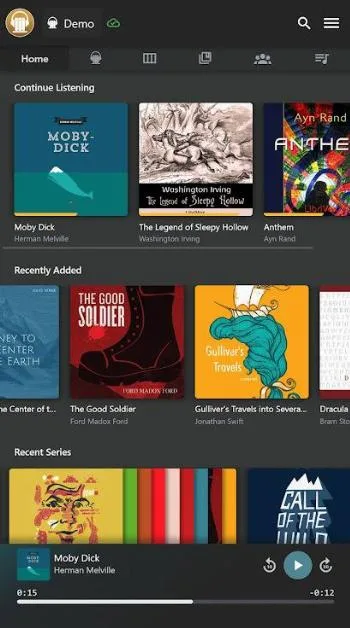
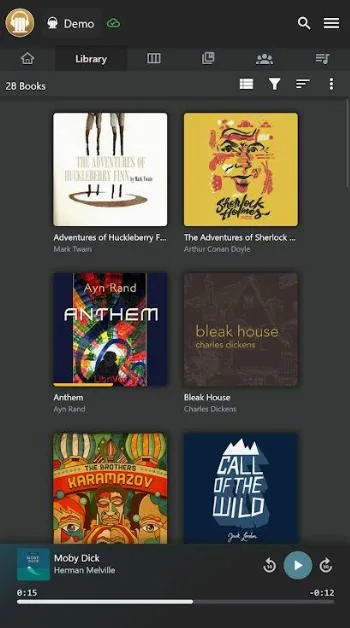
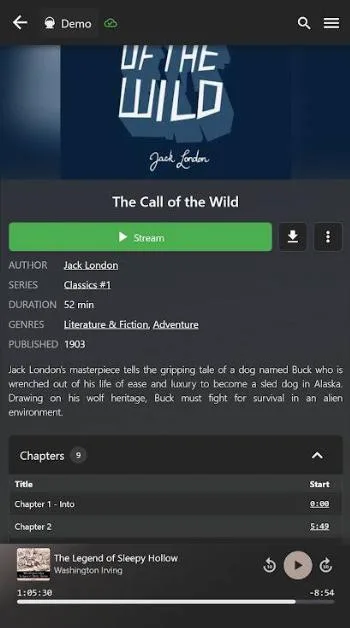
Introduction
Audiobookshelf is the Android app for the Audiobookshelf server, which its README calls “a self-hosted audiobook and podcast server”. Both are developed by advplyr. You install the server on a machine of your own, add your audiobooks and podcasts to it, and the app plays them from there, so your library, your listening progress and your account stay on your server.
What it does
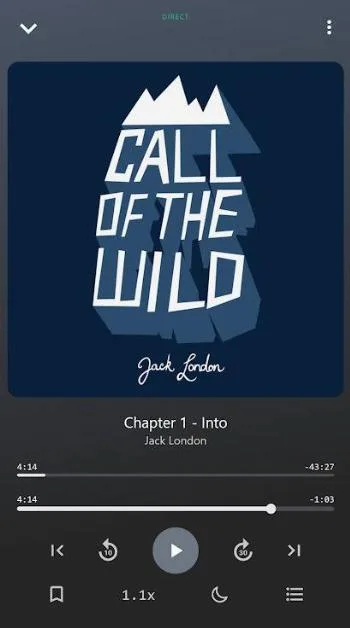
- Streaming and progress sync. It plays from your server and reports where you are. If that fails, the app says, “Progress sync requests will continue to be attempted every 15 seconds to 1 minute while media is playing.”
- Offline downloads of books and episodes, to the app’s own storage or to a shared folder that other apps can see.
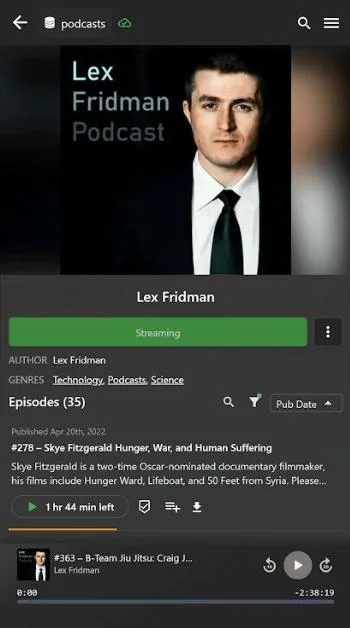
- Podcasts, searched and subscribed through your server, with automatic episode downloads.
- An ebook reader for EPUB, MOBI and AZW3, PDF, and CBZ and CBR comics.
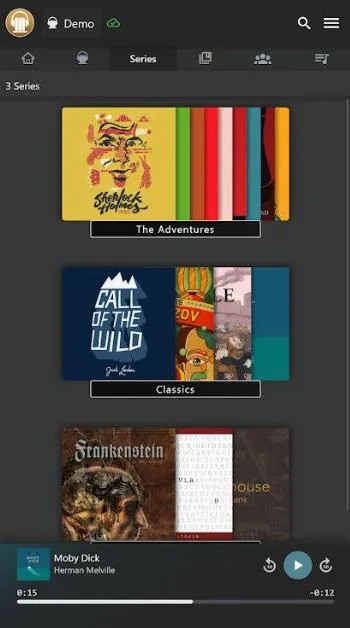
- Android Auto, Chromecast, bookmarks, playlists, collections, playback speed and a home-screen widget.
- A sleep timer that resets when you shake the phone, and an optional automatic sleep timer for a time window you choose.
- Sign-in with your server account, or through the single sign-on provider your server is set up for.
Defaults worth knowing
From the code of this version:
- The skip buttons jump 10 seconds, and the sleep timer runs for 15 minutes. The automatic sleep timer, between 22:00 and 06:00 unless you change it, is off.
- Downloads and streaming over mobile data are allowed.
- Plain HTTP connections are allowed, for servers on your home network, and certificates you install yourself are trusted.
What goes online
- Your Audiobookshelf server, for everything in your library.
- Google Cast, only if Google Play services is installed; without it, the Cast code isn’t set up and no Cast button appears.
- IzzyOnDroid flags the app because “The app potentially connects to Google Servers (Firebase).” The app’s own code doesn’t use Firebase; the Firebase libraries come with Google’s.
The app’s own code has no analytics, crash reporting or update check, and our tracker scan found no tracking libraries.
About this file
- This is the developer’s own build of version 0.14.2-beta, delivered through IzzyOnDroid and byte for byte the APK on the project’s GitHub release, signed by Mark Cooper. IzzyOnDroid can’t reproduce it from source; according to the project, the web framework the app is built with doesn’t produce identical builds. Google Play has the app too.
- The 14.9 MB file contains no native code, runs on Android 7.0 and later, and declares 12 permissions: internet and network state, notifications, storage for older Android versions, the foreground services that keep playback and downloads running, keeping the phone awake, vibration, starting at boot, and one AndroidX adds for internal use.
- Audiobookshelf is licensed under the GPL-3.0. IzzyOnDroid also flags it for non-free components: “The app contains libraries of Google Cast, Google Mobile Services and Firebase.”
- The screenshots are the project’s own, from IzzyOnDroid.
What’s inside the APK
Trackers
No code matching the Exodus Privacy tracker signatures.
Native code
Pure Java/Kotlin, so it runs on any CPU.
Android versions
Built for Android 16 (target API 36).
Permissions
3 of them need your approval first.
Flagged by IzzyOnDroid:
- NonFreeComp: Contains non-free components or libraries.
- NonFreeNet: Relies on or promotes a proprietary network service.
Asks you first (3)
Android shows a prompt before the app can use these.
- Show notifications (Android 13+) · POST_NOTIFICATIONS
- Read shared storage (Android 12 and older) · READ_EXTERNAL_STORAGE
- Write shared storage (Android 10 and older) · WRITE_EXTERNAL_STORAGE
Granted at install (8)
Low-risk permissions Android grants automatically, plus any we have not classified.
- ACCESS_NETWORK_STATE
- FOREGROUND_SERVICE
- FOREGROUND_SERVICE_DATA_SYNC
- FOREGROUND_SERVICE_MEDIA_PLAYBACK
- INTERNET
- RECEIVE_BOOT_COMPLETED
- VIBRATE
- WAKE_LOCK
Defined by other apps (1)
Permissions that belong to another app or to this app itself.
- com.audiobookshelf.app.DYNAMIC_RECEIVER_NOT_EXPORTED_PERMISSION
More Information
- Package name
- com.audiobookshelf.app
- Version
- 0.14.2-beta (build 121)
- File size
- 14.9 MB (14,851,426 bytes)
- Requires
- Android 7.0 or later
- Category
- Media
- License
- GPL-3.0-only
- Developer
- AdvPlyr
- Source code
- github.com/advplyr/audiobookshelf-app
- Released
- Sep 28, 2026
- Signer SHA-256
- 3648292656966c63d1b57d93ea00e35c7d97511e1f5b0678a717dae773793956
- File SHA-256
- eb19d37c060a40e32329f7e51e4d5c9c1c269432c14cae68575a09d822b163d1
- Checked
- , against the IzzyOnDroid index · how we check · verify it yourself
Common questions
Is this APK the official Audiobookshelf release?
Yes. It is the developer’s own release of Audiobookshelf 0.14.2-beta, byte for byte as IzzyOnDroid distributes it. Its SHA-256 matches IzzyOnDroid’s signed index, and it is signed with the certificate IzzyOnDroid records for the app (SHA-256 3648292656966c63d1b57d93ea00e35c7d97511e1f5b0678a717dae773793956).
What Android version does Audiobookshelf need?
Android 7.0 or later (API level 24). Version 0.14.2-beta is built for Android 16 (target API 36). Pure Java/Kotlin, so it runs on any CPU.
Can Audiobookshelf access the internet?
Yes. The APK requests Android’s internet permission. In total it declares 12 permissions, and 3 of them need your approval first.
Does Audiobookshelf contain trackers?
No known trackers: our scan of version 0.14.2-beta found no code matching the Exodus Privacy tracker signatures. The scan covers known tracker libraries; it doesn’t show what data the app itself sends.
Is Audiobookshelf open source?
Its code is. The source code of Audiobookshelf is released under the GPL-3.0-only licence and published at https://github.com/advplyr/audiobookshelf-app. Not everything it bundles is: IzzyOnDroid lists libraries of Google Cast, Google Mobile Services and Firebase, which aren’t open source.
Does it work without a server?
No. The README: “Requires an Audiobookshelf server to connect with.” The server is free software that you run yourself, on a computer, a NAS or a home server. The app streams from it and downloads books for offline listening; in its own words, it “only supports media downloaded directly through the app”.
Why is it still called a beta?
Every release so far, 58 of them, carries “beta” in its version, GitHub marks them as pre-releases, and the README lists the Android app as “(beta)”. This one, 0.14.2-beta from 27 September 2026, is the newest; Google Play’s notes for its update the next day describe the same changes.
Can I use it in Brazilian Portuguese?
Yes. Settings › Language has “Português (Brasil)”, translated almost completely. The default language in the code is English, so you may have to pick it yourself.
Does it use mobile data?
By default, yes: both downloads and streaming are allowed over mobile data. The settings let you restrict each of them.
Recent releases
| Version | Released | Size | Requires |
|---|---|---|---|
| v0.14.2-beta · this download | Sep 28, 2026 | 14.9 MB | Android 7.0+ |
| v0.14.1-beta | Sep 12, 2026 | 14.8 MB | Android 7.0+ |
Versions currently kept in the IzzyOnDroid repository. We host and check only the newest one. Full changelog.
Alternatives and related apps
-
 AntennaPod A podcast player that subscribes to feeds directly, without a server of your own.Download
-
 Jellyfin The app for a self-hosted Jellyfin server, for films, series and music rather than audiobooks.Download