

Briar
GPL-3.0-or-later · open source
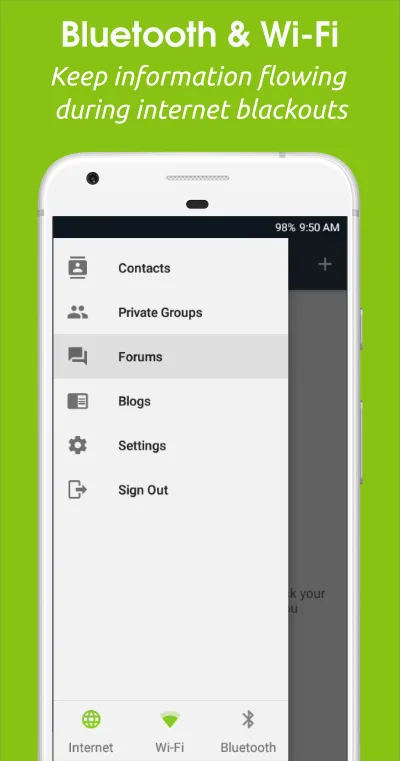
A messenger without a central server: messages travel directly between phones, over Tor when there is internet, or over the same Wi-Fi network, Bluetooth or a USB stick when there isn’t.
Needs:No root · Android 5.0+ · no phone number
2113 Apps is independent, not affiliated with or endorsed by the Briar developers. Official sources: briarproject.org · source code on code.briarproject.org.
- Version
- 1.5.23
- Size
- 50.7 MB
- Requires
- Android 5.0+
- Updated
- 2026-10-31
Screenshots
Introduction
Briar is a messaging app from the Briar Project, whose code is copyrighted by Sublime Software Ltd. The README says who it is for: “activists, journalists, and anyone else who needs a safe, easy and robust way to communicate.” It works unlike other messengers: “Briar doesn’t rely on a central server - messages are synchronized directly between the users’ devices.” If the internet is down, it syncs over Bluetooth or Wi-Fi; if it’s up, it connects through Tor. Version 1.5.23 came out on 27 October 2026.
What it does
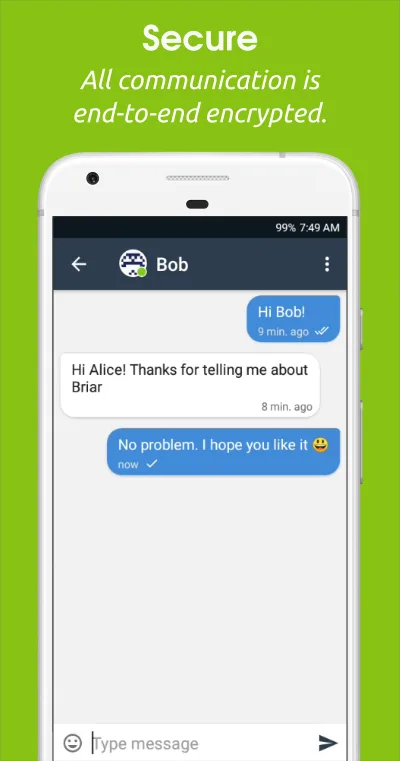
- Private messages with pictures, and messages that delete themselves after a set time.
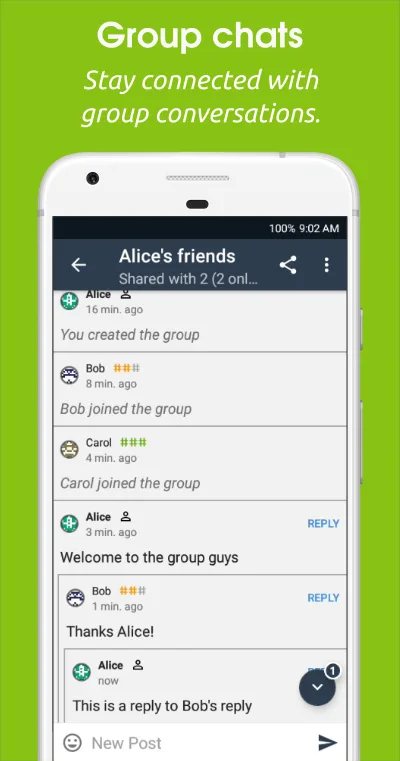
- Private groups, forums and blogs shared between your contacts, and RSS feeds fetched through Tor.
- Introductions: you can introduce two of your contacts so they can add each other without meeting.
- Adding contacts by scanning each other’s QR code in person, or by exchanging links at a distance.
- No calls: there are no voice or video calls, and the app doesn’t ask for the microphone.
How messages travel
There is no central Briar server that stores or passes on your messages; over the internet, the connection runs through the Tor network’s relays. From the 1.5.23 code and the project’s documentation:
- Tor is on by default, including over mobile data. The project’s FAQ: “All of the IP addresses that Briar connects to are Tor relays.” With the automatic setting, Briar turns on bridges in countries where Tor is often blocked: Belarus, China, Egypt, Hong Kong, Iran, Myanmar, Russia and Turkmenistan, judged from your mobile network, SIM card or system language. You can choose bridges, no bridges or no internet at all in the settings.
- The same Wi-Fi network: on by default, so two phones on one network sync without the internet.
- Bluetooth: off until you use one of the features that need it, such as adding a contact who is next to you.
- USB stick or SD card: as a last resort, Briar writes the waiting messages, encrypted, to a file your contact imports.
Because messages go straight from phone to phone, both of you have to be online at the same time. The optional Briar Mailbox, a separate app for a spare phone, stores messages for you until you come online.
What else goes online
Crash reports and feedback are sent only when you tap send, encrypted and through Tor to the developers’ onion address. There is no update check, analytics or advertising in the release, and our scan found no trackers. RSS feeds you subscribe to are fetched every 30 minutes, also through Tor.
The permissions it asks for
Twenty-three, most of them for its offline connections: Bluetooth and nearby devices for syncing and adding contacts, Wi-Fi state and nearby Wi-Fi devices for sharing the app over a hotspot, and the camera for scanning a contact’s QR code. Location is listed only for Android 6 to 12, where Android requires it for finding Bluetooth devices; the FAQ says Briar “doesn’t store, track or share your location in any way other than discovering Bluetooth devices.” It also asks to run in the background without battery restrictions, so messages keep arriving. Briar blocks screenshots of itself, so that Android’s recent-apps view doesn’t keep images of your chats.
About this file
- This is the developer’s own build of version 1.5.23, signed by the Briar Project. F-Droid builds Briar from source, checks that the result matches, and ships the developer-signed file; it is byte for byte the APK on briarproject.org. Briar’s own F-Droid repository has the same file, so all three update one another. The only functional change from 1.5.22 checks an attachment’s conversation, type and sender before deleting it, preventing a malformed attachment reference from deleting another stored message.
- Google Play has the same package name; we can’t check the key Play uses, so we can’t say whether the Play version will install over this one. Briar isn’t on GitHub Releases or IzzyOnDroid.
- The 50.7 MB file runs on Android 5.0 and later, on ARM and x86, 32- and 64-bit; much of the size is Tor and its bridge software, included once for each of the four processor types. Our scan found no trackers.
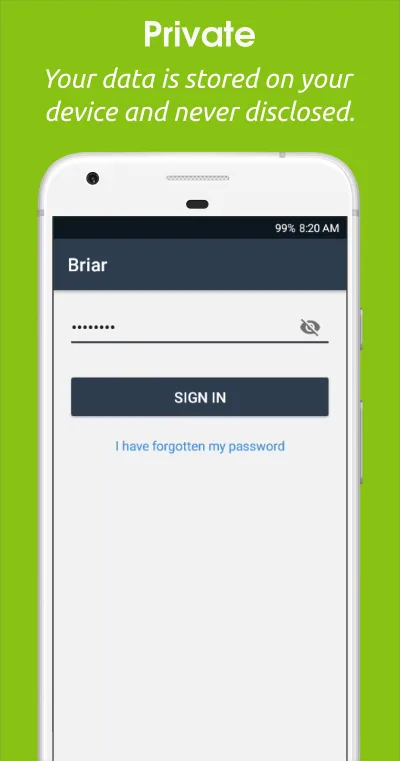
- Briar is licensed under the GPL-3.0 or later. The app blocks screenshots, so the images on this page are promotional pictures from briarproject.org, whose content is licensed under CC BY 4.0, © Sublime Software Ltd; the current version may look different.
What’s inside the APK
Trackers
No code matching the Exodus Privacy tracker signatures.
Native code
Runs on 64-bit and older 32-bit ARM phones.
Android versions
Built for Android 15 (target API 35).
Permissions
8 of them need your approval first.
CPU types in this build: arm64-v8a (64-bit ARM, almost every phone since 2017); armeabi-v7a (32-bit ARM, older and budget phones); x86 (32-bit Intel, emulators); x86_64 (64-bit Intel, emulators and Chromebooks).
Asks you first (8)
Android shows a prompt before the app can use these.
- Precise location · ACCESS_FINE_LOCATION
- Advertise to nearby Bluetooth devices · BLUETOOTH_ADVERTISE
- Connect to paired Bluetooth devices · BLUETOOTH_CONNECT
- Scan for Bluetooth devices · BLUETOOTH_SCAN
- Use the camera · CAMERA
- Find nearby Wi-Fi devices · NEARBY_WIFI_DEVICES
- Show notifications (Android 13+) · POST_NOTIFICATIONS
- Write shared storage (Android 10 and older) · WRITE_EXTERNAL_STORAGE
Granted at install (15)
Low-risk permissions Android grants automatically, plus any we have not classified.
- ACCESS_NETWORK_STATE
- ACCESS_WIFI_STATE
- BLUETOOTH
- BLUETOOTH_ADMIN
- CHANGE_WIFI_STATE
- FOREGROUND_SERVICE
- FOREGROUND_SERVICE_CONNECTED_DEVICE
- HIDE_OVERLAY_WINDOWS
- INTERNET
- RECEIVE_BOOT_COMPLETED
- REQUEST_IGNORE_BATTERY_OPTIMIZATIONS
- USE_BIOMETRIC
- USE_FINGERPRINT
- VIBRATE
- WAKE_LOCK
More Information
- Package name
- org.briarproject.briar.android
- Version
- 1.5.23 (build 10523)
- File size
- 50.7 MB (50,681,641 bytes)
- Requires
- Android 5.0 or later
- Category
- Productivity
- License
- GPL-3.0-or-later
- Source code
- code.briarproject.org/briar/briar
- Released
- Oct 31, 2026
- Signed by
- The developer. F-Droid publishes a developer-signed APK only when its own build from the source code reproduces it.
- Signer SHA-256
- 501ddf14a6ecf904fb20285c56a565cb987a867f91572ee33c2d43771cca4e37
- File SHA-256
- 7c9376f5246e7f68e601966cb53b44b9715db320637e86b22257e269535e0819
- Checked
- , against the F-Droid index · how we check · verify it yourself
Common questions
Is this APK the official Briar release?
Yes. It is the developer-signed release of Briar 1.5.23 that F-Droid distributes, which F-Droid publishes only when its own build from the source code reproduces it. Its SHA-256 matches F-Droid’s signed index, and it is signed with the developer’s certificate (SHA-256 501ddf14a6ecf904fb20285c56a565cb987a867f91572ee33c2d43771cca4e37).
What Android version does Briar need?
Android 5.0 or later (API level 21). Version 1.5.23 is built for Android 15 (target API 35). Runs on 64-bit and older 32-bit ARM phones.
Can Briar access the internet?
Yes. The APK requests Android’s internet permission. In total it declares 23 permissions, and 8 of them need your approval first.
Does Briar contain trackers?
No known trackers: our scan of version 1.5.23 found no code matching the Exodus Privacy tracker signatures. The scan covers known tracker libraries; it doesn’t show what data the app itself sends.
Is Briar open source?
Yes. Briar is released under the GPL-3.0-or-later licence, and its source code is published at https://code.briarproject.org/briar/briar.
Do we both have to be online?
Yes, by default. Briar’s manual: “If your contact is offline, your message will be delivered next time you’re both online.” A Briar Mailbox, a separate app on a spare phone kept on power and Wi-Fi, can receive messages for you while you are offline.
How does it work without the internet?
Phones on the same Wi-Fi network sync directly; that is on by default. Bluetooth is off until you add a contact nearby or connect to one over Bluetooth. Failing both, Briar can write the encrypted messages to a USB stick or SD card for your contact to import.
Does it keep receiving messages after a restart?
No. Your account is locked with your password, so after a reboot Briar only shows a notification reminding you to sign in again; it can’t sign in by itself.
Can I use one account on two phones, or back it up?
Neither. The project’s FAQ answers “No, that’s not possible” for several devices, and says backups are “not possible at the moment, but planned”, because a stolen backup could decrypt past messages.
Recent releases
| Version | Released | Size | Requires |
|---|---|---|---|
| v1.5.23 · this download | Oct 31, 2026 | 50.7 MB | Android 5.0+ |
| v1.5.22 | Oct 15, 2026 | 50.6 MB | Android 5.0+ |
| v1.5.21 | Oct 2, 2026 | 50.6 MB | Android 5.0+ |
Versions currently kept in the F-Droid repository. We host and check only the newest one. Full changelog.
Alternatives and related apps
-
 SimpleX Chat Also needs no phone number or user ID, but relays messages through servers, so they arrive while your contact is offline.Download
-
 Session Routes messages through its own onion network and stores them until delivery, with an account ID instead of a phone number.Download
-
 Signal Uses a phone number and central servers, with voice and video calls, which Briar doesn’t have.Download