

Easy Notes
by Kin69 · GPL-3.0-or-later · open source
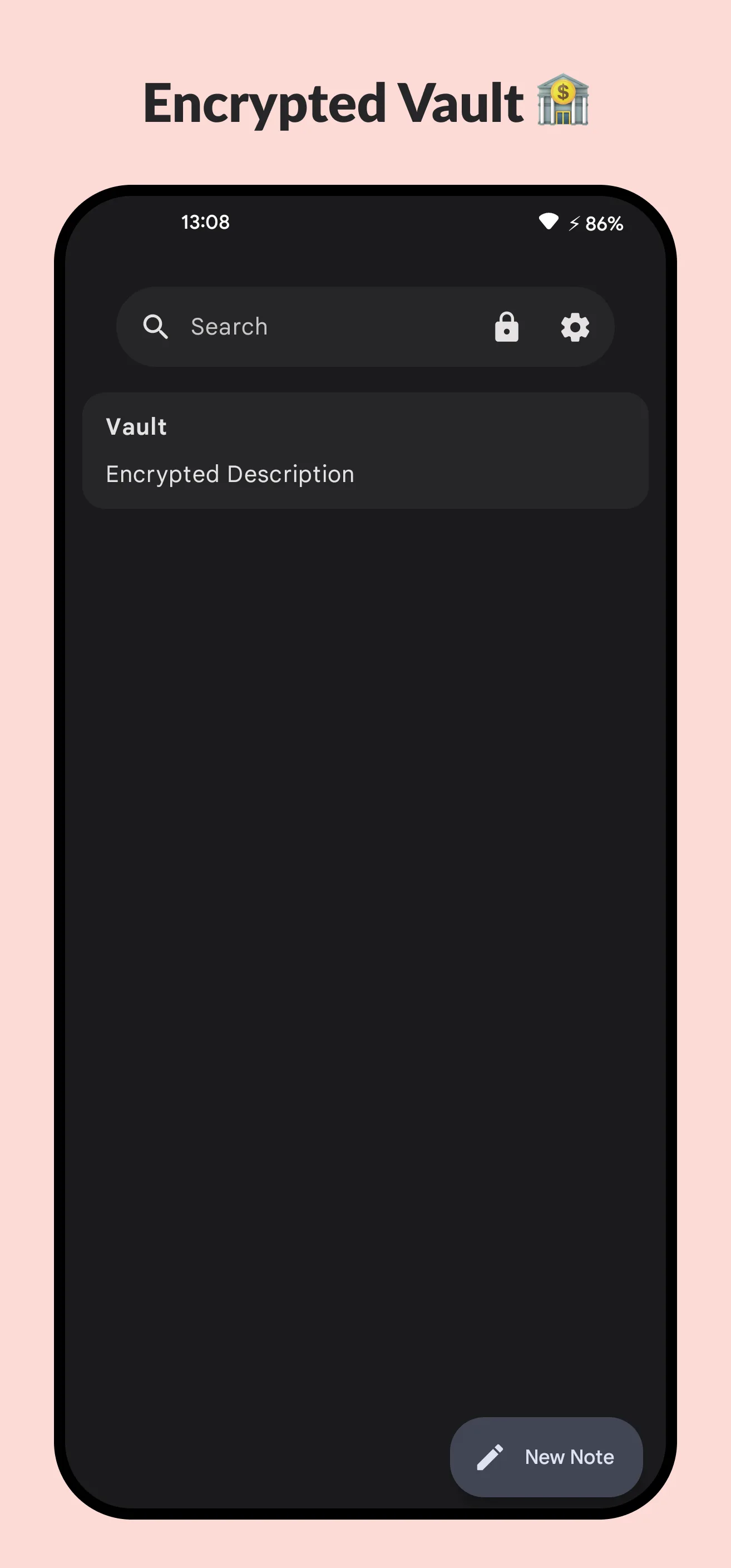
Keep Markdown notes, pictures and home-screen widgets on the phone, with search, themes, an app lock and a separate encrypted vault—without an account or built-in sync.
Needs:No root · Android 8.0+
2113 Apps is independent, not affiliated with or endorsed by Kin69. Official sources: source code on GitHub.
- Version
- 1.7-fdroid
- Size
- 3.9 MB
- Requires
- Android 8.0+
- Updated
- 2026-05-18
Screenshots
Introduction
Easy Notes, also branded Athena in the project artwork, is an open-source notes app by Kin69. It keeps its own local database instead of asking you to choose a document folder. That makes it quick for personal notes and widgets, but unlike Markor the notes are not ordinary Markdown files that another editor can open directly.
Notes, pictures and widgets
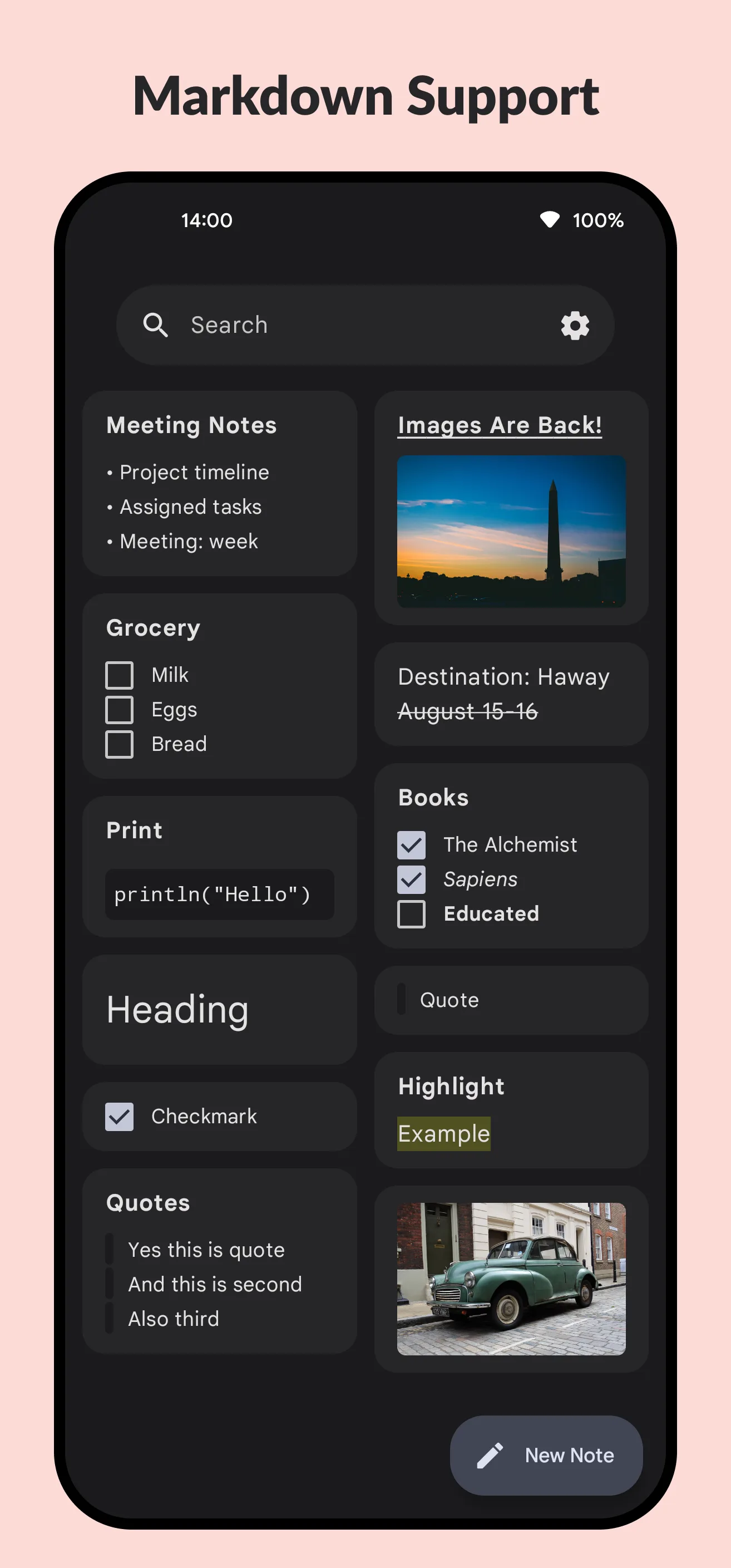
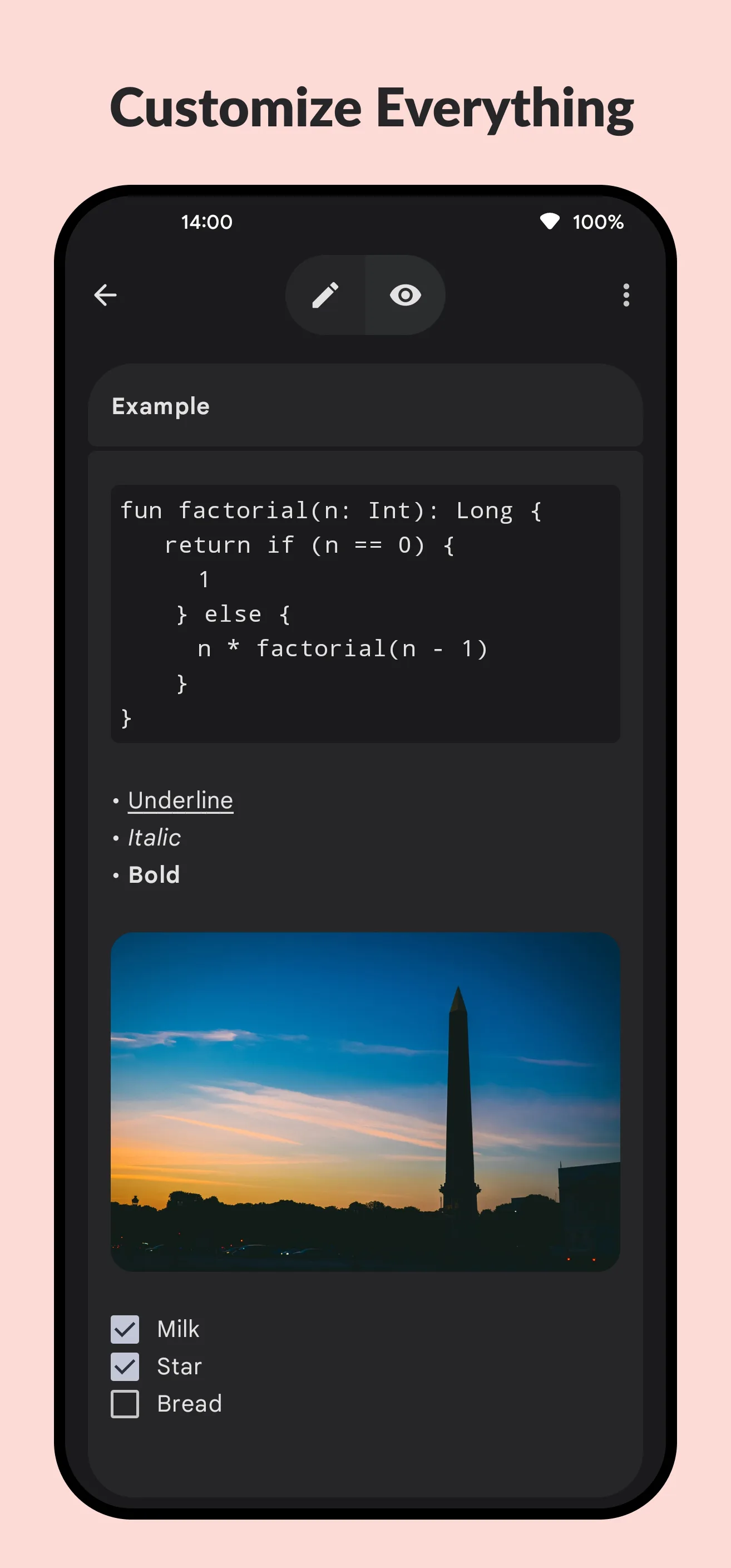
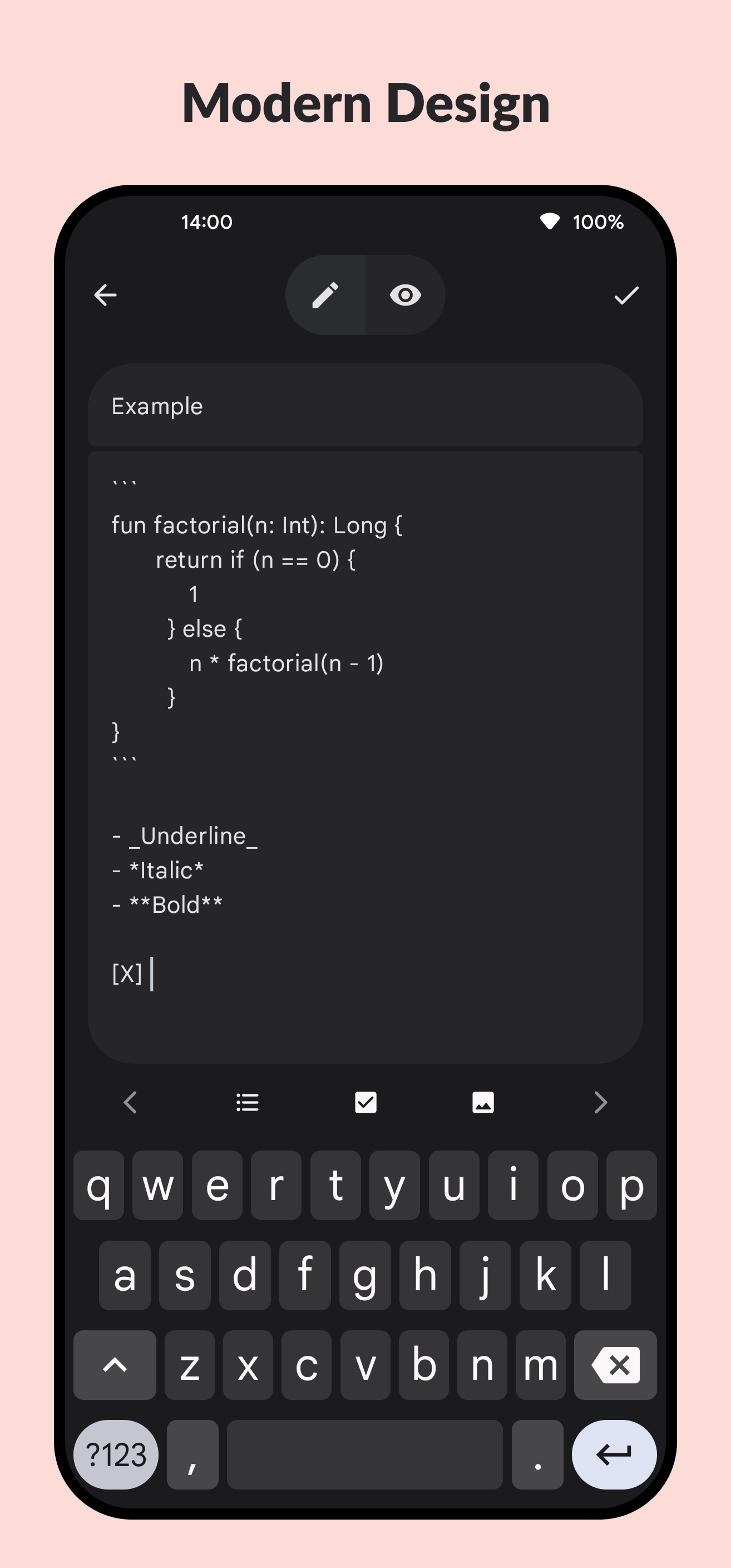
- Markdown editing and preview. Notes can use headings, lists, links and other Markdown formatting, with a rendered preview.
- Images. You can add pictures selected from the phone. The main note editor copies them without a file-size limit to the app-specific external-files directory, which is outside the encrypted vault. On Android 9 and older, another app granted broad storage permission may be able to read that location. Separately, the note widget omits a picture when its decoded bitmap reaches 15,552,000 bytes; that is not a selection limit in the editor. Gallery Sync is on by default, but its observer runs only while Easy Notes is running. When Android reports any change to a gallery image—not only deletion—it removes an app copy with the matching number in its filename. Editing, favouriting or renaming an original may also send such a notification, so turn Gallery Sync off or keep a separate backup of important pictures.
- Organisation. Notes can be searched and pinned, and a text file can be imported as a new note.
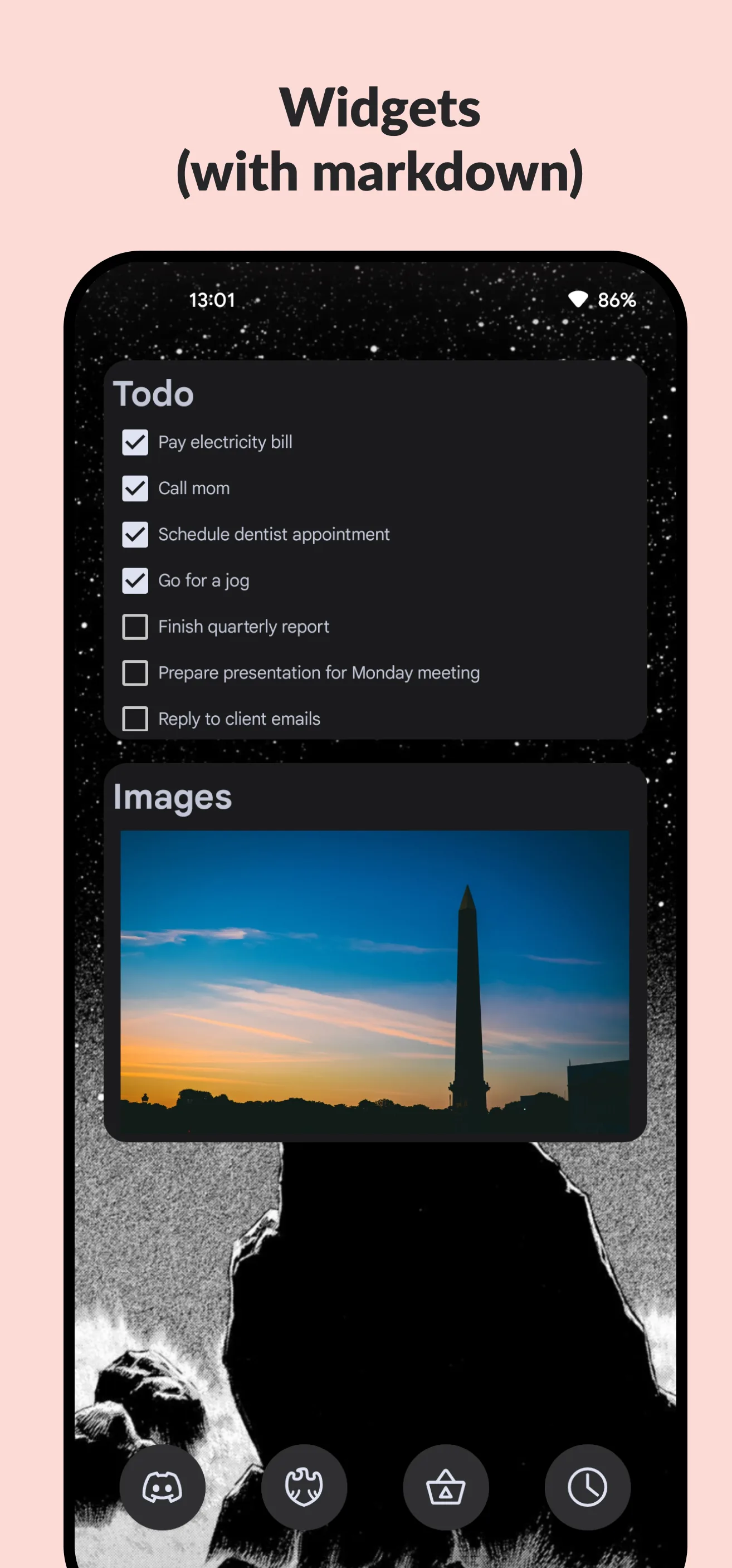
- Two widgets. One opens a new note and another shows selected notes on the home screen.
- Appearance. It offers dynamic colour, light and dark themes, custom colours, a font-size control and an optional monospaced editing font, plus several languages. It does not provide a typeface picker.
There is no web account, collaboration, browser editor or automatic device-to-device sync. The APK has no internet permission. If you need notes as visible files in a Syncthing folder, Markor is the closer fit; if you need a notes service across desktop and mobile, Joplin covers that different use case.
App lock, vault and backups are separate
The app lock controls entry to the app with a passcode, pattern or Android biometrics. The vault is different: it encrypts the title and body of vault notes in the database with AES-GCM. The source derives that key by hashing the password once with SHA-256, without a salt or deliberately slow KDF. AES-GCM protects the ciphertext from unnoticed modification, but the key derivation makes password strength especially important. The password is kept in memory only for the current vault session. Image files referenced by a vault note are outside the title/body encryption path.
Manual export is different again. Version 1.7-fdroid places only the Room database in the exported ZIP. Encryption is off by default, so you must enable Encrypt backup before export for the app to ask for a password; otherwise the ZIP is plaintext. With encryption enabled, it derives a key with PBKDF2-HMAC-SHA256 using a random salt and 65,536 iterations, then encrypts with AES-CBC. The format does not add a separate authentication tag, and it still omits the image directory. Restore replaces the current database instead of merging notes. Treat export as a way to move the note database, not as a complete media backup or a substitute for keeping important originals.
Although Easy Notes itself cannot connect to the internet, its Android manifest leaves system backup enabled. Its cloud-backup rules are empty, and it defines no separate device-transfer exclusions, so the operating system’s backup or transfer mechanism may copy eligible database, image and settings data. Those settings include the app-lock passcode or pattern stored as plain values. The system controls available for backup vary by Android version, device maker and backup transport; Easy Notes has no in-app control to exclude its data.
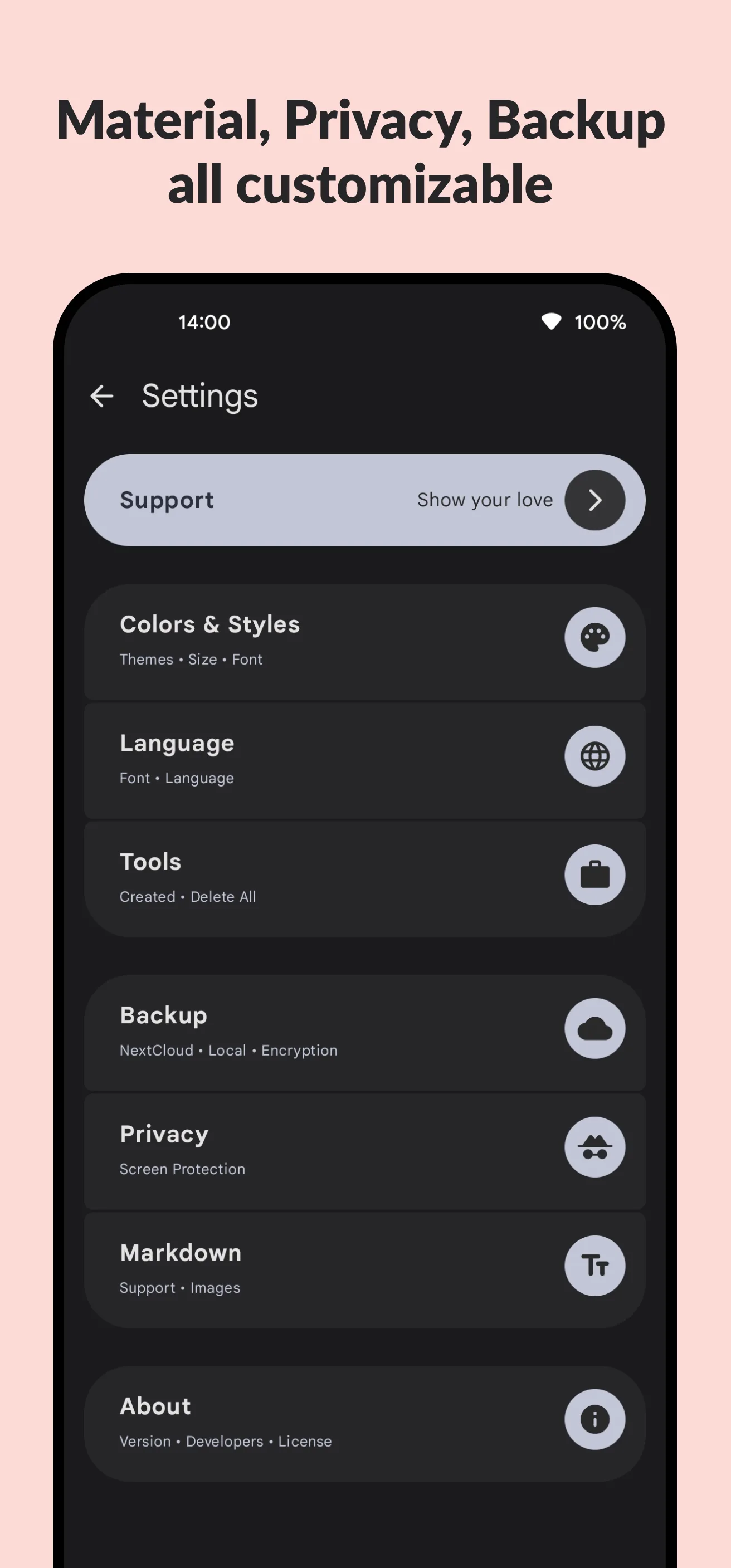
The settings screen describes import and export as “NextCloud • Local • Encryption”, but the source has no Nextcloud client or sync path. In this build, “Local” export and restore are the implemented transfer mechanism.
About this file
- This is the F-Droid variant of version 1.7 (version name
1.7-fdroid, version code 14), built from the source tagged 1.7.1. The F-Droid APK is byte for byte theEasyNotes.apkattached to that GitHub release. Both the F-Droid and Play flavours usecom.kin.easynotes; this file carries the developer certificate fingerprint published in the README and pinned as F-Droid’s allowed signer, so it can update older F-Droid or GitHub-release installations signed with that certificate. The Play listing returned 404 when checked on 27 October 2026, so we could not verify its current signing certificate. Export your database and keep the original pictures before switching sources; if Android reports a signature conflict, uninstalling the old app would remove its app data. - The 3.9 MB APK needs Android 8.0 or later and includes ARM and x86 native libraries in both 32- and 64-bit forms.
- Our manifest and static scans found three permissions: Android biometric authentication, legacy fingerprint authentication and the app’s internal AndroidX dynamic-receiver permission. They found no tracker code and no storage, camera, microphone or internet permission.
- Easy Notes is GPL-3.0-or-later. The six F-Droid screenshots were committed on 16 July 2024, before the interface redesign shipped in the 1.7.1 source, so they show an older workflow rather than the current screen layout.
What’s inside the APK
Trackers
No code matching the Exodus Privacy tracker signatures.
Native code
Runs on 64-bit and older 32-bit ARM phones.
Android versions
Built for Android 16 (target API 36).
Permissions
0 of them need your approval first.
CPU types in this build: arm64-v8a (64-bit ARM, almost every phone since 2017); armeabi-v7a (32-bit ARM, older and budget phones); x86 (32-bit Intel, emulators); x86_64 (64-bit Intel, emulators and Chromebooks).
Granted at install (2)
Low-risk permissions Android grants automatically, plus any we have not classified.
- USE_BIOMETRIC
- USE_FINGERPRINT
Defined by other apps (1)
Permissions that belong to another app or to this app itself.
- com.kin.easynotes.DYNAMIC_RECEIVER_NOT_EXPORTED_PERMISSION
More Information
- Package name
- com.kin.easynotes
- Version
- 1.7-fdroid (build 14)
- File size
- 3.9 MB (3,878,663 bytes)
- Requires
- Android 8.0 or later
- Category
- Productivity
- License
- GPL-3.0-or-later
- Developer
- Kin69
- Source code
- github.com/Kin69/EasyNotes
- Released
- May 18, 2026
- Signed by
- The developer. F-Droid publishes a developer-signed APK only when its own build from the source code reproduces it.
- Signer SHA-256
- fce87da97f791301df390bfa47e81685191167cab5dbd555db8287541f786e28
- File SHA-256
- 6d652bdf7c72127fa651b5a83594ba2810edef3e08fbc62ddefe4a92b3de0fd1
- Checked
- , against the F-Droid index · how we check · verify it yourself
Common questions
Is this APK the official Easy Notes release?
Yes. It is the developer-signed release of Easy Notes 1.7-fdroid that F-Droid distributes, which F-Droid publishes only when its own build from the source code reproduces it. Its SHA-256 matches F-Droid’s signed index, and it is signed with the developer’s certificate (SHA-256 fce87da97f791301df390bfa47e81685191167cab5dbd555db8287541f786e28).
What Android version does Easy Notes need?
Android 8.0 or later (API level 26). Version 1.7-fdroid is built for Android 16 (target API 36). Runs on 64-bit and older 32-bit ARM phones.
Can Easy Notes access the internet?
No. The APK doesn’t request Android’s internet permission, so the app can’t go online by itself. In total it declares 3 permissions, and none of them needs your approval first.
Does Easy Notes contain trackers?
No known trackers: our scan of version 1.7-fdroid found no code matching the Exodus Privacy tracker signatures. The scan covers known tracker libraries; it doesn’t show what data the app itself sends.
Is Easy Notes open source?
Yes. Easy Notes is released under the GPL-3.0-or-later licence, and its source code is published at https://github.com/Kin69/EasyNotes.
Does Easy Notes sync between devices?
No. This F-Droid build has no internet permission, account or built-in sync. The settings subtitle says “NextCloud”, but the source contains no Nextcloud sync implementation. Android cloud backup and device transfer are separate system features; the app does not exclude its database, images or settings from them.
What does the encrypted vault protect?
Vault note titles and bodies are encrypted with AES-GCM before they enter the database. The key is the SHA-256 digest of the vault password, with no salt or slow password-derivation step, so a weak password is easier to test offline than one protected by a modern password KDF. Image files are not encrypted by that vault code.
Does an exported backup include attached images?
No. Version 1.7-fdroid exports the notes database, not the app’s image directory. Export encryption is off by default, so the ZIP is plaintext unless you first enable Encrypt backup and enter a password. Restoring replaces the current database rather than merging it; keep separate copies of attached pictures.
Why does the APK list fingerprint permissions?
They are used for the optional app lock. The measured APK requests Android’s biometric and legacy fingerprint permissions plus one internal AndroidX receiver permission; it does not request storage, camera, microphone or internet access.
Recent releases
| Version | Released | Size | Requires |
|---|---|---|---|
| v1.7-fdroid · this download | May 18, 2026 | 3.9 MB | Android 8.0+ |
| v1.4 | Dec 21, 2024 | 3.6 MB | Android 8.0+ |
| v1.3.5 | Aug 15, 2024 | 3.3 MB | Android 8.0+ |
Versions currently kept in the F-Droid repository. We host and check only the newest one.
Alternatives and related apps
-
 Fossify Notes A simpler checklist and text-note app that can lock the whole app or individual notes, but does not use Markdown or an encrypted vault.Download
-
 Markor Keeps Markdown as ordinary files in a folder you choose, making outside sync and other editors easier to use.Download
-
 Joplin A larger notes system with desktop apps and built-in sync choices; its end-to-end encryption is optional and off by default.Download