

DSU Sideloader
Apache-2.0 · open source
A front end for Android’s Dynamic System Updates: pick a GSI file and boot it as a temporary guest system next to your own, then reboot back to your phone’s system.
Needs:Android 10+ · ADB, Shizuku or root · unlock for most GSIs
2113 Apps is independent, not affiliated with or endorsed by the DSU Sideloader developers. Official sources: source code on GitHub.
- Version
- 2.03
- Size
- 5.1 MB
- Requires
- Android 10+
- Updated
- 2023-07-10
Screenshots
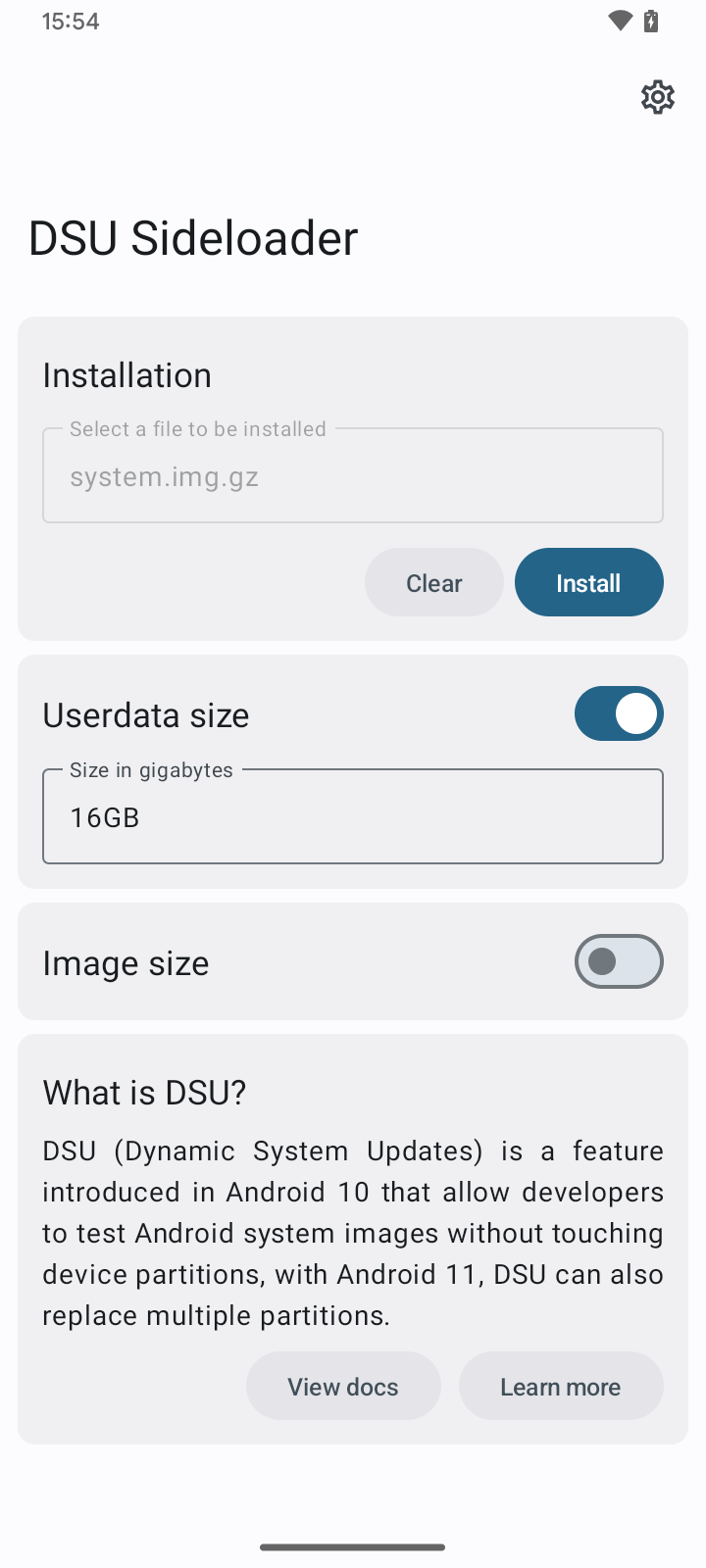
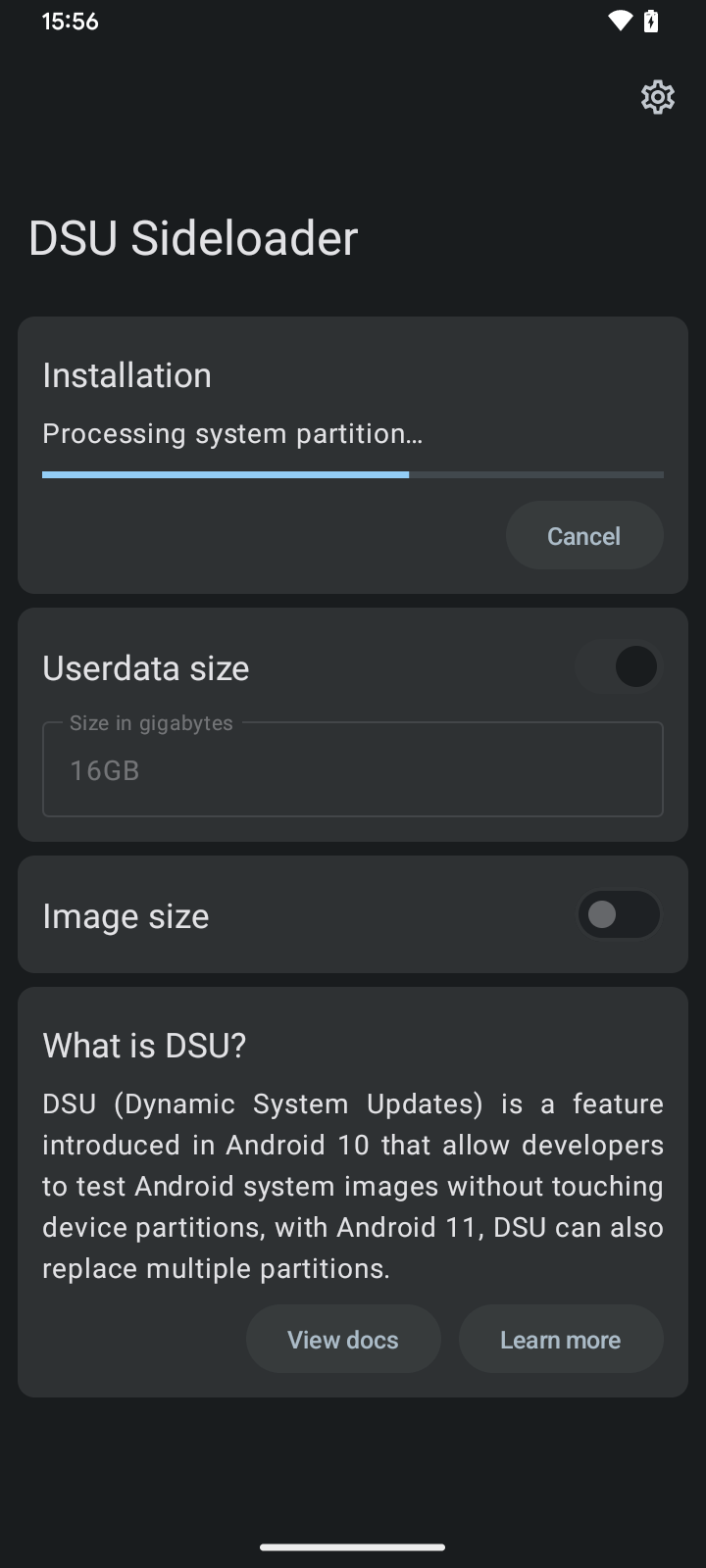
Introduction
DSU Sideloader lets you try a different Android system without replacing yours. It is a front end for Dynamic System Updates (DSU), a feature Android added in version 10. Android’s documentation describes what DSU does: it “Creates a new dynamic partition. Loads the downloaded GSI onto the new partition. Boots the GSI as a guest OS on the device.” A GSI, or Generic System Image, is a build of Android meant to run on many phones. Your own system and data stay where they are, and rebooting brings you back to them.
Android’s own way to start DSU is an adb command or a developer option. DSU Sideloader, by a developer called VegaBobo, wraps that in an app: you pick an image file, it prepares it and starts the installation. The project calls itself “basically a ‘front-end’ for Android’s DSU feature”. Its last release, 2.03, came out in April 2023, and more than a hundred issues are open.
What you need
- Android 10 or later, on a phone whose maker has enabled DSU. Android says availability is up to the manufacturer and that Google has enabled it on Pixel 3 and newer.
- An unlocked bootloader, for most images. On a locked phone, DSU only boots system images signed by Google, by the phone maker or with a key the maker has set the phone to trust; the README puts it as “most GSIs requires unlocked bootloader”. The app itself is stricter: before you start, it warns that you “MUST unlock bootloader”, “MUST have some way to restore device stock firmware”, and that a full backup is “RECOMMENDED”.
- Dynamic partitions, which the app checks for.
- A GSI that matches your phone: its processor architecture, and according to Android, a security patch level newer than your current system’s, because DSU refuses to roll back.
- Space. Android recommends keeping at least 10 GB free, and the app warns below 40% free on the data partition. It also needs a folder for temporary files, where compressed images are unpacked.
How it starts the installation
The app picks the strongest mode available, from the code of version 2.03:
| Mode | What you get |
|---|---|
| ADB (default) | The app prepares the image and shows the adb command to run, from a computer or an on-device ADB app |
| Shizuku | The same, without typing a command, plus installation progress once log access is granted |
| Root | Also checks whether a GSI is installed, reboots into it or discards it from the app, and an optional built-in installer, off by default and marked “under testing” |
| System | Through the project’s separate Magisk module, which isn’t part of this file |
It accepts .img, .gz, .xz and .zip files; ZIP files must be DSU packages, the multi-partition format Android 11 introduced. Before starting, it turns on the system flag that enables DSU, the same setprop command Android’s documentation gives.
Getting back
After the installation, Android’s own DSU notification offers to restart into the GSI. A normal cold reboot then returns you to your own system, unless sticky mode is on, which keeps booting the GSI until you turn it off with adb shell gsi_tool disable. Discard in the notification, or in the app with root, removes the GSI. The developer says that removes all of the installation’s files and partitions, without a factory reset.
What can go wrong
The README calls DSU “very safe”, since no read-only partition is modified. Reports in the issue tracker are less reassuring, and we couldn’t check them:
- A Pixel 6a showed “Your device is corrupt” after a DSU attempt; the developer suggested restoring the firmware with Android Flash Tool.
- Sticky mode turning on by itself, so that rebooting didn’t return to the original system.
- The original system not booting after a modified GSI, until the user formatted data.
- On Samsung phones, Knox likely trips, though the developer wrote that they couldn’t test it.
Two root-mode details to know: on SELinux errors, the app offers Retry with permissive, which switches SELinux to permissive, something its own text calls “not recommended, weakens your device security”. And when it shows installation progress, it clears the system log first, with logcat -c.
What goes online
Only an update check, and only when you tap it in About. The app reads a small file from the project’s GitHub repository and, if you tap Download, fetches the APK from GitHub and opens Android’s installer. The updater only appears in builds signed with the developer’s key, which this one is. The update file currently lists the same version, so it reports that you are up to date. There are no analytics or crash-reporting libraries.
About this file
- This is the developer’s own build of version 2.03, byte for byte the
app-release.apkon the project’s GitHub release. F-Droid distributes the same signed file, so this copy, F-Droid’s and GitHub’s update one another. - The 5.1 MB file runs on Android 10 and later and declares 9 permissions. Several of them, such as installing a dynamic system, unmounting the SD card and force-stopping apps, are system permissions that Android only grants when the app is installed as a system app through the project’s Magisk module; in a normal install they do nothing. Internet access and installing apps are for the updater.
- DSU Sideloader is licensed under the Apache-2.0. The module’s custom system binaries live in the same repository but aren’t in this APK.
- The screenshots, from the project, show version 2.01; the bootloader warning added in 2.03 isn’t in them.
What’s inside the APK
Trackers
No code matching the Exodus Privacy tracker signatures.
Native code
Pure Java/Kotlin, so it runs on any CPU.
Android versions
Built for Android 13 (target API 33).
Permissions
0 of them need your approval first.
Shizuku API. Uses the Shizuku API, so it can do ADB-level work without root once Shizuku is running. (rikka.shizuku.Shizuku$$ExternalSyntheticLambda0)
libsu (root shell). Bundles libsu, a library for running commands in a root shell. (com.topjohnwu.superuser.CallbackList$$ExternalSyntheticLambda0)
You switch these on in Settings (1)
Special app access. Nothing is granted until you turn it on yourself.
- Install unknown apps · REQUEST_INSTALL_PACKAGES
System-level (2)
Reserved for system apps. A normal install does not get these; they only take effect through root, ADB or Shizuku, if at all.
- FORCE_STOP_PACKAGES
- READ_LOGS
Granted at install (4)
Low-risk permissions Android grants automatically, plus any we have not classified.
- INSTALL_DYNAMIC_SYSTEM
- INTERNET
- MANAGE_DYNAMIC_SYSTEM
- MOUNT_UNMOUNT_FILESYSTEMS
Defined by other apps (2)
Permissions that belong to another app or to this app itself.
- moe.shizuku.manager.permission.API_V23
- vegabobo.dsusideloader.DYNAMIC_RECEIVER_NOT_EXPORTED_PERMISSION
More Information
- Package name
- vegabobo.dsusideloader
- Version
- 2.03 (build 8)
- File size
- 5.1 MB (5,127,190 bytes)
- Requires
- Android 10 or later
- Category
- System Tools
- License
- Apache-2.0
- Source code
- github.com/VegaBobo/DSU-Sideloader
- Released
- Jul 10, 2023
- Signed by
- The developer. F-Droid publishes a developer-signed APK only when its own build from the source code reproduces it.
- Signer SHA-256
- e51ce87e2b9b71282e9cc76881a996a2bfb42ebeb61f3e444026fd79bc971290
- File SHA-256
- a7ea60d6a8ff0755a0b02ac4d5ce3b80aad41b0627f6c0962421f2a0cafc3160
- Checked
- , against the F-Droid index · how we check · verify it yourself
Common questions
Is this APK the official DSU Sideloader release?
Yes. It is the developer-signed release of DSU Sideloader 2.03 that F-Droid distributes, which F-Droid publishes only when its own build from the source code reproduces it. Its SHA-256 matches F-Droid’s signed index, and it is signed with the developer’s certificate (SHA-256 e51ce87e2b9b71282e9cc76881a996a2bfb42ebeb61f3e444026fd79bc971290).
What Android version does DSU Sideloader need?
Android 10 or later (API level 29). Version 2.03 is built for Android 13 (target API 33). Pure Java/Kotlin, so it runs on any CPU.
Can DSU Sideloader access the internet?
Yes. The APK requests Android’s internet permission. In total it declares 9 permissions, and none of them needs your approval first.
Does DSU Sideloader contain trackers?
No known trackers: our scan of version 2.03 found no code matching the Exodus Privacy tracker signatures. The scan covers known tracker libraries; it doesn’t show what data the app itself sends.
Is DSU Sideloader open source?
Yes. DSU Sideloader is released under the Apache-2.0 licence, and its source code is published at https://github.com/VegaBobo/DSU-Sideloader.
Do I need root?
No. Without root or Shizuku it prepares the image and shows you an adb command that starts the installation. With Shizuku no command is needed. Root adds an experimental built-in installer and lets you reboot into the GSI or discard it from the app. Most images also need an unlocked bootloader, as explained on this page.
How do I get back to my normal system?
Android’s documentation: a cold reboot boots the original system again, unless sticky mode is turned on (adb shell gsi_tool disable turns it off). The DSU notification has Restart and Discard. The developer says Discard removes the installation’s files and partitions, without a factory reset.
Which files can I select?
Compressed or raw system images: .gz, .xz and .img, and .zip files that are DSU packages. Anything else is rejected as an unsupported file type. The image has to match your phone’s processor architecture.
How much free space do I need?
Android recommends “at least 10 GB of free space”. The app warns when less than 40% of your data partition is free, and gives the guest system 2 GB for its own data unless you change it.