

FakeTraveler
by Matías Castillo Felmer · GPL-3.0-or-later · open source
Pick a point on a map and FakeTraveler reports it to your phone as its location, using Android’s own mock-location option, to test apps or keep your real position to yourself.
Needs:No root · Android 5.0+ · Developer options
2113 Apps is independent, not affiliated with or endorsed by Matías Castillo Felmer. Official sources: source code on GitHub.
- Version
- 2.3.2
- Size
- 5.5 MB
- Requires
- Android 5.0+
- Updated
- 2026-05-07
Screenshots
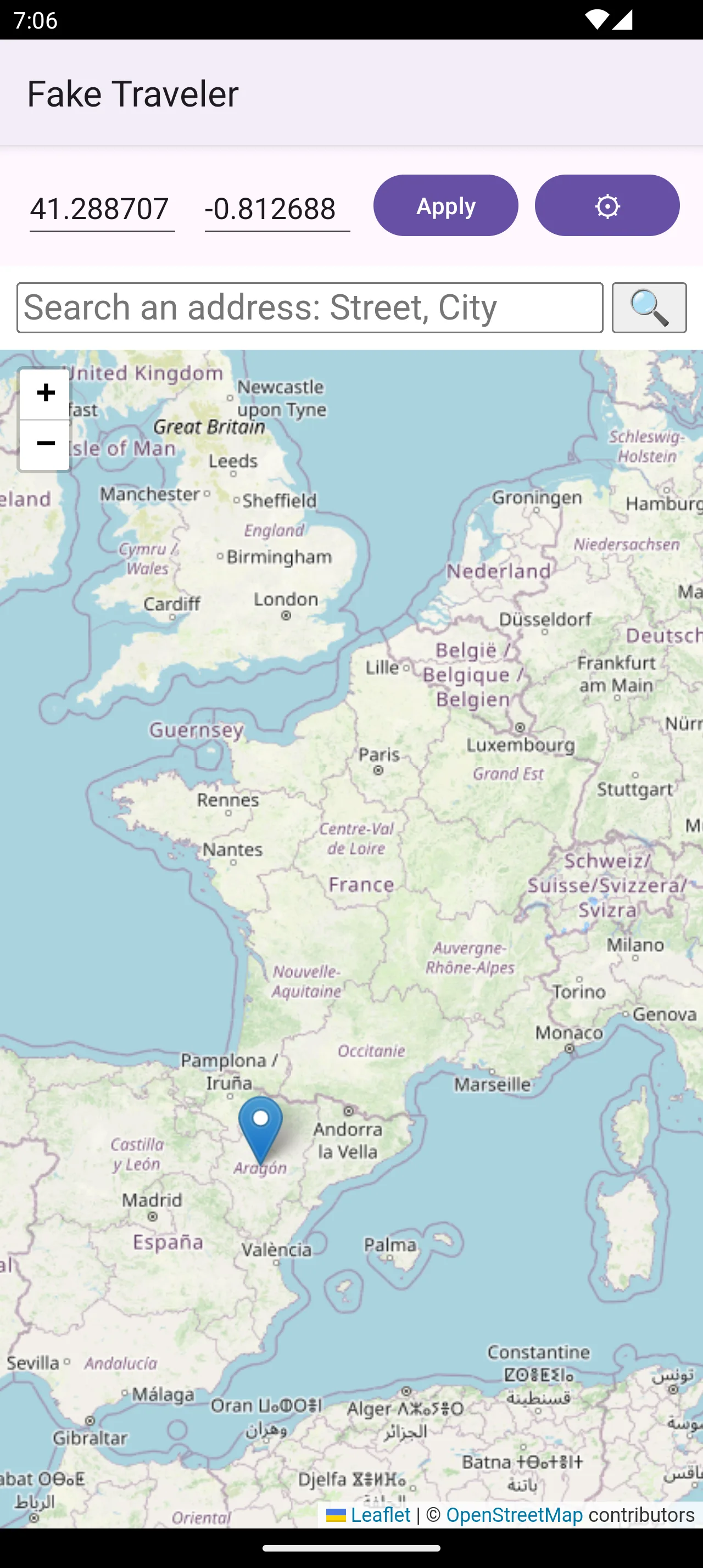
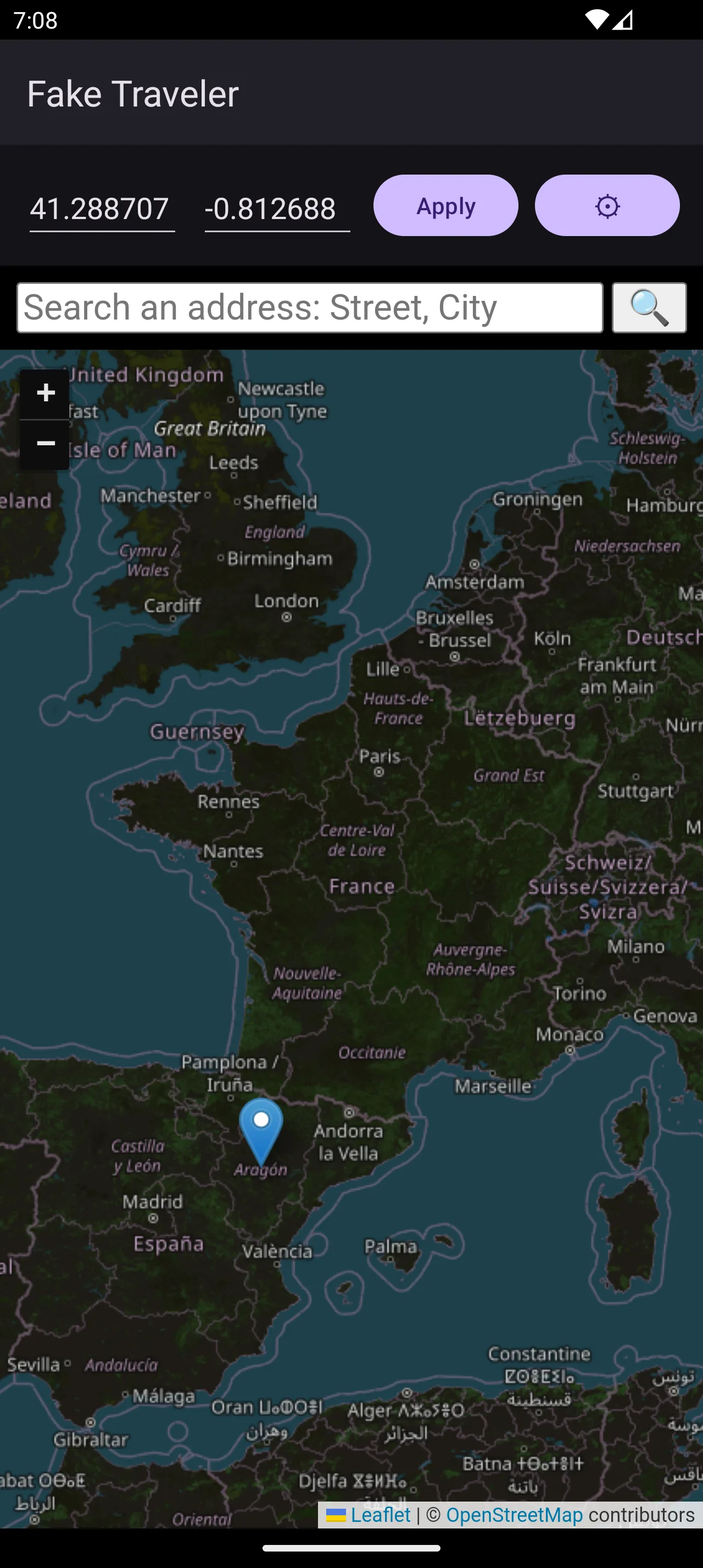
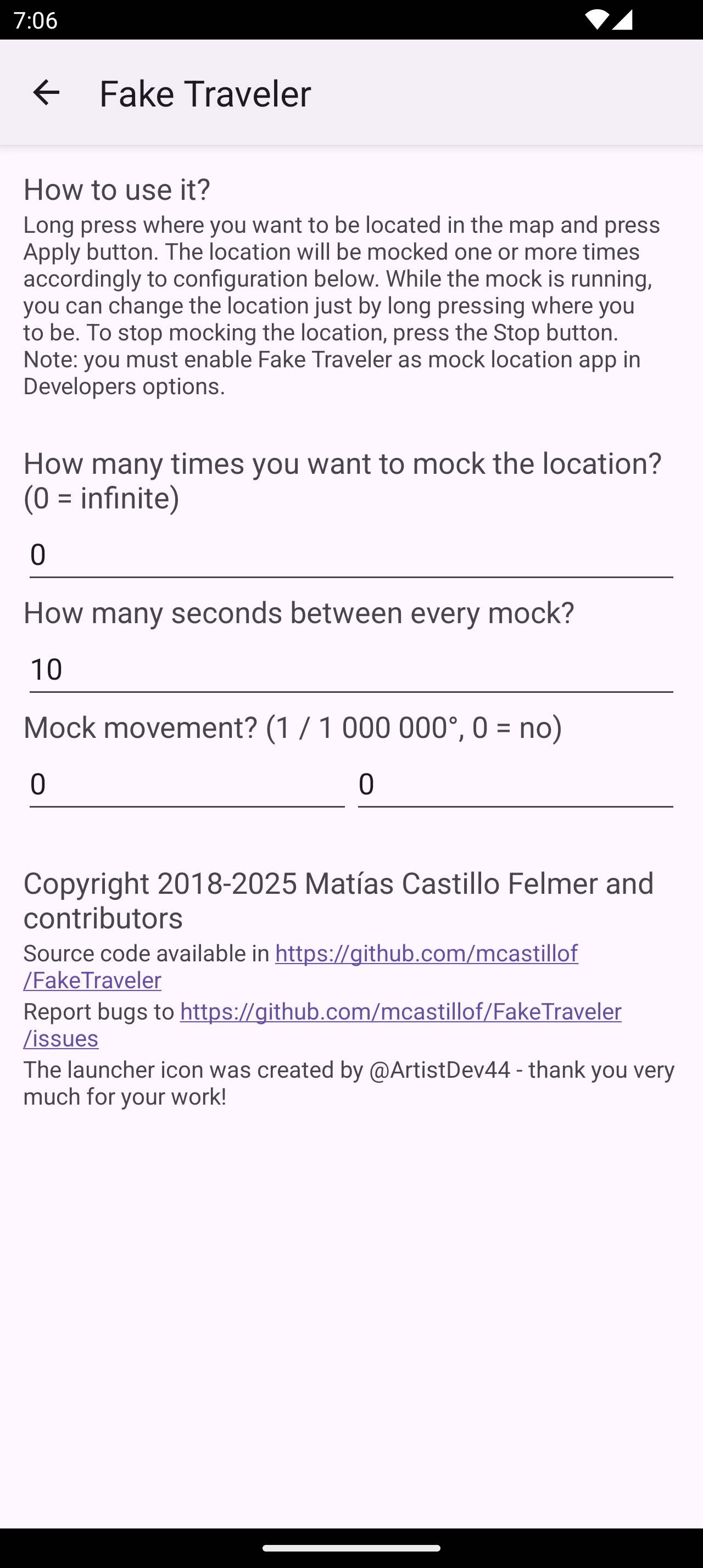
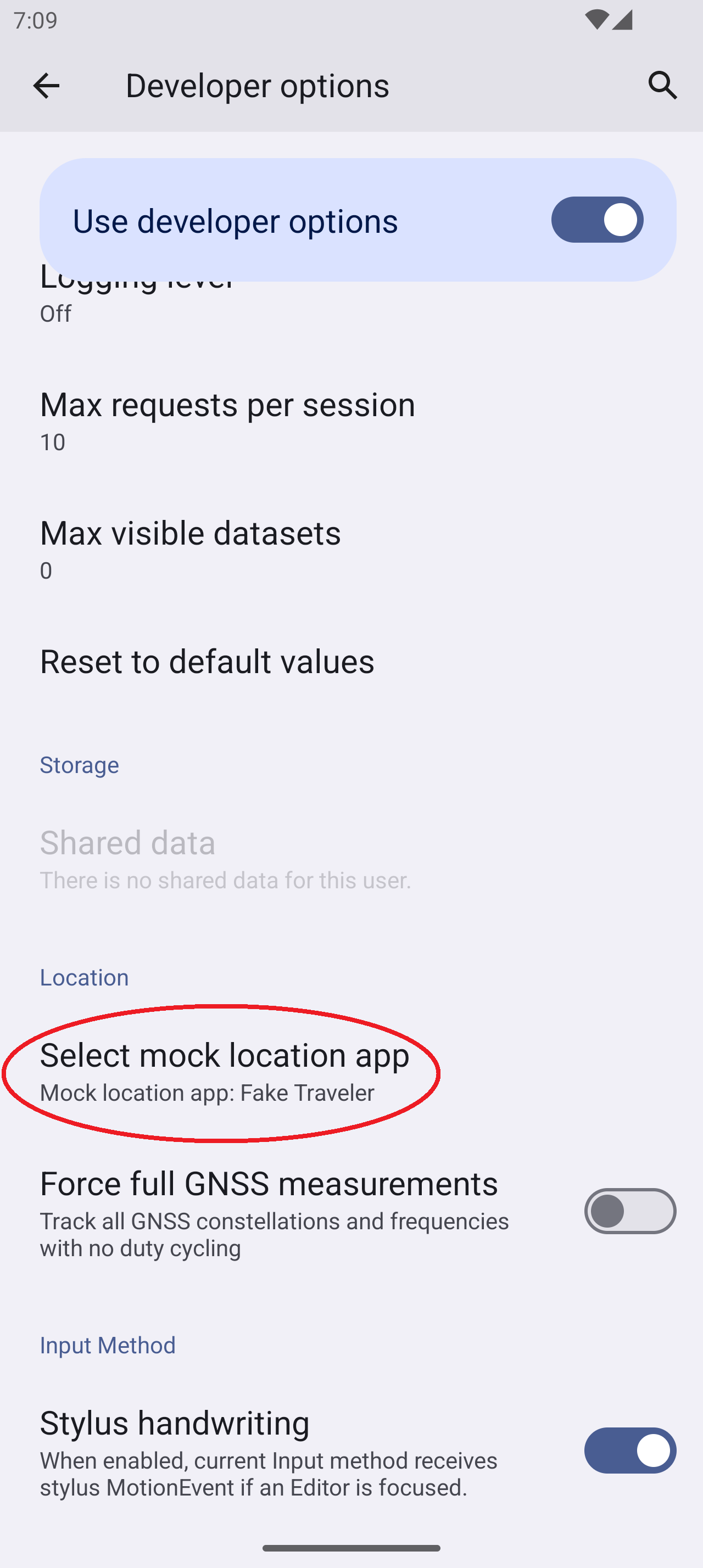
Introduction
FakeTraveler makes your phone report a location you choose. Its README puts the purpose plainly: “Sometimes you need to fake the location of your device (for privacy or to test an app). Fake Traveler provides you a map to select the location where you want your phone to be.” It was written by Matías Castillo Felmer and is now mostly maintained by Nico Mexis; releases are infrequent, the latest, 2.3.2, from May 2026.
How it works
Android lets one app at a time act as the mock location app, chosen in Developer options. FakeTraveler uses that: it replaces the phone’s GPS and network location providers with test providers, and on Android 12 and later the system’s fused provider too, and feeds them the point you picked. It needs no root, Xposed or Shizuku.
- Pick a point by long-pressing the map, typing coordinates, searching an address, or opening a
geo:link from another app, such as a location shared from a maps app. - How often and how long: by default it repeats the location every 10 seconds until you stop it; you can set a count.
- Drift: an optional small movement per step, for testing apps that expect you to move. A speed option, on by default, moves the marker on the map; from our reading of the code, the speed Android reports stays at almost zero.
- If the reported position jumps around, the README suggests turning off Wi-Fi and Bluetooth scanning in the location settings, since they can compete with the mocked GPS.
There is no list of favourite places, no history and no route import; favourites have been an open request since 2018.
What goes online
Only the map. Tiles come from OpenStreetMap’s tile server, or its German or French versions if your phone uses those languages, and address searches go to OpenStreetMap’s Nominatim service. An open issue reports that the tile server sometimes answers with “Access blocked” instead of the map. You can still type coordinates without it. There are no trackers, no analytics and no update check.
About this file
- This is F-Droid’s build of version 2.3.2, compiled from the source and signed with F-Droid’s key. FakeTraveler isn’t on Google Play, and its GitHub releases carry no APK, so F-Droid’s is the only official build.
- The 5.5 MB file runs on Android 5.0 and later and declares 5 permissions: mock location, internet for the map, and fine and coarse location, which the app never actually asks for.
- It includes the developer’s registration file for Google’s Android developer verification, added in 2.3.2.
- FakeTraveler is licensed under the GPL-3.0 or later; its map library, Leaflet, under the BSD 2-Clause licence. The launcher icon was made by a contributor and has no stated licence of its own.
- The screenshots are the project’s own, from early 2025; the settings screen has since gained a map-provider field and the speed option.
What’s inside the APK
Trackers
No code matching the Exodus Privacy tracker signatures.
Native code
Pure Java/Kotlin, so it runs on any CPU.
Android versions
Built for Android 16 (target API 36).
Permissions
2 of them need your approval first.
Asks you first (2)
Android shows a prompt before the app can use these.
- Approximate location · ACCESS_COARSE_LOCATION
- Precise location · ACCESS_FINE_LOCATION
Granted at install (2)
Low-risk permissions Android grants automatically, plus any we have not classified.
- ACCESS_MOCK_LOCATION
- INTERNET
Defined by other apps (1)
Permissions that belong to another app or to this app itself.
- cl.coders.faketraveler.DYNAMIC_RECEIVER_NOT_EXPORTED_PERMISSION
More Information
- Package name
- cl.coders.faketraveler
- Version
- 2.3.2 (build 232)
- File size
- 5.5 MB (5,535,272 bytes)
- Requires
- Android 5.0 or later
- Category
- System Tools
- License
- GPL-3.0-or-later
- Developer
- Matías Castillo Felmer
- Source code
- github.com/mcastillof/FakeTraveler
- Released
- May 7, 2026
- Signed by
- F-Droid, which built this APK from the published source code. Because the key is F-Droid’s, it won’t install over a copy from Google Play or GitHub (or the other way round) without uninstalling first.
- Signer SHA-256
- fa1b47d62ebece2130e33a22186c622bcfe2f2b9a3d5c14438ad94078093682c
- File SHA-256
- ef0e17396f31773571f930901d8fc319840549f18a54d4bd0d0fb0313ececc6b
- Checked
- , against the F-Droid index · how we check · verify it yourself
Common questions
Is this APK the official FakeTraveler release?
It is F-Droid’s build rather than the developer’s own: F-Droid compiled FakeTraveler 2.3.2 from the published source code and signed it with its own key. Its SHA-256 matches F-Droid’s signed index. Because the key is F-Droid’s, it won’t install over a copy from Google Play or GitHub without uninstalling first.
What Android version does FakeTraveler need?
Android 5.0 or later (API level 21). Version 2.3.2 is built for Android 16 (target API 36). Pure Java/Kotlin, so it runs on any CPU.
Can FakeTraveler access the internet?
Yes. The APK requests Android’s internet permission. In total it declares 5 permissions, and 2 of them need your approval first.
Does FakeTraveler contain trackers?
No known trackers: our scan of version 2.3.2 found no code matching the Exodus Privacy tracker signatures. The scan covers known tracker libraries; it doesn’t show what data the app itself sends.
Is FakeTraveler open source?
Its code is. The source code of FakeTraveler is released under the GPL-3.0-or-later licence and published at https://github.com/mcastillof/FakeTraveler. Its launcher icon, made by a contributor, has no stated licence of its own.
How do I make it work?
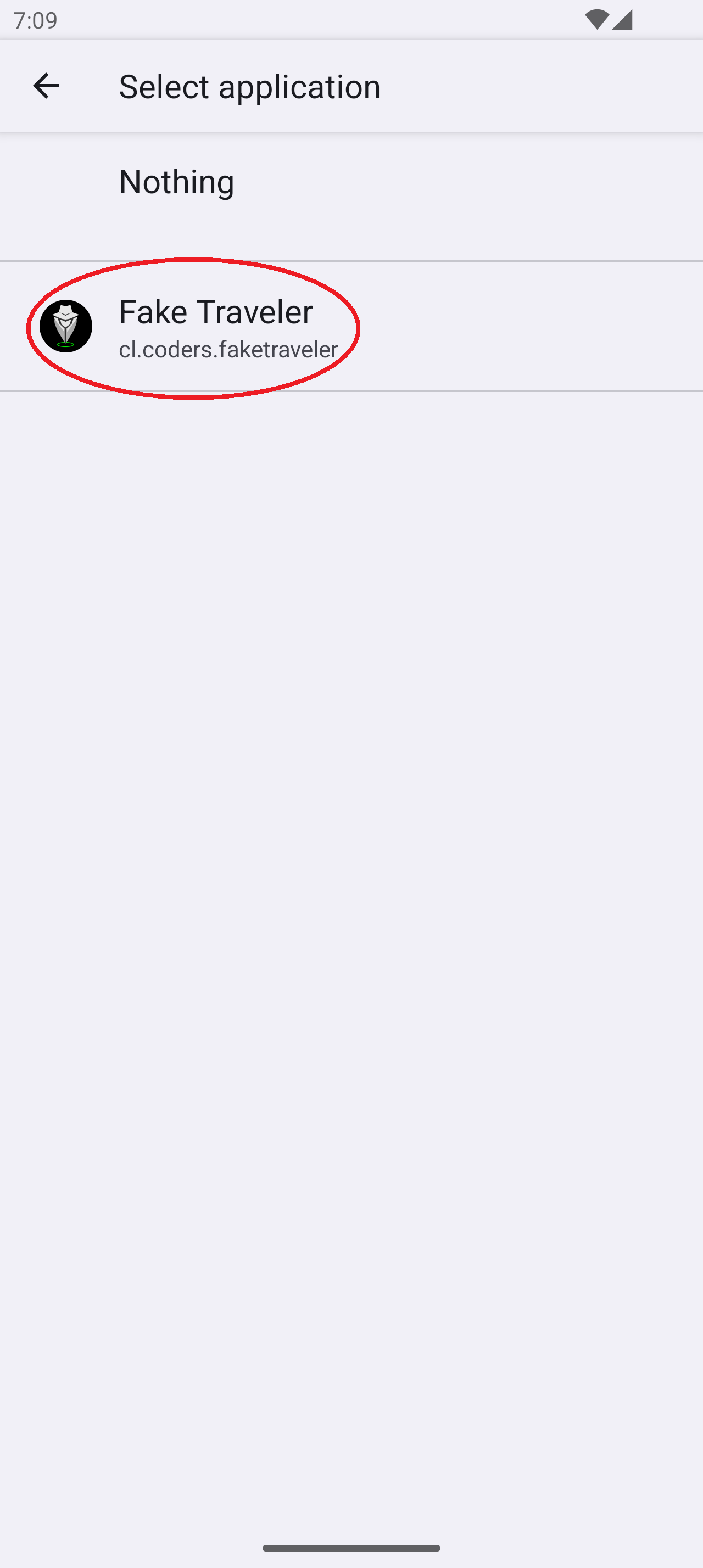
Turn on Developer options, then choose FakeTraveler under “Select mock location app”, as its README describes. Without that, applying a location fails with a message telling you to enable mock location in the developer settings.
Can apps tell that the location is fake?
Yes, if they check. Android’s documentation says a location set this way is “identifiable as a mock location to all clients via Location.isMock()”. Whether an app looks is up to the app.
Does it keep working when I close the app?
Not reliably. From the code, the mocking runs in a service tied to the app’s screen, without a foreground service, and users report that it stops when the app is swiped away or the screen rotates. A change to fix this is proposed but not yet released.
Do apps that use Google Play services see the fake location?
We couldn’t confirm it. FakeTraveler sets Android’s own GPS and network providers, and on Android 12 and later the system’s fused provider, but doesn’t use the separate mock mode of Google Play services’ location service. The project doesn’t say how apps using that service react.
Recent releases
| Version | Released | Size | Requires |
|---|---|---|---|
| v2.3.2 · this download | May 7, 2026 | 5.5 MB | Android 5.0+ |
| v2.3.1 | Apr 8, 2026 | 5.5 MB | Android 5.0+ |
| v2.3.0 | Mar 2, 2026 | 5.5 MB | Android 5.0+ |
Versions currently kept in the F-Droid repository. We host and check only the newest one.
Alternatives and related apps
-
 HideMockLocation With root and LSPosed, hides an active mock location from the apps you choose.Download