
Just Player
by Marcel Dopita · Unlicense · open source
A plain video player with no library and no ads: open a file or a streaming link and it plays, with swipe gestures, picture-in-picture, subtitle choice and audio sync for Bluetooth earphones.
Needs:No root · 64-bit phone · Android 6.0+
2113 Apps is independent, not affiliated with or endorsed by Marcel Dopita. Official sources: source code on GitHub.
- Version
- 0.217
- Size
- 13.1 MB
- Requires
- Android 6.0+
- Updated
- 2026-09-15
Screenshots
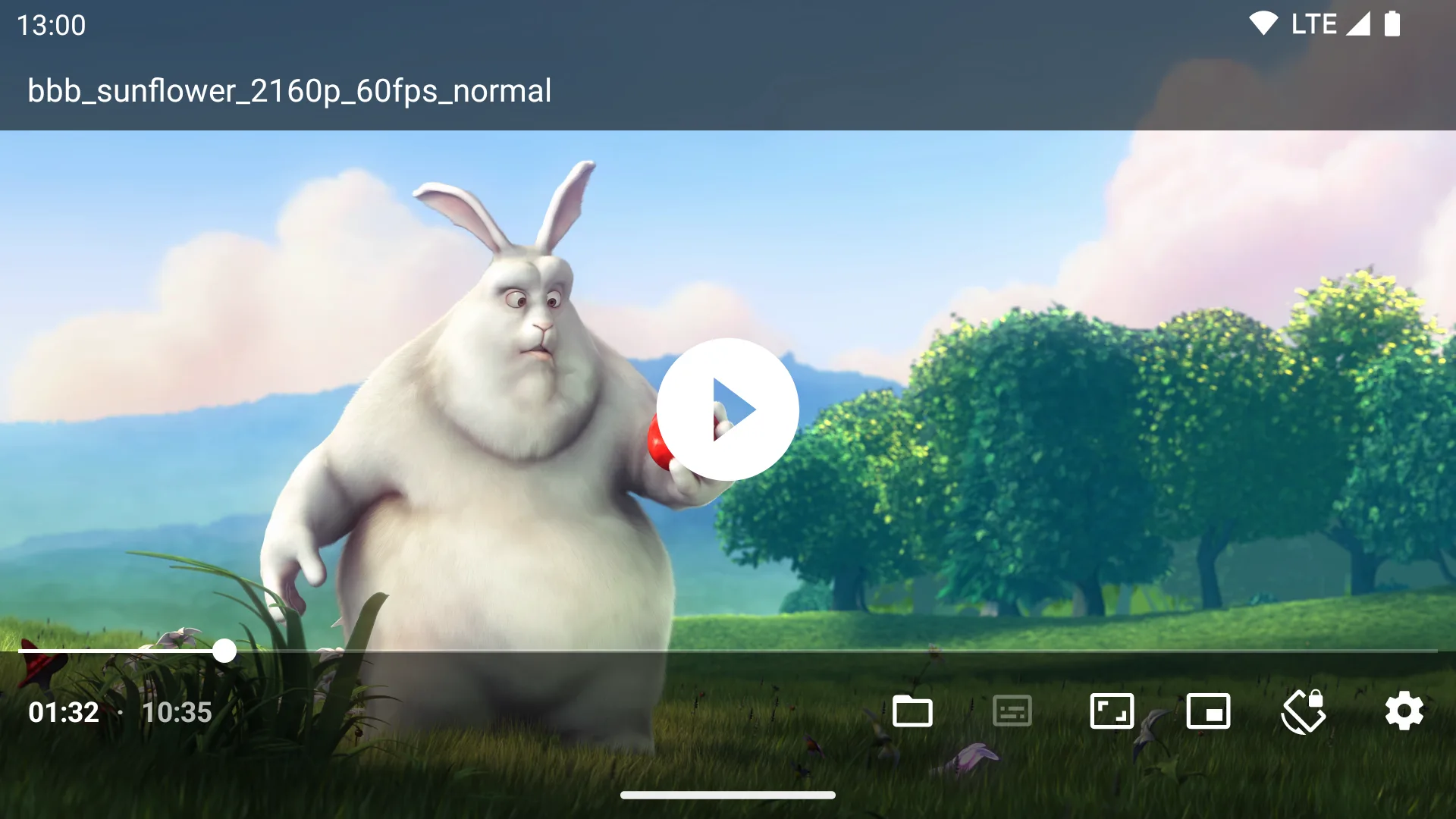
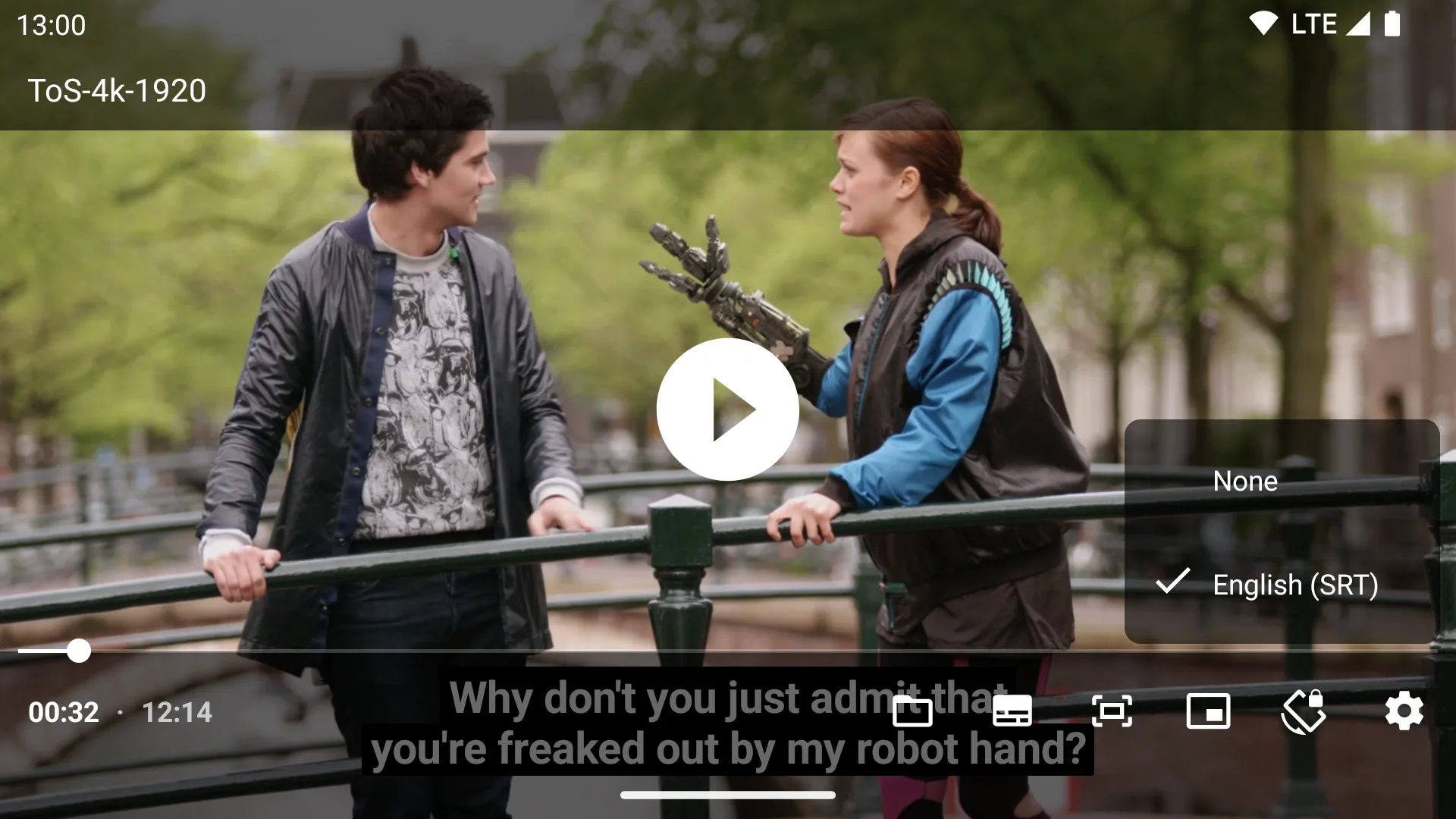
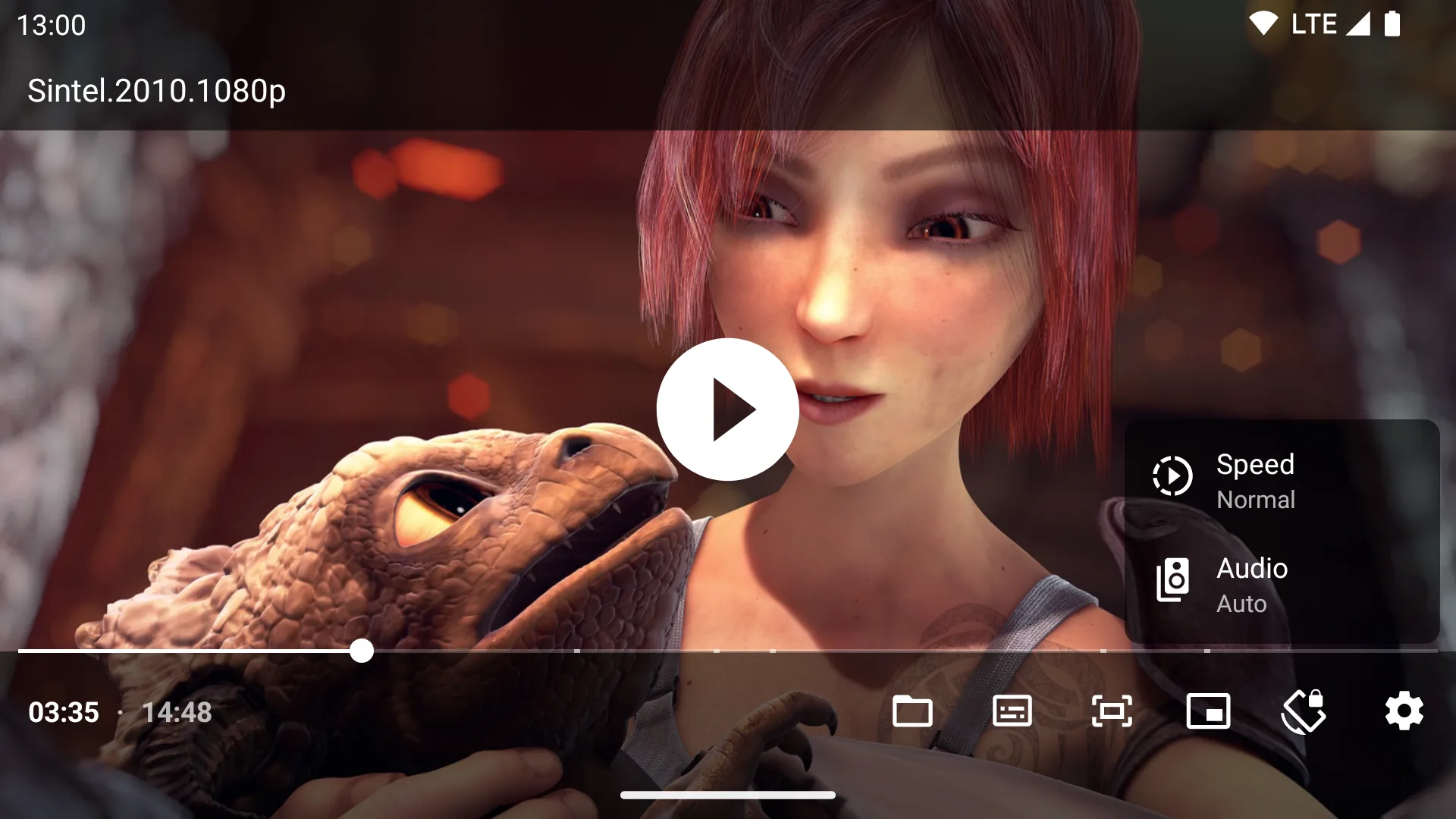
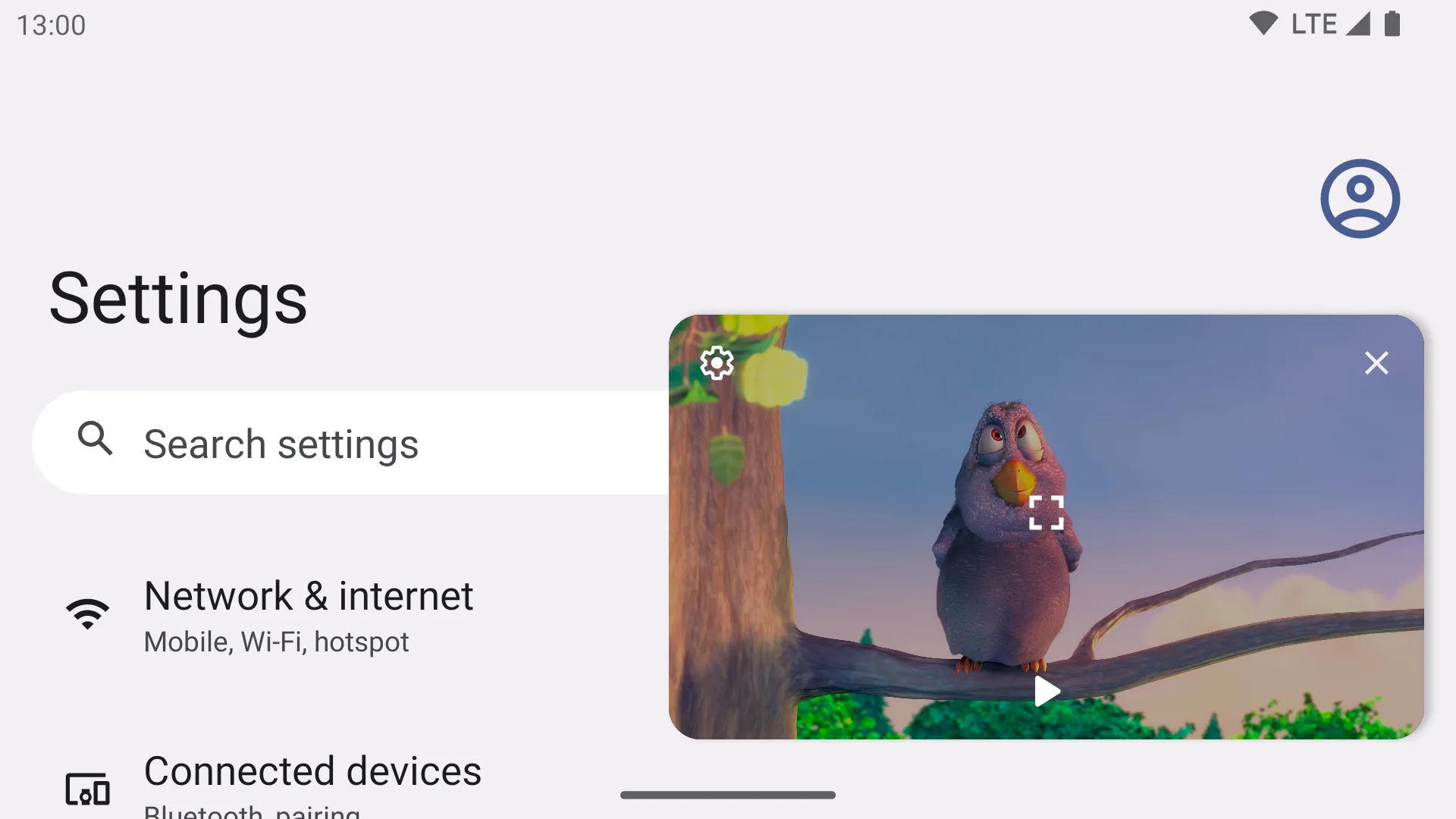
Introduction
Just (Video) Player, “Just Player” on your home screen, is a video player by Marcel Dopita, built on Media3, Google’s playback library formerly called ExoPlayer. There is no media library: you open a file or a link, and it plays. The README promises “No ads, tracking or excessive permissions”, and the app is released into the public domain under the Unlicense. On Google Play it has more than a million downloads.
What it does
- Gestures: swipe sideways or double-tap to seek (10 seconds a tap), and up or down on the left for brightness and on the right for volume. Pinch to zoom, from Android 7.
- Picture-in-picture on Android 8 and later, resizable from Android 11; a volume boost; fit and crop; a touch lock on a long tap.
- Audio and subtitle track selection, playback speed, and audio that, in the README’s words, “properly syncs audio with video track when using Bluetooth earphones/speaker”.
- After a video ends, it can delete the file or skip to the next one in the folder.
- Advanced settings, hidden behind a long press on the gear: auto frame-rate matching and tunneled playback for TVs, skipping silence, subtitle styles, which decoders to prefer, and a fallback for Dolby Vision profile 7 videos, which the developer’s own version of Media3 adds.
- Android TV: its own launcher entry and layout, with zooming by the remote’s up and down keys.
Formats
Video decoding is done by the phone’s own decoders, so what plays depends on the device; the README notes that the “Majority of devices also cannot handle 10-bit AVC”. The app adds two software decoders: dav1d for AV1 video, and an FFmpeg decoder for audio, so it can play Dolby Digital (AC-3, E-AC-3), DTS and TrueHD soundtracks that many phones can’t. Subtitles in SRT, SSA/ASS (with limited styling), TTML, VTT and DVB; HDR10+ and Dolby Vision on hardware that supports them.
This F-Droid build has fewer audio decoders than the README lists: no IAMF and no MPEG-H. F-Droid builds without the MPEG-H decoder because its licence isn’t free, and skipped versions 0.190 and 0.201 for that reason.
What it doesn’t do
- No box for typing a web address, no playlist screen and no background playback; the README says “audio only playback isn’t officialy supported”.
- No online subtitle search (see the questions below).
- No built-in network shares; it uses Android’s file picker for those.
- No chapters: after version 0.180 the app dropped the FFmpeg component that detected chapters in videos.
What it connects to
Only the addresses you play. One request goes beyond the video itself: when you play a video file over HTTP or HTTPS, Just Player asks the same server for subtitle files with the same name (.srt, .ssa, .ass or .vtt, also with your device’s language codes) and loads the first one it finds. There is no update check, analytics or crash reporting. It accepts plain HTTP and user-installed certificates, which helps with media servers on a home network.
Permissions
The app asks for little. One permission is unusual: modify system settings, which you have to grant yourself and which the app uses only to switch auto-rotate on briefly while Android’s file picker is open, to work around a rotation problem. Storage permissions are for its own video picker and for the delete-after-playback option.
About this file
- This is F-Droid’s build of version 0.217, from September 2026, for 64-bit ARM phones only; F-Droid builds a separate file for each processor type. It is signed with F-Droid’s key, while the versions on Google Play and GitHub are signed by the developer, so you can’t install one over the other without uninstalling first.
- 0.217 itself only updated Media3 to 1.11.1. Since F-Droid’s previous build, 0.180, the minimum has risen to Android 6.0, the app detects the character set of subtitle files with a new library, you can scrub the time bar, and audio passthrough works better on the Nvidia Shield.
- The 13.1 MB file needs Android 6.0 or later. Our scan found no trackers.
- The screenshots are the project’s own, from December 2022, and still match the player’s controls. The frames in them come from Blender’s open movies, such as Big Buck Bunny (© Blender Foundation, CC BY 3.0).
- The app is under the Unlicense; the FFmpeg and dav1d decoders inside keep their own licences.
What’s inside the APK
Trackers
No code matching the Exodus Privacy tracker signatures.
Native code
Needs a 64-bit ARM phone; 32-bit-only devices are not supported.
Android versions
Built for Android 16 (target API 36).
Permissions
3 of them need your approval first.
CPU types in this build: arm64-v8a (64-bit ARM, almost every phone since 2017).
Asks you first (3)
Android shows a prompt before the app can use these.
- Read shared storage (Android 12 and older) · READ_EXTERNAL_STORAGE
- Read videos · READ_MEDIA_VIDEO
- Write shared storage (Android 10 and older) · WRITE_EXTERNAL_STORAGE
You switch these on in Settings (1)
Special app access. Nothing is granted until you turn it on yourself.
- Modify system settings · WRITE_SETTINGS
Granted at install (3)
Low-risk permissions Android grants automatically, plus any we have not classified.
- ACCESS_NETWORK_STATE
- INTERNET
- WAKE_LOCK
Defined by other apps (1)
Permissions that belong to another app or to this app itself.
- com.brouken.player.DYNAMIC_RECEIVER_NOT_EXPORTED_PERMISSION
More Information
- Package name
- com.brouken.player
- Version
- 0.217 (build 2174)
- File size
- 13.1 MB (13,050,016 bytes)
- Requires
- Android 6.0 or later
- Category
- Media
- License
- Unlicense
- Developer
- Marcel Dopita
- Source code
- github.com/moneytoo/Player
- Released
- Sep 15, 2026
- Signed by
- F-Droid, which built this APK from the published source code. Because the key is F-Droid’s, it won’t install over a copy from Google Play or GitHub (or the other way round) without uninstalling first.
- Signer SHA-256
- 0dd37a735ff75f06d09aa661baf79a8d12864f41aeb0311d817dbc85f1ded7f8
- File SHA-256
- 89e459ee69f2350f5006fb514d7a7e7f2f9b4e590c3b03b1f4e66c0ffc16d1a2
- Checked
- , against the F-Droid index · how we check · verify it yourself
Common questions
Is this APK the official Just Player release?
It is F-Droid’s build rather than the developer’s own: F-Droid compiled Just Player 0.217 from the published source code and signed it with its own key. Its SHA-256 matches F-Droid’s signed index. Because the key is F-Droid’s, it won’t install over a copy from Google Play or GitHub without uninstalling first.
What Android version does Just Player need?
Android 6.0 or later (API level 23). Version 0.217 is built for Android 16 (target API 36). Needs a 64-bit ARM phone; 32-bit-only devices are not supported.
Can Just Player access the internet?
Yes. The APK requests Android’s internet permission. In total it declares 8 permissions, and 3 of them need your approval first.
Does Just Player contain trackers?
No known trackers: our scan of version 0.217 found no code matching the Exodus Privacy tracker signatures. The scan covers known tracker libraries; it doesn’t show what data the app itself sends.
Is Just Player open source?
Yes. Just Player is released under the Unlicense licence, and its source code is published at https://github.com/moneytoo/Player.
How do I load an external subtitle file?
Long-press the folder button in the bottom bar. The first time, Just Player offers to let you pick the top folder of your videos; with access to it, it loads subtitle files with the same name as the video automatically. Subtitle files can also be opened from a file manager.
Can it download subtitles from OpenSubtitles?
No, and the developer doesn’t plan it: “I believe it should be a job for a standalone app or a library”, such as an app that scans your videos and fetches subtitles in the background. Apps that send a video to Just Player can pass subtitles along with it.
Where do I type a streaming address?
There is no box for it. The README: Just Player “is registered for handling all compatible streaming links”. Tap a link in another app, or select its text, choose Share and pick Just Player.
How do I play videos from a network share?
Through Android’s file picker, which can reach SMB, WebDAV or SFTP storage if an app provides it as a document provider; the developer recommends CIFS Documents Provider for Samba shares. Document providers don’t work on Android TV.
Recent releases
| Version | Released | Size | Requires |
|---|---|---|---|
| v0.217 · this download | Sep 15, 2026 | 13.1 MB | Android 6.0+ |
| v0.180 | Dec 21, 2024 | 32.4 MB | Android 5.0+ |
| v0.178 | Dec 13, 2024 | 32.3 MB | Android 5.0+ |
Versions currently kept in the F-Droid repository. We host and check only the newest one.
Alternatives and related apps
-
 Next Player Built on the same Media3 engine, but with a media library, network shares, a URL box and background playback.Download
-
 mpv-android If you need fully styled ASS subtitles, software video decoding or mpv’s detailed settings.Download