
mpv-android
by Prismriver Media · MIT · open source
The mpv media player on Android. It plays almost any video or audio format, draws styled subtitles with libass, and lets you tune playback in mpv’s own configuration files.
Needs:No root · Android 6.0+
2113 Apps is independent, not affiliated with or endorsed by Prismriver Media. Official sources: source code on GitHub.
- Version
- 2026-09-17-release
- Size
- 123.2 MB
- Requires
- Android 6.0+
- Updated
- 2026-09-19
Screenshots
Introduction
mpv-android is the Android version of mpv, the open-source media player known on Linux, Windows and macOS. It is built on libmpv, the same playback engine, with a touch interface around it, by Ilya Zhuravlev, sfan5 and contributors, and published on Google Play as Prismriver Media, with more than half a million downloads. There are no ads or in-app purchases.
What it plays
- Video decoding: on by default through the phone’s own hardware decoders for H.264, HEVC, VP8, VP9, AV1 and MPEG formats, with FFmpeg’s software decoders for everything else or when you switch them on (see the questions below). AV1 also has a software decoder, dav1d.
- Subtitles drawn by libass, so styled ASS/SSA subtitles look as their authors intended. You can open external subtitle files, show a second subtitle track at the same time, shift the timing, and jump from line to line.
- Audio: choose the track, open a separate audio file, and set preferred audio and subtitle languages.
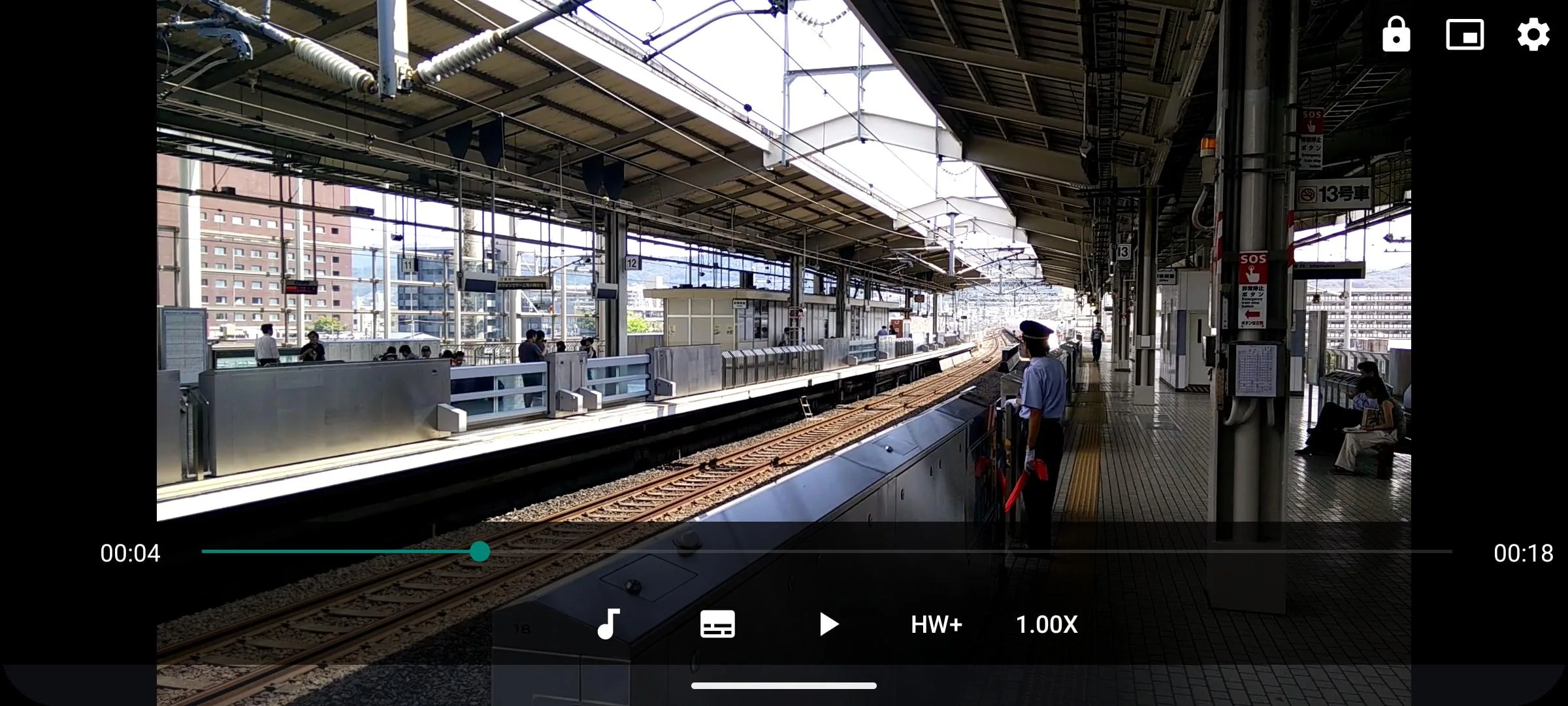
- Gestures: drag sideways to seek, and up or down on the left for brightness and on the right for volume. Double-taps do nothing until you assign them, including to any mpv command through input.conf.
- Background playback, off by default, for audio files only or for everything; picture-in-picture; playlists with shuffle and loop; playback speed; screenshots.
- High-quality rendering options from mpv: scalers, debanding, interpolation. By default it uses mpv’s “fast” profile, tuned for phones.
Opening files and streams
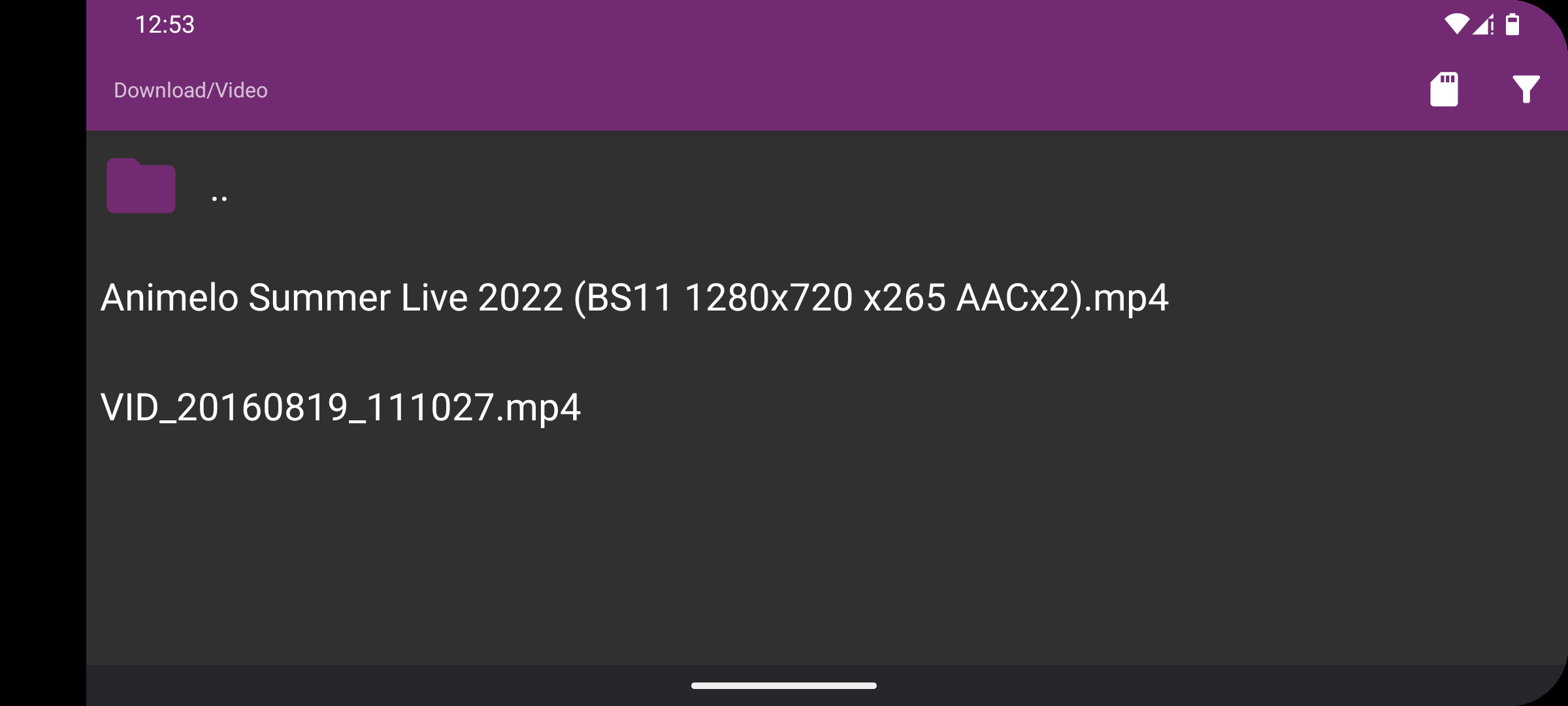
The start screen offers Android’s document picker, a built-in file picker and Open URL. Besides local files, it opens HTTP, HTTPS, FTP, RTMP, RTSP, RTP, MMS, TCP and UDP addresses, and playlists in M3U, M3U8, PLS, CUE and similar formats. There is no SMB client of its own; network shares work through a file app that provides them to Android’s document picker. YouTube page links don’t play (see the questions below).
Other apps can hand videos to mpv-android through an intent interface modelled on MX Player’s, passing subtitles, a start position or a title.
For mpv users
The settings include editors for mpv.conf and input.conf, mpv’s own configuration files, so most of mpv’s options are available. Lua 5.2 is built in for scripts, but there is no JavaScript. Some keys are fixed and can’t be remapped. There is no switch for sending Dolby or DTS audio untouched to an amplifier; mpv’s audio-spdif option in mpv.conf is the way to try it, and whether it works depends on the device.
Why the file is 123.2 MB
Not because of new features. Since the 2026-08-11 release the minimum is Android 6.0, and from that version Android’s build tools store native libraries uncompressed in the APK so they can be used without being unpacked on installation. The libraries, about 120 megabytes for three processor types, used to be compressed to 47 megabytes. That release also built libcurl into the player, for more efficient HTTP streaming, which adds about 1.5 megabytes per processor type. The APKs for a single processor type on the project’s GitHub are much smaller: 32.7 megabytes for 64-bit ARM.
What goes online
Only the addresses you open. The app has no update check, analytics or crash reporting; it ships its own list of trusted certificate authorities for secure streams. The privacy policy: “No identifying information or user data of any kind is transferred to any internet services or made available to third-parties.”
About this file
- This is F-Droid’s build of the 2026-09-17 release, signed with F-Droid’s key, as one APK for 32- and 64-bit ARM and 64-bit x86. The versions on Google Play and GitHub are signed by Prismriver Media, so switching between them and this one means uninstalling first.
- This release fixed a delay of up to several minutes before the first secure connection on devices with older Linux kernels, such as a Fire TV Stick 4K Max, a bug in the 2026-08-11 release, plus fixes for hardware decoding. The 2026-08-11 release added an option to remember screen brightness and raised the minimum to Android 6.0.
- It needs Android 6.0 or later. Our scan found no trackers.
- The screenshots are the project’s own, from August 2024; we left out the settings screen, which has been redesigned since.
- The app’s own code is under the MIT licence, but the project’s licence list explains that, with FFmpeg and libmpv built as they are, mpv-android as a whole “falls under the terms of GPL-3.0-or-later”. F-Droid publishes the full source, including all the libraries, next to each build.
What’s inside the APK
Trackers
No code matching the Exodus Privacy tracker signatures.
Native code
Runs on 64-bit and older 32-bit ARM phones.
Android versions
Built for Android 16 (target API 36).
Permissions
5 of them need your approval first.
CPU types in this build: arm64-v8a (64-bit ARM, almost every phone since 2017); armeabi-v7a (32-bit ARM, older and budget phones); x86_64 (64-bit Intel, emulators and Chromebooks).
Asks you first (5)
Android shows a prompt before the app can use these.
- Read shared storage (Android 12 and older) · READ_EXTERNAL_STORAGE
- Read music and audio files · READ_MEDIA_AUDIO
- Read photos · READ_MEDIA_IMAGES
- Read videos · READ_MEDIA_VIDEO
- Write shared storage (Android 10 and older) · WRITE_EXTERNAL_STORAGE
Granted at install (3)
Low-risk permissions Android grants automatically, plus any we have not classified.
- FOREGROUND_SERVICE
- FOREGROUND_SERVICE_MEDIA_PLAYBACK
- INTERNET
Defined by other apps (1)
Permissions that belong to another app or to this app itself.
- is.xyz.mpv.DYNAMIC_RECEIVER_NOT_EXPORTED_PERMISSION
More Information
- Package name
- is.xyz.mpv
- Version
- 2026-09-17-release (build 48)
- File size
- 123.2 MB (123,244,634 bytes)
- Requires
- Android 6.0 or later
- Category
- Media
- License
- MIT
- Developer
- Prismriver Media
- Source code
- github.com/mpv-android/mpv-android
- Released
- Sep 19, 2026
- Signed by
- F-Droid, which built this APK from the published source code. Because the key is F-Droid’s, it won’t install over a copy from Google Play or GitHub (or the other way round) without uninstalling first.
- Signer SHA-256
- 43509443ff26dec9be7ab69cf7e32482680be75a5643c0759c9805d20d491a49
- File SHA-256
- 5cba2237b20ba34b79eaccfbd39bdb5b09d2a9a774bdccee09ca450eac4edd34
- Checked
- , against the F-Droid index · how we check · verify it yourself
Common questions
Is this APK the official mpv-android release?
It is F-Droid’s build rather than the developer’s own: F-Droid compiled mpv-android 2026-09-17-release from the published source code and signed it with its own key. Its SHA-256 matches F-Droid’s signed index. Because the key is F-Droid’s, it won’t install over a copy from Google Play or GitHub without uninstalling first.
What Android version does mpv-android need?
Android 6.0 or later (API level 23). Version 2026-09-17-release is built for Android 16 (target API 36). Runs on 64-bit and older 32-bit ARM phones.
Can mpv-android access the internet?
Yes. The APK requests Android’s internet permission. In total it declares 9 permissions, and 5 of them need your approval first.
Does mpv-android contain trackers?
No known trackers: our scan of version 2026-09-17-release found no code matching the Exodus Privacy tracker signatures. The scan covers known tracker libraries; it doesn’t show what data the app itself sends.
Is mpv-android open source?
Yes. mpv-android is released under the MIT licence, and its source code is published at https://github.com/mpv-android/mpv-android.
Why won’t a YouTube link play with Open URL?
mpv-android plays direct links to video files and streams, such as .mp4, .mkv or .m3u. A YouTube address is a web page; on the desktop, mpv uses yt-dlp to find the stream behind it, and this build doesn’t include yt-dlp. A project member: “mpv can’t play a HTML page.”
How do I turn hardware decoding on or off?
It is on by default (Settings › General › Hardware decoding). During playback, the HW+/HW/SW button switches between Android’s decoder with direct output (HW+, Android 8 and later), Android’s decoder with copy-back (HW) and FFmpeg’s software decoders (SW).
Can I use my own mpv.conf and Lua scripts?
mpv.conf and input.conf are edited inside the app, under Settings › Advanced. For scripts, a project member suggests putting them in the Android/media/is.xyz.mpv folder (it appears after you open the legacy file picker once) and loading them with script= in mpv.conf. Scripts can’t use network libraries.
Does it work on Android TV?
Yes, but the project says TV support is “only available on F-Droid or by installing the APK manually”: the Google Play version isn’t offered for TVs. This file is F-Droid’s build. Remote-control buttons can be remapped in input.conf.
Recent releases
| Version | Released | Size | Requires |
|---|---|---|---|
| v2026-09-17-release · this download | Sep 19, 2026 | 123.2 MB | Android 6.0+ |
| v2026-08-11-release | Aug 14, 2026 | 126.4 MB | Android 6.0+ |
| v2026-04-25-release | Apr 26, 2026 | 53.6 MB | Android 5.0+ |
Versions currently kept in the F-Droid repository. We host and check only the newest one. Full changelog.
Alternatives and related apps
-
 mpvExtended A fork of mpv-android with a reworked interface, a built-in file browser and SMB, FTP and WebDAV support.Download
-
 Just Player A smaller, simpler player built on Google’s Media3, if you don’t need mpv’s settings.Download
-
 VLC Another player for nearly every format, with its own network browsing and a media library.Download