Kreate
by Knight Hat · GPL-3.0-only · open source
An open-source YouTube Music client that carries on from RiMusic: stream, cache or download songs, sign in to sync your library, and play on Android Auto or a TV.
Needs:No root · Android 6.0+
2113 Apps is independent, not affiliated with or endorsed by Knight Hat. Official sources: kreate.knighthat.me · source code on GitHub.
- Version
- 2.2.3-izzy
- Size
- 18.9 MB
- Requires
- Android 6.0+
- Updated
- 2026-07-02
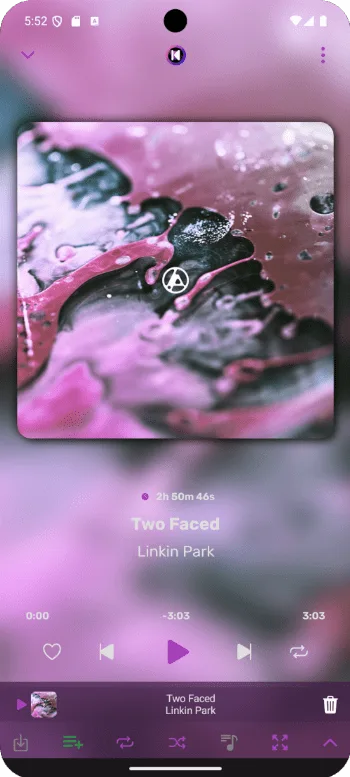
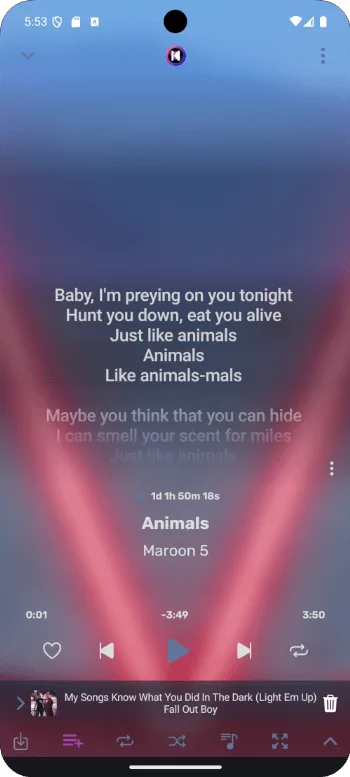
Screenshots
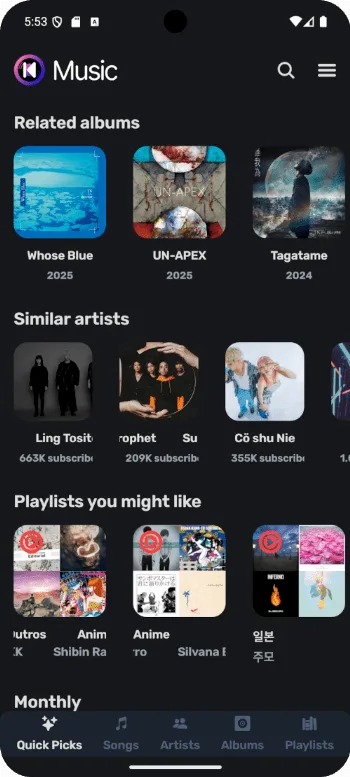
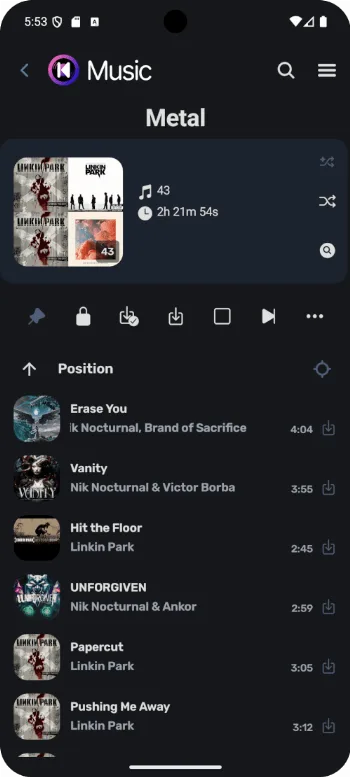
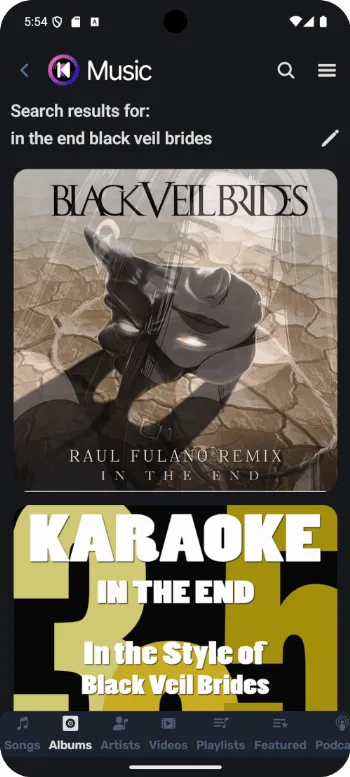
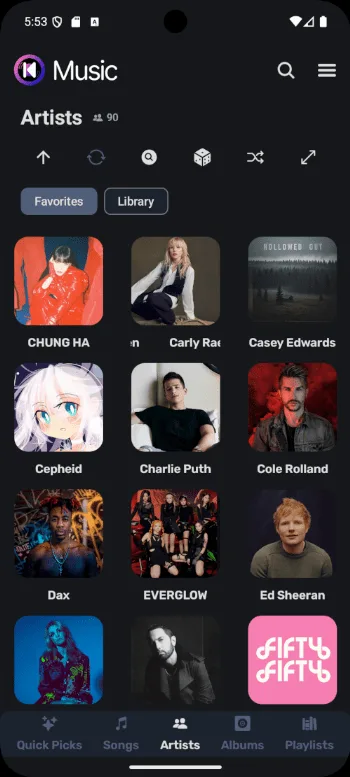
Introduction
Kreate plays music from YouTube Music in an open-source app of its own. It began as a fork of RiMusic, which had itself grown out of ViMusic. RiMusic’s developer has since closed that project, and Kreate carries the line on with performance as its stated priority. It isn’t affiliated with YouTube or Google, and has no connection to RiMusic’s author.
What it does
From the project’s README and release notes:
- Offline listening: songs are cached automatically, and you can also download songs or whole playlists.
- Your library: since version 2.2.2 you can sign in to your YouTube account and sync saved albums, artists and playlists. Playlists can be imported and exported, RiMusic’s included.
- Lyrics: synced or plain lyrics from KuGou and LrcLib, which you can edit and translate.
- Sound: playback speed, pitch, volume normalization, silence skipping and a sleep timer, plus a shortcut to Android’s own equalizer.
- Devices: Android Auto and Android TV. It plays YouTube videos too.
- Extras: separate profiles, each with its own settings and library; listening statistics kept on the phone; DNS over HTTPS; Discord status; and the current song’s cover as your wallpaper.
What a fresh install does
We read the settings code of version 2.2.3, the version hosted here, to see how the app starts out.
- Off until you turn them on: signing in to YouTube and syncing your library, Discord status, a proxy, DNS over HTTPS, the audio visualizers (and with them the microphone), automatic downloads, and resuming playback when the app opens.
- On from the start: caching, with no size limit. As a song plays, the audio fetched so far is written to the cache, and since Song cache max size under Settings › Data starts at Unlimited, nothing is removed to make room. The image cache and Song download max size start at Unlimited too. The cache lives in the app’s cache folder, which Android may clear when the phone runs low on space; downloads go to the app’s own storage. Once you set a limit, the data used least recently is removed first.
- Kept on the phone: your listening and search history, unless you pause them in settings, and crash logs, which are written to a file in the app’s folder. There is no crash-reporting service.
What we found in the APK
- Little native code. Besides a small AndroidX graphics library, the only native library is SQLite, bundled for the app’s database, built for ARM and x86, 32- and 64-bit. There is no FFmpeg or other audio decoder library; playback runs on AndroidX Media3.
- Libraries: Media3 for playback, Ktor and OkHttp for network requests, Coil for images and Room for the database. Video mode uses the android-youtube-player library, which plays videos in YouTube’s embedded web player.
- Code from Metrolist, another YouTube Music client on this site, still under Metrolist’s package name. It generates YouTube “proof of origin” tokens by running YouTube’s BotGuard check in a WebView, with requests to
www.youtube.com/api/jnn/v1/, and it finds the signature functions in YouTube’s player code, falling back on a table of known player versions. That table ships in the APK, and the first time Kreate plays a song after starting, it also downloads the table from Metrolist’s GitHub repository (raw.githubusercontent.com) if its saved copy is more than six hours old, and fetches a second file from there that lists dates for those player versions. Both addresses are stored encoded in the code. This is not an update check for the app. The APK also contains yt-dlp’s solver for YouTube’s JavaScript challenges. - Servers named in the code, besides YouTube and Google sign-in:
lrclib.netand KuGou (lyrics),translate.googleapis.com(lyrics translation),discord.com,litterbox.catbox.moeandi.ibb.co(Discord status; see below),httpbin.org(the proxy test) and the DNS-over-HTTPS servers of Cloudflare, Quad9 and Mullvad. Piped and Invidious addresses appear only in the Listen on menu, which opens a song on another site. An address in the code doesn’t mean the app contacts it; most of these are used only when you use the matching feature. - No tracker or crash-reporting library turned up in our scan of the code.
For how Kreate compares with Metrolist, SimpMusic and five other clients on features, Android versions and permissions, see YouTube Music clients compared.
Good to know
- Sign in if playback fails. The developer warns that YouTube is restricting use without an account more than ever, so without signing in, playback may be limited or not work at all.
- The microphone is optional. The project says it is for the audio visualizers, which are off by default.
- Discord status means signing in to Discord inside the app, which then shows what you’re playing on your profile. For songs from your own files, Kreate uploads the cover art to litterbox.catbox.moe, a public file host, for one hour so that Discord can display it. The Kreate logo in the status is an image hosted on i.ibb.co.
- Your own music files can play too. On Android 13 and later they need to be in the phone’s Music folder.
- IzzyOnDroid flags it NonFreeNet: it depends on YouTube Music, and the optional lyrics translation uses Google Translate.
About this file
- This is the developer’s own build for IzzyOnDroid, byte for byte the
Kreate-izzy.apkon the project’s GitHub release, and signed with the certificate the developer publishes on the Kreate website. IzzyOnDroid rebuilt it from the source code and got the same file. - Version 2.2.3, from early July 2026, is the latest regular release. Nightly builds on GitHub continued into August; this site hosts regular releases only.
- It has no built-in updater; only the GitHub builds have one. F-Droid’s build is signed by F-Droid, so it can’t update this one or be updated by it.
- Kreate isn’t on Google Play. The apps called Kreate there are unrelated.
- The 18.9 MB file has native code for ARM and x86, 32- and 64-bit, runs on Android 6.0 and later, and declares 16 permissions.
What’s inside the APK
Trackers
No code matching the Exodus Privacy tracker signatures.
Native code
Runs on 64-bit and older 32-bit ARM phones.
Android versions
Built for Android 16 (target API 36).
Permissions
5 of them need your approval first.
Flagged by IzzyOnDroid:
- NonFreeNet: Relies on or promotes a proprietary network service.
CPU types in this build: arm64-v8a (64-bit ARM, almost every phone since 2017); armeabi-v7a (32-bit ARM, older and budget phones); x86 (32-bit Intel, emulators); x86_64 (64-bit Intel, emulators and Chromebooks).
Asks you first (5)
Android shows a prompt before the app can use these.
- Show notifications (Android 13+) · POST_NOTIFICATIONS
- Read shared storage (Android 12 and older) · READ_EXTERNAL_STORAGE
- Read music and audio files · READ_MEDIA_AUDIO
- Record audio with the microphone · RECORD_AUDIO
- Write shared storage (Android 10 and older) · WRITE_EXTERNAL_STORAGE
Granted at install (10)
Low-risk permissions Android grants automatically, plus any we have not classified.
- ACCESS_NETWORK_STATE
- FOREGROUND_SERVICE
- FOREGROUND_SERVICE_DATA_SYNC
- FOREGROUND_SERVICE_MEDIA_PLAYBACK
- INTERNET
- MODIFY_AUDIO_SETTINGS
- RECEIVE_BOOT_COMPLETED
- REQUEST_IGNORE_BATTERY_OPTIMIZATIONS
- SET_WALLPAPER
- WAKE_LOCK
Defined by other apps (1)
Permissions that belong to another app or to this app itself.
- me.knighthat.kreate.DYNAMIC_RECEIVER_NOT_EXPORTED_PERMISSION
More Information
- Package name
- me.knighthat.kreate
- Version
- 2.2.3-izzy (build 141)
- File size
- 18.9 MB (18,859,526 bytes)
- Requires
- Android 6.0 or later
- Category
- Media
- License
- GPL-3.0-only
- Developer
- Knight Hat
- Source code
- github.com/knighthat/Kreate
- Released
- Jul 2, 2026
- Signer SHA-256
- 1bd03a8de5df4dbd7faddb81b9f2aaf55681a584a93d6fb47e9a5ccc736ef7ac
- File SHA-256
- c4ae33d286489f9ea2459540e8acad4be74b9a1de76fce4aab4adb29c5f000c9
- Checked
- , against the IzzyOnDroid index · how we check · verify it yourself
Common questions
Is this APK the official Kreate release?
Yes. It is the developer’s own release of Kreate 2.2.3-izzy, byte for byte as IzzyOnDroid distributes it. Its SHA-256 matches IzzyOnDroid’s signed index, and it is signed with the certificate IzzyOnDroid records for the app (SHA-256 1bd03a8de5df4dbd7faddb81b9f2aaf55681a584a93d6fb47e9a5ccc736ef7ac).
What Android version does Kreate need?
Android 6.0 or later (API level 23). Version 2.2.3-izzy is built for Android 16 (target API 36). Runs on 64-bit and older 32-bit ARM phones.
Can Kreate access the internet?
Yes. The APK requests Android’s internet permission. In total it declares 16 permissions, and 5 of them need your approval first.
Does Kreate contain trackers?
No known trackers: our scan of version 2.2.3-izzy found no code matching the Exodus Privacy tracker signatures. The scan covers known tracker libraries; it doesn’t show what data the app itself sends.
Is Kreate open source?
Yes. Kreate is released under the GPL-3.0-only licence, and its source code is published at https://github.com/knighthat/Kreate.
Why is Kreate using so much storage?
Version 2.2.3 writes the audio it streams to a cache as songs play, and by default the cache has no size limit, so nothing is removed to make room. Under Settings › Data, change Song cache max size from Unlimited to a size you choose; once the cache is full, the data used least recently is removed first. Downloads have their own limit, Song download max size, which also starts at Unlimited.
Can Kreate use a proxy?
Yes. Settings › Network has an HTTP or SOCKS proxy setting, off by default, covering playback as well as browsing. Kreate first tests the proxy through httpbin.org and connects directly if the test fails. If the test request can’t complete, for example because it times out, it shows “Failed to verify proxy”; if the reply just isn’t a success, it switches to a direct connection without a warning. The same screen offers DNS over HTTPS through Cloudflare, Quad9 or Mullvad.
Recent releases
| Version | Released | Size | Requires |
|---|---|---|---|
| v2.2.3-izzy · this download | Jul 2, 2026 | 18.9 MB | Android 6.0+ |
| v2.2.1-izzy | Jun 21, 2026 | 18.7 MB | Android 6.0+ |
Versions currently kept in the IzzyOnDroid repository. We host and check only the newest one. Full changelog.