
Loop Habit Tracker
by Alinson Xavier · GPL-3.0-only · open source
Track the habits you want to build, from a daily walk to a number of pages read, and watch a strength score that forgives the odd missed day. Everything stays on your phone.
Needs:Android 9+ · no account
2113 Apps is independent, not affiliated with or endorsed by Alinson Xavier. Official sources: source code on GitHub.
- Version
- 2.3.2
- Size
- 10.8 MB
- Requires
- Android 9+
- Updated
- 2026-10-25
Screenshots
Introduction
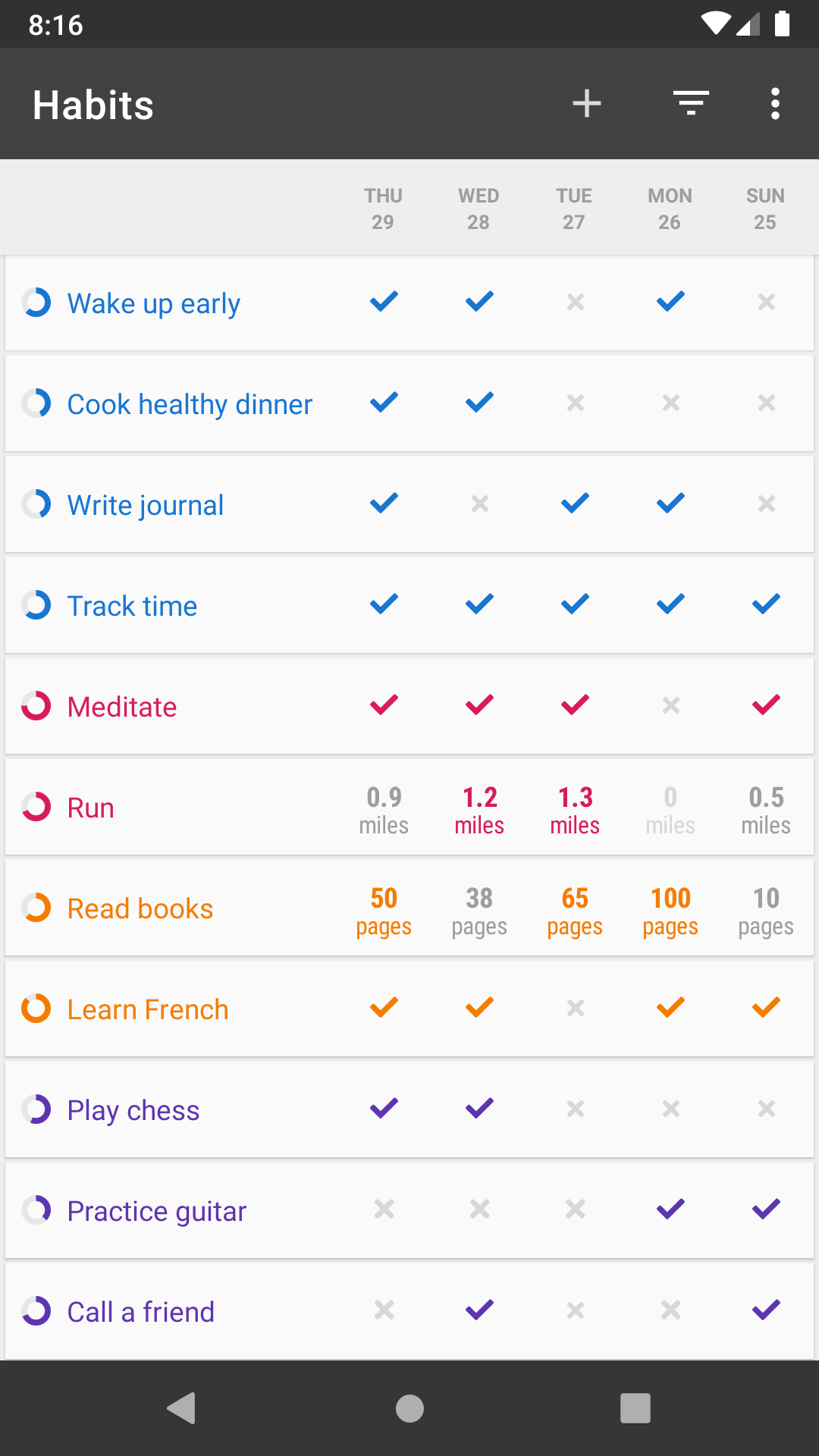
Loop Habit Tracker is a habit tracker by Álinson Santos Xavier, with more than five million downloads on Google Play; on your home screen it’s called Habits. You list the things you want to do regularly and mark each day whether you did them. Its README sums up the idea: “Every repetition makes your habit stronger and every missed day makes it weaker. A few missed days after a long streak, however, will not completely destroy your progress.” It has “no artificial limits”, “There are no in-app purchases”, and “There are no advertisements”.
How it works
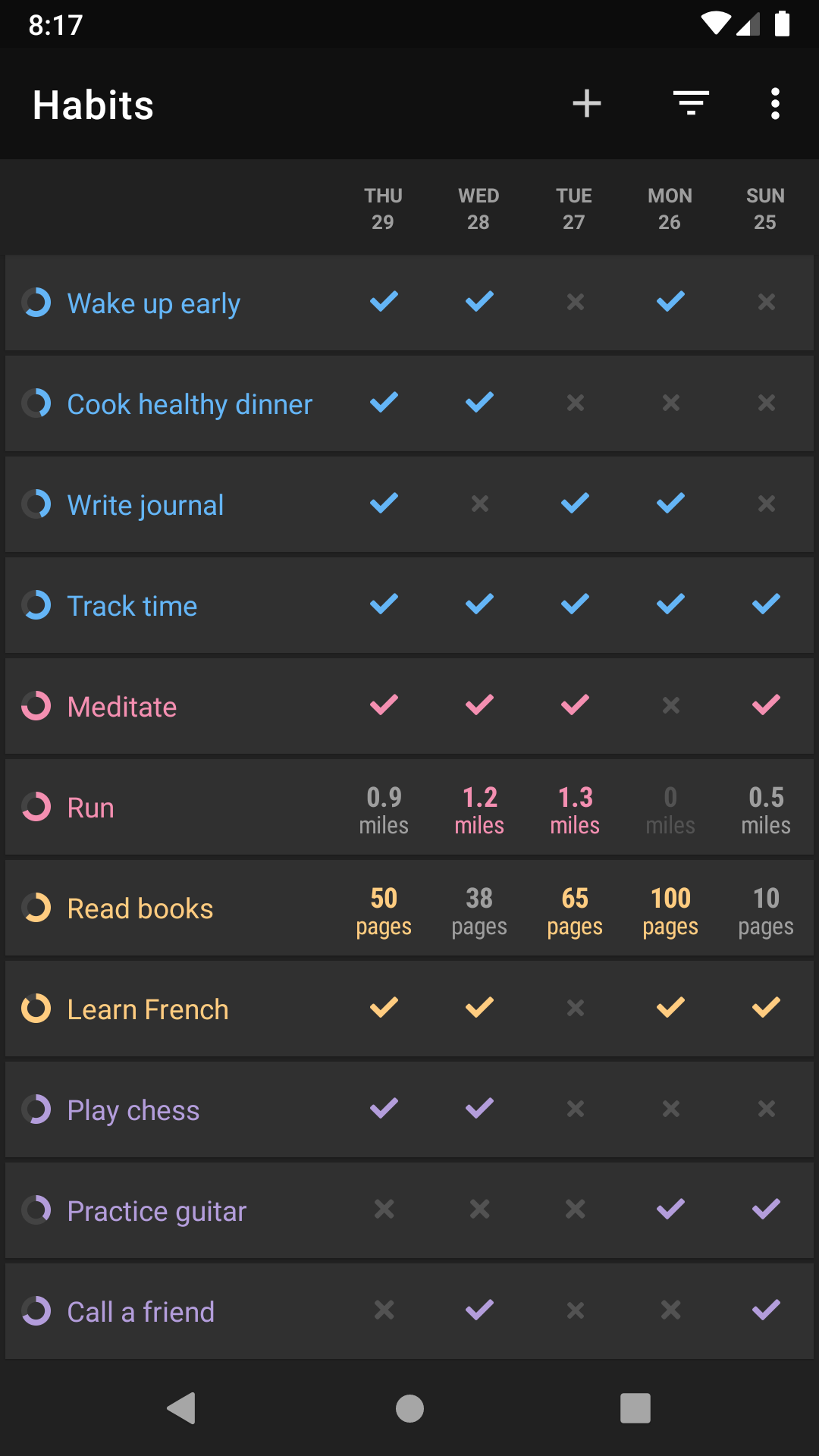
- Two kinds of habit: yes-or-no ones (“Did you exercise?”) and measurable ones with a unit and a target of at least or at most a number (“How many pages did you read today?”).
- Frequencies from every day to every few days, weeks or months, or a number of times per week or month. You don’t pick weekdays: the FAQ suggests saying you want to repeat a habit, for example, two times per week.
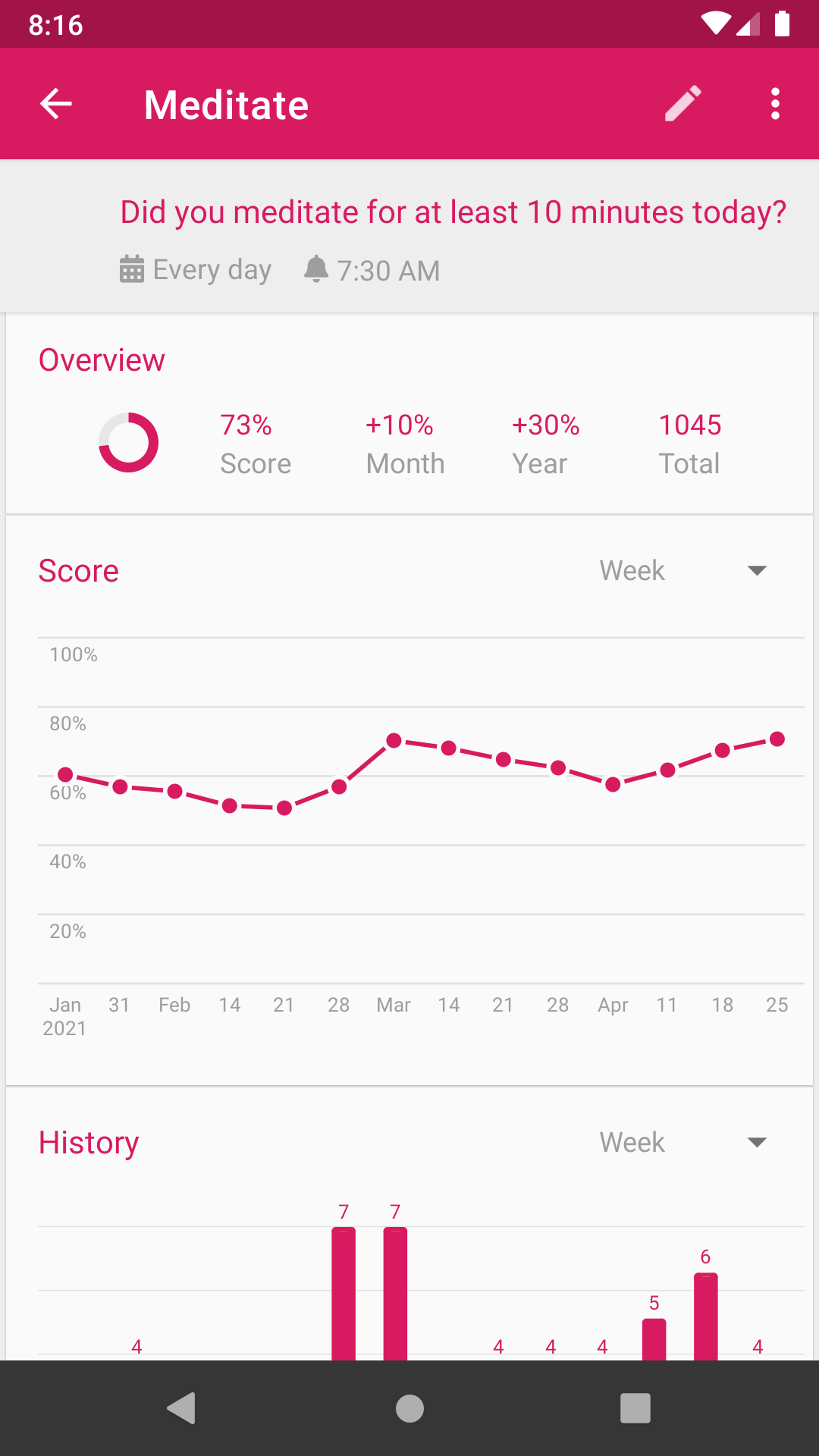
- A strength score instead of an all-or-nothing streak. The FAQ explains that it uses “a statistical method known as exponential smoothing”: “If you perform a daily habit perfectly, the score reaches 80% after one month, 96% after two months and 99% after three months.”
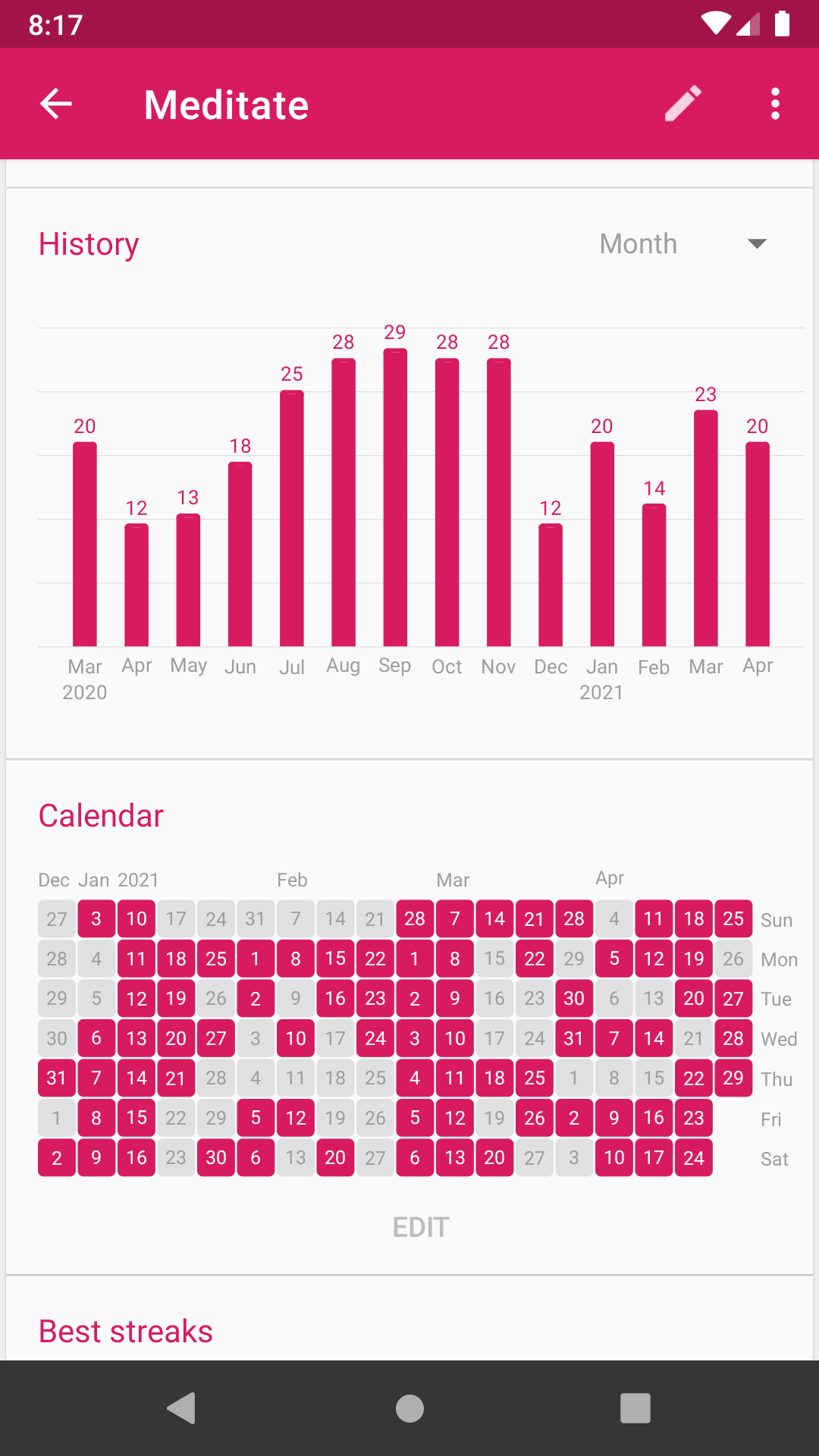
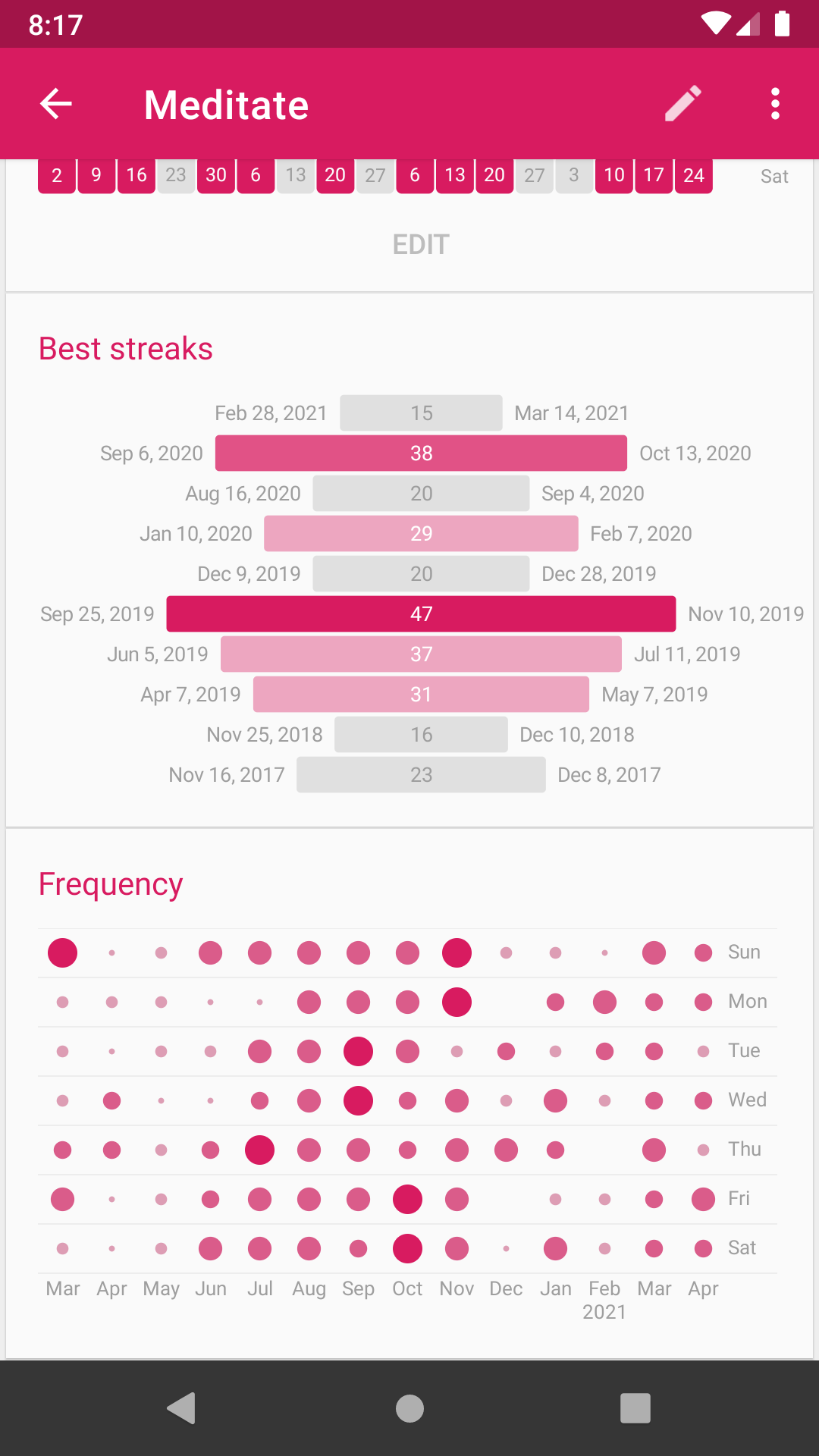
- A page for each habit with the score over time, an editable history calendar, best streaks and how often you did it.
- You mark a day by pressing and holding; a setting switches this to a single tap. Other options, all off by default, let you mark a day as skipped so it doesn’t break a streak, tell days without data apart from real lapses, and start a new day only at 3 AM.
Reminders and widgets
Each habit can have a reminder at a time and on days you choose; from the notification you can mark it done or snooze it. According to the FAQ, Loop shows a reminder only “if the task has not been already completed that day”. Reminders use Android’s exact alarms: if that permission is taken away on Android 12 or later, the app skips scheduling them. When reminders arrived late on one phone, the developer pointed to the dontkillmyapp.com instructions for the phone’s battery settings: “it’s an Android/Motorola issue.”
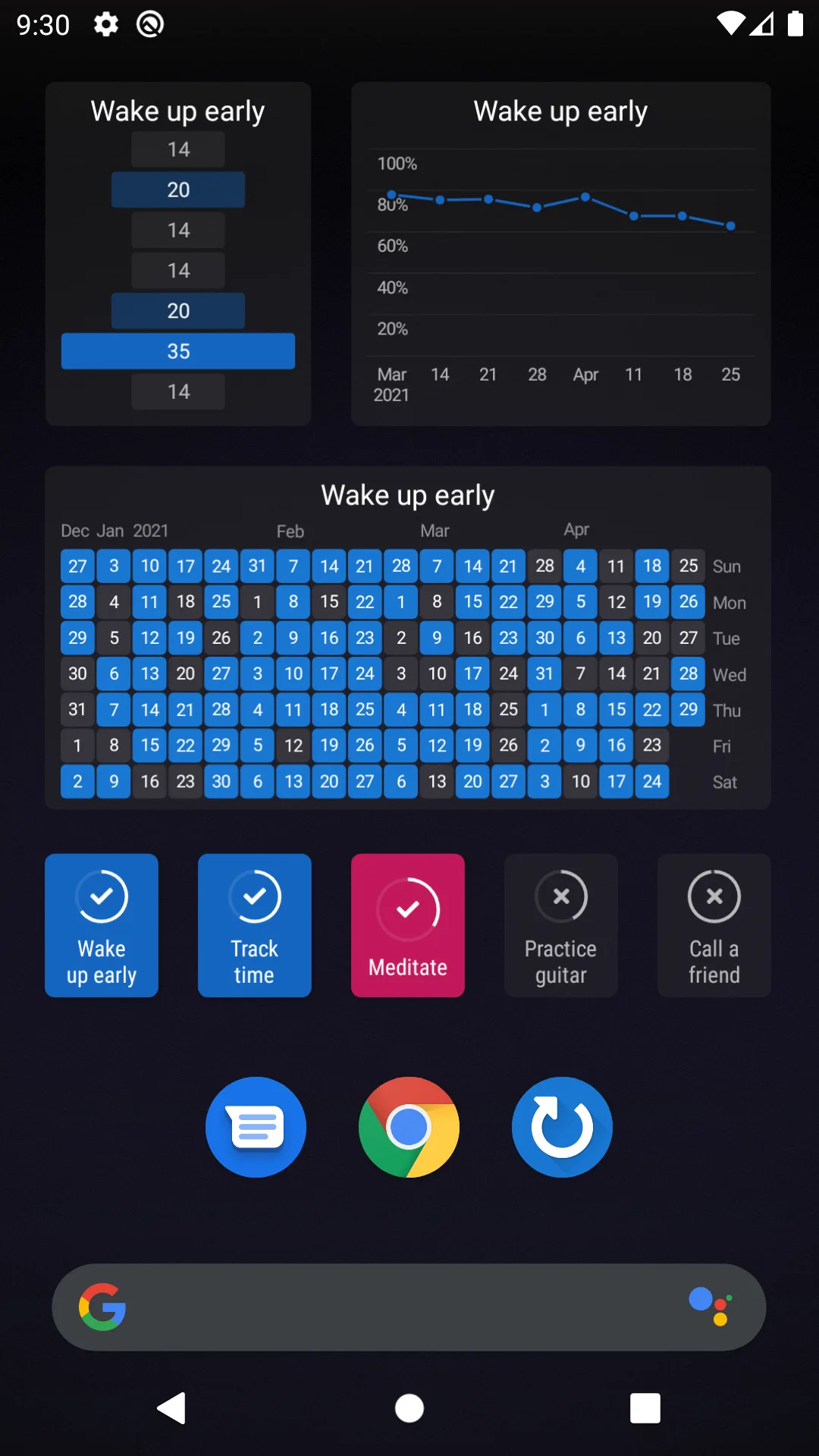
Six home-screen widgets show checkmarks, history, score, streaks, frequency and targets. Tasker and similar apps can add checkmarks through a plugin.
Your data
The app asks for no internet permission at all. Its privacy policy: “All data provided to Loop Habit Tracker is only stored locally in your device. Your data is not uploaded anywhere.” An experimental sync feature was removed in version 2.0.1 in 2021 with the note that it would return in 2.1; it hasn’t come back.
- Export full backup saves everything in one file that Loop can import again; Export as CSV creates spreadsheet files, which can’t be imported back. Both are offered through Android’s share menu, not a save dialog; the developer says that is intended.
- Automatic backups: once a day, when you open the habit list, the app saves a copy in its own folder and keeps the five newest. That folder is deleted when you uninstall the app, so copy a backup somewhere else from time to time.
- Import data reads Loop’s own backups and files from Tickmate, HabitBull and Rewire.
About this file
- This is F-Droid’s build of version 2.3.2, from 17 October 2026, signed with F-Droid’s key. The developer’s APKs on GitHub use the developer’s own key, so neither installs over the other; we couldn’t check the signature of the Play version, so don’t count on switching to it by updating either.
- 2.3.2 fixes the styling of the widget picker, lets the habit editor scroll when the keyboard is open, fixes a crash when charts are moved to dates before 1970, improves the touch ripple in dark themes, and handles navigation-bar insets on the settings screen.
- Two closed reports still describe this version’s weekly “At most” behavior. Broken-habit marks can be missing from the calendar and streaks (#2212); a fix landed after 2.3.2 on the development branch. Reminders can behave as if the target were “At least” (#2386), which the developer closed as intended behavior and linked to the project’s frequency design.
- The 10.8 MB file has no native code and needs Android 9 or later. Its 6 permissions cover notifications, exact alarms, restarting reminders after a reboot and vibration. Our scan found no trackers.
- The screenshots are the project’s own, from 2021, older than the streaks for measurable habits that version 2.3.0 added.
- The README licenses Loop under the GPL-3.0 or later. The source of this version is at https://github.com/iSoron/uhabits/tree/v2.3.2.
- “Loop Habit Tracker™ is a trademark of Álinson Santos Xavier”, according to the project’s website. This site isn’t affiliated with the developer.
What’s inside the APK
Trackers
No code matching the Exodus Privacy tracker signatures.
Native code
Pure Java/Kotlin, so it runs on any CPU.
Android versions
Built for Android 16 (target API 36).
Permissions
1 of them need your approval first.
Asks you first (1)
Android shows a prompt before the app can use these.
- Show notifications (Android 13+) · POST_NOTIFICATIONS
You switch these on in Settings (1)
Special app access. Nothing is granted until you turn it on yourself.
- Alarms and reminders · SCHEDULE_EXACT_ALARM
Granted at install (3)
Low-risk permissions Android grants automatically, plus any we have not classified.
- RECEIVE_BOOT_COMPLETED
- USE_EXACT_ALARM
- VIBRATE
Defined by other apps (1)
Permissions that belong to another app or to this app itself.
- org.isoron.uhabits.DYNAMIC_RECEIVER_NOT_EXPORTED_PERMISSION
More Information
- Package name
- org.isoron.uhabits
- Version
- 2.3.2 (build 20302)
- File size
- 10.8 MB (10,757,869 bytes)
- Requires
- Android 9 or later
- Category
- Productivity
- License
- GPL-3.0-only
- Developer
- Alinson Xavier
- Source code
- github.com/iSoron/uhabits
- Released
- Oct 25, 2026
- Signed by
- F-Droid, which built this APK from the published source code. Because the key is F-Droid’s, it won’t install over a copy from Google Play or GitHub (or the other way round) without uninstalling first.
- Signer SHA-256
- 9f338a863b0152c881e04954d07ae67f62afd11e064fb3ac99a8bd1d2842a395
- File SHA-256
- 8a702f85afe83385d5fb61cbcf40536411376f64bbb1712910d4ed00182b8303
- Checked
- , against the F-Droid index · how we check · verify it yourself
Common questions
Is this APK the official Loop Habit Tracker release?
It is F-Droid’s build rather than the developer’s own: F-Droid compiled Loop Habit Tracker 2.3.2 from the published source code and signed it with its own key. Its SHA-256 matches F-Droid’s signed index. Because the key is F-Droid’s, it won’t install over a copy from Google Play or GitHub without uninstalling first.
What Android version does Loop Habit Tracker need?
Android 9 or later (API level 28). Version 2.3.2 is built for Android 16 (target API 36). Pure Java/Kotlin, so it runs on any CPU.
Can Loop Habit Tracker access the internet?
No. The APK doesn’t request Android’s internet permission, so the app can’t go online by itself. In total it declares 6 permissions, and 1 of them needs your approval first.
Does Loop Habit Tracker contain trackers?
No known trackers: our scan of version 2.3.2 found no code matching the Exodus Privacy tracker signatures. The scan covers known tracker libraries; it doesn’t show what data the app itself sends.
Is Loop Habit Tracker open source?
Yes. Loop Habit Tracker is released under the GPL-3.0-only licence, and its source code is published at https://github.com/iSoron/uhabits.
Does Loop need an account or an internet connection?
No. The README: “Loop doesn’t require an Internet connection or online account registration.” This build doesn’t even ask for internet access. The one copy that can leave the phone is Android’s own backup, if you have turned it on, which the privacy policy points out is made by “Android itself (not Loop Habit Tracker)”.
How do I move my habits to a new phone?
In Settings, Export full backup “Generates a file that contains all your data. This file can be imported back.” Copy it to the new phone and use Import data, which also reads files from Tickmate, HabitBull and Rewire. The daily automatic backups sit in the app’s own folder and are deleted if you uninstall the app.
Can I switch to the Google Play version?
Not by updating. This file is signed with F-Droid’s key and the developer’s APKs with the developer’s, so Android won’t install one over the other. Export a full backup first: the FAQ warns that “uninstalling the app will delete all your data!”
Can I track a bad habit, or count pages or minutes?
Yes, with a measurable habit: give it a unit and a target of “At least” or “At most”. For something you want to avoid completely, the developer suggests: “set a target of zero. Then the streak is number of days you spent without doing the habit.” Version 2.3.2 still has two weekly “At most” limitations described below, although their reports are now closed.
Recent releases
| Version | Released | Size | Requires |
|---|---|---|---|
| v2.3.2 · this download | Oct 25, 2026 | 10.8 MB | Android 9+ |
| v2.3.1 | Aug 21, 2025 | 10.8 MB | Android 9+ |
| v2.3.0 | Jun 27, 2025 | 10.8 MB | Android 9+ |
Versions currently kept in the F-Droid repository. We host and check only the newest one. Full changelog.
Alternatives and related apps
-
 Tomato A Pomodoro timer for focused work sessions, rather than a record of whether you did something each day. Offline too.Download
-
 Fossify Calendar For appointments and events with dates, which Loop doesn’t handle; Loop is for things you repeat.Download