Nova Video Player
by nova-video-player · Apache-2.0 · open source
An open-source video player for phones, tablets and Android TV: it plays files from the device and from network shares, and builds a library with posters and descriptions.
Needs:No root · Android 6.0+ · 32- or 64-bit
2113 Apps is independent, not affiliated with or endorsed by nova-video-player. Official sources: source code on GitHub.
- Version
- 6.6.5-20261111.1224
- Size
- 96.0 MB
- Requires
- Android 6.0+
- Updated
- 2026-11-11
Screenshots
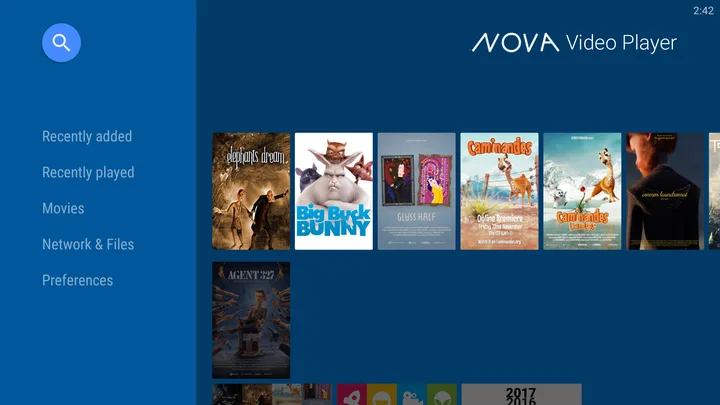
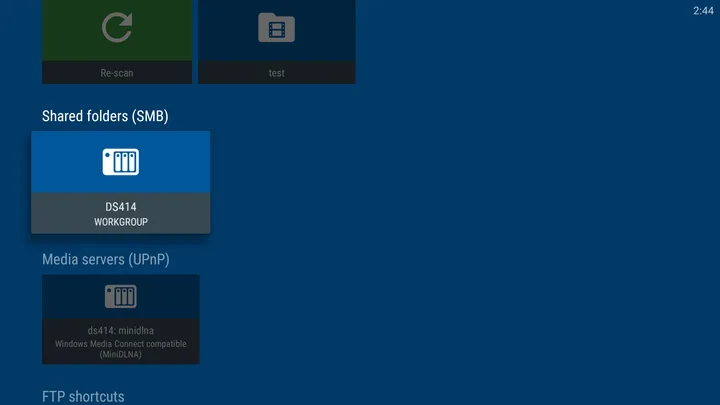
Introduction
Nova is an open-source video player for Android phones, tablets and TVs. It started as a fork of the Archos Video Player Community Edition and is developed by Courville Software, which describes itself as “a non-profit organization based in France, operated by volunteers”. In its own words, Nova “is just a video player and does not point to any streaming service”: you bring the videos.
What it does
From the project’s FAQ:
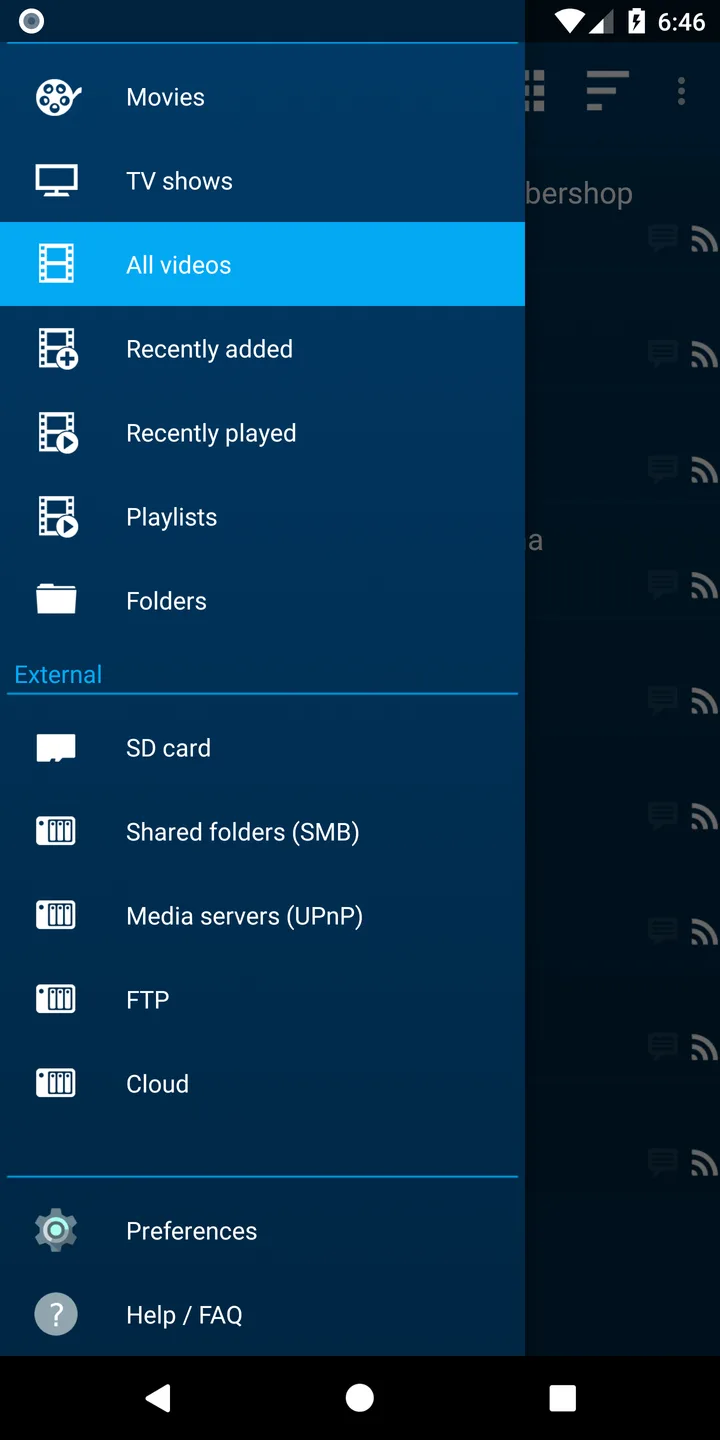
- Network shares: SMB versions 1 to 3, which the project recommends, plus UPnP, FTP, FTPS, SFTP (recommended for remote access) and WebDAV. NFS isn’t supported.
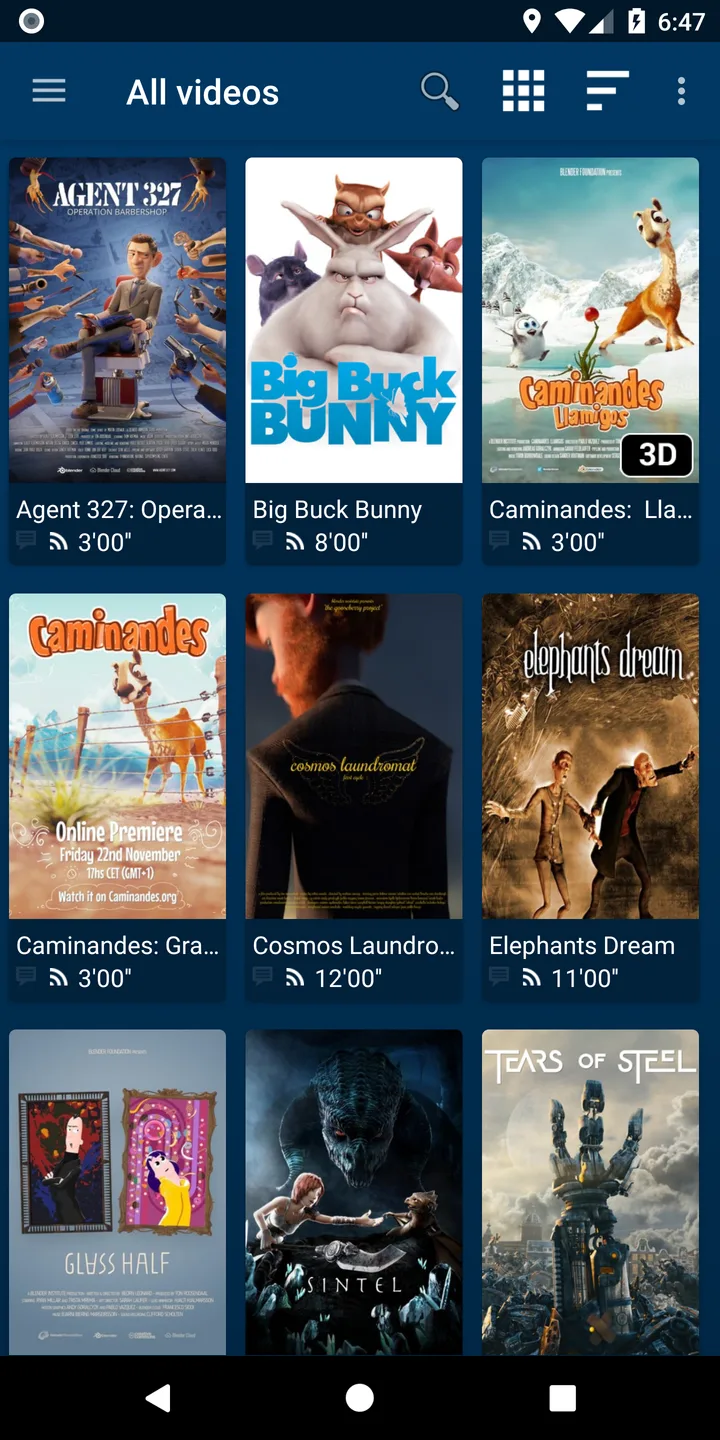
- A library with posters and descriptions, for films and series, from The Movie Database (TMDb). It also reads Kodi-style NFO files and artwork kept next to your videos.
- Subtitles: a native libass-based engine handles ASS and SSA styling, plain-text formats such as SRT and WebVTT, and graphic formats including VobSub and external PGS (
.sup). It supports custom subtitle fonts and can download subtitles from OpenSubtitles when you ask, which needs an opensubtitles.com account. - Android TV: a separate interface for the TV remote. Video decoding uses the device’s hardware where it can, and three audio passthrough modes for AV receivers are available in the settings, off by default.
- Extras: resume points shared between devices on a network share, Trakt scrobbling once you sign in, and skip prompts for intros, outros and recaps found in community databases. The prompts are on by default; automatic skipping is a separate setting that stays off by default.
Is Nova the player for you?
| If you want | What Nova does | Where it falls short |
|---|---|---|
| A library of your films and series | Posters and descriptions from TMDb, or from Kodi-style NFO files and artwork next to your videos | TMDb lookups are on by default; Nova’s privacy policy says they send processed file names |
| Videos from network shares | SMB 1 to 3, UPnP, FTP, FTPS, SFTP and WebDAV | No NFS: VLC and Kodi have it |
| A player for Android TV | A separate interface for the remote, hardware decoding, audio passthrough; this APK also runs on 32-bit TV boxes | Our VLC and Kodi builds need a 64-bit system |
| Few connections to outside services | OpenSubtitles and Trakt only when you use them | TMDb and two community intro databases are queried by default, and this GitHub build always reports crashes to Sentry |
| No crash reporting | — | This build always reports crashes to Nova’s Sentry server; F-Droid’s build is made without it, but stuck at 6.4.3 |
Torrents
Nova can also play a video from a .torrent file or magnet link, a feature its README and store descriptions don’t mention. It downloads the file in order, plays it as it arrives and saves it to your Downloads folder by default. Meanwhile it uploads to other BitTorrent users at up to 200 KiB/s. There is no torrent search in the app, and the torrent part only runs when you open a torrent. An optional peer blocklist can be loaded in the settings.
What goes online
- TMDb: on by default for new videos. The privacy policy says only “a processed version of the video file names” is sent. F-Droid flags the app NonFreeNet because this service isn’t free software.
- TheIntroDB and IntroDB: when a video has TMDb metadata, the skip-prompt feature asks
api.theintrodb.orgwith its TMDb, TVDB or IMDb identifiers, season, episode and duration, andapi.introdb.appwith the IMDb identifier, season and episode. Skip prompts are on by default and can be turned off in the settings; automatic skipping remains a separate opt-in. - OpenSubtitles and Trakt: only when you use them.
- Version row: version 6.6.4 does not check GitHub or download an update. Tapping the version entry opens Nova’s Google Play listing when Play services are available, or its Amazon listing otherwise.
- Crash reports: this build reports crashes to Nova’s own Sentry server, with no option to turn it off. The project’s release script builds GitHub releases with this option, and the file contains the server address. IzzyOnDroid flags the same build Tracking for this reason. Nova’s privacy policy, which says that only GitHub pre-releases do this, no longer matches.
About this file
- This is the developer’s own build: the universal APK from Nova’s GitHub release 6.6.4, signed with the developer’s key (SHA-256 fingerprint starting 05:AF:68:04). IzzyOnDroid carries the same signed build, but only for 32-bit ARM.
- Google Play has Nova from the same developer. The developer says the Play and F-Droid versions are signed differently, so switching between versions may mean uninstalling first. F-Droid builds and signs its own copy, which has been stuck at 6.4.3.
- The 93.1 MB file runs on Android 6.0 and later, on ARM and x86, 32- and 64-bit. Most of it is native code, repeated for each of the four processor types: largely FFmpeg, libass and its font-rendering dependencies, and the libtorrent engine. GitHub also has a separate, much smaller APK for each processor type.
- It declares 24 permissions. Unlike 6.5.5, version 6.6.4 no longer asks to install packages because the GitHub updater was removed. Our scan found one tracker library, Sentry, used for crash reporting.
- Version 6.6.4 improves MediaCodec HDR signalling and metadata and adds Dolby Vision Profile 9 (AVC) with an SDR fallback. For Dolby Vision video, it ranks eligible hardware decoders and tries the next one if a decoder fails. Its release notes also list fixes for MPEG-TS duration and resume position, timestamps in files with multiple video tracks, and ASS/SSA subtitles going off-screen in Fit width or portrait Fit. Network initialization now runs at normal thread priority to speed startup. We did not test playback on a device.
- Nova is licensed under Apache-2.0.
- The screenshots on this page come from the Nova project’s own store graphics, taken in 2019–2020, so the current version may look somewhat different. The posters in them are from Blender’s open movies, such as Big Buck Bunny and Sintel.
What’s inside the APK
Trackers
Code from these SDKs is in the package. That shows it is bundled, not how it is used.
Native code
Runs on 64-bit and older 32-bit ARM phones.
Android versions
Built for Android 16 (target API 36).
Permissions
8 of them need your approval first.
CPU types in this build: arm64-v8a (64-bit ARM, almost every phone since 2017); armeabi-v7a (32-bit ARM, older and budget phones); x86 (32-bit Intel, emulators); x86_64 (64-bit Intel, emulators and Chromebooks).
Asks you first (8)
Android shows a prompt before the app can use these.
- Connect to paired Bluetooth devices · BLUETOOTH_CONNECT
- Show notifications (Android 13+) · POST_NOTIFICATIONS
- Read shared storage (Android 12 and older) · READ_EXTERNAL_STORAGE
- Read photos · READ_MEDIA_IMAGES
- Read videos · READ_MEDIA_VIDEO
- Read only the photos and videos you pick · READ_MEDIA_VISUAL_USER_SELECTED
- Record audio with the microphone · RECORD_AUDIO
- Write shared storage (Android 10 and older) · WRITE_EXTERNAL_STORAGE
You switch these on in Settings (1)
Special app access. Nothing is granted until you turn it on yourself.
- Display over other apps · SYSTEM_ALERT_WINDOW
Granted at install (12)
Low-risk permissions Android grants automatically, plus any we have not classified.
- ACCESS_NETWORK_STATE
- ACCESS_WIFI_STATE
- BROADCAST_STICKY
- CHANGE_WIFI_MULTICAST_STATE
- CHANGE_WIFI_STATE
- FOREGROUND_SERVICE
- FOREGROUND_SERVICE_MEDIA_PLAYBACK
- INTERNET
- MODIFY_AUDIO_SETTINGS
- RECEIVE_BOOT_COMPLETED
- USB_PERMISSION
- WAKE_LOCK
Defined by other apps (3)
Permissions that belong to another app or to this app itself.
- com.android.providers.tv.permission.READ_EPG_DATA
- com.android.providers.tv.permission.WRITE_EPG_DATA
- org.courville.nova.DYNAMIC_RECEIVER_NOT_EXPORTED_PERMISSION
More Information
- Package name
- org.courville.nova
- Version
- 6.6.5-20261111.1224 (build 2674922)
- File size
- 96.0 MB (96,038,787 bytes)
- Requires
- Android 6.0 or later
- Category
- Media
- License
- Apache-2.0
- Developer
- nova-video-player
- Source code
- github.com/nova-video-player/aos-AVP
- Released
- Nov 11, 2026
- Signer SHA-256
- 05af6804bcad9e7e6d22d2ffc39fca1857a4aeb4385097cad91b11e5bac1f615
- File SHA-256
- 86ee5f3bfeed0978438068c62edb7319cfd6a46aa11171a9b461be1cd85e7e91
- Checked
- , against the v6.6.5 release on GitHub · how we check · verify it yourself
Common questions
Is this APK the official Nova Video Player release?
Yes. It is the file from the project’s v6.6.5 release on GitHub, byte for byte, and it matches the SHA-256 checksum GitHub publishes for it. It is signed with the certificate we recorded when we first checked Nova Video Player (SHA-256 05af6804bcad9e7e6d22d2ffc39fca1857a4aeb4385097cad91b11e5bac1f615); a release signed with a different key would not be published here.
What Android version does Nova Video Player need?
Android 6.0 or later (API level 23). Version 6.6.5-20261111.1224 is built for Android 16 (target API 36). Runs on 64-bit and older 32-bit ARM phones.
Can Nova Video Player access the internet?
Yes. The APK requests Android’s internet permission. In total it declares 24 permissions, and 8 of them need your approval first.
Does Nova Video Player contain trackers?
Yes. Version 6.6.5-20261111.1224 contains code from Sentry. Sentry matches an Exodus Privacy tracker signature. That shows the code is bundled, not how the app uses it.
Is Nova Video Player open source?
Yes. Nova Video Player is released under the Apache-2.0 licence, and its source code is published at https://github.com/nova-video-player/aos-AVP.
Does Nova Video Player send crash reports?
This build does. Nova’s GitHub releases are built with Sentry crash reporting switched on, and the app has no setting to turn it off. Nova’s privacy policy says only GitHub pre-releases send crash reports; that no longer matches its release builds. According to the project’s build files, the F-Droid and Google Play versions are built without it.
Can Nova Video Player play torrents?
Yes, though the project doesn’t advertise it. Open a .torrent file or a magnet link and Nova downloads the video in order and plays it as it arrives. Like any BitTorrent client, it uploads to other users meanwhile, up to 200 KiB/s. It has no built-in search: it only plays torrents you open. Only download what you have the right to.
Can Nova Video Player update itself?
Not by downloading an APK itself in version 6.6.4. Nova removed the GitHub updater and its install-packages permission. Tapping the version entry now only opens Nova’s Google Play listing when Play services are available, or its Amazon listing otherwise.
Will Nova Video Player run on my TV box?
Most likely. This is the universal APK, with native code for 32- and 64-bit ARM and x86, so it also runs on the many TV boxes with a 32-bit system. It needs Android 6.0 or later, and it has an interface built for TV remotes.
Recent releases
| Version | Released | Size |
|---|---|---|
| v6.6.5 · this download | Nov 11, 2026 | 96.0 MB |
| v6.6.4 | Nov 4, 2026 | 93.1 MB |
| v6.6.3 | Nov 1, 2026 | 93.1 MB |
| v6.6.2 | Oct 27, 2026 | 93.2 MB |
| v6.5.5 | Oct 9, 2026 | 84.5 MB |
Recent releases on the project’s GitHub. We host and check only the newest one. Full changelog.