Tux Paint
GPL-2.0-or-later · open source
The children’s drawing program used in schools around the world, with nearly a thousand stamps, colouring-book pages, sound effects and dozens of Magic tools. No ads, no purchases, no internet.
Needs:Android 5.0+ · 64-bit ARM
2113 Apps is independent, not affiliated with or endorsed by the Tux Paint developers. Official sources: tuxpaint.org · source code on GitHub.
- Version
- 0.9.35
- Size
- 153.3 MB
- Requires
- Android 5.0+
- Updated
- 2025-06-01
Screenshots
Introduction
Tux Paint is, in its own words, “a free, award-winning drawing program for children ages 3 to 12 (for example, preschool and K-6)”, and it “is used in schools around the world as a computer literacy drawing activity.” Bill Kendrick released the first version in 2002; it is still developed by a team of volunteers, and the Android port is built by Pere Pujal i Carabantes, who also publishes it on F-Droid.
What children can do with it
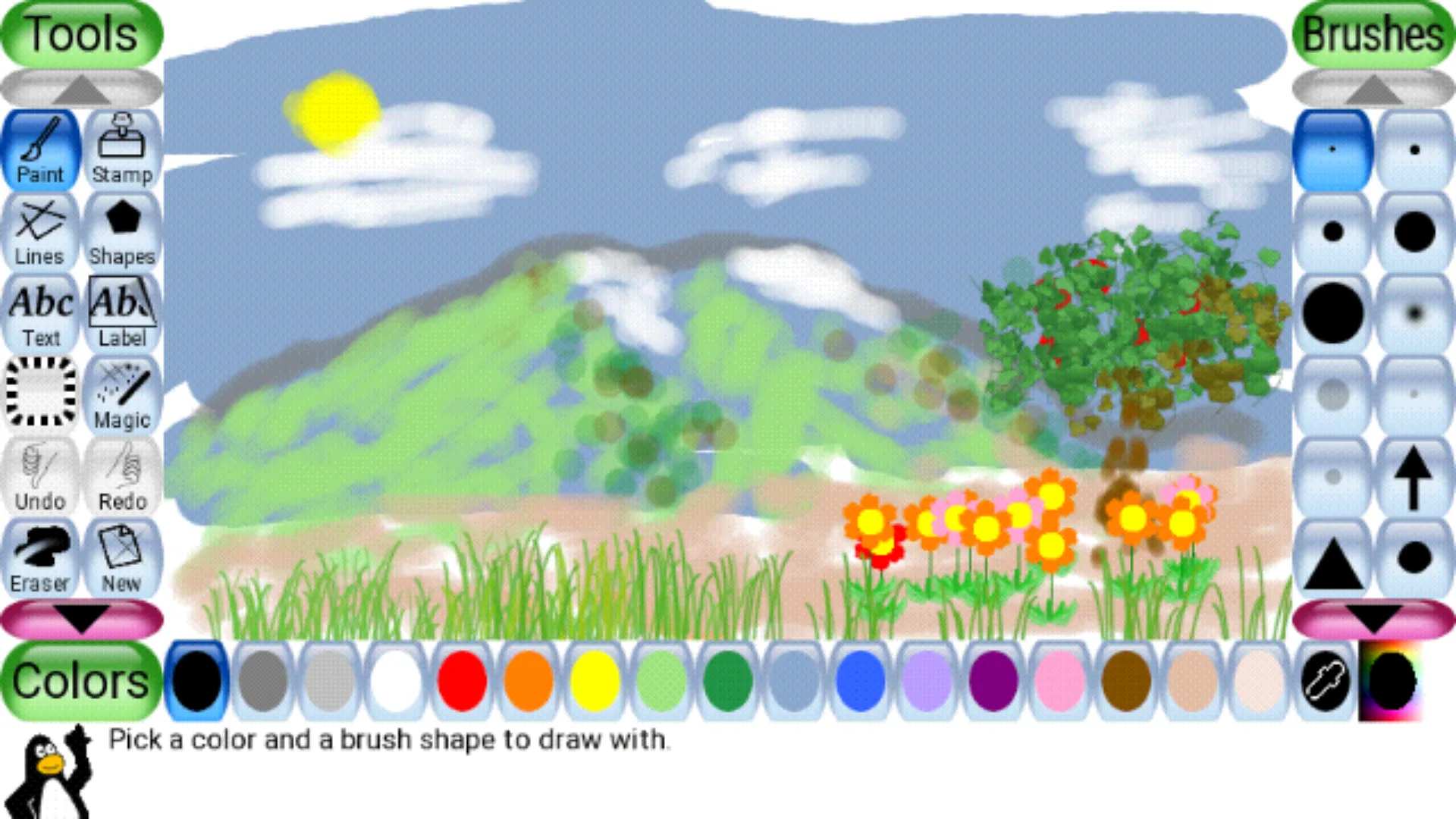
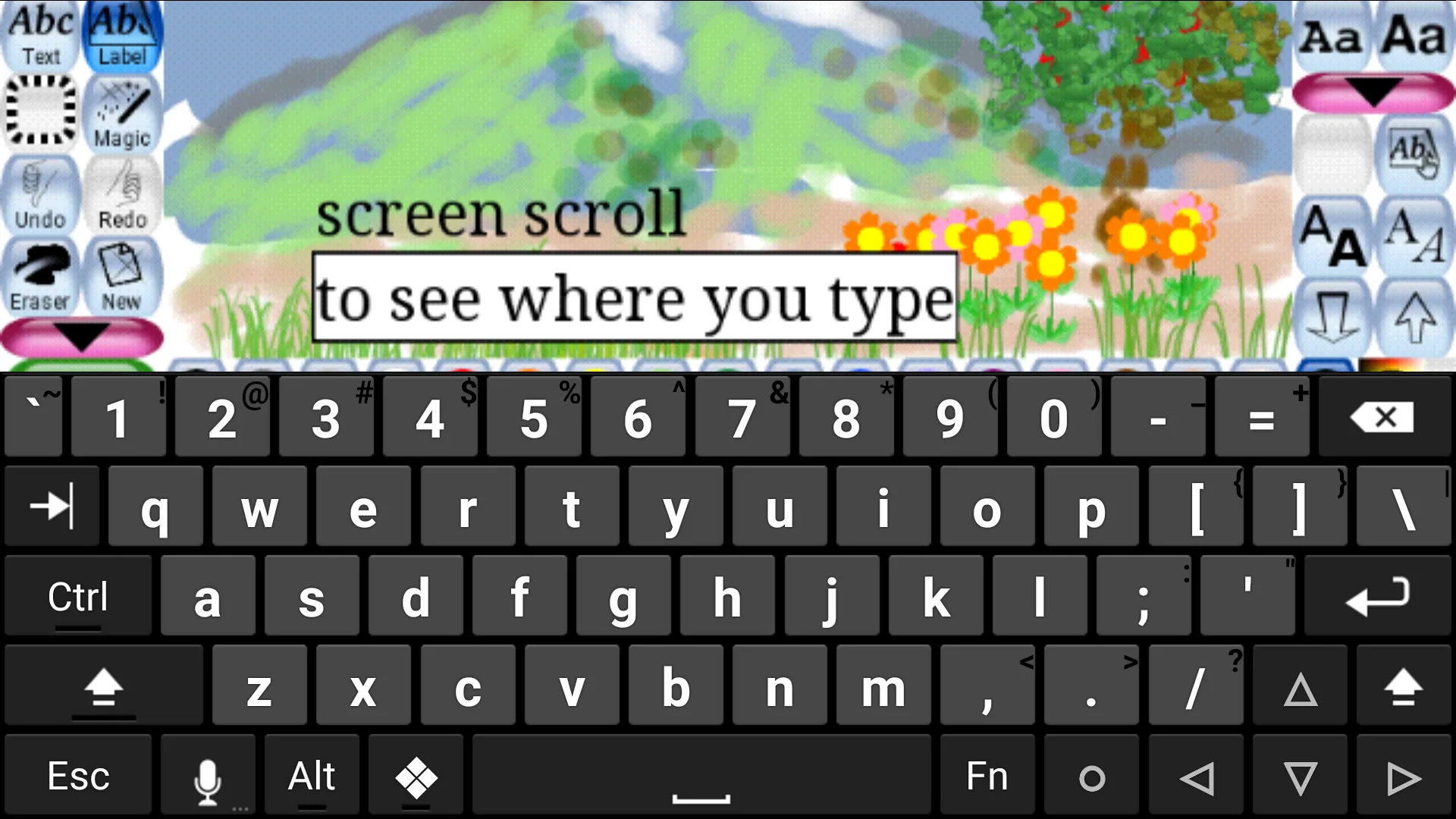
- Paint, draw lines and shapes, write text and erase, with large buttons and a sound effect for each action.
- Stamps: the Android version includes the stamp collection, nearly a thousand pictures in groups such as animals, food, vehicles, town, plants, space, sports, people and military, many of them with a spoken description in several languages.
- Magic tools, the special effects: the project counts “over 90 tools”, from rainbows and bricks to filters that warp the picture. New in 0.9.35 are tools that emit hearts, sparkles and stars.
- Starters and templates: “Starters” behave “like a page from a coloring book”; templates give a background picture to draw on. The app has 54 starters and 22 templates.
- Saving: the Save button doesn’t ask for a file name; it “will simply save the picture, and play a ‘camera shutter’ sound effect.”
- Printing goes through Android’s own print service.
Tux Paint Config, for parents and teachers
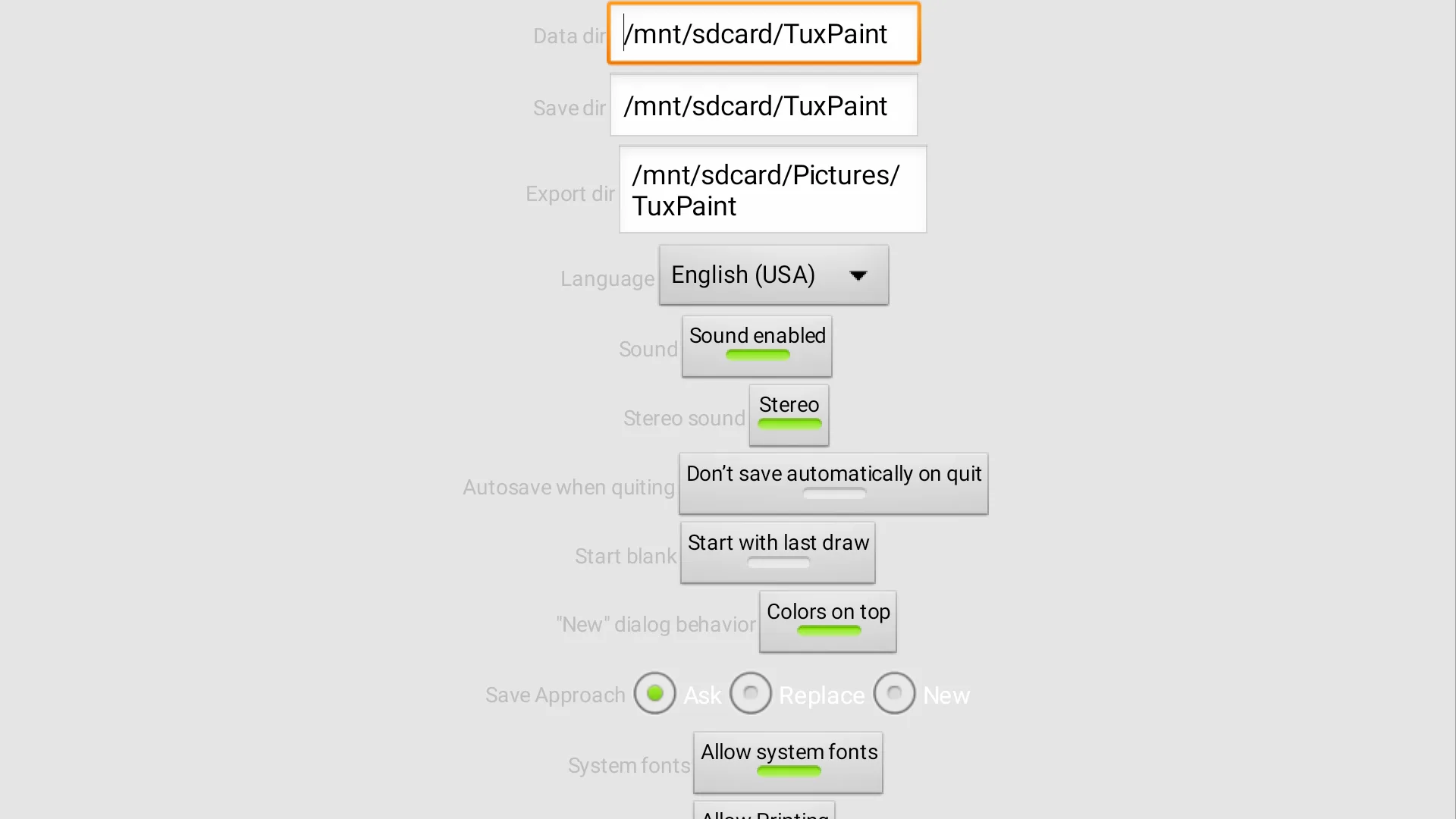
The APK installs a second icon, Tux Paint Config, which holds the settings, separate from the drawing program so children don’t change them by accident. Among them:
- Complexity: Advanced, Beginner or Novice. Novice, “for first-time Tux Paint users, users inexperienced with computers, or those with special accessibility needs”, hides some Magic tools.
- Language: about 130 translations.
- Sound on or off, autosave when quitting, whether a new drawing starts blank or from the last one, and what happens when you save over a picture.
- Printing on or off, with an optional delay between prints.
- Screen orientation, button size, the on-screen keyboard layout, and whether stamps can be rotated.
What it connects to
Nothing. The app has no internet permission, and the project states that “It does not utilize networking, and hence does not contain in-app advertising or in-app purchases, nor does it do any kind of user tracking.” Its privacy policy says the official releases “do not communicate any information online; they have no networking functionality.”
The other permissions: storage, requested at start on Android 6 to 11 so that drawings can be saved, and Bluetooth, which comes from the SDL game library’s controller support and is optional (see the questions below).
Good to know
- The first start can be slow. The project explains that the first time, “it may take a minute or more to respond” while the font system builds a cache; later starts are faster.
- Export what you want to keep. Drawings are stored in the app’s own folder; use Export in the Open dialog to copy them to Pictures/TuxPaint.
- A few desktop features differ. SVG stamps are left out of the Android version: “SVG support disabled as the old rsvg version used in previous builds crashed on some stamps.” The settings live in Tux Paint Config rather than a separate program.
About this file
- This is F-Droid’s build of version 0.9.35, compiled from the project’s source code, with the stamp collection downloaded at build time, and signed with F-Droid’s key. The project also offers its own APK download, signed differently, and the separate Google Play app.
- The 153.3 MB file is for 64-bit ARM devices only and needs Android 5.0 or later. Most of its size is the stamps and their sounds. Our scan found no trackers.
- Tux Paint is licensed under the GPL-2.0 or later. The stamp collection is GPL-2.0 as a whole, with individual pictures and sounds under other licences, among them public domain, Creative Commons and the GFDL, listed in the collection’s credits.
What’s inside the APK
Trackers
No code matching the Exodus Privacy tracker signatures.
Native code
Needs a 64-bit ARM phone; 32-bit-only devices are not supported.
Android versions
Built for Android 14 (target API 34).
Permissions
4 of them need your approval first.
CPU types in this build: arm64-v8a (64-bit ARM, almost every phone since 2017).
Asks you first (4)
Android shows a prompt before the app can use these.
- Connect to paired Bluetooth devices · BLUETOOTH_CONNECT
- Read shared storage (Android 12 and older) · READ_EXTERNAL_STORAGE
- Read photos · READ_MEDIA_IMAGES
- Write shared storage (Android 10 and older) · WRITE_EXTERNAL_STORAGE
Granted at install (1)
Low-risk permissions Android grants automatically, plus any we have not classified.
- BLUETOOTH
Defined by other apps (1)
Permissions that belong to another app or to this app itself.
- org.tuxpaint.DYNAMIC_RECEIVER_NOT_EXPORTED_PERMISSION
More Information
- Package name
- org.tuxpaint
- Version
- 0.9.35 (build 9350)
- File size
- 153.3 MB (153,343,277 bytes)
- Requires
- Android 5.0 or later
- Category
- Media
- License
- GPL-2.0-or-later
- Source code
- github.com/tux4kids/Tuxpaint-Android
- Released
- Jun 1, 2025
- Signed by
- F-Droid, which built this APK from the published source code. Because the key is F-Droid’s, it won’t install over a copy from Google Play or GitHub (or the other way round) without uninstalling first.
- Signer SHA-256
- 940a39919d743b56560e3b38046df22f248f2d3dfaf395358760a2368c65fc04
- File SHA-256
- 0834a371444b62be6d7c776a43994f7ab603367eb7d5b55d2847b2de7896ce3f
- Checked
- , against the F-Droid index · how we check · verify it yourself
Common questions
Is this APK the official Tux Paint release?
It is F-Droid’s build rather than the developer’s own: F-Droid compiled Tux Paint 0.9.35 from the published source code and signed it with its own key. Its SHA-256 matches F-Droid’s signed index. Because the key is F-Droid’s, it won’t install over a copy from Google Play or GitHub without uninstalling first.
What Android version does Tux Paint need?
Android 5.0 or later (API level 21). Version 0.9.35 is built for Android 14 (target API 34). Needs a 64-bit ARM phone; 32-bit-only devices are not supported.
Can Tux Paint access the internet?
No. The APK doesn’t request Android’s internet permission, so the app can’t go online by itself. In total it declares 6 permissions, and 4 of them need your approval first.
Does Tux Paint contain trackers?
No known trackers: our scan of version 0.9.35 found no code matching the Exodus Privacy tracker signatures. The scan covers known tracker libraries; it doesn’t show what data the app itself sends.
Is Tux Paint open source?
Yes. Tux Paint is released under the GPL-2.0-or-later licence, and its source code is published at https://github.com/tux4kids/Tuxpaint-Android.
Will my child’s drawings be lost if I uninstall Tux Paint?
They can be. The project warns: “Uninstalling Tux Paint may cause you to lose your drawings unless your device is using Google backup services! Be sure to use Tux Paint’s ‘Export’ function (from the ‘Open’ dialog)”. Export copies a picture to the Pictures/TuxPaint folder, which stays when the app is removed.
Why does it ask about Bluetooth?
It doesn’t need it. The permission comes from the SDL game library inside the app, which looks for paired game controllers. The project says that since version 0.9.31 “Tux Paint no longer requires Bluetooth access; you may revoke permissions if you’re not using any external input devices”. On Android 12 and later it is only requested if you open the Bluetooth info in Tux Paint Config.
Is this the same app as Tux Paint on Google Play?
Same program and version, but a separate app: the Google Play version is published under a different package name by another member of the team, so the two install side by side and don’t share drawings. This file is F-Droid’s build of the version the project distributes outside Google Play.
Recent releases
| Version | Released | Size | Requires |
|---|---|---|---|
| v0.9.35 · this download | Jun 1, 2025 | 153.3 MB | Android 5.0+ |
| v0.9.34 | Nov 7, 2024 | 153.3 MB | Android 5.0+ |
| v0.9.33 | Jul 21, 2024 | 150.0 MB | Android 5.0+ |
Versions currently kept in the F-Droid repository. We host and check only the newest one. Full changelog.