
Volume Manager
by Simon Chan · GPL-2.0-only · open source
Gives each app its own volume, from its own screen or a replacement volume popup.
Needs:Shizuku · Android 13+
2113 Apps is independent, not affiliated with or endorsed by Simon Chan. Official sources: source code on GitHub.
- Version
- 0.2
- Size
- 18.2 MB
- Requires
- Android 13+
- Updated
- 2025-08-18
Screenshots
Introduction
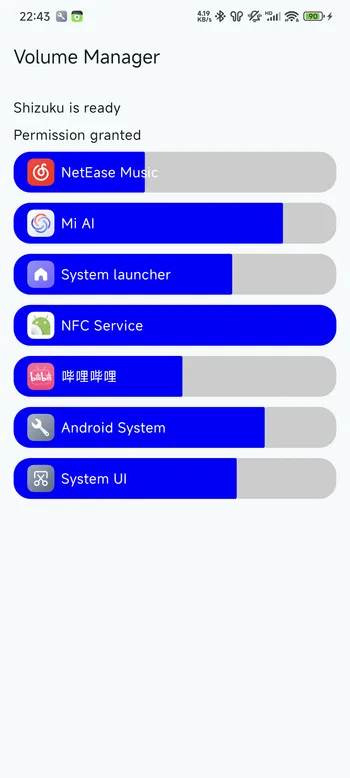
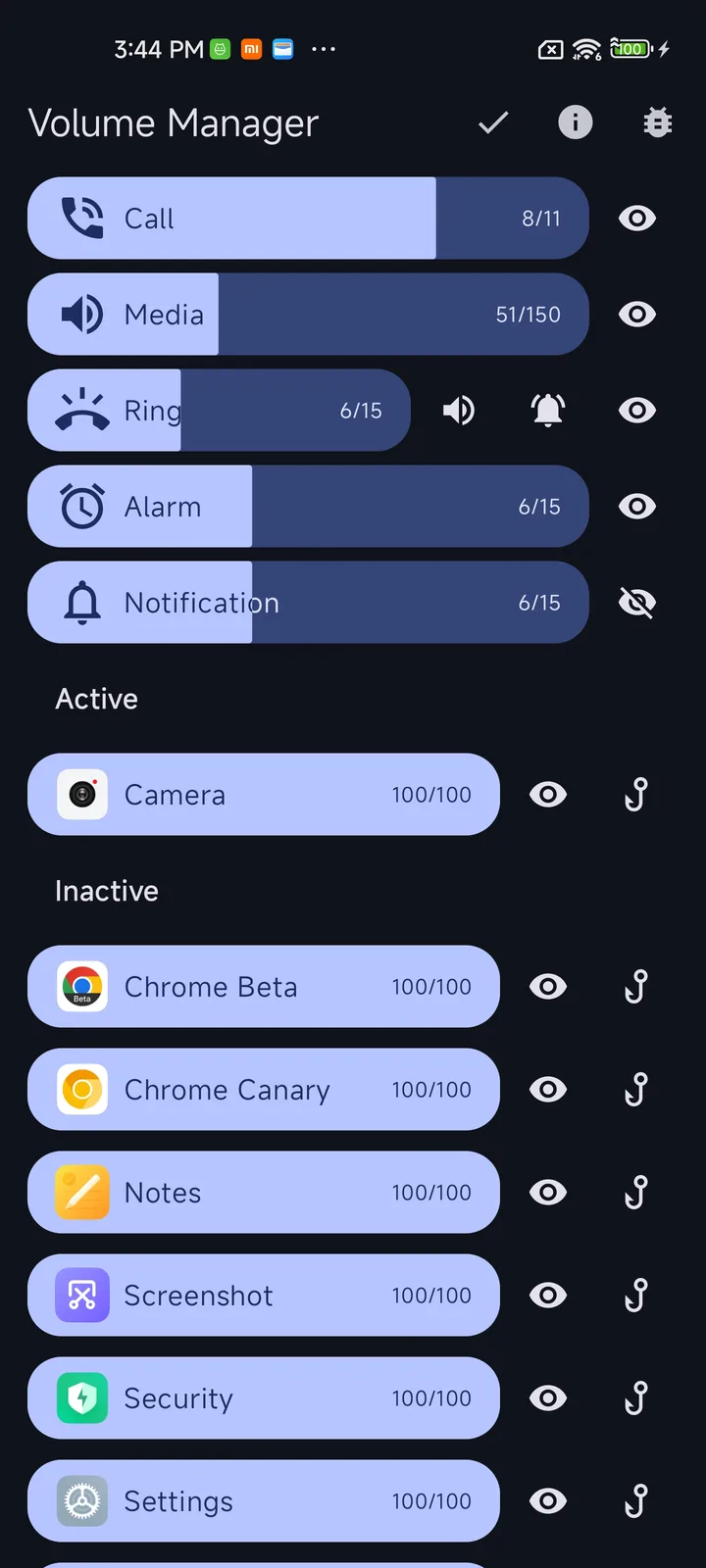
Android has one media volume for everything, so a game and a podcast play at the same level. Volume Manager gives each app its own volume. It uses Shizuku to reach the audio APIs that normal apps aren’t allowed to call.
Three ways to use it
- From its own screen, where every app that is playing audio gets a slider.
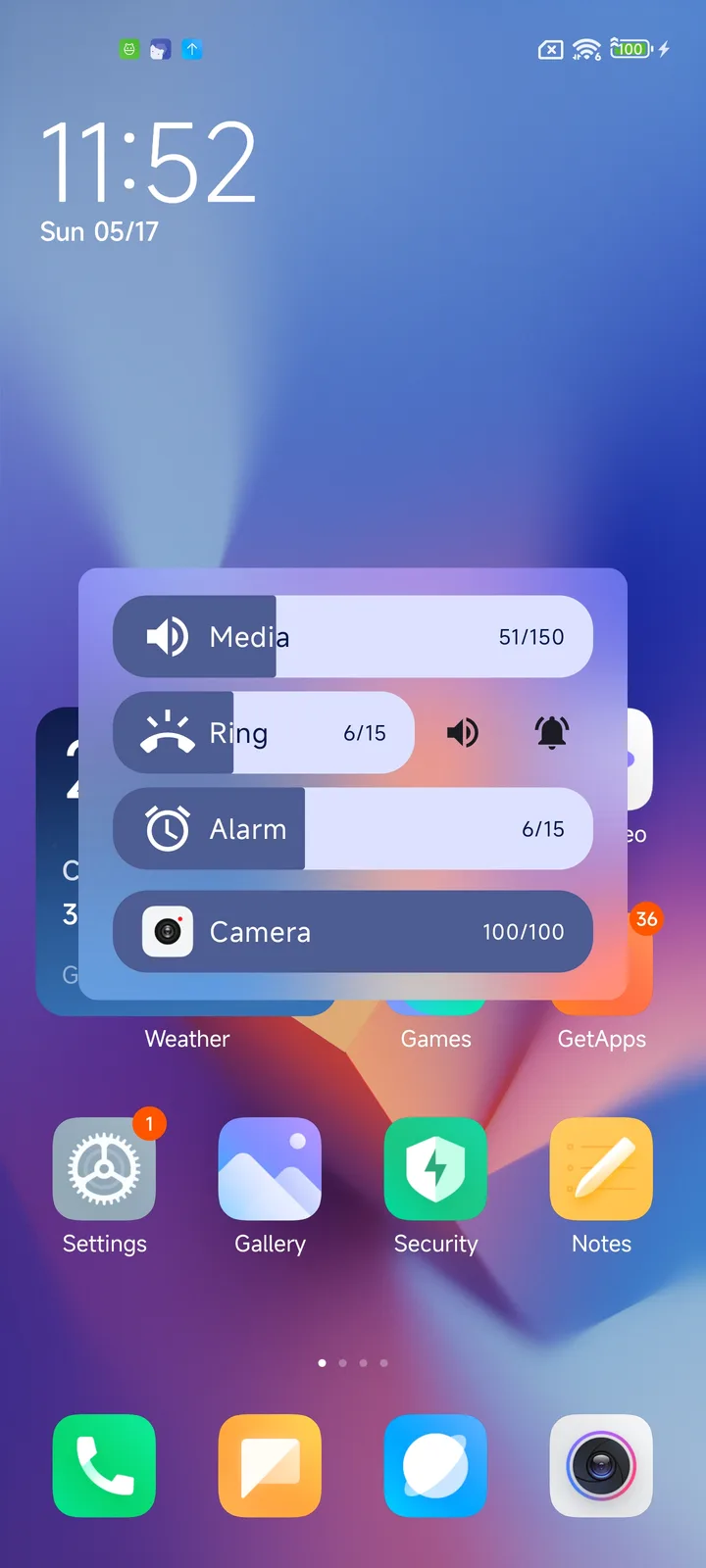
- As a replacement for the system volume popup. Press a volume button and Volume Manager’s popup appears instead of Android’s, with per-app sliders.
- From the accessibility button, if you would rather keep the system popup and open this only when needed.
What you need
- Android 13 or newer. The APK won’t install on anything older.
- Shizuku, running. You start it over wireless debugging or with root; our guide covers each method.
What stands out in the APK
- Shizuku API confirmed in the code, and no trackers.
- Four permissions, and the one that matters can’t be granted by tapping Allow.
WRITE_SECURE_SETTINGSis reserved for system apps, and a normal app only gets it through ADB or Shizuku. That is why Shizuku is required. The others are biometrics, the Shizuku API permission and one private permission.
Installing it
- Install and start Shizuku.
- Install this APK, open it and allow Shizuku access.
- Choose how you want to reach it: its own screen, the replacement volume popup, or the accessibility button. The accessibility button only appears once you turn on the app’s accessibility service in Android settings.
Worth knowing
This is version 0.2, an early release. Expect rough edges. If the replacement popup misbehaves, switch back to the main screen or the accessibility button while you report the issue.
More apps that use Shizuku: Shizuku apps list.
What’s inside the APK
Trackers
No code matching the Exodus Privacy tracker signatures.
Native code
Runs on 64-bit and older 32-bit ARM phones.
Android versions
Built for Android 15 (target API 35).
Permissions
0 of them need your approval first.
Shizuku API. Uses the Shizuku API, so it can do ADB-level work without root once Shizuku is running. (rikka.shizuku.Shizuku$$ExternalSyntheticLambda0)
CPU types in this build: arm64-v8a (64-bit ARM, almost every phone since 2017); armeabi-v7a (32-bit ARM, older and budget phones); x86 (32-bit Intel, emulators); x86_64 (64-bit Intel, emulators and Chromebooks).
System-level (1)
Reserved for system apps. A normal install does not get these; they only take effect through root, ADB or Shizuku, if at all.
- WRITE_SECURE_SETTINGS
Granted at install (1)
Low-risk permissions Android grants automatically, plus any we have not classified.
- USE_BIOMETRIC
Defined by other apps (2)
Permissions that belong to another app or to this app itself.
- moe.chensi.volume.DYNAMIC_RECEIVER_NOT_EXPORTED_PERMISSION
- moe.shizuku.manager.permission.API_V23
More Information
- Package name
- moe.chensi.volume
- Version
- 0.2 (build 4)
- File size
- 18.2 MB (18,198,007 bytes)
- Requires
- Android 13 or later
- Category
- Media
- License
- GPL-2.0-only
- Developer
- Simon Chan
- Source code
- github.com/yume-chan/VolumeManager
- Released
- Aug 18, 2025
- Signer SHA-256
- 74cdd6422595d84f046eab3e96bf29401b2346532300c6155d50122d589235dc
- File SHA-256
- c1f1480166e486d16ec2db8f2a47a0bb6336c13c454c4290c93eb14b4027f02c
- Checked
- , against the IzzyOnDroid index · how we check · verify it yourself
Common questions
Is this APK the official Volume Manager release?
Yes. It is the developer’s own release of Volume Manager 0.2, byte for byte as IzzyOnDroid distributes it. Its SHA-256 matches IzzyOnDroid’s signed index, and it is signed with the certificate IzzyOnDroid records for the app (SHA-256 74cdd6422595d84f046eab3e96bf29401b2346532300c6155d50122d589235dc).
What Android version does Volume Manager need?
Android 13 or later (API level 33). Version 0.2 is built for Android 15 (target API 35). Runs on 64-bit and older 32-bit ARM phones.
Can Volume Manager access the internet?
No. The APK doesn’t request Android’s internet permission, so the app can’t go online by itself. In total it declares 4 permissions, and none of them needs your approval first.
Does Volume Manager contain trackers?
No known trackers: our scan of version 0.2 found no code matching the Exodus Privacy tracker signatures. The scan covers known tracker libraries; it doesn’t show what data the app itself sends.
Is Volume Manager open source?
Yes. Volume Manager is released under the GPL-2.0-only licence, and its source code is published at https://github.com/yume-chan/VolumeManager.