

Joplin
AGPL-3.0-or-later · open source
Notes and to-do lists in notebooks, written in Markdown or a rich-text editor, synced between phone and computer through a service you choose, with end-to-end encryption if you turn it on.
Needs:No root · Android 7.0+
2113 Apps is independent, not affiliated with or endorsed by the Joplin developers. Official sources: joplinapp.org · source code on GitHub.
- Version
- 3.7.8
- Size
- 155.0 MB
- Requires
- Android 7.0+
- Updated
- 2026-09-11
Screenshots
Introduction
Joplin is a note-taking and to-do app by Laurent Cozic, first released in 2017, with versions for Android, iOS, Windows, macOS and Linux built from one code base. Notes are written in Markdown, or in a rich-text editor, and organised in notebooks with tags; the point of the app is to keep them in sync across your devices through a storage service you pick.
What it does
- Notes and to-dos in notebooks and sub-notebooks, with tags, search and attachments.
- Sync with Joplin Cloud, Dropbox, OneDrive, Nextcloud, WebDAV, S3, Joplin Server or a local folder, every five minutes by default.
- End-to-end encryption for synced notes, when you enable it.
- Camera and document scanner for adding photos and scans to notes.
- Voice typing, which downloads a speech model of about 236 megabytes the first time you use it, from Joplin’s GitHub.
- Plugins, off by default and described in the app as still in beta on mobile.
- Import and export as JEX archives.
The web clipper works with the desktop app; on Android you share pages and text into Joplin instead.
What F-Droid’s build leaves out
F-Droid removes the Google components from Joplin’s Android app: Google Play services, Firebase, ML Kit, which is why QR code scanning is missing, Google Play’s install referrer and licence check, and the location library. Without that library, the app records a fixed test location in France for new notes, as described in the questions below; Joplin closed the report about it as not planned.
What goes online
Nothing until you set up sync or use a feature that needs it. Joplin’s privacy notice: its applications “do not send any data to any service without your authorisation.” From the code of this version:
- Your sync service, once you choose one.
- GitHub, for the plugin list once plugins are enabled, and for the voice-typing model when you first use it.
- Images and links in your notes when you open them.
There is no analytics, crash reporting or update check in the mobile app.
About this file
- This is F-Droid’s build of version 3.7.8, compiled from the tagged source without the Google components and signed with F-Droid’s key. The APK on Joplin’s website and GitHub is signed by Laurent Cozic, so the two can’t update each other. F-Droid updates Joplin by hand, and its own description warns that it can lag behind; Joplin’s GitHub had 3.7.10 on 13 October 2026.
- The 155.0 MB file contains the app for ARM and x86, 32- and 64-bit, which is why it is large: React Native, OpenSSL and the speech-recognition library for four processor types, and a 30-megabyte JavaScript bundle. It runs on Android 7.0 and later and declares 19 permissions: internet and network state, storage and photos, the camera, the microphone for voice typing, location for geo-tagging, notifications and background work for sync and reminders, fingerprint for the optional lock, and one AndroidX adds for internal use.
- Joplin is licensed under the AGPL-3.0 or later; F-Droid’s listing still says MIT. Its logos and icons are excluded: the licence says they are “copyright (c) Laurent Cozic, all rights reserved, and may not be used without a permission”, and the app’s icon is part of this file. Joplin® is a trademark of JOPLIN SAS registered in the European Union.
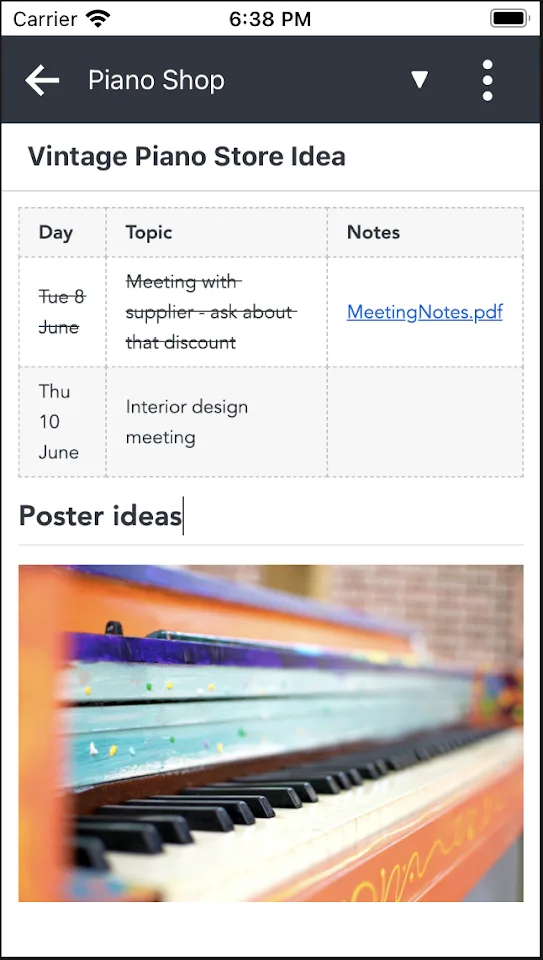
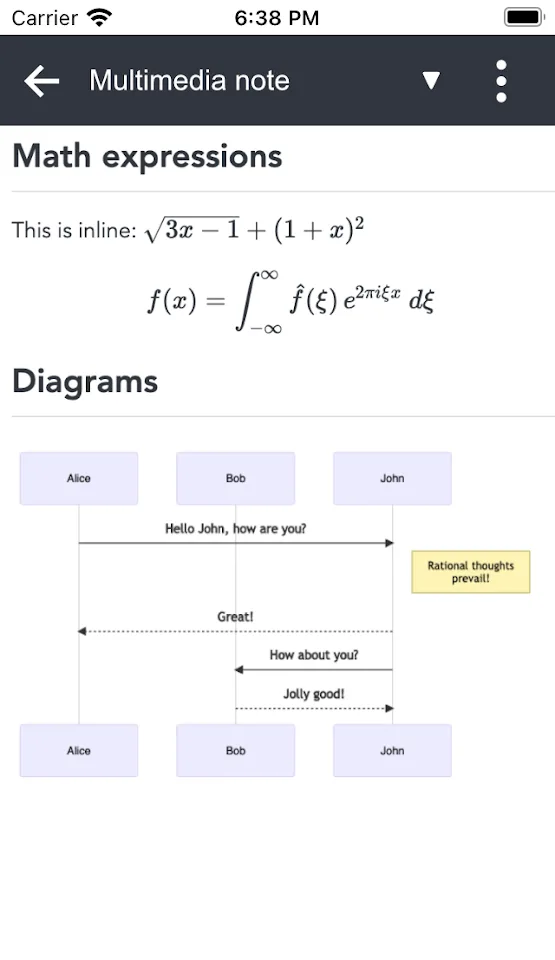
- The screenshots are the project’s own, from 2022, taken on an iPhone.
What’s inside the APK
Trackers
No code matching the Exodus Privacy tracker signatures.
Native code
Runs on 64-bit and older 32-bit ARM phones.
Android versions
Built for Android 16 (target API 36).
Permissions
7 of them need your approval first.
CPU types in this build: arm64-v8a (64-bit ARM, almost every phone since 2017); armeabi-v7a (32-bit ARM, older and budget phones); x86 (32-bit Intel, emulators); x86_64 (64-bit Intel, emulators and Chromebooks).
Asks you first (7)
Android shows a prompt before the app can use these.
- Precise location · ACCESS_FINE_LOCATION
- Use the camera · CAMERA
- Show notifications (Android 13+) · POST_NOTIFICATIONS
- Read shared storage (Android 12 and older) · READ_EXTERNAL_STORAGE
- Read photos · READ_MEDIA_IMAGES
- Record audio with the microphone · RECORD_AUDIO
- Write shared storage (Android 10 and older) · WRITE_EXTERNAL_STORAGE
Granted at install (11)
Low-risk permissions Android grants automatically, plus any we have not classified.
- ACCESS_NETWORK_STATE
- ACCESS_WIFI_STATE
- FOREGROUND_SERVICE
- FOREGROUND_SERVICE_MEDIA_PLAYBACK
- INTERNET
- MODIFY_AUDIO_SETTINGS
- RECEIVE_BOOT_COMPLETED
- USE_BIOMETRIC
- USE_FINGERPRINT
- VIBRATE
- WAKE_LOCK
Defined by other apps (1)
Permissions that belong to another app or to this app itself.
- net.cozic.joplin.DYNAMIC_RECEIVER_NOT_EXPORTED_PERMISSION
More Information
- Package name
- net.cozic.joplin
- Version
- 3.7.8 (build 2097817)
- File size
- 155.0 MB (154,987,817 bytes)
- Requires
- Android 7.0 or later
- Category
- Productivity
- License
- AGPL-3.0-or-later
- Source code
- github.com/laurent22/joplin
- Released
- Sep 11, 2026
- Signed by
- F-Droid, which built this APK from the published source code. Because the key is F-Droid’s, it won’t install over a copy from Google Play or GitHub (or the other way round) without uninstalling first.
- Signer SHA-256
- 48a1cf9201b9079a6e0d5b33693e496db3c5cbec64a85afccd75e16d7a6cd54d
- File SHA-256
- 79acd24866ef5c3f8779fcdf926dd6e0d6e242ccffda8581c556f2a80f4b2782
- Checked
- , against the F-Droid index · how we check · verify it yourself
Common questions
Is this APK the official Joplin release?
It is F-Droid’s build rather than the developer’s own: F-Droid compiled Joplin 3.7.8 from the published source code and signed it with its own key. Its SHA-256 matches F-Droid’s signed index. Because the key is F-Droid’s, it won’t install over a copy from Google Play or GitHub without uninstalling first.
What Android version does Joplin need?
Android 7.0 or later (API level 24). Version 3.7.8 is built for Android 16 (target API 36). Runs on 64-bit and older 32-bit ARM phones.
Can Joplin access the internet?
Yes. The APK requests Android’s internet permission. In total it declares 19 permissions, and 7 of them need your approval first.
Does Joplin contain trackers?
No known trackers: our scan of version 3.7.8 found no code matching the Exodus Privacy tracker signatures. The scan covers known tracker libraries; it doesn’t show what data the app itself sends.
Is Joplin open source?
Its code is. The source code of Joplin is released under the AGPL-3.0-or-later licence and published at https://github.com/laurent22/joplin. Its logos and icons are not: Joplin’s licence says they are “copyright (c) Laurent Cozic, all rights reserved”, and the app’s icon is part of this file.
How do I sync my notes?
In the settings, pick a target: Joplin Cloud, Dropbox, OneDrive, Nextcloud, any WebDAV server, S3, your own Joplin Server, or a folder on the phone. Sync is off until you do. Joplin Cloud is the project’s paid service; its plans page started at €2.99 a month on 13 October 2026.
Are my notes encrypted?
Only if you turn on end-to-end encryption, which is off by default. Joplin’s documentation says to enable it on one device first and not on several at once; the others switch it on when they sync.
Why do my new notes have a location in France?
Because of how F-Droid builds this version: it removes the location library, and every location request then returns a fixed test position in Brittany. “Save geo-location with notes” is on by default; turning it off in the settings stops it.
Can I switch to the version from Joplin’s website or Google Play?
Not without uninstalling, since this F-Droid build is signed with F-Droid’s key and Joplin’s own APK with the developer’s. Sync your notes or export them as a JEX file first, then import them.
Recent releases
| Version | Released | Size | Requires |
|---|---|---|---|
| v3.7.8 · this download | Sep 11, 2026 | 155.0 MB | Android 7.0+ |
| v3.7.7 | Sep 7, 2026 | 154.6 MB | Android 7.0+ |
| v3.6.22 | Sep 7, 2026 | 151.4 MB | Android 7.0+ |
Versions currently kept in the F-Droid repository. We host and check only the newest one. Full changelog.
Alternatives and related apps
-
 Logseq An outliner that stores notes as Markdown files in a folder, with links between pages; you sync the folder yourself.Download
-
 Fossify Notes Simple notes and checklists on the phone only, with no sync and no internet access.Download