KDE Connect
GPL-3.0-only · open source
Pair your phone with your computer over the local network to share files and the clipboard, read and answer phone notifications on the PC, and use the phone as a touchpad or media remote.
Needs:KDE Connect on the computer · Android 6.0+
2113 Apps is independent, not affiliated with or endorsed by the KDE Connect developers. Official sources: kdeconnect.kde.org · source code on invent.kde.org.
- Version
- 1.37.0
- Size
- 7.4 MB
- Requires
- Android 6.0+
- Updated
- 2026-10-29
Screenshots
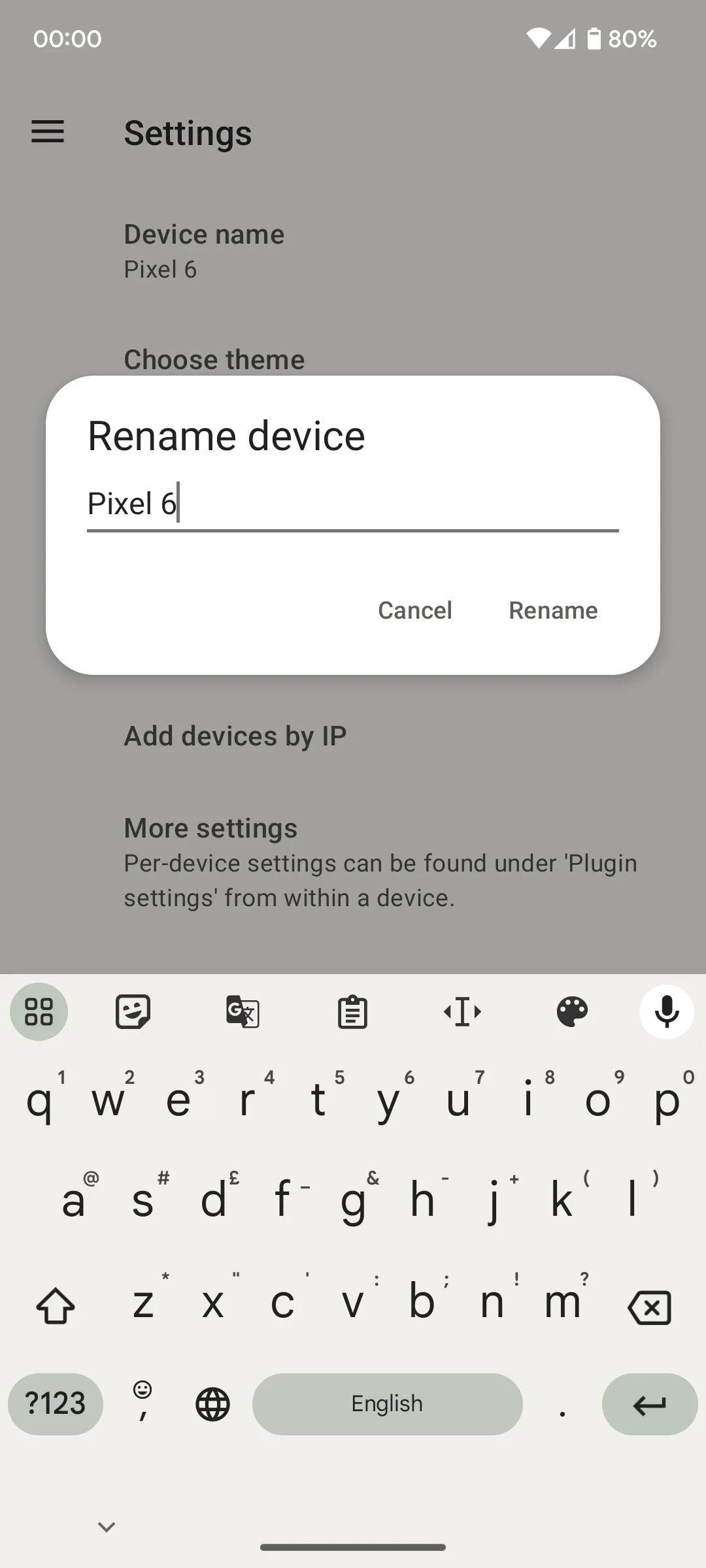
Introduction
KDE Connect is the phone half of a pair: an Android app from the KDE community that talks to a companion program on your computer. In the README’s words, it works “without wires, over the already existing Wi-Fi network, and using TLS encryption”, and “you will also need to install the desktop app for it to work.” It is free, has no paid version and, on Google Play, more than a million downloads.
What it does
Each feature is a plugin, which you can switch off for each paired device:
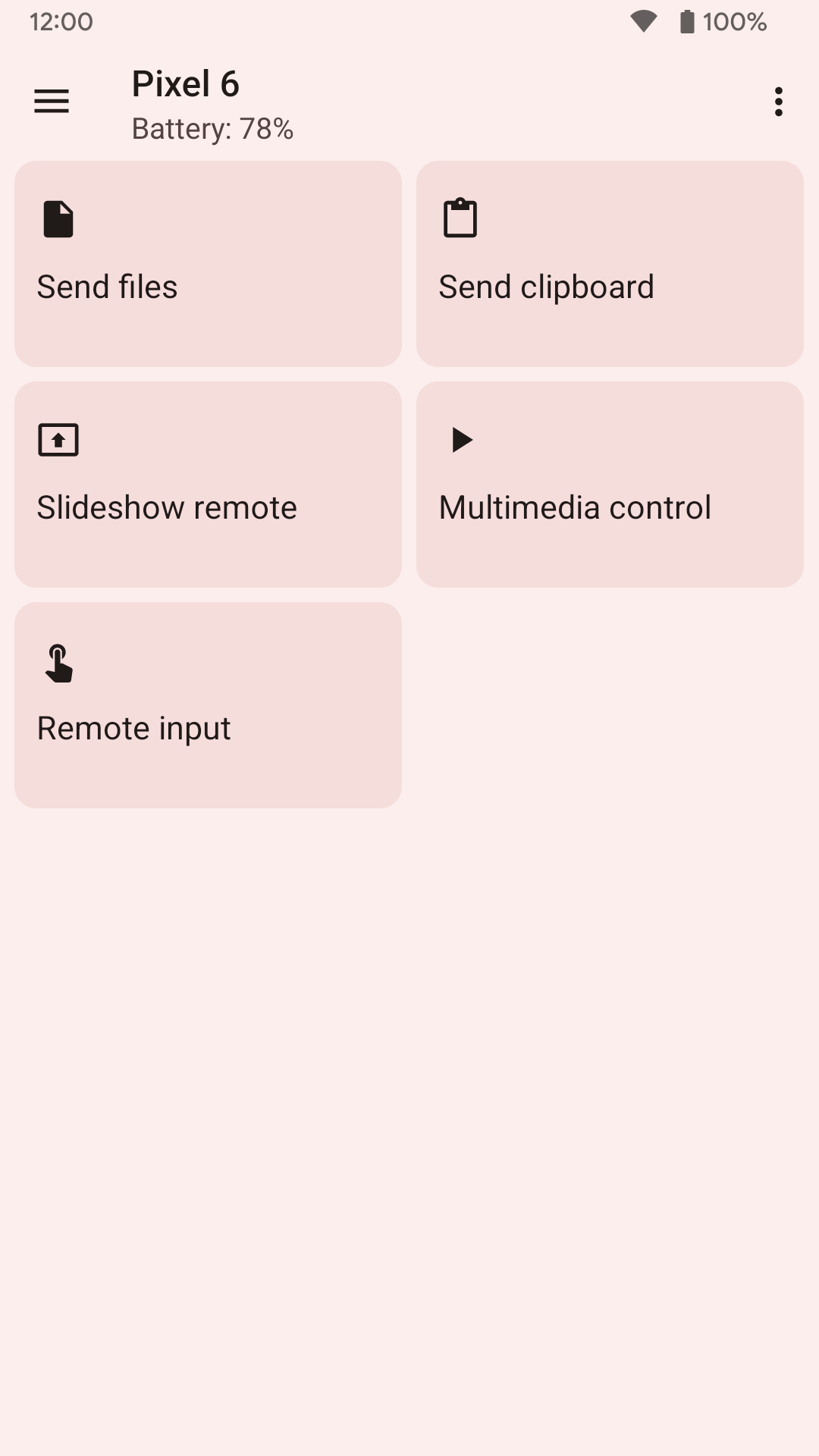
- Shared clipboard in both directions (on Android 10 and later, sending from the phone needs a tap; see the questions below).
- Notifications on the computer: read the phone’s notifications there and reply to messages.
- Share files and links from the phone to the computer and back.
- Media controls: use the phone as a remote for music and video playing on the computer.
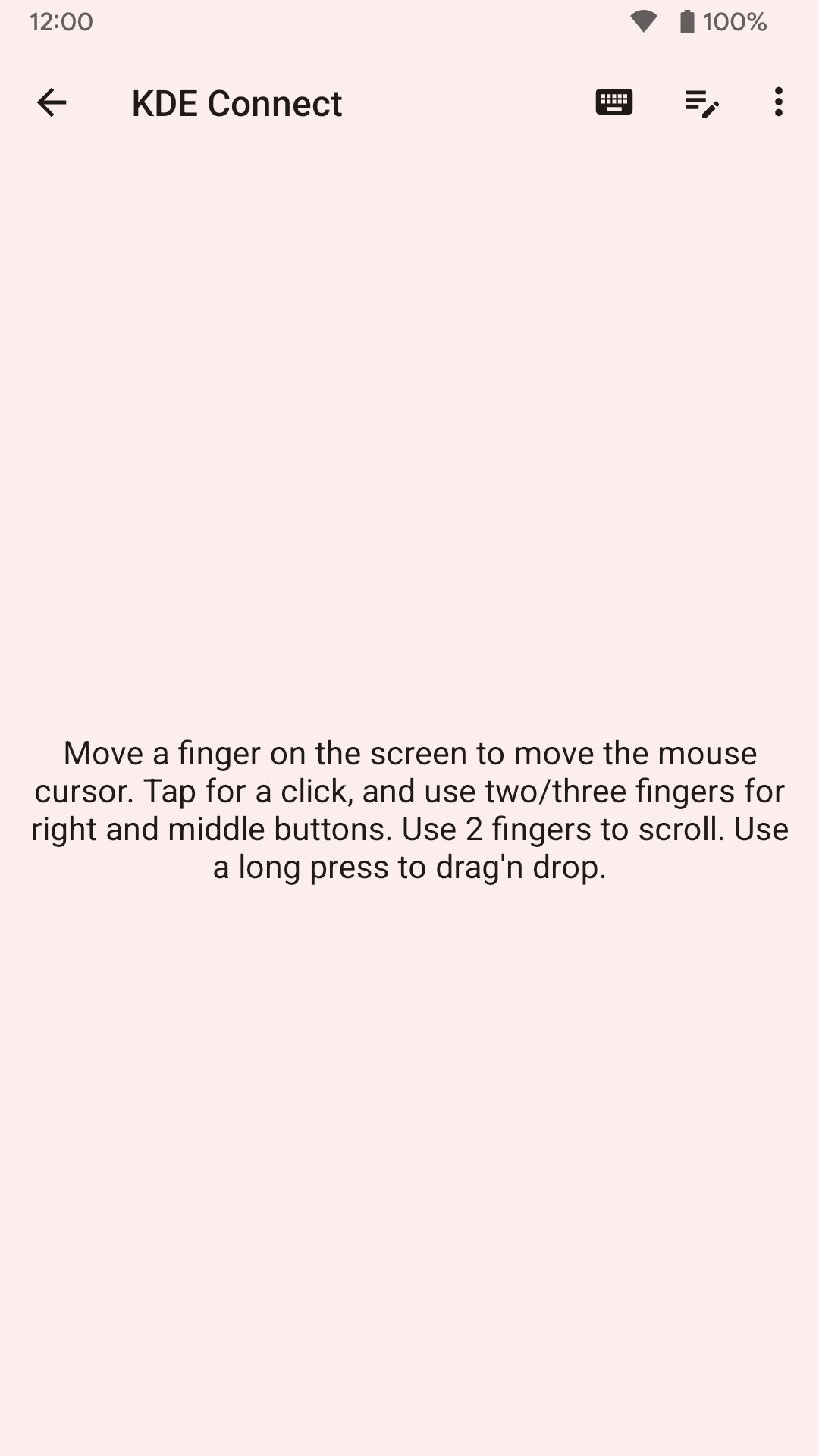
- Remote input: the phone as a touchpad and keyboard for the computer, and a presentation remote for slides.
- Run commands that you set up on the computer, from the phone.
- Find my phone: make the phone ring from the computer, optionally flashing the torch too.
- Filesystem access: browse the phone’s storage from the computer’s file manager.
- Text messages from the computer, with KDE Connect’s SMS app on the desktop, plus call notifications and an optional contacts sync, which asks separately before sending your contacts.
- The other way round, the computer can also control the phone’s pointer and keyboard (Android 7 and later; see the permissions below).
What your computer needs
KDE’s download page lists KDE Connect for Linux, where it “works on all desktop environments”, for Windows (Microsoft Store, Chocolatey or an installer) and for macOS (a download or Homebrew). On GNOME you can use GSConnect or Valent instead, which speak the same protocol. The app’s own description asks you to “keep the desktop version up-to-date with the Android version for the latest features to work.”
Keep the computer side updated for security, too. In November 2025 KDE published a flaw, CVE-2025-66270, that let an attacker who knew the ID of a paired device impersonate it and skip authentication. It affected KDE Connect desktop 25.04 to 25.11, GSConnect 59 to 67, and the Android app from 1.33.0 to 1.34.3; the Android version here is well past it.
How the connection works
From the 1.37.0 source code:
- Discovery: the phone announces itself on the local network with a UDP broadcast on port 1716 and over mDNS. The computers then connect over TCP, on a port between 1716 and 1764.
- Encryption: every device makes its own key and self-signed certificate; connections use TLS 1.2. After pairing, each side accepts only the certificate it saw when you paired.
- Pairing: both screens show the same 8-character code. The two clocks have to be within 30 minutes of each other, or pairing fails with “Device clocks are out of sync”. Since 1.35.17, a pairing can only be accepted when one has actually been requested.
- Trusted networks: by default, every network counts as trusted, so the phone announces its name and device ID on any Wi-Fi it joins, public networks included. You can limit this to networks you pick; to read the Wi-Fi name for that, Android requires the location permission.
- Bluetooth as a link is off by default on Android, and labelled “beta”.
What goes online
Files, notifications and everything else go directly between your devices over the local network. The app’s description says KDE Connect “never sends any information to KDE nor to any third party” and works “never through the internet”, but the code has two small exceptions:
- On first launch, if you haven’t named the device yet, it downloads Google’s public list of phone models (
supported_devices.csvfrom Google’s storage servers) to show a readable name for your phone. The list is matched on the phone; nothing about your phone is sent, though the server sees an ordinary download request. - When the computer reports album art for the music it’s playing as a web address, the phone downloads that image, only on Wi-Fi or other unmetered networks.
We found no analytics, crash reporting or update checks.
Permissions
The APK lists many permissions because each plugin needs different ones, but a plugin that lacks its permission simply stays inactive until you grant it from the plugin list:
- Notification access for notification sync and the media controls.
- Accessibility service only for letting the computer control the phone’s pointer and keyboard. Version 1.35.16 added a keyboard receiver that uses it, so you no longer have to switch to KDE Connect’s own keyboard.
- All files access for browsing the phone from the computer.
- SMS, phone and contacts for the messaging, call and contacts plugins.
- Location, including in the background, only for reading the Wi-Fi name for trusted networks.
- Camera for the optional torch in Find my phone, and the microphone for voice input in the remote for Plasma Bigscreen, KDE’s TV interface.
- Reading system logs and drawing over other apps are listed for the automatic clipboard workaround; reading logs can only be granted over adb, and KDE’s instructions grant both that way.
About this file
- This is F-Droid’s build of KDE Connect 1.37.0, signed with F-Droid’s key. Google Play has the same app from “KDE Community”, built from the same source but signed by KDE, so you can’t update one with the other: switching means uninstalling, and, since the app keeps its data out of Android’s backups, pairing your computers again.
- Upstream’s 1.37.0 changelog says no new feature was added and asks users to report regressions after extensive internal changes. The source changes include safer file-transfer cancellation and cleanup, a new remote-keyboard input path on Android 14 and later, fixes for one-to-one RCS address handling and stale media-player state, and support for cancelling a transfer over Bluetooth. The 1.36.0 features—horizontal scrolling in remote input, faster received files, remote-filesystem reconnection and presentation-remote haptics—remain present.
- The 7.4 MB file runs on ARM and x86 phones and needs Android 6.0 or later. Our scan found no trackers.
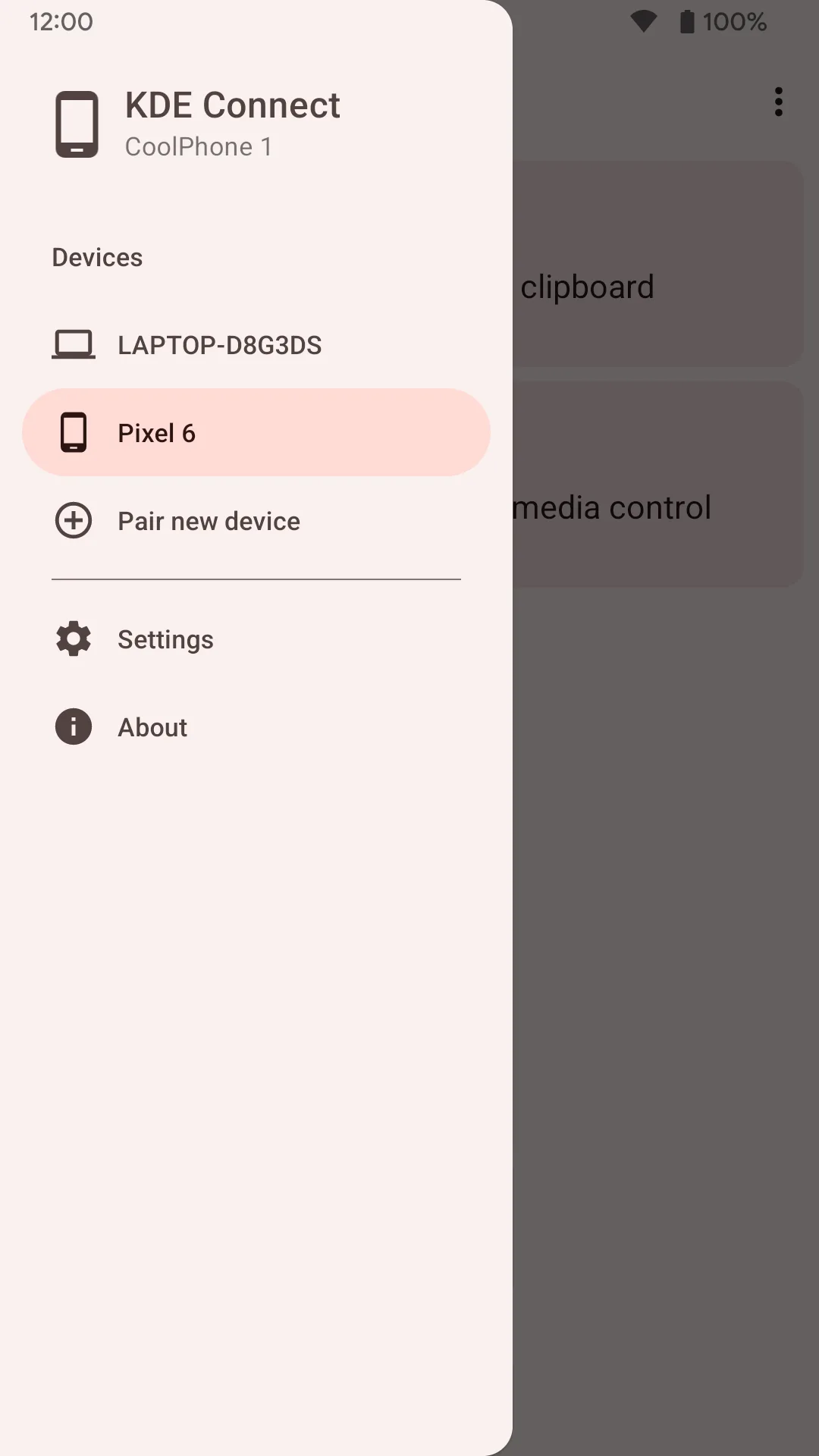
- The screenshots are the project’s own, from 2023; some labels have changed since (the slideshow remote is now called “Presentation remote”).
- KDE Connect is licensed under the GPL (version 2 or 3). KDE® is a registered trademark of KDE e.V.; this site isn’t affiliated with KDE.
What’s inside the APK
Trackers
No code matching the Exodus Privacy tracker signatures.
Native code
Runs on 64-bit and older 32-bit ARM phones.
Android versions
Built for Android 17 (target API 37).
Permissions
16 of them need your approval first.
CPU types in this build: arm64-v8a (64-bit ARM, almost every phone since 2017); armeabi-v7a (32-bit ARM, older and budget phones); x86 (32-bit Intel, emulators); x86_64 (64-bit Intel, emulators and Chromebooks).
Asks you first (16)
Android shows a prompt before the app can use these.
- Location while running in the background · ACCESS_BACKGROUND_LOCATION
- Approximate location · ACCESS_COARSE_LOCATION
- Precise location · ACCESS_FINE_LOCATION
- Connect to paired Bluetooth devices · BLUETOOTH_CONNECT
- Scan for Bluetooth devices · BLUETOOTH_SCAN
- Use the camera · CAMERA
- Show notifications (Android 13+) · POST_NOTIFICATIONS
- Read the call log · READ_CALL_LOG
- Read your contacts · READ_CONTACTS
- Read shared storage (Android 12 and older) · READ_EXTERNAL_STORAGE
- Read phone status and identity · READ_PHONE_STATE
- Read text messages · READ_SMS
- Receive text messages · RECEIVE_SMS
- Record audio with the microphone · RECORD_AUDIO
- Send text messages · SEND_SMS
- Write shared storage (Android 10 and older) · WRITE_EXTERNAL_STORAGE
You switch these on in Settings (3)
Special app access. Nothing is granted until you turn it on yourself.
- All files access · MANAGE_EXTERNAL_STORAGE
- Install unknown apps · REQUEST_INSTALL_PACKAGES
- Display over other apps · SYSTEM_ALERT_WINDOW
System-level (1)
Reserved for system apps. A normal install does not get these; they only take effect through root, ADB or Shizuku, if at all.
- READ_LOGS
Granted at install (18)
Low-risk permissions Android grants automatically, plus any we have not classified.
- ACCESS_LOCAL_NETWORK
- ACCESS_NETWORK_STATE
- ACCESS_WIFI_STATE
- BLUETOOTH
- BLUETOOTH_ADMIN
- CHANGE_NETWORK_STATE
- CHANGE_WIFI_MULTICAST_STATE
- CHANGE_WIFI_STATE
- DOWNLOAD_WITHOUT_NOTIFICATION
- FOREGROUND_SERVICE
- FOREGROUND_SERVICE_CONNECTED_DEVICE
- INTERNET
- QUERY_ALL_PACKAGES
- RECEIVE_BOOT_COMPLETED
- RECEIVE_MMS
- USE_FULL_SCREEN_INTENT
- VIBRATE
- WAKE_LOCK
Defined by other apps (1)
Permissions that belong to another app or to this app itself.
- org.kde.kdeconnect_tp.DYNAMIC_RECEIVER_NOT_EXPORTED_PERMISSION
More Information
- Package name
- org.kde.kdeconnect_tp
- Version
- 1.37.0 (build 13700)
- File size
- 7.4 MB (7,401,390 bytes)
- Requires
- Android 6.0 or later
- Category
- Network & Privacy
- License
- GPL-3.0-only
- Source code
- invent.kde.org/network/kdeconnect-android
- Released
- Oct 29, 2026
- Signed by
- F-Droid, which built this APK from the published source code. Because the key is F-Droid’s, it won’t install over a copy from Google Play or GitHub (or the other way round) without uninstalling first.
- Signer SHA-256
- 79b50031486746dffbc746f48fb0eb62fc7bb0ae7b976e7d6507b2c078840d92
- File SHA-256
- a51c6e85585748b44b42fb409229effb333f7758e5e7cbfff2f480a62530dd01
- Checked
- , against the F-Droid index · how we check · verify it yourself
Common questions
Is this APK the official KDE Connect release?
It is F-Droid’s build rather than the developer’s own: F-Droid compiled KDE Connect 1.37.0 from the published source code and signed it with its own key. Its SHA-256 matches F-Droid’s signed index. Because the key is F-Droid’s, it won’t install over a copy from Google Play or GitHub without uninstalling first.
What Android version does KDE Connect need?
Android 6.0 or later (API level 23). Version 1.37.0 is built for Android 17 (target API 37). Runs on 64-bit and older 32-bit ARM phones.
Can KDE Connect access the internet?
Yes. The APK requests Android’s internet permission. In total it declares 39 permissions, and 16 of them need your approval first.
Does KDE Connect contain trackers?
No known trackers: our scan of version 1.37.0 found no code matching the Exodus Privacy tracker signatures. The scan covers known tracker libraries; it doesn’t show what data the app itself sends.
Is KDE Connect open source?
Yes. KDE Connect is released under the GPL-3.0-only licence, and its source code is published at https://invent.kde.org/network/kdeconnect-android.
My phone and computer can’t see each other. What can I check?
KDE’s troubleshooting page: KDE Connect “uses dynamic ports in the range 1714-1764 for UDP and TCP”, so open that range in the computer’s firewall, and make sure the network doesn’t block UDP broadcasts. You can also add the computer by hand: in the app’s menu, choose “Add devices by IP”. Check the Trusted networks setting too.
Why doesn’t my phone’s clipboard reach the computer by itself?
Android 10 stopped apps from reading the clipboard in the background. KDE’s workaround: a “Send Clipboard” button in KDE Connect’s notification, and on Android 14 or later a “Send clipboard” Quick Settings tile. The project also documents granting two extra permissions over adb, for those who want automatic syncing.
Notifications on my PC say the content is hidden. Why?
Since Android 15, the system hides “sensitive” notification content, such as one-time codes, from apps. KDE’s documentation gives an adb command that grants KDE Connect the RECEIVE_SENSITIVE_NOTIFICATIONS permission, and warns that it “may not work on all manufacturer's devices”.
Does it work when I’m away from home?
The devices must be able to reach each other, normally on a local network. KDE documents running it over a VPN; automatic discovery needs a bridged (TAP) OpenVPN setup, while an ordinary VPN can use Add devices by IP. Since 1.37.0 that manual address is no longer restricted to a private-network IP; this removes the address check but does not add an internet relay.
Recent releases
| Version | Released | Size | Requires |
|---|---|---|---|
| v1.37.0 · this download | Oct 29, 2026 | 7.4 MB | Android 6.0+ |
| v1.36.0 | Oct 15, 2026 | 7.1 MB | Android 6.0+ |
| v1.35.17 | Sep 27, 2026 | 6.8 MB | Android 6.0+ |
Versions currently kept in the F-Droid repository. We host and check only the newest one.