

InviZible Pro
by Oleksandr Garmatin · GPL-3.0-or-later · open source
Tor, DNSCrypt and Purple I2P in one open-source app, with a firewall. It routes the phone’s traffic through them as a local VPN, or with root through iptables.
Needs:Android 5.0+ · 64-bit ARM · root optional
2113 Apps is independent, not affiliated with or endorsed by Oleksandr Garmatin. Official sources: invizible.net · source code on GitHub.
- Version
- 7.5.0
- Size
- 45.1 MB
- Requires
- Android 5.0+
- Updated
- 2026-07-15
Screenshots
Introduction
InviZible Pro bundles three privacy networks in one app, in its README’s words combining “the strengths of Tor, DNSCrypt, and Purple I2P”: Tor to hide your IP address from the sites you visit, DNSCrypt to encrypt the phone’s DNS lookups, and Purple I2P, a client for the separate I2P network. A firewall decides which apps may use which connections. The “Pro” is part of the name; there’s nothing to buy in this build.
Three ways to run it
From the project’s wiki:
- VPN mode, without root: InviZible sets up a local VPN on the phone and passes traffic to Tor, DNSCrypt and I2P. The wiki recommends it from Android 5.1; this is the mode the app picks when there is no root. The VPN code is based on NetGuard.
- Root mode: “uses iptables to redirect internet traffic to InviZible modules. In addition, the use of iptables can prevent unwanted data leaks.” Rules can apply to the whole device, single apps or single IP addresses, and you can share Tor or I2P over a Wi-Fi hotspot.
- Proxy mode: no VPN and no iptables. Apps that support a proxy, such as Firefox or Telegram, connect to InviZible’s local proxy.
What it does when you start it
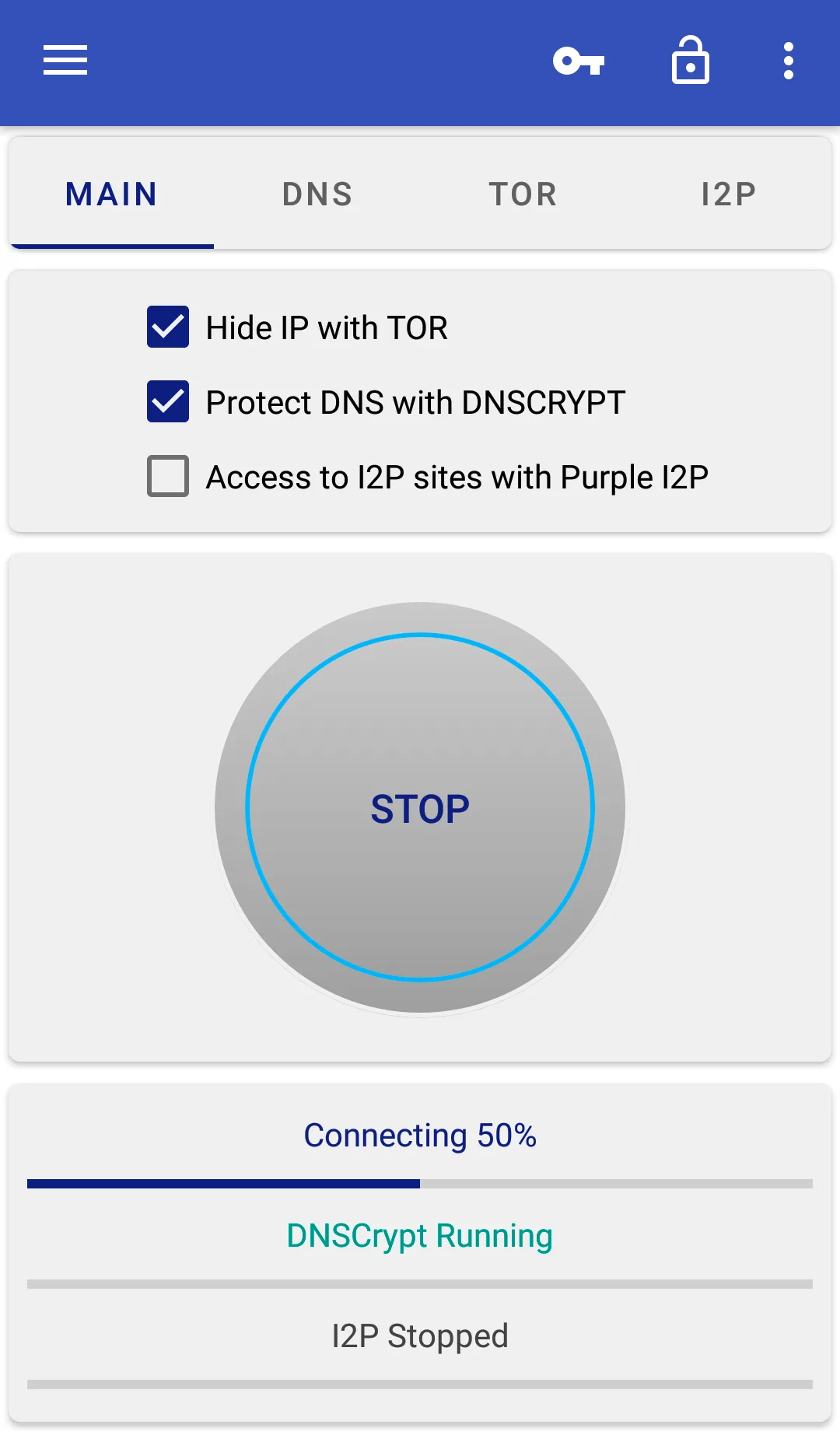
- Tor and DNSCrypt start with the first tap; I2P stays off until you tick it. With Route All traffic through Tor, on by default, all TCP traffic goes through Tor and everything else is blocked, except sites and apps you add as exceptions. With it off, only what you add goes through Tor.
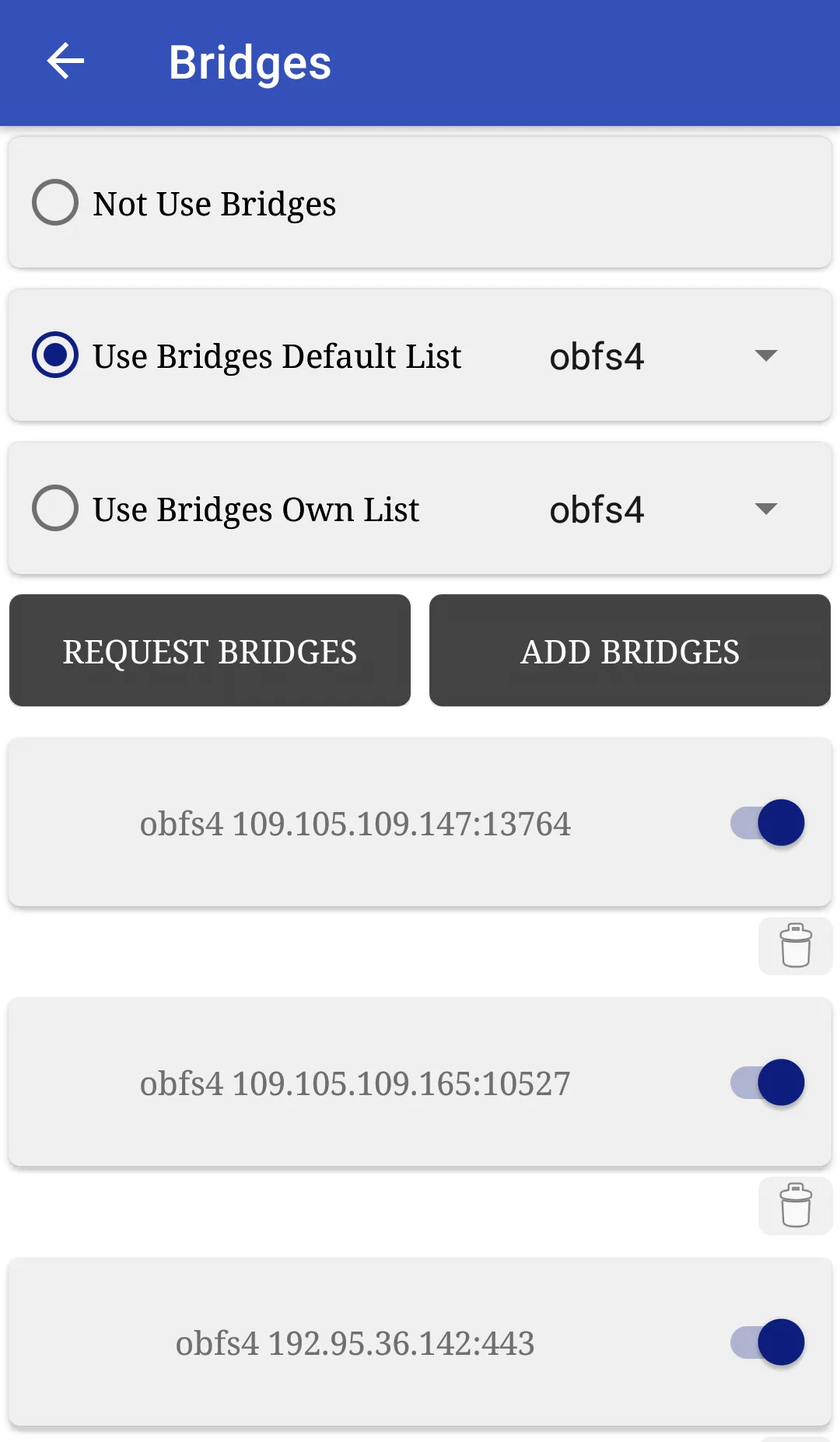
- Tor bridges for networks that block Tor: obfs4, Snowflake, WebTunnel, Conjure, meek and, new in 7.5.0, DNSTT. A list of default bridges is included, and you can request more from the Tor Project inside the app. SNI spoofing is an option when Tor connections are blocked.
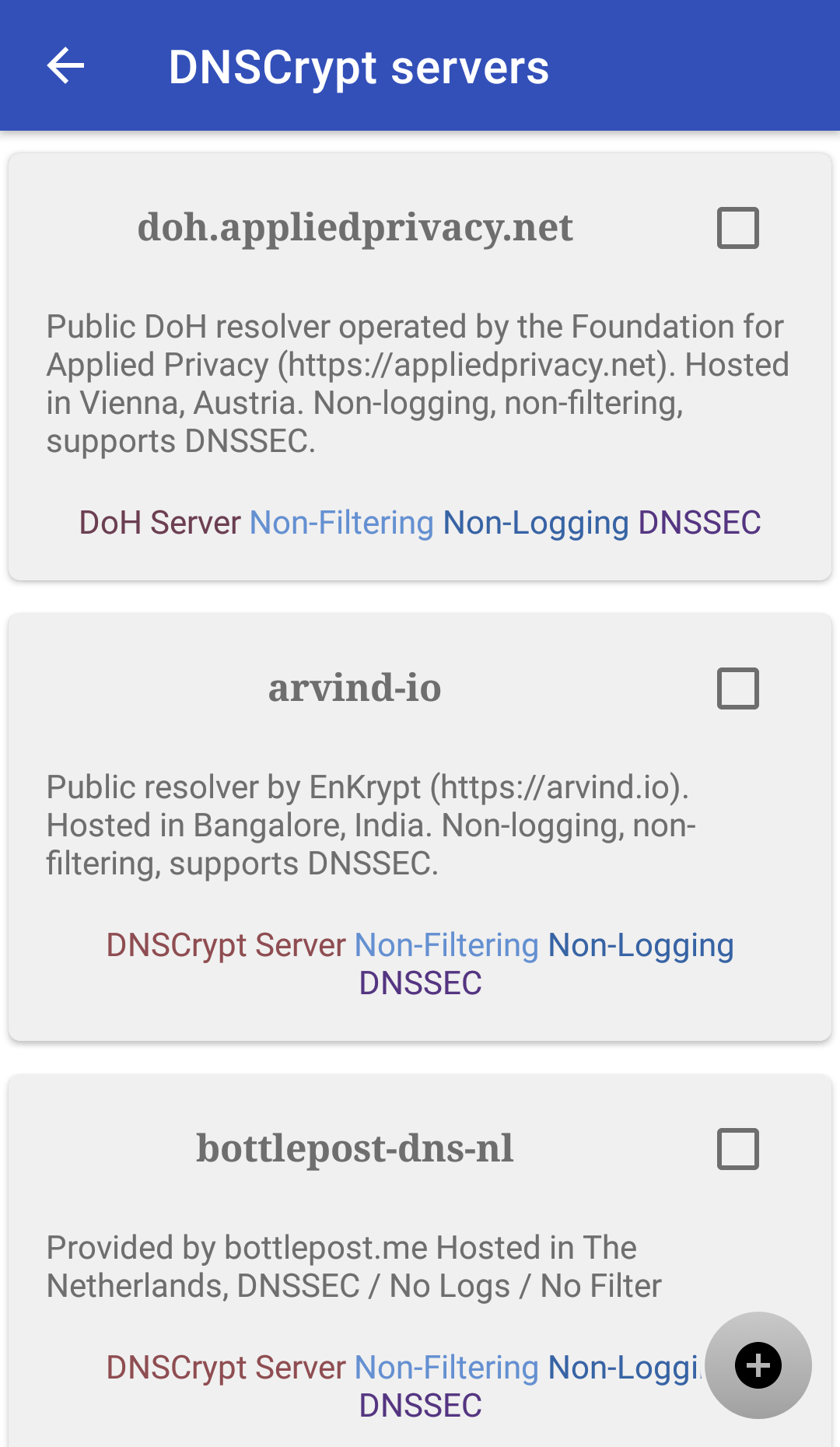
- DNSCrypt uses eight servers by default, several of which filter ads and malware: AdGuard DNS, Control D’s malware and ad filter, dnsforge.de, LibreDNS without ads, Mullvad, and a family-safe filtering server hosted at Scaleway. Mullvad has announced it will shut that service down on 2 November 2026; in September the developer wrote that it would have to be replaced. You can choose other servers from DNSCrypt’s public list, which the app downloads and checks against its signature.
- The firewall allows or blocks each app on Wi-Fi, mobile data, LAN and roaming. It works while DNSCrypt or Tor is running, or on its own.
- Quick Settings tiles for Tor and DNSCrypt, and an Android TV version.
One limitation the developer points out: DNS can’t be split per app on Android, so “all apps use Tor DNS if it is running, or DNSCrypt if it is running”, even apps you route outside Tor. In Root mode, IPv6 is blocked.
What goes online
Nothing until you press Start, apart from what you ask for. Then:
- Tor, DNSCrypt and I2P connect to their networks; DNSCrypt also refreshes its server list from the DNSCrypt project every three days.
- Connection checks, through Tor or directly, to see whether the modules work.
- Requesting bridges contacts the Tor Project’s bridge service when you ask.
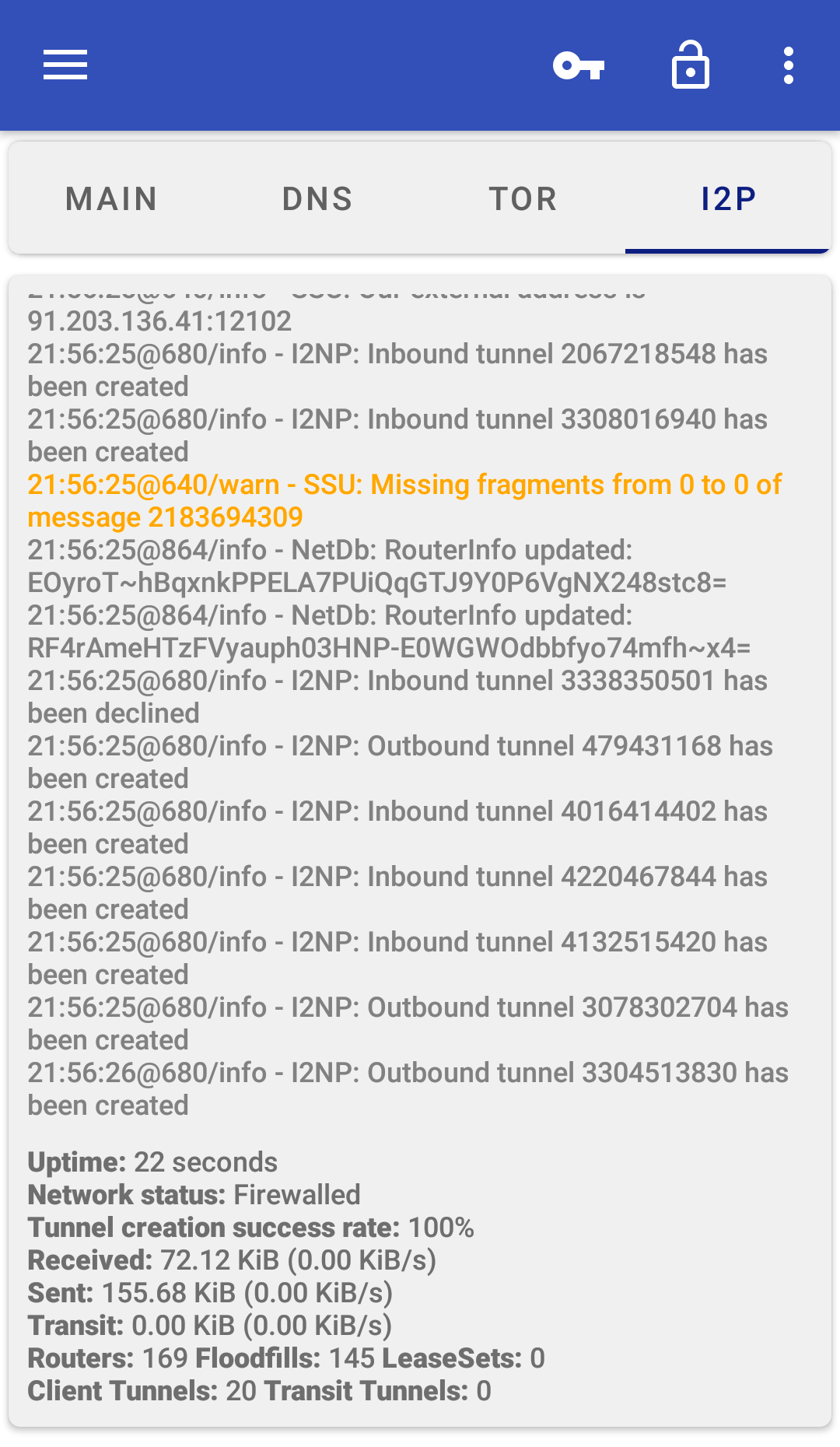
- When I2P runs, its default settings let it relay some traffic for other I2P users.
This F-Droid build doesn’t check for app updates; F-Droid’s own app does that. There are no analytics or advertising libraries, and crash reports are only sent if you choose to e-mail one after a crash.
About this file
- This is F-Droid’s build of version 7.5.0, the stable release from 12 July 2026, added to F-Droid on 15 July and signed with F-Droid’s key. F-Droid built it from the developer’s
v7.5.0-stabletag. - 7.5.0 updated DNSCrypt to 2.1.16, Tor to 0.4.9.11 and Purple I2P to 2.60.0, added DNSTT bridges and shortened the start-up time after a reboot.
- It is the 64-bit ARM build. F-Droid has a separate build for 32-bit ARM phones and none for x86.
- InviZible also has a beta line, numbered 2.7, published under a different package name; it installs alongside this one.
- The screenshots are the project’s own, from 2020; the interface has changed since.
- The 45.1 MB file runs on Android 5.0 and later and declares 16 permissions, for the VPN, network state, notifications, starting at boot if you enable it, and the list of apps for the firewall.
- InviZible Pro is licensed under the GPL-3.0 or later; Tor, Purple I2P and the Tor bridge programs are under BSD-style licences and dnscrypt-proxy under the ISC licence. The source of this version is at https://github.com/Gedsh/InviZible/tree/v7.5.0-stable, and F-Droid’s source archive of this build at https://f-droid.org/repo/pan.alexander.tordnscrypt.stable_27203_src.tar.gz.
- The APK also contains prebuilt BusyBox 1.31.1 and iptables 1.4.20 programs, used in Root mode, which are licensed under the GPL-2.0. Their source: BusyBox at https://github.com/meefik/busybox, and iptables at https://www.netfilter.org/projects/iptables/.
What’s inside the APK
Trackers
No code matching the Exodus Privacy tracker signatures.
Native code
Needs a 64-bit ARM phone; 32-bit-only devices are not supported.
Android versions
Built for Android 16 (target API 36).
Permissions
4 of them need your approval first.
CPU types in this build: arm64-v8a (64-bit ARM, almost every phone since 2017).
Asks you first (4)
Android shows a prompt before the app can use these.
- Find nearby Wi-Fi devices · NEARBY_WIFI_DEVICES
- Show notifications (Android 13+) · POST_NOTIFICATIONS
- Read shared storage (Android 12 and older) · READ_EXTERNAL_STORAGE
- Write shared storage (Android 10 and older) · WRITE_EXTERNAL_STORAGE
System-level (1)
Reserved for system apps. A normal install does not get these; they only take effect through root, ADB or Shizuku, if at all.
- INTERACT_ACROSS_USERS
Granted at install (10)
Low-risk permissions Android grants automatically, plus any we have not classified.
- ACCESS_NETWORK_STATE
- ACCESS_WIFI_STATE
- CHANGE_NETWORK_STATE
- FOREGROUND_SERVICE
- FOREGROUND_SERVICE_SPECIAL_USE
- INTERNET
- QUERY_ALL_PACKAGES
- RECEIVE_BOOT_COMPLETED
- VIBRATE
- WAKE_LOCK
Defined by other apps (1)
Permissions that belong to another app or to this app itself.
- pan.alexander.tordnscrypt.stable.DYNAMIC_RECEIVER_NOT_EXPORTED_PERMISSION
More Information
- Package name
- pan.alexander.tordnscrypt.stable
- Version
- 7.5.0 (build 27203)
- File size
- 45.1 MB (45,134,579 bytes)
- Requires
- Android 5.0 or later
- Category
- Network & Privacy
- License
- GPL-3.0-or-later
- Developer
- Oleksandr Garmatin
- Source code
- github.com/Gedsh/InviZible
- Released
- Jul 15, 2026
- Signed by
- F-Droid, which built this APK from the published source code. Because the key is F-Droid’s, it won’t install over a copy from Google Play or GitHub (or the other way round) without uninstalling first.
- Signer SHA-256
- 977d4ca02ca0b94948c58be87bc34bbdd58e12350de078e28b17fcda176b3141
- File SHA-256
- 463dbcb3f55820db3ffd3aa28f9fc756729676a7238583d83cd1b0e863ba3a12
- Checked
- , against the F-Droid index · how we check · verify it yourself
Common questions
Is this APK the official InviZible Pro release?
It is F-Droid’s build rather than the developer’s own: F-Droid compiled InviZible Pro 7.5.0 from the published source code and signed it with its own key. Its SHA-256 matches F-Droid’s signed index. Because the key is F-Droid’s, it won’t install over a copy from Google Play or GitHub without uninstalling first.
What Android version does InviZible Pro need?
Android 5.0 or later (API level 21). Version 7.5.0 is built for Android 16 (target API 36). Needs a 64-bit ARM phone; 32-bit-only devices are not supported.
Can InviZible Pro access the internet?
Yes. The APK requests Android’s internet permission. In total it declares 16 permissions, and 4 of them need your approval first.
Does InviZible Pro contain trackers?
No known trackers: our scan of version 7.5.0 found no code matching the Exodus Privacy tracker signatures. The scan covers known tracker libraries; it doesn’t show what data the app itself sends.
Is InviZible Pro open source?
Yes. InviZible Pro is released under the GPL-3.0-or-later licence, and its source code is published at https://github.com/Gedsh/InviZible.
Do I need root?
No. The project’s wiki: “InviZible can be used with device that has no root access, both in “VPN mode” or “Proxy mode”.” Without root the app starts in VPN mode. Root adds Root mode, which redirects traffic with iptables, per-app rules down to individual IP addresses, and sharing a Tor or I2P connection over a hotspot.
What starts when I tap Start the first time?
Tor and DNSCrypt, with I2P off. Route All traffic through Tor is on by default, so in the wiki’s words all TCP traffic goes through Tor and “All other internet traffic is blocked”, apart from sites and apps you exclude. Nothing starts by itself at boot unless you turn that on.
Can I use it with another VPN app?
Android allows only one VPN at a time, and InviZible’s VPN mode uses it. The wiki suggests running the other VPN app as a proxy only, or using InviZible in Proxy mode so the other app keeps the VPN slot. With root, the firewall has an option to allow connections through a third-party VPN.
How is the F-Droid build different from the GitHub and Play versions?
It is built from the same stable release by F-Droid and signed with F-Droid’s key. It has no update checker and no donation or purchase prompts, and all features are unlocked. The developer’s GitHub “Lite” build has a different key and version number, so neither updates the other; the Play version is a separate app with a paid night theme.
Recent releases
| Version | Released | Size | Requires |
|---|---|---|---|
| v7.5.0 · this download | Jul 15, 2026 | 45.1 MB | Android 5.0+ |
| v7.4.0 | Mar 3, 2026 | 39.6 MB | Android 5.0+ |
| v7.3.0 | Nov 12, 2025 | 41.9 MB | Android 5.0+ |
Versions currently kept in the F-Droid repository. We host and check only the newest one. Full changelog.
Alternatives and related apps
-
 Rethink: DNS + Firewall + VPN A firewall with encrypted DNS and WireGuard, which InviZible’s own wiki shows sending traffic to Tor through InviZible’s proxy.Download
-
 NetGuard The no-root firewall whose code InviZible’s VPN mode is based on.Download
-
 Proton VPN A conventional VPN service; Android runs only one VPN app at a time, so it can’t share that slot with InviZible’s VPN mode.Download