Private DNS Quick Toggle
by Maksim Karasev · MIT · open source
A Quick Settings tile that switches Android’s Private DNS between providers in one tap.
Needs:One-time grant via Shizuku or ADB
2113 Apps is independent, not affiliated with or endorsed by Maksim Karasev. Official sources: source code on GitHub.
- Version
- 1.11.0
- Size
- 4.3 MB
- Requires
- Android 9+
- Updated
- 2025-08-05
Screenshots
Introduction
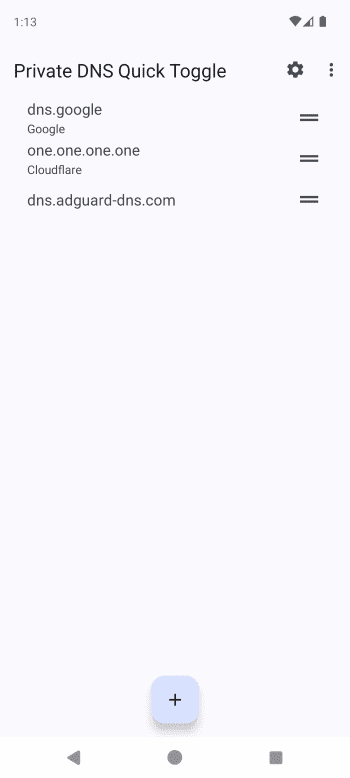
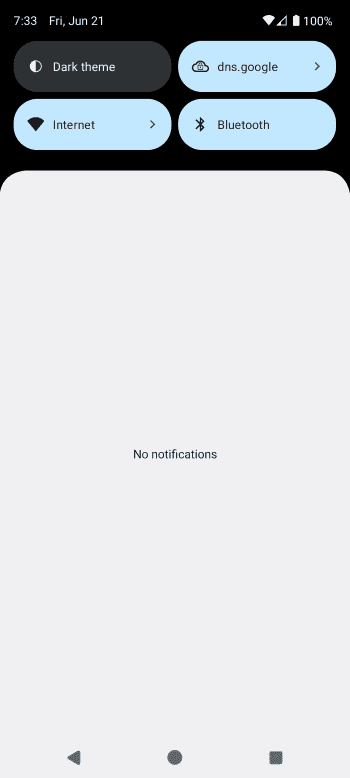
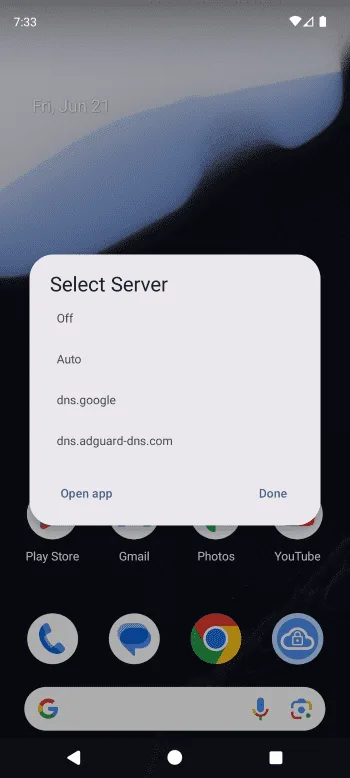
Android 9 added Private DNS, which sends your DNS lookups encrypted to a server you choose. It is a convenient way to use an ad-blocking DNS service. Changing it, though, means digging through Settings › Network › Private DNS every time. Private DNS Quick Toggle adds a Quick Settings tile that switches between providers in one tap.
What it does
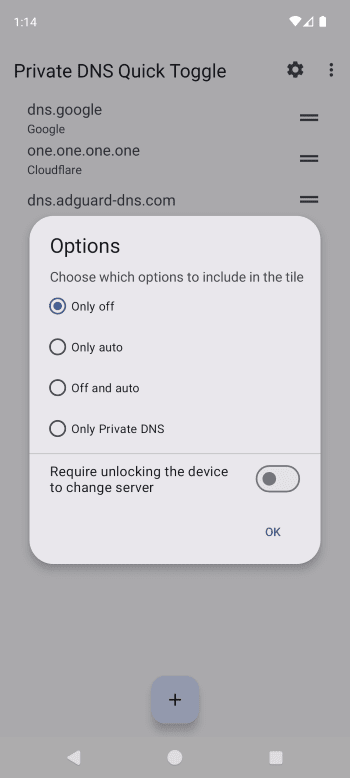
- Keeps a list of as many DNS providers as you like, and the tile switches between them.
- It makes switching an ad-blocking DNS off and on quick, for example when a site breaks because of blocking.
The one permission, and how to grant it
The app changes a system setting, and that needs WRITE_SECURE_SETTINGS. Android doesn’t let an app request it with a normal prompt. You grant it once in one of two ways:
- With Shizuku, from inside the app, or
- With ADB from a computer, by running
pm grantfor the app’s package with that permission. The project’s README has the exact command.
What stands out in the APK
- Three permissions in total:
WRITE_SECURE_SETTINGS, the Shizuku API permission and one private permission. Nothing asks for your contacts, location or storage. - Shizuku API confirmed in the code. No trackers.
- 4.3 MB, for Android 9 or newer, the version that introduced Private DNS.
Installing it
- Install the APK.
- Grant the permission through Shizuku or ADB.
- Add your DNS providers in the app. Each one is a hostname, such as the DNS-over-TLS address your provider publishes.
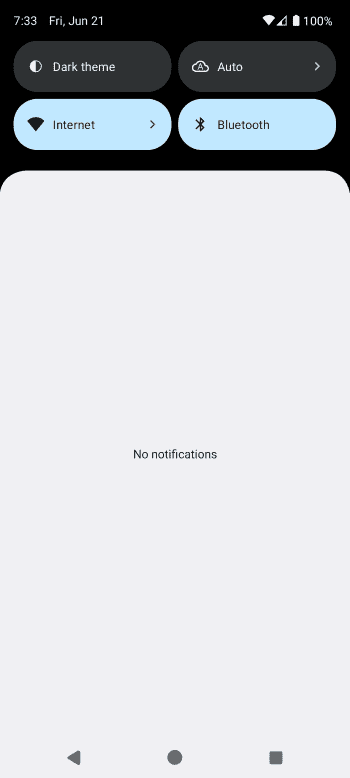
- Edit your Quick Settings panel and drag the tile in.
More apps that use Shizuku: Shizuku apps list.
What’s inside the APK
Trackers
No code matching the Exodus Privacy tracker signatures.
Native code
Runs on 64-bit and older 32-bit ARM phones.
Android versions
Built for Android 16 (target API 36).
Permissions
0 of them need your approval first.
Shizuku API. Uses the Shizuku API, so it can do ADB-level work without root once Shizuku is running. (rikka.shizuku.ShizukuProvider)
CPU types in this build: arm64-v8a (64-bit ARM, almost every phone since 2017); armeabi-v7a (32-bit ARM, older and budget phones); x86 (32-bit Intel, emulators); x86_64 (64-bit Intel, emulators and Chromebooks).
System-level (1)
Reserved for system apps. A normal install does not get these; they only take effect through root, ADB or Shizuku, if at all.
- WRITE_SECURE_SETTINGS
Defined by other apps (2)
Permissions that belong to another app or to this app itself.
- moe.shizuku.manager.permission.API_V23
- ru.karasevm.privatednstoggle.DYNAMIC_RECEIVER_NOT_EXPORTED_PERMISSION
More Information
- Package name
- ru.karasevm.privatednstoggle
- Version
- 1.11.0 (build 19)
- File size
- 4.3 MB (4,297,106 bytes)
- Requires
- Android 9 or later
- Category
- Network & Privacy
- License
- MIT
- Developer
- Maksim Karasev
- Source code
- github.com/karasevm/PrivateDNSAndroid
- Released
- Aug 5, 2025
- Signer SHA-256
- 1347c51f78d056fb15fe1eeaa1a0f34c6a08e2bfe4bce8ea1a1abd3db7e2c3fb
- File SHA-256
- 7d42277188f9eeb219c203e9dfe894b90664895bc25a3847279ac1786eb6b26e
- Checked
- , against the IzzyOnDroid index · how we check · verify it yourself
Common questions
Is this APK the official Private DNS Quick Toggle release?
Yes. It is the developer’s own release of Private DNS Quick Toggle 1.11.0, byte for byte as IzzyOnDroid distributes it. Its SHA-256 matches IzzyOnDroid’s signed index, and it is signed with the certificate IzzyOnDroid records for the app (SHA-256 1347c51f78d056fb15fe1eeaa1a0f34c6a08e2bfe4bce8ea1a1abd3db7e2c3fb).
What Android version does Private DNS Quick Toggle need?
Android 9 or later (API level 28). Version 1.11.0 is built for Android 16 (target API 36). Runs on 64-bit and older 32-bit ARM phones.
Can Private DNS Quick Toggle access the internet?
No. The APK doesn’t request Android’s internet permission, so the app can’t go online by itself. In total it declares 3 permissions, and none of them needs your approval first.
Does Private DNS Quick Toggle contain trackers?
No known trackers: our scan of version 1.11.0 found no code matching the Exodus Privacy tracker signatures. The scan covers known tracker libraries; it doesn’t show what data the app itself sends.
Is Private DNS Quick Toggle open source?
Yes. Private DNS Quick Toggle is released under the MIT licence, and its source code is published at https://github.com/karasevm/PrivateDNSAndroid.
Recent releases
| Version | Released | Size | Requires |
|---|---|---|---|
| v1.11.0 · this download | Aug 5, 2025 | 4.3 MB | Android 9+ |
| v1.10.0 | Feb 25, 2025 | 2.7 MB | Android 9+ |
| v1.9.0 | Nov 5, 2024 | 2.7 MB | Android 9+ |
Versions currently kept in the IzzyOnDroid repository. We host and check only the newest one. Full changelog.
Alternatives and related apps
-
 FireWall Blocks Blocks individual apps from going online, also through Shizuku.Download