ConnectBot
by connectbot · Apache-2.0 · open source
Log in to your servers from the phone: SSH with keys or passwords, Mosh for flaky connections, port forwarding and jump hosts. This is the open-source build, which needs no Google Play services.
Needs:Android 7.0+ · a server to connect to
2113 Apps is independent, not affiliated with or endorsed by connectbot. Official sources: connectbot.org · source code on GitHub.
- Version
- v1.11.1
- Size
- 13.1 MB
- Requires
- Android 7.0+
- Updated
- 2026-10-13
Screenshots
Introduction
ConnectBot is one of the oldest open-source SSH clients for Android, maintained by Kenny Root; on Google Play it has more than five million downloads. Version 1.10, in April 2026, rewrote the whole interface, and 1.11, in October 2026, added Mosh.
Connections
- SSH, Mosh and telnet, plus a local shell on the phone itself (the plain Android shell, not a Linux environment).
- Jump hosts: connect through one or more intermediate servers (ProxyJump).
- Port forwarding: local, remote and dynamic (SOCKS), set up per host.
- Agent forwarding, off by default, with an option to ask for confirmation each time.
- Stay connected: an option to reconnect when the connection drops. A notification keeps sessions running in the background, and Keep Wi-Fi active is on by default.
- Post-login automation, new in 1.11: run a sequence of prompts, inputs, delays and port forwards after logging in.
Keys and passwords
The key manager generates RSA, ECDSA, Ed25519 and DSA keys, RSA 2048 by default, and imports existing keys from a file or the clipboard. RSA and ECDSA keys can also be kept in the phone’s secure hardware and unlocked with your fingerprint; those can’t be exported or backed up. Login passwords can be saved per host, encrypted with Android’s keystore. The app itself can be locked with your fingerprint or PIN.
The terminal
Terminal profiles combine colours, font, size and character encoding. 1.11 added inline images in the iTerm2 and Kitty formats, off or on per profile or with consent for each session, better rendering of emoji, Arabic and other complex scripts, and switching between sessions from within the console again. With a hardware keyboard, the number keys can send F1 to F10 together with Shift.
What goes online
Only the servers you connect to. The developer’s privacy policy: “OSS Builds (e.g., GitHub): These builds contain no telemetry or tracking. No data is ever transmitted from these builds to the developers or any third-party analytics services.” We found no update check or analytics in the app; links to the project’s website, GitHub and donation pages open in your browser only when you tap them.
Android’s system backup includes your host list by default; private keys are left out unless you turn on their backup in the settings.
About this file
- This is the developer’s own build of version 1.11.1, the open-source (“oss”) build from the project’s GitHub releases (13 October 2026), signed with the ConnectBot release key from 2008. On 15 October F-Droid offered 1.11.0, one release behind. The builds marked “Untested” on GitHub after 1.11.1 are automatic pre-releases, which we don’t host.
- 1.11.1 adds a screen for viewing, importing and removing trusted host keys, a log of the app’s recent exit reasons, a profile setting for whether bold text uses bright colours, and ECDSA keys for agent forwarding. It also fixes a series of crashes, among them one in the session picker when several connections use the same saved host, and now rejects jump-host chains that loop or are too long.
- 1.11.0 also fixed lost characters when typing Korean (Hangul) and other IME problems, fingerprint-protected RSA keys on servers that don’t list their signature algorithms, and importing host lists from some file managers; it brings back the optional Page Up and Page Down swipe.
- Known open issues include the Enter key sometimes not responding after switching between several sessions (#2252), and automatic reconnection giving up after a DNS error (#2297).
- The 13.1 MB file runs on Android 7.0 and later, on ARM and x86, 32- and 64-bit. Of its 12 permissions, notifications are the only one the app asks for while running; it also declares nearby Wi-Fi devices, which we found no use of in the code.
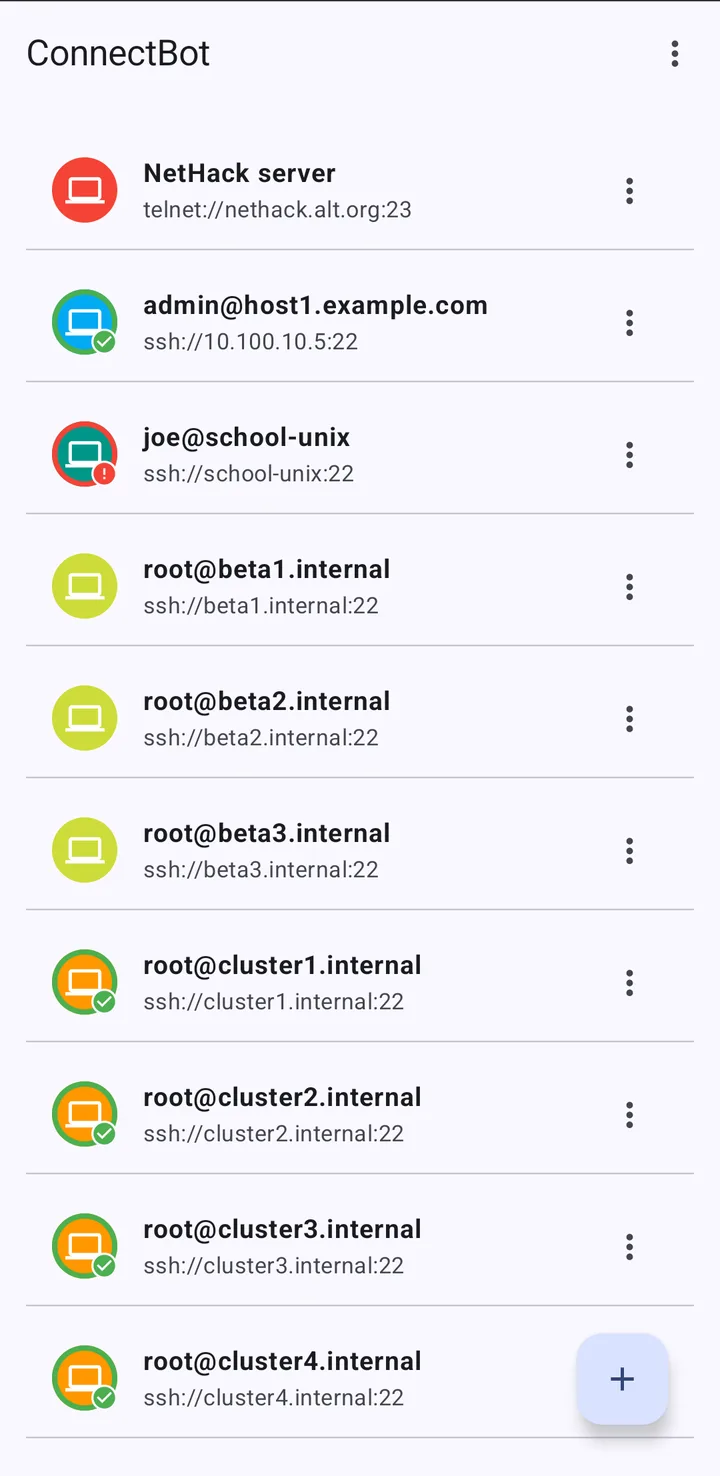
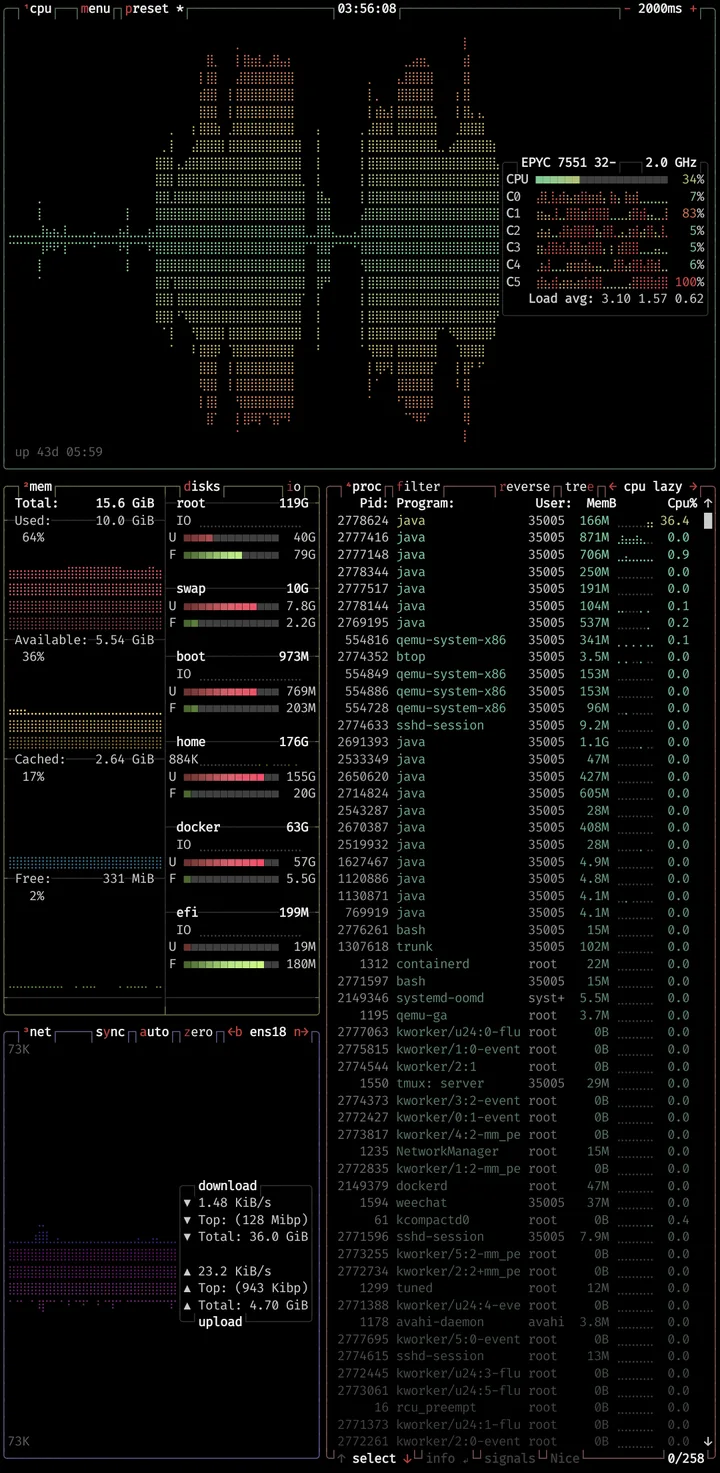
- The screenshots are the project’s own: the host list and the btop system monitor running on a server.
- ConnectBot is licensed under the Apache-2.0. Its telnet code is under the GPL-2.0 or later, and the Mosh libraries, from the project’s mosh4android repository, under the GPL-3.0. The source of this version is at https://github.com/connectbot/connectbot/tree/v1.11.1.
What’s inside the APK
Trackers
No code matching the Exodus Privacy tracker signatures.
Native code
Runs on 64-bit and older 32-bit ARM phones.
Android versions
Built for Android 16 (target API 36).
Permissions
3 of them need your approval first.
CPU types in this build: arm64-v8a (64-bit ARM, almost every phone since 2017); armeabi-v7a (32-bit ARM, older and budget phones); x86 (32-bit Intel, emulators); x86_64 (64-bit Intel, emulators and Chromebooks).
Asks you first (3)
Android shows a prompt before the app can use these.
- Find nearby Wi-Fi devices · NEARBY_WIFI_DEVICES
- Show notifications (Android 13+) · POST_NOTIFICATIONS
- Write shared storage (Android 10 and older) · WRITE_EXTERNAL_STORAGE
Granted at install (8)
Low-risk permissions Android grants automatically, plus any we have not classified.
- ACCESS_NETWORK_STATE
- FOREGROUND_SERVICE
- FOREGROUND_SERVICE_REMOTE_MESSAGING
- INTERNET
- USE_BIOMETRIC
- USE_FINGERPRINT
- VIBRATE
- WAKE_LOCK
Defined by other apps (1)
Permissions that belong to another app or to this app itself.
- org.connectbot.DYNAMIC_RECEIVER_NOT_EXPORTED_PERMISSION
More Information
- Package name
- org.connectbot
- Version
- v1.11.1 (build 11101000)
- File size
- 13.1 MB (13,092,258 bytes)
- Requires
- Android 7.0 or later
- Category
- System Tools
- License
- Apache-2.0
- Developer
- connectbot
- Source code
- github.com/connectbot/connectbot
- Released
- Oct 13, 2026
- Signer SHA-256
- aa43746a46127842169f8176412a1f4b1b1e2f8ad9e15aba217c3822dbeb2d5f
- File SHA-256
- 9e07972f3b03bc572a14845055c6e8048bcca19c8c40bf5e74b90effd9c1da55
- Checked
- , against the v1.11.1 release on GitHub · how we check · verify it yourself
Common questions
Is this APK the official ConnectBot release?
Yes. It is the file from the project’s v1.11.1 release on GitHub, byte for byte, and it matches the SHA-256 checksum GitHub publishes for it. It is signed with the certificate we recorded when we first checked ConnectBot (SHA-256 aa43746a46127842169f8176412a1f4b1b1e2f8ad9e15aba217c3822dbeb2d5f); a release signed with a different key would not be published here.
What Android version does ConnectBot need?
Android 7.0 or later (API level 24). Version v1.11.1 is built for Android 16 (target API 36). Runs on 64-bit and older 32-bit ARM phones.
Can ConnectBot access the internet?
Yes. The APK requests Android’s internet permission. In total it declares 12 permissions, and 3 of them need your approval first.
Does ConnectBot contain trackers?
No known trackers: our scan of version v1.11.1 found no code matching the Exodus Privacy tracker signatures. The scan covers known tracker libraries; it doesn’t show what data the app itself sends.
Is ConnectBot open source?
Yes. ConnectBot is released under the Apache-2.0 licence, and its source code is published at https://github.com/connectbot/connectbot.
What does the “oss” build leave out?
Google Play services. It carries its own cryptography provider, Conscrypt, instead of updating it through Play services, so it’s a few megabytes larger. Terminal fonts are limited to the system font and font files you import, as the Google Fonts list needs Play services, and all languages are built in rather than downloaded on demand.
Can I install it over ConnectBot from Google Play?
This file is the developer’s GitHub build, signed with the original 2008 release key. The README says Google Play can upgrade a version installed from a downloaded APK, “However, once it has upgraded you can’t install a version from the releases on GitHub anymore”, because Play rotates the signing key. F-Droid’s build has F-Droid’s key, so you can’t switch to or from it without reinstalling.
What do I need for Mosh?
Mosh has to be installed on the server too. ConnectBot logs in over SSH, starts mosh-server there (the command can be changed per host), and then switches to Mosh, which keeps the session alive when your network changes or the phone sleeps.
Can I move my hosts and keys to another phone?
Hosts, profiles and port forwards export to a JSON file, and private keys can be exported in OpenSSH or PEM format. Saved login passwords “will NOT be included in JSON exports”, and keys protected by your fingerprint can’t be exported at all.