Droid-ify
by LooKeR · GPL-3.0-or-later · open source
A tidier way to use F-Droid: browse and install from F-Droid, IzzyOnDroid and your own repositories, keep apps updated in the background, and install without prompts through Shizuku or root.
Needs:No root needed · Android 6.0+
2113 Apps is independent, not affiliated with or endorsed by LooKeR. Official sources: droidify.app · source code on GitHub.
- Version
- 0.7.8
- Size
- 6.0 MB
- Requires
- Android 6.0+
- Updated
- 2026-09-13
Screenshots
Introduction
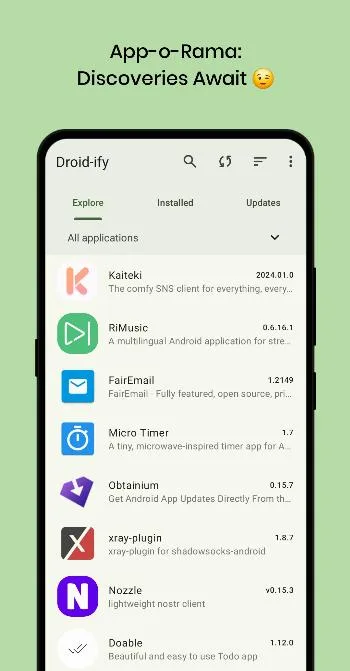
Droid-ify is an alternative client for F-Droid-style repositories. It began as an adaptation of an older client, Foxy Droid, and its developers describe it as clutter-free.
What it does
From the project’s README:
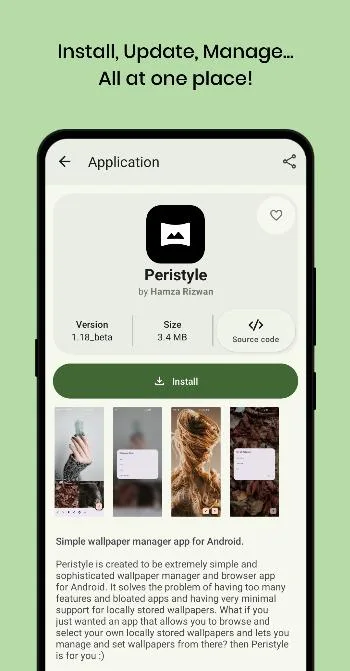
- Browse and install apps from F-Droid repositories, and keep browsing offline after the first sync.
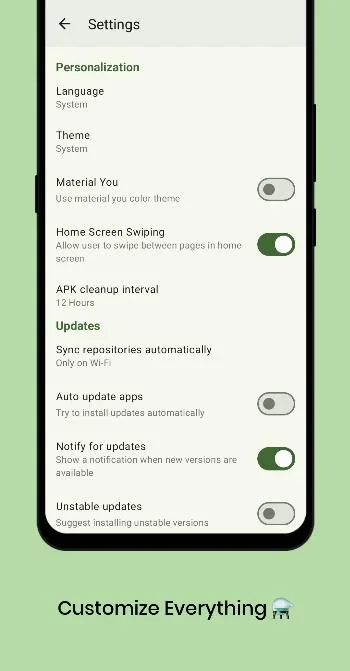
- Automatic updates in the background.
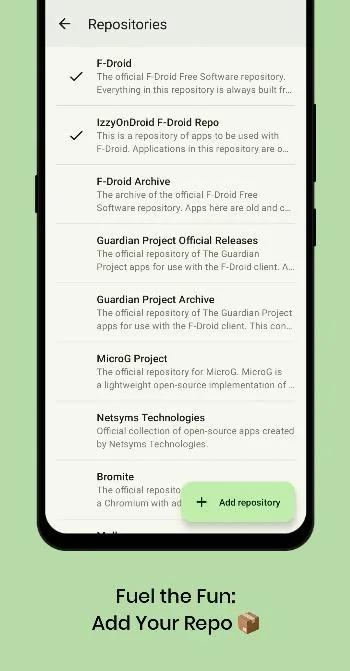
- Add repositories with one tap, or by scanning their QR code, and import or export your repository list. F-Droid and IzzyOnDroid are switched on out of the box; other preset repositories are off until you enable them.
- Several install methods: Android’s session installer (the default), a legacy installer, root, and Shizuku or Sui.
Shizuku and root
In the source code, both the Shizuku and the root installer do one thing: they install APKs with Android’s own pm package command, as ADB would, so updates can go through without a confirmation for each app. Uninstalling still uses Android’s normal uninstall screen. We found both the Shizuku library and libsu, a root library, in the APK.
About this file
- This is the developer’s own build, delivered through IzzyOnDroid. Its signing certificate matches the fingerprint in the project’s README.
- F-Droid also carries Droid-ify, built and signed by F-Droid; the README warns that its signature differs, so the two don’t update each other.
- Droid-ify isn’t on Google Play. The project is moving from GitHub to Codeberg.
- The 6.0 MB file runs on ARM and x86, 32- and 64-bit, needs Android 6.0 or later, and declares 17 permissions.
What’s inside the APK
Trackers
No code matching the Exodus Privacy tracker signatures.
Native code
Runs on 64-bit and older 32-bit ARM phones.
Android versions
Built for Android 17 (target API 37).
Permissions
2 of them need your approval first.
Shizuku API. Uses the Shizuku API, so it can do ADB-level work without root once Shizuku is running. (rikka.shizuku.Shizuku$$ExternalSyntheticLambda0)
libsu (root shell). Bundles libsu, a library for running commands in a root shell. (com.topjohnwu.superuser.NoShellException)
CPU types in this build: arm64-v8a (64-bit ARM, almost every phone since 2017); armeabi-v7a (32-bit ARM, older and budget phones); x86 (32-bit Intel, emulators); x86_64 (64-bit Intel, emulators and Chromebooks).
Asks you first (2)
Android shows a prompt before the app can use these.
- Use the camera · CAMERA
- Show notifications (Android 13+) · POST_NOTIFICATIONS
You switch these on in Settings (1)
Special app access. Nothing is granted until you turn it on yourself.
- Install unknown apps · REQUEST_INSTALL_PACKAGES
Granted at install (12)
Low-risk permissions Android grants automatically, plus any we have not classified.
- ACCESS_NETWORK_STATE
- ENFORCE_UPDATE_OWNERSHIP
- FOREGROUND_SERVICE
- FOREGROUND_SERVICE_DATA_SYNC
- INTERNET
- QUERY_ALL_PACKAGES
- RECEIVE_BOOT_COMPLETED
- REQUEST_DELETE_PACKAGES
- REQUEST_IGNORE_BATTERY_OPTIMIZATIONS
- RUN_USER_INITIATED_JOBS
- UPDATE_PACKAGES_WITHOUT_USER_ACTION
- WAKE_LOCK
Defined by other apps (2)
Permissions that belong to another app or to this app itself.
- com.looker.droidify.DYNAMIC_RECEIVER_NOT_EXPORTED_PERMISSION
- moe.shizuku.manager.permission.API_V23
More Information
- Package name
- com.looker.droidify
- Version
- 0.7.8 (build 780)
- File size
- 6.0 MB (5,997,579 bytes)
- Requires
- Android 6.0 or later
- Category
- System Tools
- License
- GPL-3.0-or-later
- Developer
- LooKeR
- Source code
- github.com/Droid-ify/client
- Released
- Sep 13, 2026
- Signer SHA-256
- ed8859c55af311162658b94af982b9f091dcd27628d4de3486d1217ebf3c9935
- File SHA-256
- 3e7934ff9b811c2f77794793381241095a02bac2d163bf922cb5a5a0ed25ca82
- Checked
- , against the IzzyOnDroid index · how we check · verify it yourself
Common questions
Is this APK the official Droid-ify release?
Yes. It is the developer’s own release of Droid-ify 0.7.8, byte for byte as IzzyOnDroid distributes it. Its SHA-256 matches IzzyOnDroid’s signed index, and it is signed with the certificate IzzyOnDroid records for the app (SHA-256 ed8859c55af311162658b94af982b9f091dcd27628d4de3486d1217ebf3c9935).
What Android version does Droid-ify need?
Android 6.0 or later (API level 23). Version 0.7.8 is built for Android 17 (target API 37). Runs on 64-bit and older 32-bit ARM phones.
Can Droid-ify access the internet?
Yes. The APK requests Android’s internet permission. In total it declares 17 permissions, and 2 of them need your approval first.
Does Droid-ify contain trackers?
No known trackers: our scan of version 0.7.8 found no code matching the Exodus Privacy tracker signatures. The scan covers known tracker libraries; it doesn’t show what data the app itself sends.
Is Droid-ify open source?
Yes. Droid-ify is released under the GPL-3.0-or-later licence, and its source code is published at https://github.com/Droid-ify/client.
Recent releases
| Version | Released | Size | Requires |
|---|---|---|---|
| v0.7.8 · this download | Sep 13, 2026 | 6.0 MB | Android 6.0+ |
| v0.7.7 | Sep 5, 2026 | 6.1 MB | Android 6.0+ |
| v0.7.6 | Aug 22, 2026 | 6.1 MB | Android 6.0+ |
Versions currently kept in the IzzyOnDroid repository. We host and check only the newest one. Full changelog.